
Smart cities depend on reliable connectivity between traffic control rooms, street cabinets, and municipal cloud platforms. This guide helps network engineers and field contractors choose the right fiber optic optical modules (SFP, SFP+, QSFP, and QSFP-DD) for real deployments where distance, power, and environmental constraints decide whether the network stays up. You will get a practical decision checklist, a failure-mode troubleshooting section, and a cost and ROI lens grounded in how transceivers behave in production.
Where optical modules fit in smart city networks
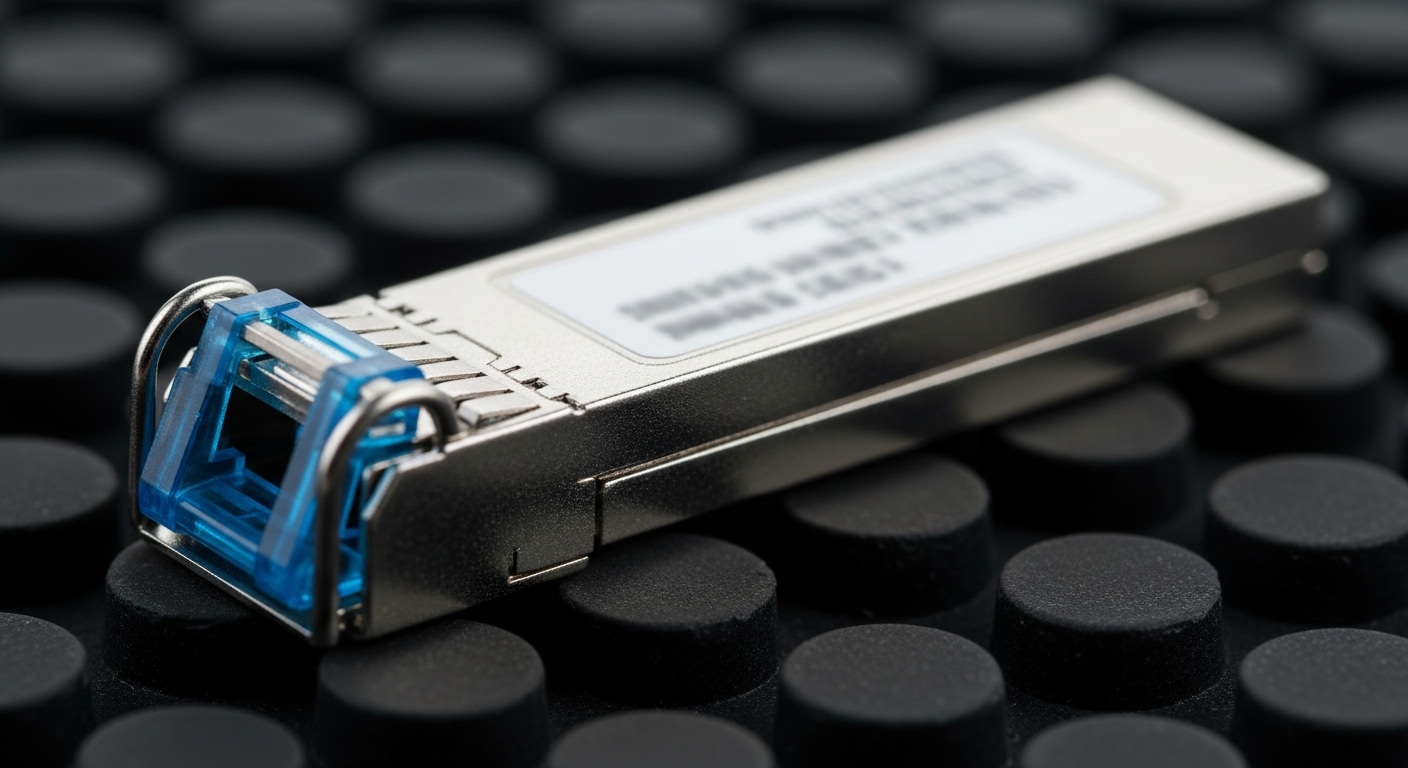
In most smart cities, the connectivity problem is not only “bandwidth,” but “bandwidth delivered across mixed environments.” Typical layouts include fiber runs from a central switching site to regional aggregation points, then copper or fiber breakouts into cabinets for cameras, sensors, and access points. Optical modules translate your switch port’s electrical signaling into optical wavelengths that can survive budgeted loss, connector reflectance limits, and temperature swings.
IEEE Ethernet standards define the link behavior, while vendor datasheets define the transceiver behavior you can actually depend on. For Ethernet over fiber, the common reference points are IEEE 802.3 for physical layer operation and the transceiver electrical interface rules in vendor documentation. When you plan links for smart cities, you should verify wavelength, reach class, optical power budget, and compliance with the specific switch line card you are using. anchor-text: IEEE 802.3 physical layer standard
Typical smart city link segments (and what modules they drive)
- Central office to regional aggregation: 10G to 100G uplinks, often short reach multimode within campus and long reach single-mode for metro spans.
- Regional to street cabinet: 1G, 10G, or 25G service where ruggedized housings and temperature control are inconsistent.
- Camera and sensor fan-in: 1G SFP or SFP+ on compact switches; sometimes 10G for high-resolution video aggregation.
- Edge compute to municipal cloud: 25G or 40G+ with strict latency targets and higher optical budget requirements.
Pro Tip: In field audits, the most common “it should work” failure is not the optical reach rating—it is the optical power budget mismatch caused by extra patch cords, dirty connectors, or a transceiver with a different transmit power class than the vendor assumed. Treat the power budget as a measurable engineering constraint, not a marketing number.
Optical module types engineers actually deploy for smart cities
Most smart city networks run a mix of legacy and modern Ethernet. You will usually see SFP/SFP+ for 1G to 10G, and QSFP/QSFP28/QSFP-DD for 40G to 400G depending on the aggregation tier. Selecting the wrong form factor can strand ports, while selecting the wrong wavelength family can silently reduce margin until the link flaps under environmental stress.
Key spec comparison you should use during selection
Below is a practical comparison of common module classes you will encounter when building smart cities deployments. Always confirm the specific switch model supports the exact transceiver family and whether it enforces vendor-specific compatibility.
| Module family (example part numbers) | Data rate | Wavelength | Typical reach class | Connector | Power (typ.) | Operating temperature | Notes for smart city use |
|---|---|---|---|---|---|---|---|
| SFP-10G-SR (Cisco SFP-10G-SR) | 10G | 850 nm | Up to 300 m (OM3), up to 400 m (OM4) | LC | ~0.8 to 1.5 W | 0 to 70 C (typ.) | Best for indoor fiber runs and controlled cabinets |
| SFP-10G-LR (common 10G LR optics) | 10G | 1310 nm | Up to ~10 km | LC | ~1.0 to 2.0 W | -5 to 70 C (typ.) | Use for metro spans and longer cabinet-to-aggregation links |
| SFP-25G-SR (e.g., FS.com SFP-25GSR-85) | 25G | 850 nm | Up to ~70 to 100 m (varies by OM and laser type) | LC | ~1.0 to 2.0 W | -10 to 70 C (varies) | Higher density for edge aggregation where fiber plant is short |
| QSFP28-40G-SR4 (common SR4 optics) | 40G | 850 nm (multi-lane) | Up to ~100 to 150 m (varies) | LC (or MPO depending on variant) | ~3 to 4.5 W | 0 to 70 C (typ.) | Use for rack-to-rack uplinks inside data centers |
| QSFP-DD-100G-LR4 (common LR4 optics) | 100G | 1310 nm (4 lanes) | Up to ~10 km | LC (or MPO variant) | ~5 to 8 W | -5 to 70 C (varies) | Metro aggregation where you need capacity and stability |
Specific example optics you might see in the field include Finisar FTLX8571D3BCL for 10G SR-class links (verify exact reach and temperature band from the datasheet), and Cisco SFP-10G-SR for 10G SR deployments. For third-party 10G/25G parts, you will often see FS.com SFP-10GSR-85 or SFP-25GSR variants; validate the DOM behavior and temperature grade before committing. anchor-text: Cisco transceiver documentation portal
Distance budgets and DOM checks for smart city reliability
Smart city deployments are unforgiving because they mix long and short runs, multiple connectors, and uneven maintenance. Your link design should start with an optical budget spreadsheet: fiber attenuation, connector loss, splice loss, and a margin for aging and cleaning. Then you confirm that the transceiver pair’s transmit power and receiver sensitivity meet that budget at the wavelength you selected.
Build an optical budget that survives cabinet conditions
- Measure fiber loss where possible: Use an OTDR or at least certify attenuation during acceptance testing. If you cannot measure, assume a conservative margin and plan for rework.
- Account for connectors and patch cords: Each additional mated connector and patch cord adds loss. Dirty connectors can cause both loss and intermittent link drops.
- Validate power levels: Check the transceiver datasheet for launch power and receiver sensitivity. Ensure the sum of losses stays within the power budget with margin.
- Respect temperature and link margin: In street cabinets, temperature can swing widely; confirm the module’s rated temperature range and thermal behavior.
DOM is not optional for operational clarity
DOM (Digital Optical Monitoring) provides real-time telemetry such as transmit power, receive power, laser bias current, and sometimes temperature. On a smart city network, DOM enables proactive maintenance: you can set thresholds so that a slowly degrading link triggers an alert before it becomes a downtime event.
When selecting modules, confirm DOM support on your switch platform and whether it works with both OEM and third-party optics. Some platforms enforce strict optics compatibility and may block “unsupported” transceivers, even if the electrical and optical specs match. Validate by testing in a staging rack with representative fiber lengths and cleaning states.
Selection criteria checklist for smart cities optical modules
This ordered checklist is how many field engineers reduce risk when scaling from a pilot to hundreds of links. Use it as a gate before ordering inventory for street cabinets, municipal buildings, and regional aggregation sites.
- Distance and reach class: Determine the maximum fiber length plus patch cords, splitters (if any), and worst-case attenuation. Match the module reach at your fiber type (OM3, OM4, OS2).
- Wavelength and fiber type alignment: 850 nm generally pairs with multimode; 1310 nm or 1550 nm pairs with single-mode. Do not mix unless you have a confirmed converter design.
- Budget and total cost: Estimate not only module price, but expected replacement rate, spares strategy, and labor hours for swaps.
- Switch compatibility and optics enforcement: Verify whether the switch requires OEM parts or supports third-party optics. Check if it supports DOM telemetry and alarms for threshold events.
- DOM and telemetry granularity: Confirm the switch reads transmit power and receive power, and whether it reports temperature and laser bias. This affects your ability to troubleshoot and predict failure.
- Operating temperature and thermal margins: Choose modules with a temperature range that matches street cabinet conditions. Prefer parts rated for -5 C to 70 C or broader when you cannot guarantee cabinet HVAC.
- Connector and cleaning strategy: Confirm LC versus MPO requirements, then standardize cleaning tools, inspection steps, and mating practices across contractors.
- Vendor lock-in risk: Evaluate OEM-only constraints versus third-party availability. Plan a test matrix with at least two optics vendors for redundancy if allowed by policy.
Common mistakes and troubleshooting tips in smart cities
Below are failure modes you can expect in real deployments. For each one, the root cause and a practical mitigation are included so your team can act quickly when a link fails.
Link flaps after installation due to dirty connectors or poor mating
Root cause: Connector contamination increases insertion loss and can cause intermittent receiver overload or marginal signal levels. This shows up after repeated cabinet access, cable handling, or during seasonal dust exposure.
Solution: Implement a “clean and inspect before re-seat” workflow. Use fiber inspection tools, clean with validated methods, and replace patch cords if scratches or persistent contamination are found. Validate with receive power readings from DOM after cleaning.
“It matches the wavelength” but the link never comes up
Root cause: Reach class and power budget mismatch caused by unaccounted patch cord length, extra couplers, or incorrect fiber type assumptions (OM3 vs OM4, or OS2 vs mislabeled multimode).
Solution: Recalculate the optical budget using measured loss. Compare DOM receive power to the module’s expected sensitivity range from the datasheet. If you are using multimode at 850 nm, confirm laser type and fiber core details with the acceptance documentation.
Third-party optics work in the lab but fail validation in the field
Root cause: Switch optics compatibility enforcement, DOM parsing differences, or firmware behavior that rejects certain transceiver ID strings. In some platforms, the link can come up but later drop when DOM thresholds or error counters trigger.
Solution: Test in a staging environment with the exact switch model, firmware version, and representative cable plant. Capture logs and confirm whether the switch flags “unsupported optics” or DOM read errors. Maintain a small validated spare pool from at least two sources if policy allows.
Temperature-related degradation in street cabinets
Root cause: Modules operating outside their rated temperature range, or insufficient airflow leading to elevated internal temperatures. This can increase bit error rate and cause CRC errors that look like congestion.
Solution: Verify cabinet thermal conditions during peak summer and winter. Choose modules with appropriate temperature grade, and add airflow management where needed. Use DOM temperature telemetry and interface error counters to correlate failures with thermal events.
Cost and ROI note: what smart city planners should budget
Module unit prices vary widely by data rate and whether you buy OEM versus third-party. As a planning range, many teams see typical 10G SR optics in the tens to low hundreds of dollars each, while 25G and 40G optics can climb substantially; 100G and QSFP-DD optics often cost more per link but reduce the number of ports needed. The key ROI lever is not only purchase price; it is the operational cost of downtime, truck rolls, and replacement labor.
TCO often favors optics that integrate cleanly with your platform for DOM visibility and alarm reliability. If third-party modules are cheaper but increase failure rates due to thermal stress or compatibility friction, the “savings” can disappear quickly. Plan spares by tier: keep a small stock of the most common module types for each cabinet and aggregation switch, and track failure cause codes (optical budget, connector cleanliness, compatibility, temperature) to refine your purchasing strategy.
For authority on physical layer behavior, refer to IEEE 802.3 for Ethernet over fiber operations and to vendor datasheets for receiver sensitivity, launch power, and DOM specifications. anchor-text: IEEE Xplore for standards access
FAQ
Which optical module type is most common for smart cities?
For many smart cities, SFP and SFP+ for 1G to 10G are the most common at the edge because they match compact switches used in cabinets. For higher-capacity aggregation, QSFP28 for 40G and QSFP-DD for 100G are increasingly used. The best choice depends on your distance, fiber type, and switch port density needs.
How do I confirm a module will work with a specific switch?
Confirm on the vendor compatibility list for your exact switch model and firmware version, then validate in staging with a representative fiber run. Pay attention to optics enforcement behavior and whether the switch reads DOM telemetry without errors. If the switch blocks unsupported optics, you may see link-up failures or intermittent drops.
Do I really need DOM for smart city operations?
DOM is strongly recommended because it enables proactive maintenance through transmit and receive power telemetry. In practice, teams use DOM thresholds to detect degrading optics or dirty connectors before the link fails. Without DOM, troubleshooting often relies on manual swap tests that increase downtime.
What is the biggest cause of unexpected link failures?
In field conditions, dirty connectors and unaccounted optical loss from patch cords and extra mating points are frequent root causes. Even when the module reach class seems sufficient, reduced margin can trigger CRC errors and link flaps. A standardized cleaning and inspection process is often the fastest improvement.
Is multimode at 850 nm still viable for smart cities?
Yes, when your distances are short and the fiber plant is verified for the correct multimode grade (OM3 or OM4). For longer metro spans or uncertain fiber conditions, single-mode at 1310 nm or 1550 nm is usually more forgiving. Always verify the optical budget with measured loss and connector/splice counts.
How should I plan spares for optical modules?
Start by identifying your most common module types per site tier and keep spares for each unique switch model and wavelength family. Track failures by root cause so you can adjust spare mix over time. Ensure spares are from the same validated batch or at least the same validated vendor and temperature grade.
If you want the next step, use the selection checklist above to build a link-by-link inventory for your smart cities rollout, then validate in staging with your real switch firmware and fiber plant. For related planning guidance, see smart city network documentation workflow and align your acceptance testing and spares strategy before field scale.
Author bio: I have designed and supported fiber-based Ethernet links for municipal and campus networks, focusing on optical budgets, DOM telemetry, and field acceptance testing. My work emphasizes operational reliability over spec-sheet assumptions, especially in temperature-variable cabinet environments.
