
Picking between multi-mode fiber and single-mode is one of the fastest ways to avoid costly optics swaps during datacenter or campus buildouts. This article helps network and field engineers choose the right fiber type for specific Ethernet link distances, transceiver compatibility, and operating environments—using practical constraints like budget, temperature, and DOM support. You will also get a ranked decision table plus common failure modes seen in rollouts.
Top 1: Short-reach Ethernet where multi-mode fiber wins
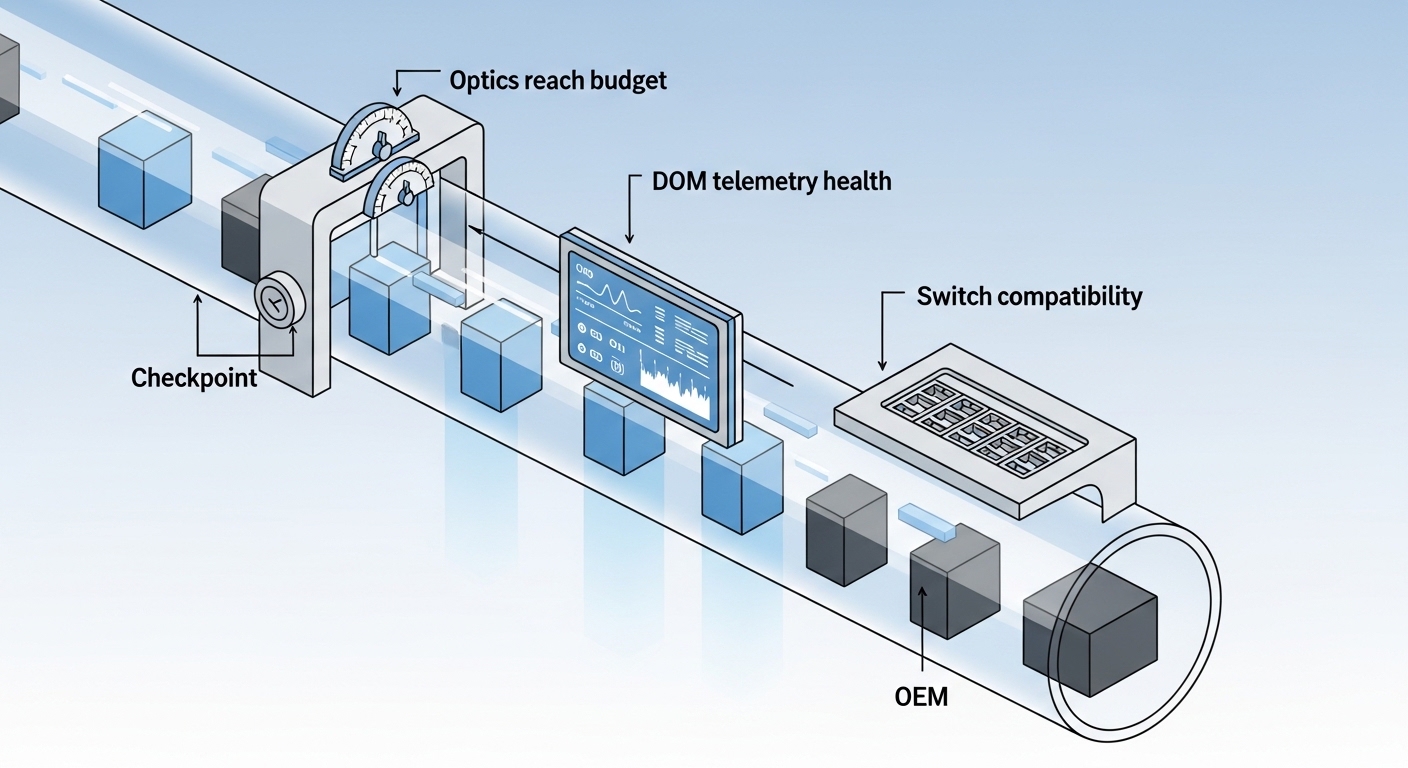
When you need fast, cost-effective links over short distances, multi-mode fiber is often the default for 1G to 10G and many 25G designs. The key driver is that multi-mode optics (for example, SR-class transceivers) are typically cheaper than long-reach single-mode optics for the same port speed. A common fit is a building riser or a lab that stays within the OM3/OM4 reach envelope.
Best-fit scenario: In a campus core-to-floor aggregation design, you run 10GBASE-SR from a top-of-rack switch to an aggregation block across 120 to 300 m of OM4. Most vendors will support this with SR transceivers such as Cisco SFP-10G-SR or FS.com SFP-10GSR-85, depending on optics form factor.
- Pros: Lower optics cost, simpler procurement for short links
- Cons: Reach is limited; modal bandwidth depends on fiber grade
Top 2: Choose OM4 vs OM3 based on your speed and margin
Not all multi-mode fiber behaves the same. OM3 and OM4 differ in effective modal bandwidth, which directly impacts how far your optics can run at higher data rates and how much power budget margin you have over time. For 10G and 25G Ethernet, engineers often prefer OM4 to reduce sensitivity to link loss and aging.
Spec anchor: IEEE Ethernet specifications define SR reach using the fiber grade assumptions (for example, OM4 for 10GBASE-SR typically supports longer reach than OM3). Validate your exact module type and fiber grade against the vendor datasheet, not only the standards headline.
- Pros: OM4 provides better headroom for 25G-class designs
- Cons: OM4 cable can cost more than OM3; both must be graded correctly
Top 3: Wavelength, connector, and transceiver type must match
Multi-mode fiber is commonly paired with short-wavelength optics (often around 850 nm) for SR links. Your transceivers must support the correct wavelength and multi-mode reach class, and your fiber plant must use the right connector standard (commonly LC duplex in enterprise and datacenter). Even when the cable type is correct, a connector mismatch or wrong transceiver SKU can cause link instability.
Field note: Always verify that the transceiver you order is explicitly rated for OM3/OM4 and the target distance; many “SR” modules are not interchangeable across reach classes.
- Pros: Predictable short-reach behavior when optics and fiber match
- Cons: Incorrect module selection leads to no-link or flaps
Top 4: Comparison table you can use during procurement
Before you order 48 to 500 ports worth of optics, compare practical parameters: reach, wavelength, typical power behavior, connector, temperature range, and the form factor you are deploying. The table below summarizes common real-world choices for multi-mode fiber SR links versus single-mode.
| Parameter | Multi-mode fiber (SR-class) | Single-mode fiber (LR-class) |
|---|---|---|
| Typical wavelength | 850 nm (SR) | 1310 nm or 1550 nm (LR/ER) |
| Typical reach at 10G | OM3: ~300 m, OM4: ~400 m (varies by module) | ~10 km class for 10G LR |
| Connector (common) | LC duplex (often) | LC duplex (often) |
| Operating temperature | Often commercial or industrial: typically ~0 to 70 C (check datasheet) | Often commercial or industrial: typically ~0 to 70 C (check datasheet) |
| Transceiver examples | Cisco SFP-10G-SR, Finisar FTLX8571D3BCL, FS.com SFP-10GSR-85 | 10G LR modules (vendor-specific) |
| Cost pattern | Usually lower for short reach | Usually higher per optic, but better for long reach |
- Pros: Faster bid comparison and fewer “wrong SKU” returns
- Cons: Reach depends on optics model and link loss testing
Top 5: Budget math for optics plus installed link loss
Engineers should treat this as a total cost of ownership (TCO) problem, not just a cable bill. Multi-mode optics are frequently cheaper, but if your link length or splice/patch loss forces you to run out of margin, you may pay later in truck rolls, re-termination, or forced upgrades to higher-spec optics. Single-mode can cost more per module, but it often reduces risk on longer runs and future upgrades.
Realistic range: In many enterprise purchases, SR optics are commonly priced lower than LR optics by a noticeable margin, while pre-terminated single-mode assemblies can also reduce installation labor. Exact pricing depends on port speed, vendor, and whether you use OEM or third-party optics with compatible DOM behavior.
- Pros: Better TCO decisions when you include labor and testing
- Cons: Vendor pricing swings; DOM and warranty terms vary
Top 6: Operating temperature and power budget discipline
Optical links fail when the received power falls below the transceiver’s sensitivity or when temperature shifts stress the laser bias. For multi-mode fiber, keep an eye on insertion loss from dirty connectors, patch cords, and excess fiber bends. If the environment is industrial—near HVAC exhaust, loading docks, or elevated ambient—choose transceivers with temperature ratings that match the real rack location.
Pro Tip: If you see intermittent link drops on a multi-mode fiber SR port, measure connector cleanliness and end-face quality first. Dirty LC endfaces can mimic “bad fiber,” and cleaning plus re-termination often restores link stability without any fiber re-pull.
- Pros: Fewer failures by enforcing power budget and cleanliness
- Cons: Requires disciplined field testing and documentation
Top 7: Migration and future-proofing for 25G and beyond
Multi-mode fiber can be a strong starting point if your roadmap includes gradual upgrades, but you must confirm the plant supports the higher-speed optics you plan to deploy. Many rollouts standardize on OM4 because it improves margin for higher data rates compared with OM3 under comparable link loss conditions. Still, the safest approach is to validate the exact transceiver family you expect to buy later.
Best-fit scenario: A 3-tier data center leaf-spine topology with 48-port 10G ToR switches migrates to 25G uplinks. Engineers pre-install OM4 trunks rated for the initial SR links, keep patch lengths short, and verify each cable run with OTDR or certified loss testing before ordering 25G SR optics.
- Pros: Smooth upgrade path when OM4 and patch discipline are in place
- Cons: A wrong initial fiber grade can lock you out of later optics choices
Top 8: Decision checklist for multi-mode fiber vs single-mode
Use this ordered checklist during design review and before purchase orders. It is designed to reflect what actually matters when you are deploying Ethernet optics under real constraints.
- Distance: Confirm target link length including patch cords and slack (not just run distance).
- Fiber grade: If multi-mode, pick OM3 vs OM4 based on your speed and required margin.
- Switch compatibility: Validate transceiver support (including supported wavelengths and reach class).
- DOM support: Ensure your platform tolerates DOM behavior for monitoring and alarms.
- Operating temperature: Match transceiver temperature rating to rack ambient and airflow.
- Budget and TCO: Include optics price, expected downtime cost, and installation/testing labor.
- Vendor lock-in risk: Consider warranty and replaceability if you use OEM vs third-party optics.
- Pros: Reduces rework and “wrong optics” incidents
- Cons: Requires accurate as-built documentation and link test results
Common Mistakes / Troubleshooting
1) Mistake: Treating “multi-mode” as one uniform category.
Root cause: OM3 and OM4 have different modal bandwidth assumptions; SR reach varies by fiber grade and optics model. Solution: Verify the fiber jacket marking, consult the cable certification report, and align the transceiver SKU to OM3 or OM4.
2) Mistake: Ignoring connector cleanliness and patch cord quality.
Root cause: Contamination on LC endfaces increases insertion loss and can cause link flaps under temperature or vibration. Solution: Inspect with a fiber scope, clean with approved methods, and re-test with a certified
