
In edge computing sites, optical transceivers can spend years inside thermally constrained racks—yet their power rails are often the first thing to drift. This article helps network and field engineers choose, protect, and validate DC power for pluggable optical modules so link bring-up and long-term reliability stay predictable. You will get a top list of power-focused decisions, plus troubleshooting patterns and an end-to-end selection checklist you can apply during audits.
Top 8 DC power decisions for optical modules in edge computing
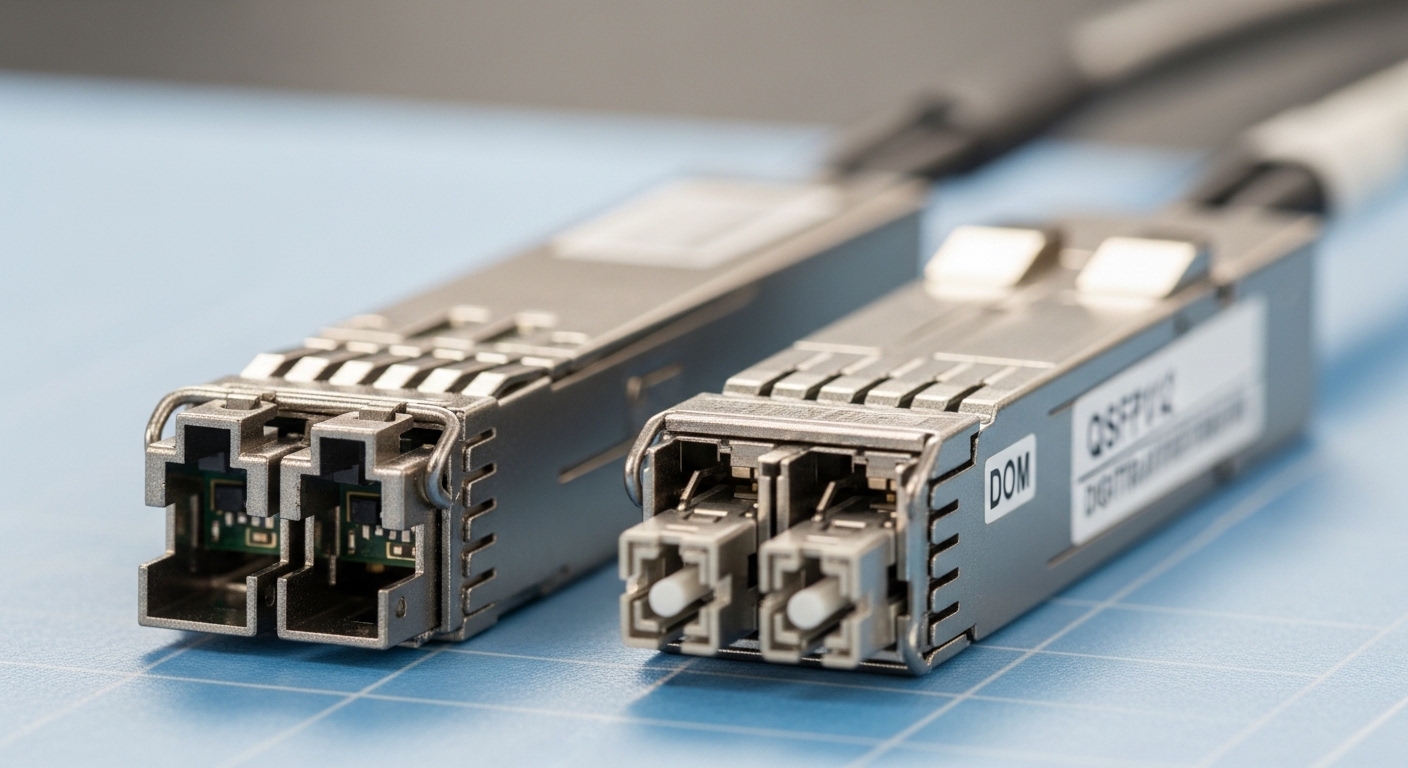
Match transceiver electrical class to your rail (3.3 V vs 5 V)
Most common pluggable optics in enterprise and data center use 3.3 V supply rails, but some legacy or specific form factors can require 5 V as the module supply. Before you touch power provisioning, confirm the transceiver electrical interface in the vendor datasheet and ensure your edge switch or media converter actually routes the correct voltage to the cage. Field failures frequently trace back to mismatched rail assumptions during refresh cycles, especially when teams mix OEM optics and third-party optics.
Best-fit scenario: In a retail edge deployment with 24-port aggregation switches, you may reuse the same chassis across multiple vendor generations; the chassis might keep the same cage footprint while changing the cage wiring and voltage rating between revisions. Treat that as a design variable, not a constant.
- Pros: Prevents immediate “no-link” bring-up failures.
- Cons: Requires strict inventory discipline across chassis revisions.
Budget worst-case voltage droop and inrush, not just nominal
Edge computing power environments often have long cable runs, shared DC bus converters, and aging capacitors. Optical modules can present a dynamic load during initialization—especially when internal lasers, receivers, and digital monitoring circuits start up. Size your regulation and decoupling so the module sees a stable supply within the allowed tolerance across load steps.
Practically, engineers should evaluate minimum input voltage at the module pins, not at the PSU output. If your edge switch uses a backplane regulator, validate the regulator transient response with scope measurements during module insertion. A typical target is keeping the rail within the module’s specified operating range during both steady-state and hot-plug events.
- Pros: Reduces intermittent link flaps after power events.
- Cons: Needs instrumentation time and repeatable test conditions.
Use power sequencing that respects hot-plug behavior
Pluggable optics are designed for hot insertion, but that does not mean all power sequencing is harmless. If your edge computing site powers the switch control plane first and the I/O rail later (or vice versa), modules may partially power and report invalid diagnostics. That can confuse automation systems that rely on DOM (Digital Optical Monitoring) readings to decide whether links are healthy.
Best-fit scenario: In an industrial edge cabinet with a UPS feeding DC/DC converters, you may observe that the I/O rail ramps slower than the management rail. Align sequencing in the switch power policy or add controlled enable timing so the optical cages see a clean, monotonic rail ramp.
- Pros: Stabilizes telemetry and reduces false alarms.
- Cons: Requires coordination with switch/PSU firmware and power architecture.
Enforce ripple and noise limits with real measurements
Even when average voltage is correct, excessive ripple or switching noise can degrade receiver sensitivity, increase error rates, or cause internal monitoring circuits to misread temperature and bias. Optical modules can be sensitive because they combine analog front ends with high-speed digital logic. In edge computing, noisy DC/DC converters, motor drives, and long harnesses can inject interference.
Reference checks should be grounded in the vendor datasheet and your PSU spec, then validated at the cage. Use an oscilloscope with adequate bandwidth and proper probing technique at the module supply pins to confirm ripple stays within the module and host platform tolerances. If you cannot measure at the cage, measure at the regulator output and validate through worst-case voltage drop and noise coupling.
- Pros: Improves BER stability and DOM accuracy.
- Cons: Measurement setup can be non-trivial in field cabinets.
Provide surge, ESD, and EFT protection tailored to edge cabinets
Edge computing sites often face harsh electrical environments: lightning surges, contact transients, and fast electrical bursts from nearby equipment. Optical modules are not inherently surge-proof; the host platform and cage circuitry must include protection components, and you must ensure those components are present, correctly rated, and not bypassed by “cost down” wiring.
Work with your facilities and electrical teams to align protection to standards such as IEC 61000-4-4 (EFT), IEC 61000-4-5 (surges), and IEC 61000-4-2 (ESD). Then verify that the DC protection network does not create excessive impedance or filtering that destabilizes the regulator loop during module insertion.
- Pros: Reduces catastrophic failures during storms and switching events.
- Cons: May increase BOM and require electrical sign-off.
Validate temperature and thermal design because power and heat interact
At the edge, thermal headroom is limited, and temperature directly affects allowable operating conditions for both the module and the host regulator. A regulator that runs hot may drift in output voltage and increase ripple. Meanwhile, optical modules can increase power dissipation under higher bias to maintain optical power across temperature.
Best-fit scenario: In a telecom shelter with a small HVAC unit, you may see ambient spikes during summer peaks. Validate the module and host platform temperature ranges, and confirm the power rail stays within tolerance while the system thermals are at worst case. If you are deploying -40 to +85 C rated optics in a climate-controlled cabinet, still validate the regulator junction temperatures because the cage supply path can run hotter than the ambient sensor suggests.
- Pros: Prevents slow degradation and early optical aging.
- Cons: Requires thermal profiling and targeted monitoring.
Confirm DOM support and power budget impact for monitoring
DOM implementations typically draw small currents, but the bigger risk is that some third-party optics may behave differently under marginal power conditions. If DOM readings become inconsistent (for example, temperature jumps or laser bias values freeze), your monitoring and alerting pipeline might either ignore real faults or trigger false positives.
During acceptance testing, verify that DOM telemetry stays valid across the full voltage tolerance window and during hot-plug. If your edge computing operations rely on automated actions, ensure your system can handle transient “unknown” states rather than escalating immediately.
- Pros: Makes operations dependable and reduces truck rolls.
- Cons: Requires test automation and firmware-aware validation.
Choose OEM vs third-party with a power reliability and TCO lens
Third-party optics can reduce acquisition cost, but edge computing failures are expensive when you factor in dispatch time, downtime, and the cost of troubleshooting marginal power issues. OEM optics often provide tighter characterization and predictable DOM behavior across temperature and voltage. That does not mean third-party optics are always bad; it means the validation burden shifts to you.
Cost & ROI note: In many deployments, optics might be $60 to $200 per transceiver depending on data rate and reach, while field failure and replacement can cost $300 to $1,500 per event once you include labor, spares logistics, and downtime impacts. If your site has marginal power quality, paying a modest premium for known-good compatibility can be cheaper than repeated interventions.
- Pros: Optimizes total cost, not just purchase price.
- Cons: Requires vendor qualification and documentation.
DC power specs to compare when selecting optical modules
When you compare optics for edge computing, do not stop at wavelength and reach. Compare electrical and thermal parameters that relate to DC power stability and survivability. The table below shows representative expectations for common transceiver classes; always confirm exact values in the specific vendor datasheet and your host platform documentation.
| Spec category | What to verify | Representative values (examples) | Why it matters in edge computing |
|---|---|---|---|
| Data rate | Match switch port capability | 10G (SFP+), 25G (SFP28), 100G (QSFP28) | Higher-speed optics can increase internal power draw and sensitivity to rail noise |
| Wavelength | MMF vs SMF compatibility | Examples: 850 nm (SR/MMF), 1310 nm (LR/ER) | Not a power parameter directly, but it drives module class and typical thermal behavior |
| Optical reach | Budget and fiber type | Examples: 300 m (10G SR over MMF), 10 km (10G LR over SMF) | Reach often maps to different bias and power consumption profiles |
| Module supply voltage | Electrical interface | Common: 3.3 V; some form factors: 5 V | Mismatched rails cause bring-up failures or long-term damage |
| Operating temperature | Ambient and airflow assumptions | Common: -40 to +85 C (extended); some enterprise optics are narrower | Regulator drift and module aging accelerate at extremes |
| Power dissipation | Thermal and power budget | Varies by class; check datasheet | Heat increases rail ripple and reduces margin |
| DOM and monitoring | Telemetry behavior under voltage variation | DOM: digital diagnostics over I2C or equivalent interface | Improves fault detection but can expose marginal power quality |
For grounding, consider typical product families engineers deploy in edge computing. For example, a Cisco SFP-10G-SR style module or an FS.com SFP-10GSR-85 class SR module typically targets 3.3 V operation, while SMF long-reach optics target different wavelengths and class behavior. Always verify your exact model number and host cage wiring before assuming compatibility.
Authority references: IEEE optical transceiver and management ecosystems often reference standardized electrical and diagnostic expectations; also rely on host platform documentation and vendor datasheets. See [Source: IEEE 802.3] for Ethernet PHY context and [Source: Cisco Transceiver Documentation] or equivalent vendor documentation for electrical interface and DOM expectations. For more on how systems model and measure optical link health, consult [Source: ANSI/TIA-568] where relevant to cabling practices.
IEEE 802.3 overview
ANSI standards portal
Selection checklist for DC power readiness at the edge
Use this ordered list during design reviews and site audits. It emphasizes measurable, failure-driven checks rather than assumptions.
- Distance and wiring losses: Estimate voltage drop from PSU to switch cage; verify minimum rail at the cage under load.
- Voltage class compatibility: Confirm module supply voltage (3.3 V vs 5 V) matches host cage spec for every chassis revision.
- Transient behavior: Validate droop and inrush during hot-plug with oscilloscope measurements at the cage.
- Ripple/noise limits: Confirm DC/DC switching noise does not exceed what the module and host regulator can tolerate.
- Protection network: Ensure surge, ESD, and EFT protection is present, correctly rated, and not bypassed by field wiring changes.
- Operating temperature and airflow: Confirm worst-case cabinet temperature keeps both regulator and module inside allowed ranges.
- DOM behavior under margin: Test telemetry stability across voltage tolerance and during insertion/removal events.
- Vendor lock-in and qualification risk: Weigh OEM reliability against third-party BOM savings, then set a qualification plan and acceptance tests.
Pro Tip: Many “bad optics” incidents are actually rail transients caused by regulator control loop interactions when modules are inserted under load. Capturing a few seconds of waveform at the cage during hot-plug often reveals a short-lived undervoltage that never shows up on PSU output meters.
Common mistakes and troubleshooting patterns
Below are frequent failure modes in edge computing deployments, along with root causes and practical fixes.
Pitfall 1: Voltage mismatch that still “partially works”
Root cause: A host cage revision routes the wrong rail voltage, or a field repair swaps a backplane without updating optics inventory. Some modules may enumerate but fail to sustain optical output or DOM updates.
Solution: Verify module supply voltage at the cage with a multimeter and, if possible, confirm rail at the module pins. Then lock inventory by chassis serial number and cage wiring revision.
Pitfall 2: Intermittent link flaps after power events
Root cause: Voltage droop during inrush or during UPS transfer creates a brief undervoltage. The optics recover, but the receiver and link training can momentarily fail, causing flapping and alarm storms.
Solution: Measure transient response at the cage during the exact power event (UPS transfer, DC bus drop, door-open HVAC failure). Add capacitance or adjust sequencing/enable timing so the module sees a monotonic ramp within tolerance.
Pitfall 3: High error rates that look like fiber problems
Root cause: Elevated ripple/noise from DC/DC converters degrades analog performance, raising BER while optical power looks “fine” in basic checks. In edge computing, noisy power can correlate with unrelated equipment cycles.
Solution: Correlate error counters with power quality logs. Use oscilloscope measurement at the cage and verify ripple spectrum during the problematic window. If needed, improve filtering, re-route power harnesses, or adjust converter switching frequency to reduce coupling.
Pitfall 4: DOM telemetry is erratic or inconsistent
Root cause: Monitoring interface behavior changes when optics operate near the edge of supply tolerance, especially during hot-plug or thermal extremes. Automation then interprets transient states as persistent faults.
Solution: Implement “debounce” logic in monitoring (require stable readings over a defined time window). Also run acceptance tests at temperature extremes and across voltage tolerance.
Cost and ROI note for edge power and optics
In edge computing, the best ROI often comes from avoiding repeated failures rather than chasing the lowest transceiver purchase price. OEM optics may cost more up front, but their characterized compatibility with the host cage and DOM behavior can reduce the chance that marginal power quality triggers elusive errors.
Typical price ranges (highly dependent on speed and reach): budget SR optics might be around $60 to $120, while higher-grade or long-reach optics can be $150 to $300+. If your site is already power-sensitive, spending a bit more on validated optics and performing transient and ripple checks can reduce mean time to recovery and reduce spare consumption, improving overall TCO.
Summary ranking table: best power decisions to prioritize first
| Rank | Decision | Primary risk reduced | Effort level |
|---|---|---|---|
| 1 | Match module supply voltage class to host cage | No-link and potential damage | Low |
| 2 | Validate worst-case droop and inrush at the cage | Flaps after hot-plug or power events | Medium |
| 3 | Measure ripple/noise at the cage or regulator output | High BER with “normal” optical readings | Medium |
| 4 | Enforce sequencing to avoid partial power states | Erratic DOM and automation false alarms | Medium |
| 5 | Thermal validation tied to regulator performance | Slow degradation and early aging | Medium to High |
| 6 | Surge and EFT/ESD protection alignment to standards | Catastrophic failures during storms | High |
| 7 | DOM behavior testing under voltage margin | Monitoring drift and wasted troubleshooting | Medium |
| 8 | OEM vs third-party qualification and acceptance plan | TCO surprises from field failures | Medium |
FAQ
What DC voltage should edge optical modules use?
Most modern SFP and SFP+ style optics use 3.3 V, but you must verify your exact module and host cage wiring. Some form factors or legacy designs can use 5 V. Always confirm both the transceiver datasheet and the host platform cage specification for your chassis revision.
How do I measure power quality for optics at an edge site?
Measure at the best available point: ideally the module cage pins during hot-plug events. Use an oscilloscope with appropriate bandwidth and proper probing to capture droop, ripple, and transient behavior. Correlate those measurements with link error counters and DOM telemetry timestamps.
Can noisy DC power cause high BER without obvious optical power issues?
Yes. Ripple and switching noise can degrade receiver analog performance, increasing BER even when basic optical power readings appear acceptable. If errors correlate with power cycles or converter activity, treat DC power quality as a primary suspect.
Is hot-plug safe for optical modules in edge computing?
Hot-plug is supported by design, but it can still trigger transient undervoltage or partial power states if sequencing is not aligned. Validate hot-plug behavior at the cage with transient measurements, and ensure your monitoring system tolerates brief DOM “unknown” periods.
Should we use OEM optics or third-party optics at the edge?
Third-party optics can be cost-effective, but edge reliability depends on compatibility under voltage, temperature, and DOM monitoring conditions. If you choose third-party, require an acceptance test plan that includes transient and ripple validation and DOM stability checks across temperature extremes.
Which standards should guide DC power protection decisions?
For electrical disturbances, IEC 61000-4 series is commonly used to define EFT, surge, and ESD test environments. For cabling and channel practices, use relevant ANSI/TIA guidance. Then map those requirements onto your actual PSU, distribution, and protection component ratings.
If you want fewer truck rolls and steadier links, treat DC power as a first-class design input for edge computing optics: verify voltage class, transient droop, ripple/noise, and sequencing at the cage. Next, review your current host platform documentation and run a targeted hot-plug acceptance test using the checklist above via edge computing power architecture.
Author bio: I lead network systems strategy with hands-on experience deploying optical interconnects in constrained edge environments, focusing on power integrity, telemetry reliability, and operational resilience. I help teams reduce tech debt by turning field failures into measurable engineering requirements and repeatable qualification pipelines.
