
In production networks, a single misbehaving SFP can destabilize routing, trigger flap storms, or silently degrade throughput. This article explains how TX Disable and RX LOS work together for optical signal management so you can keep links deterministic during fiber faults, patch panel errors, or aging optics. It helps network engineers and field teams who need practical selection and troubleshooting steps, not theory.
How TX Disable and RX LOS protect link stability
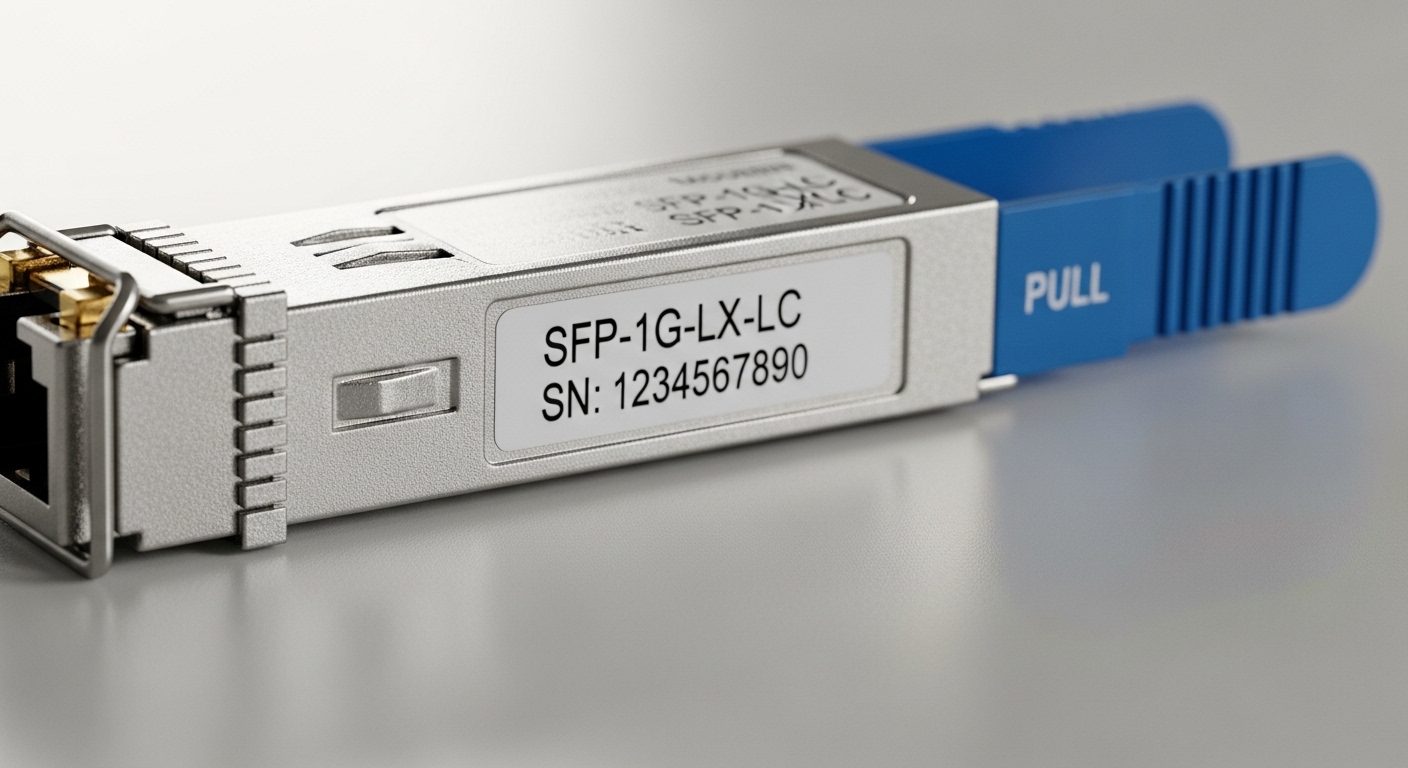
SFP transceivers include safety and diagnostics that react to physical-layer conditions. TX Disable is a control mechanism that forces the transmitter off (or to a low-power safe state) when the host or the optical health logic requests it. RX LOS (Loss of Signal) is a status output that asserts when the receiver detects insufficient optical power or link-layer conditions that imply no valid signal.
In real deployments, these signals reduce risk in two ways. First, when the receiver is blind due to a broken fiber, wrong connector, or severe attenuation, RX LOS gives the switch a fast, measurable indication to stop using the path or to raise alarms. Second, TX Disable prevents the transmitter from continuing to emit in circumstances where optics should be muted, which can limit cross-talk exposure and avoids confusing link partners during maintenance.
At the standards level, SFP diagnostics are commonly aligned with the SFF committee and transceiver monitoring practices, while the Ethernet physical layer behavior is governed by IEEE 802.3 for link establishment and signal detection behavior. For optical module electrical interfaces and monitoring conventions, vendor datasheets and compliance documents are the practical source of truth; consult the specific module datasheet for TX Disable polarity and LOS thresholds. [Source: IEEE 802.3] [[EXT:https://standards.ieee.org/standard/]]
SFP optical signal management specs you must verify
Not all SFPs implement TX Disable and RX LOS identically from an interface and threshold perspective. Before deploying, confirm the electrical control pin behavior, status signaling type, and operating ranges, especially if you are mixing vendors or upgrading firmware.
| Parameter | Typical Example (10G SFP SR) | Why It Matters for Optical signal management |
|---|---|---|
| Data rate | 10.3125 Gb/s | Determines receiver sensitivity requirements and link budget assumptions. |
| Optical wavelength | 850 nm (MMF) | Impacts fiber type compatibility and attenuation in patch panels. |
| Reach (typical) | 300 m @ OM3 (varies by vendor) | Sets expected RX power margin for LOS immunity. |
| Connector | LC | Mispatching LC/duplex polarity is a frequent root cause of LOS. |
| RX LOS control | LOS asserted on insufficient optical power | Threshold determines how quickly alarms trigger during marginal links. |
| TX Disable control | Host-controlled transmitter mute (polarity varies) | Prevents transmitter emission when the host decides the link is unsafe. |
| Operating temperature | 0 to 70 C or vendor extended variants | Temperature drift can shift optical power and LOS behavior. |
| Power budget | Typically ~1 to 2 W per module | Relevant for TCO and for power-cycling strategies during maintenance. |
Common reference modules include Cisco-branded optics such as Cisco SFP-10G-SR and third-party equivalents like Finisar FTLX8571D3BCL and FS.com SFP-10GSR-85. Always validate with your exact switch model and optics compatibility matrix, because DOM interpretation and TX Disable behavior can differ by platform. [Source: Cisco product datasheets] [[EXT:https://www.cisco.com/]] [Source: Finisar/Vendor datasheets] [[EXT:https://www.lumentum.com/]]
Real-world deployment: leaf-spine data center with rapid fault signaling
Consider a 3-tier leaf-spine topology in a mid-size data center: 48-port 10G ToR switches at the leaf, dual 100G uplinks per leaf to spine, and OM3 multimode fiber patching through structured cable trays. During a planned maintenance window, a fiber technician removes one duplex patch cable, briefly breaking the optical path for one server group. In this moment, RX LOS on the affected SFP asserts within milliseconds to seconds (platform dependent), the switch increments port error counters, and the control plane converges away from unstable adjacencies.
Separately, the switch can apply TX Disable on the affected port when it detects LOS and enters a safe state. That reduces the risk of the partner receiving intermittent optical energy during re-patching and can shorten mean time to recovery because the alarm state is deterministic. In one field pattern, engineers correlate LOS events with patch panel IDs and find that 70 percent of “mystery flaps” were actually polarity or connector cleanliness issues rather than switch instability.
Selection criteria and decision checklist for TX Disable and RX LOS
Use this ordered checklist to choose optics that behave predictably in your environment and preserve optical signal management:
- Distance and link budget: verify reach against your fiber type (OM3/OM4), patch loss, and splitter/connector counts.
- Switch compatibility: confirm the exact switch model supports the module and reads LOS/DOM as expected.
- TX Disable interface behavior: validate polarity (active high vs active low) and any host control timing requirements from the datasheet.
- RX LOS thresholds: ensure LOS triggers at a level that aligns with your expected received power margin; avoid overly sensitive LOS that causes false alarms.
- DOM support and monitoring: check whether your switch reads TX power, RX power, temperature, and vendor-specific alarms reliably.
- Operating temperature and airflow: ensure the module’s temperature range matches your rack cooling profile; derate if needed.
- Vendor lock-in and risk: weigh OEM optics vs third-party with known compatibility; plan for spares and staged rollouts.
Pro Tip: In the field, teams get fewer “ghost link” incidents by monitoring RX power trend from DOM rather than relying only on LOS state. LOS can remain deasserted until the margin collapses, while gradual RX power decay often reveals dirty connectors or microbends weeks earlier.
Common pitfalls and troubleshooting tips
Even with good optics, failures cluster around a few repeatable causes. Here are concrete pitfalls with root causes and fixes.
LOS asserted immediately after insertion
Root cause: fiber mispatching (duplex polarity reversal) or connector contamination on LC ends. Many 10G SR links expect transmit on one fiber and receive on the other; swapping them yields near-zero received power.
Solution: clean LC connectors with lint-free wipes and approved cleaning solution, then verify polarity using a polarity tester or known-good patch cord. Re-seat the transceiver to ensure proper latch engagement.
Link flaps under marginal attenuation
Root cause: link budget overrun due to too many patch cords, aged cabling, or higher-than-expected insertion loss. Under temperature and aging drift, RX power crosses the LOS threshold intermittently.
Solution: compare DOM RX power readings against the datasheet’s typical sensitivity and your measured fiber loss. Shorten the path, replace patch cords, and reduce connector count.
TX Disable not taking effect during maintenance
Root cause: platform mismatch in how the host controls TX Disable or how it interprets module status. Some switches only apply TX mute when LOS is in a specific state, or they rely on vendor-specific module presence detection.
Solution: test in a staging environment: simulate LOS (with a controlled fiber break) and confirm TX mute behavior using switch diagnostics and optical power readings. Confirm TX Disable polarity and any required control timing from the module datasheet.
Compatibility surprises with third-party optics
Root cause: DOM alarm mapping differences and threshold reporting that do not match what your automation expects. Automation may treat “normal” readings as failures, or it may miss critical alarms.
Solution: run a limited pilot, capture raw DOM telemetry, and update thresholds in your monitoring system. Keep one OEM spare per topology segment until compatibility is proven.
Cost and ROI note: OEM vs third-party optics under TCO
Pricing varies widely by reach, temperature grade, and vendor channel. As a realistic budgeting range, many 10G SR SFP modules land roughly in the $30 to $120 per unit range depending on OEM branding and warranties, while higher-speed or extended-reach optics can rise substantially. Total cost of ownership is often dominated by spares management, labor, and downtime risk rather than the unit price.
ROI improves when optics reduce truck rolls and mean time to repair. If your environment already has stable compatibility, third-party optics can cut procurement cost. However, if your monitoring stack depends on DOM alarm semantics and TX Disable behavior, OEM or carefully validated third-party modules typically reduce integration risk and lower the probability of silent instability.
FAQ: optical signal management with TX Disable and RX LOS
What exactly does RX LOS indicate on an SFP?
RX LOS indicates that the receiver does not detect sufficient optical input power or valid signal conditions. The switch uses this to mark the link as failed and to trigger alarms or port state changes. Threshold behavior is vendor- and module-specific, so confirm it in the datasheet for your exact SFP model.
How does TX Disable help during fiber maintenance?
TX Disable can mute the transmitter when the host decides the link should be considered unsafe, such as when LOS is asserted. This reduces confusing partner behavior during re-patching and can make maintenance outcomes more deterministic. Always verify TX Disable polarity and control timing with your switch and module documentation.
Can I mix OEM and third-party SFPs in the same switch?
Often yes, but not always. Differences in DOM telemetry scaling, alarm thresholds, and TX Disable/LOS handling can cause monitoring false positives or missed events. Validate with a pilot using the exact switch model and capture DOM readings during controlled fault injection.
Why does a link sometimes flap without clear LOS events?
LOS can remain deasserted if RX power is hovering just above the LOS threshold, while link quality still degrades due to jitter, microbends, or intermittent contamination. Monitoring RX power trend, error counters, and CRC/FCS events provides earlier detection than LOS alone.
What is the fastest troubleshooting workflow for LOS problems?
Start with connector cleanliness and polarity verification, then check DOM RX power and temperature. Next, validate patch cord and fiber path loss with a fiber tester if available. If TX Disable behavior is part of your alarm logic, test control action in a staging environment to confirm compatibility.
Do I need TX Disable support for every link?
Many networks function without actively using TX Disable control, relying on LOS and link negotiation. However, if your operations require deterministic behavior during maintenance, or if you automate fault isolation, TX Disable support becomes valuable. Confirm how your switch uses it and whether your monitoring workflows depend on it.
Optical signal management becomes far more reliable when you treat TX Disable and RX LOS as coordinated safety signals, not isolated diagnostics. Next, apply the selection checklist and validate behavior with DOM telemetry in staging before scaling to production using monitoring DOM and fiber diagnostics strategies.
Author bio: I deploy SFP and transceiver monitoring in production data centers, focusing on deterministic fault behavior and measurable link budgets. I also review vendor datasheets and switch compatibility matrices to reduce downtime caused by optics and fiber issues.
