
In modern optical networking, the fastest path from “we need more capacity” to “traffic is flowing” is often through pluggable modules. This article helps network engineers, data center operators, and field techs choose the right optics for today’s upgrade cycles, with practical compatibility and troubleshooting guidance. You will also get a deployment-focused checklist, a specs comparison table, and a ranked summary so you can decide quickly and safely.
Top 7 pluggable modules shaping optical upgrade cycles
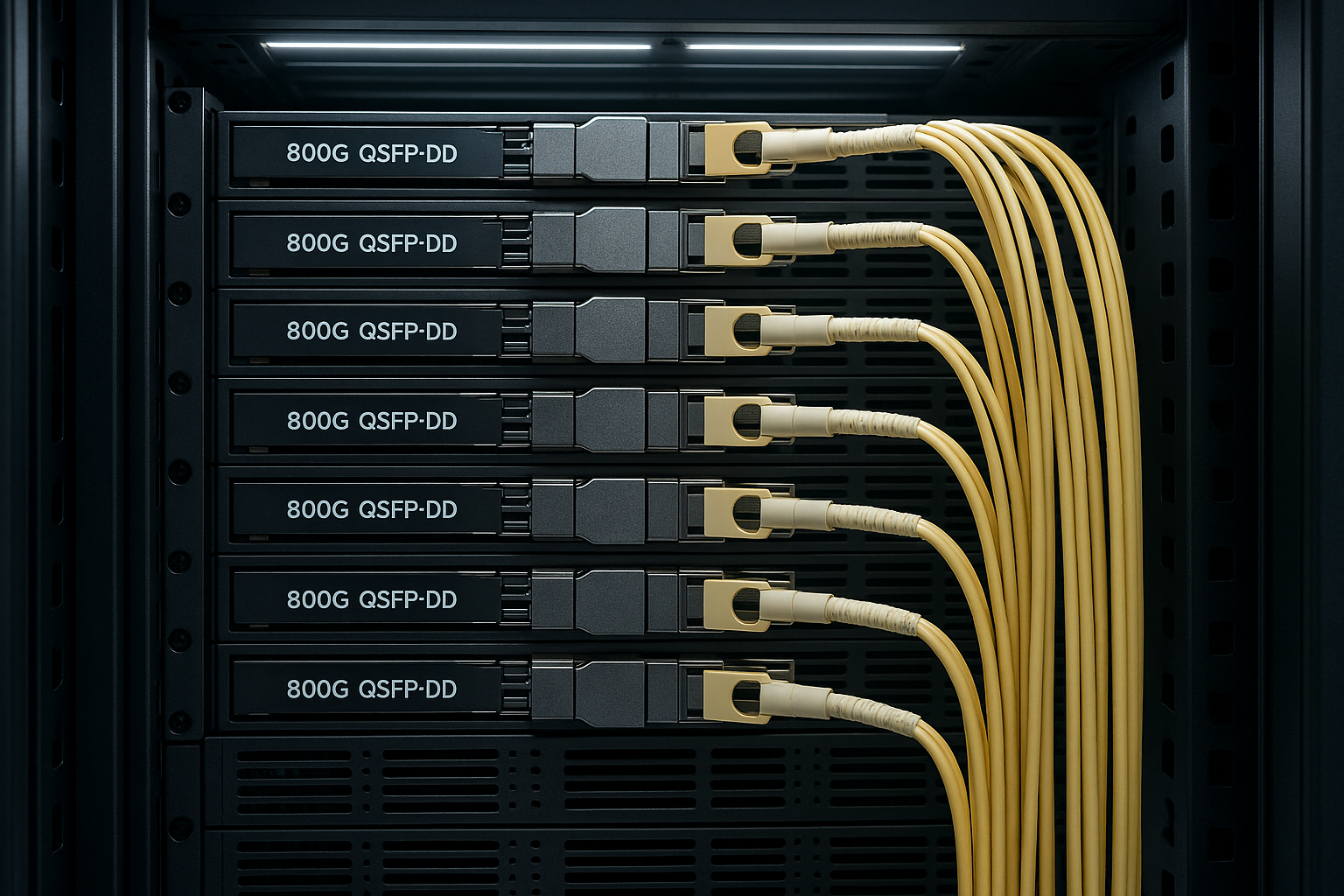
Optical capacity growth is no longer driven only by new cable plants; it is driven by how quickly you can swap optics and standardize interfaces. Over the last few hardware refresh cycles, the winning pattern has been modular optics with vendor-neutral management features such as Digital Optical Monitoring (DOM) where supported. In the field, that means fewer “truck rolls” and faster mean time to repair when a port or transceiver fails. The list below frames the most common module families you will see in production networks today.
- SFP/SFP+ for 1G–10G access and legacy aggregation
- SFP28 for 25G economics in enterprise and metro
- SFP56 for 50G/100G breakout and newer 400G-ready designs
- QSFP+ / QSFP28 for 40G and 100G-class deployments
- QSFP56 for 200G and 400G transport patterns
- CFP2/CFP4 for higher-rate coherent and metro backbones (less common in new leaf-spine)
- OSFP for high-density 400G/800G-style port scaling
SFP and SFP+ optics: the reliability-first workhorses
If you run mixed-generation gear, SFP and SFP+ are often the lowest-risk upgrade path because they map cleanly to existing switch port footprints. Typical use cases include server access links at 1G/10G and older aggregation blocks that still carry stable traffic patterns. In practice, the key variables are reach class (SR vs LR), fiber type (MMF vs SMF), and whether your switch requires vendor-specific EEPROM compatibility. Many operators keep spares on hand because these modules are usually cheaper and easier to validate during maintenance windows.
Key specs and typical best-fit scenarios
Most SFP+ deployments fall into 10G SR (MMF) and 10G LR (SMF). Temperature and power draw matter for dense line cards, especially in constrained airflow designs. For example, you may see DOM support on vendor-branded optics, while third-party modules may provide partial telemetry depending on EEPROM behavior.
- Best fit: legacy 10G access, small-to-medium ToR upgrades, stable MMF cabling
- Pros: broad compatibility, low cost per port, mature field support
- Cons: limited scaling beyond 10G without re-platfoming
SFP28: the 25G bridge that keeps budgets under control
SFP28 became the “sweet spot” interface when operators needed to scale beyond 10G but could not justify an immediate full 40G/100G conversion. In leaf-spine designs, 25G links often serve as the economic middle layer for server-to-switch bandwidth. The selection hinges on reach and fiber plant readiness: ensure your multimode cabling meets the performance assumptions for the selected SR optics. If you do not, you will get link instability, rising BER, and intermittent drops that are painful to reproduce.
Real-world best-fit scenario
In a 3-tier data center leaf-spine topology with 48-port 25G ToR switches, a common pattern is using 25G SR optics for server downlinks and 100G uplinks via QSFP28. Operators often target OM4 for short reach in racks and only move to SMF for longer spine spans. During a staged upgrade, teams can replace only the downlink optics first, keeping uplinks stable while validating BER and DOM telemetry.
- Best fit: server access scaling to 25G, phased upgrades
- Pros: strong price/performance, widespread ecosystem
- Cons: requires careful MMF qualification for SR variants
QSFP+ and QSFP28: consolidating 40G and 100G ports
When you need fewer physical ports with higher aggregate bandwidth, QSFP+ (40G) and QSFP28 (100G) remain common in production. They are especially useful for uplinks where switch port density is expensive and power budgets are tight. Engineers should verify lane mapping and make sure the switch supports the optic’s signaling format; otherwise, you may see “link up but no traffic” symptoms or persistent CRC errors. Also watch for transceiver form factor constraints: some chassis use tight tolerances around airflow baffles and cable bend radius.
Practical deployment details
In many enterprise and campus cores, teams deploy 100G optics with a controlled split: SR for local aggregation and LR/ER for metro extensions. DOM values can be used operationally: for example, you can trend received optical power and bias current to predict failure before a hard outage. This is particularly valuable when optics are swapped by third-party vendors that may have slightly different calibration behavior.
- Best fit: 40G/100G uplinks, aggregation blocks, metro where SMF is available
- Pros: efficient port utilization, mature management support
- Cons: higher per-module cost than SFP/SFP28
QSFP56 and OSFP: the higher-density path toward 400G-class scaling
As 400G-class designs become common, QSFP56 and OSFP help increase port density and reduce cabling complexity. The selection is more sensitive to switch vendor support and optics qualification lists. In the field, I have seen cases where a chassis supports “the electrical interface,” but the optics do not pass the platform’s strict transceiver validation, causing repeated initialization failures. Always test in a staging environment or use a known-good optic list from the switch vendor.
Operational constraints you will actually feel
High-density optics can raise thermal risk if airflow paths are blocked by cable congestion. A typical symptom is that the module works at room temperature but fails under sustained load when the line card warms up. If your site has variable cooling or frequent door-open conditions in the aisle, treat operating temperature range and compliance as first-class requirements, not afterthoughts.
- Best fit: 400G uplinks, high-density spine-to-leaf designs
- Pros: better scaling, fewer cables, modern DOM capabilities
- Cons: stricter compatibility, higher validation effort
CFP2/CFP4: where pluggable still matters in metro and backbone
While many modern leaf-spine builds prefer QSFP/OSFP optics, CFP2/CFP4 still appear in metro and backbone contexts, especially where coherent or specialized transport requirements exist. The main advantage is operational flexibility: coherent transceivers and some advanced optics can be swapped without retooling the entire shelf. However, these platforms often require careful alignment with vendor-specific firmware support and performance monitoring hooks.
Best-fit guidance
If you are running metro rings with defined span lengths and strict availability targets, coherent pluggables can reduce maintenance complexity. But you should budget for qualification cycles and validate alarm thresholds and telemetry mapping. In many deployments, the limiting factor is not the optic itself but how the network controller interprets DOM or vendor-specific diagnostics.
- Best fit: metro transport, specialized backbone optics
- Pros: flexible upgrades, shelf-based maintenance
- Cons: more complex qualification, potential vendor dependencies
Specs comparison: what to check before you buy
Even within the same form factor, reach, wavelength, and safety requirements vary. The table below summarizes common parameters engineers compare when selecting pluggable modules for Ethernet over fiber. Use this as a starting point, then confirm exact values in your switch vendor’s compatibility list and the module datasheet.
| Module family (examples) | Typical data rate | Wavelength | Reach class | Connector / fiber | Power (typical) | Operating temp | DOM support |
|---|---|---|---|---|---|---|---|
| SFP+ (e.g., Cisco SFP-10G-SR, Finisar FTLX8571D3BCL) | 10G | 850 nm (SR) | Up to ~300 m (OM3/OM4 varies) | LC/duplex, MMF | ~0.7–1.5 W | 0 to 70 C (commercial typical) | Often available |
| SFP28 (e.g., 25G SR on OM4) | 25G | 850 nm (SR) | Up to ~70–100 m on OM4 (depends on spec) | LC/duplex, MMF | ~1–1.8 W | -5 to 70 C (common) | Common |
| QSFP28 (e.g., 100G SR/LR) | 100G | 850 nm (SR) or 1310/1550 nm (LR/ER) | SR: short; LR: multiple km; ER: longer | LC/duplex, MMF or SMF | ~3–6 W | 0 to 70 C (typical) | Common |
| QSFP56 / OSFP (e.g., 200G/400G-class) | 200G–400G | 850 nm (SR) or 1310/1550 nm (longer) | Varies widely by variant | MT-RJ or LC depending on design | ~6–12+ W (varies) | -5 to 70 C or wider | Often required |
Note: Exact reach and power depend on the specific vendor model and OM/OS grades. Always validate against the official datasheet and your platform’s transceiver documentation.
Pro Tip: In many field outages, the root cause is not “bad optics” but a mismatch between the module’s rated reach and the real installed fiber plant. Before swapping hardware, check continuity and measure link performance (for example, optical receive power and error counters) to confirm whether you are seeing marginal BER due to dispersion, connector loss, or dirty fiber.
Selection criteria checklist for pluggable modules (field-tested)
When teams buy pluggable modules, the fastest deployments follow a consistent decision order. This checklist is what I have used during cutovers and RMA triage, where the goal is to reduce downtime and avoid incompatibility surprises. Reorder items if your environment is fiber-constrained or if your switch vendor is strict about optics validation.
- Distance and fiber type: confirm MMF grade (OM3/OM4) or SMF type, then match the module’s reach class to the actual span.
- Switch compatibility / optics qualification: use the vendor’s transceiver compatibility matrix and confirm form factor and signaling support.
- Data rate and lane mapping: ensure the switch port can negotiate the required speed (e.g., 25G vs 10G breakout behavior).
- DOM and telemetry requirements: verify that DOM alarms and optical power reporting are supported and correctly interpreted by your monitoring stack.
- Operating temperature and airflow: confirm module spec temperature range and verify your chassis airflow path under sustained load.
- DOM EEPROM / vendor lock-in risk: for third-party optics, validate EEPROM behavior and supported diagnostics to reduce “it works but monitoring is blind” incidents.
- Spare strategy and lifecycle: plan stocking based on MTBF history, lead times, and your change-control policy.
Common mistakes and troubleshooting tips for pluggable modules
Even experienced teams run into recurring failure patterns with pluggable modules. Below are common mistakes with root causes and practical fixes, focusing on what typically shows up in maintenance tickets and on-site diagnostics.
-
Mistake: Installing SR optics on a fiber plant that does not meet the module’s OM assumptions.
Root cause: connector contamination, excess insertion loss, or OM grade mismatch leading to marginal BER under load.
Solution: clean connectors with approved fiber cleaning tools, verify loss with an OTDR/OLTS, and compare link error counters before declaring the module defective. -
Mistake: Relying on “link up” as proof of correct optics selection.
Root cause: the port may negotiate at an unintended mode or the optical power is out of recommended thresholds, causing CRC/FEC stress.
Solution: check interface counters (CRC, FCS, FEC corrected/uncorrected where applicable) and monitor DOM receive power/bias current. -
Mistake: Mixing optics across a chassis without respecting compatibility lists.
Root cause: platform-specific transceiver validation (EEPROM fields, diagnostics mapping, or firmware expectations) rejecting initialization after warm restarts.
Solution: use the vendor’s supported optics list; if you need third-party, test one module per platform revision and document outcomes for future swaps. -
Mistake: Ignoring temperature and airflow during high-density upgrades.
Root cause: blocked vents or cable bundles raise local module temperature, pushing lasers toward threshold and triggering intermittent link drops.
Solution: confirm chassis airflow clearance, reseat optics, and validate under sustained traffic while watching thermal and DOM alarms.
Cost and ROI note: planning TCO for pluggable modules
Pricing varies widely by form factor and reach, but in many enterprise and data center purchases you can expect a rough pattern: SFP/SFP+ and some SFP28 variants are usually the lowest cost per port, while QSFP28, QSFP56, and OSFP optics cost more due to higher signaling complexity and optics performance. OEM optics often cost more upfront, but they can reduce qualification time and lower the probability of “mystery incompatibility” during audits. Third-party optics can reduce capex, yet you should include TCO for verification labor, spare handling, and the operational cost of limited telemetry. If you run high availability services, the ROI is often dominated by downtime risk rather than module unit price.
For budgeting, a common approach is to model three layers: (1) optics unit cost, (2) validation and deployment labor (including staging time), and (3) failure handling (RMA turnaround and spare stocking). In my experience, teams that standardize on one or two approved optics vendors across a fleet reduce operational variance and improve mean time to restore.
FAQ: pluggable modules buyers ask these questions
Which pluggable modules are most common for 10G-to-25G upgrades?
SFP+ for 10G and SFP28 for 25G dominate many staged upgrades because they align with existing switch port footprints and server NIC generations. If you are moving uplinks to 100G, QSFP28 often becomes the companion choice.
