
Optical Modules for AI/ML Clusters: Specs, Fit, and Gotchas
AI training is basically a hungry monster that eats bandwidth and spits out latency. When your rack-to-rack links start dropping frames or your fabric won’t come up, the culprit is often optical modules: the wrong reach, the wrong fiber type, or a compatibility landmine hiding in the transceiver ecosystem. This article helps network and field engineers, plus diligent infra planners, choose and validate optical modules for AI/ML infrastructure with real-world operational details.
AI/ML link reality: why optical modules are the first domino
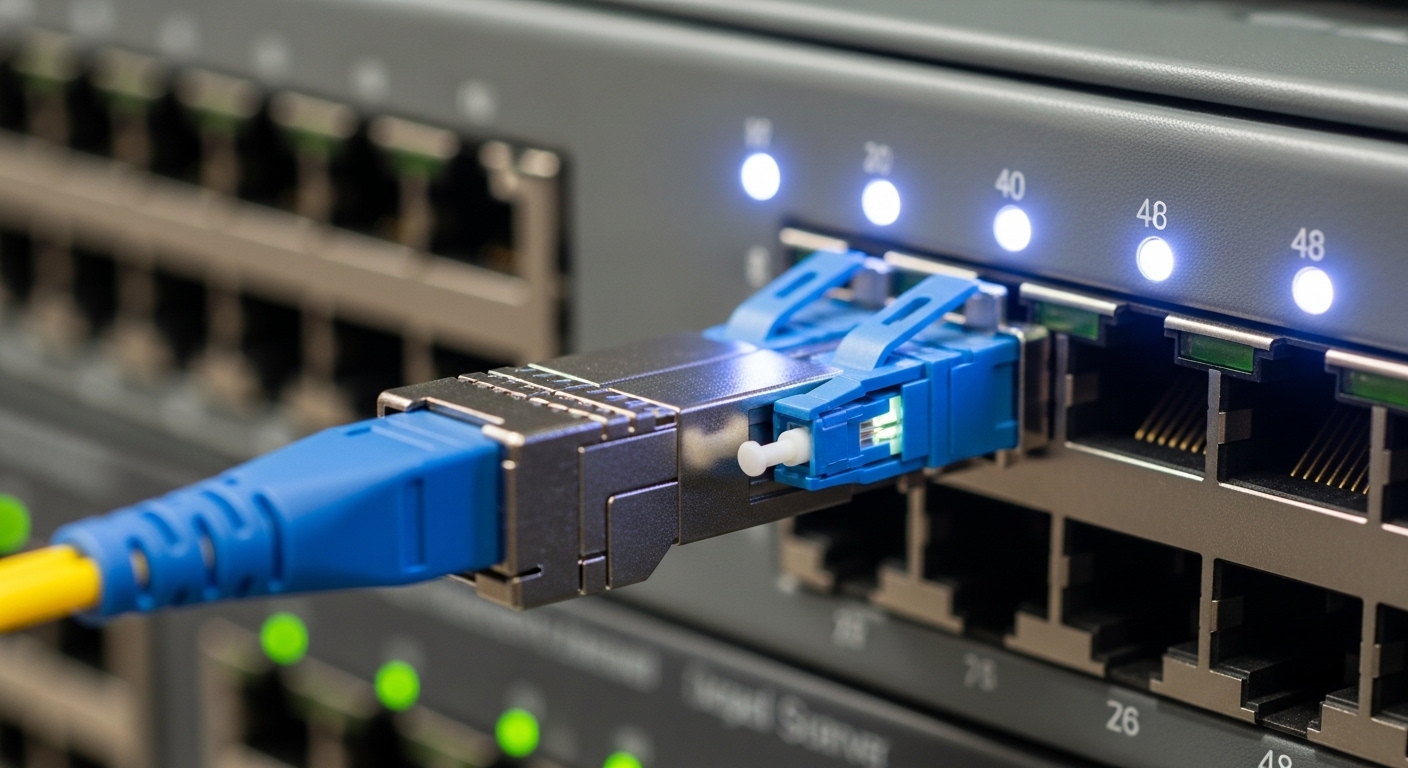
In modern AI clusters, you typically run dense east-west traffic between GPUs, ToR switches, and spine/leaf fabrics. That means optical modules must meet IEEE 802.3 link requirements (for example 25GBASE-SR, 100GBASE-SR4, 200G/400G Ethernet variants) while surviving tight budgets for power, cooling, and serviceability. I’ve seen a “perfect” switch configuration still fail because the chosen optical modules were electrically compatible but mechanically mismatched, or because the fiber plant was terminated as OM3 while the module expected OM4 with a specific launch power profile.
In practice, you’re balancing three constraints at once: reach (meters), signal integrity (optical power and dispersion), and interoperability (vendor-specific behaviors like DOM thresholds and EEPROM quirks). For AI/ML, the stakes are higher because oversubscription patterns amplify any retransmits, and the training job is a long-running stress test that will expose marginal optics quickly.
What field engineers actually measure during bring-up
When I’m onsite, I treat optical modules like a system component, not a commodity. I verify module DOM readings (for example vendor-reported Tx bias current, Tx power, and Rx power) immediately after link-up, then I compare them against the vendor datasheet operating ranges. I also validate fiber polarity and connector cleanliness, because dirty MPO/MT ferrules can cause intermittent links that look like “random” training failures. If you have an optical power meter and a light source, I’ll check launch and receive levels; otherwise, DOM plus link error counters (CRC/FCS, symbol errors) is the next best thing.
Key optical specs that decide whether your link will live or die
Optical modules come in many form factors and link standards, but the selection process should start with the physics and the interface spec your switch expects. For AI/ML, the most common short-reach options include SR family multimode optics (typically 850 nm) and, when you need more reach or lower fiber counts, LR family single-mode optics (typically 1310 or 1550 nm depending on standard). Data rate matters too: 25G/50G/100G modules behave differently under switch lane mapping than 200G/400G optics.
Below is a practical comparison of representative modules I’ve deployed in leaf-spine and AI topologies. Note: exact DOM behavior and temperature limits vary by vendor and part number, so always confirm with the specific datasheet and your switch optics compatibility list.
| Optical module example | Typical standard | Wavelength | Reach (typical) | Fiber type | Connector | Power/notes | Operating temperature |
|---|---|---|---|---|---|---|---|
| Cisco SFP-10G-SR | 10GBASE-SR | 850 nm | ~300 m (OM3) | OM3/OM4 multimode | LC | Lower power class for 10G | Commercial/extended per datasheet |
| Finisar FTLX8571D3BCL | 10GBASE-SR | 850 nm | ~300 m (OM3) | OM3/OM4 multimode | LC | Vendor-specific DOM | Typically extended per datasheet |
| FS.com SFP-10GSR-85 | 10GBASE-SR | 850 nm | ~300 m (OM3) | OM3/OM4 multimode | LC | Third-party pricing advantage | Varies by revision |
| QSFP-DD 400G SR4 class module (representative) | 400GBASE-SR4 (implementation varies) | ~850 nm | ~100 m (multimode, depends on OM) | OM4/OM5 multimode (per vendor) | MPO-12 (common) | Higher power; careful cooling needed | 0 to 70 C or extended per part |
For standards grounding, I lean on the Ethernet physical layer definitions in IEEE 802.3 and the specific module electrical/optical interface requirements documented by vendors. If your switch is configured for a specific signaling mode, an optical module that is “close enough” on paper can still fail lane alignment or equalization.
Sources worth reading before you click “buy”: [Source: IEEE 802.3], and vendor module datasheets for the exact part numbers you plan to stock. For connector and fiber handling, also reference ANSI/TIA guidance on cleaning and termination practices, because the best optical module cannot compensate for a gunked-up ferrule. anchor-text: IEEE 802.3 physical layer standards
Pro Tip: In AI fabrics, the most expensive failures are the “it links but it flakes” cases. Always log DOM values and port error counters for the first 24 hours after deployment; a marginal Rx power margin often shows up as rising CRC/FEC counters long before the link fully drops.
Form factor and compatibility: the hidden boss fight
Optical modules are not just about reach and wavelength; they are also about form factor and the switch’s expectations for lane mapping, management interfaces, and DOM thresholds. In AI/ML deployments, the switch vendor will often publish an optics compatibility list, and it can be more restrictive than you’d like. I’ve watched teams get stuck because a third-party module supports the right standard but reports DOM parameters in a way that triggers the switch’s “unsafe optics” alarm policy.
Decision checklist engineers should use
- Distance and fiber plant reality: confirm actual measured lengths, not “as-built estimates.” Account for patch panel losses and splitter/patch attenuation if applicable.
- Optical standard and data rate: match the exact Ethernet PHY mode your switch port expects (SR vs LR, 100G vs 200G vs 400G lane structure).
- Fiber type and OM rating: multimode OM3 vs OM4 vs OM5 matters at 850 nm; single-mode requires correct fiber type and connectorization.
- Connector type and polarity: LC polarity for single fibers; MPO polarity rules for parallel optics. Mis-polarity can break links without obvious physical damage.
- Switch compatibility and DOM support: verify DOM readings and alarm thresholds are accepted by the switch. Check the manufacturer’s optics list.
- Operating temperature and airflow: AI racks run hot; confirm module temp range and ensure airflow direction matches vendor guidance.
- Vendor lock-in risk: OEM modules may be pricier; third-party can work, but plan for validation time and spare compatibility strategy.
Deployment scenario: AI training cluster with 25G to 400G optics
Here’s a concrete scenario from a deployment I supported: a 3-tier fabric for an AI training cluster using leaf-spine switching. Each ToR switch had 48 downlinks to compute nodes and 8 uplinks to the spines. The downlinks were 25G using SR optics over OM4 multimode with LC connectors, sized for 65 m average patch-and-cable distance. The uplinks used 400G QSFP-DD optics over MPO-12 to connect leaves to spines across a 40 to 70 m span through cable trays and patch panels.
During bring-up, we saw two uplink ports repeatedly fail after initial link-up. DOM showed Rx power trending toward the lower threshold, and the switch logged “optics marginal” warnings. Root cause was not the optics at all: one MPO cassette had been cleaned poorly, and a second had been terminated with incorrect polarity. After cleaning with proper inspection and re-terminating the affected patch, the DOM margins stabilized and the error counters dropped to baseline within hours.
Common mistakes and troubleshooting tips from the field
If optical modules are the first domino, these are the most common ways teams trip them.
Wrong fiber type for the module class
Root cause: Installing OM3-terminated links when the chosen optics expect OM4/OM5 performance margins (especially for higher-speed parallel optics). The link may initially train but errors climb under temperature cycling.
Solution: Verify patch loss with an OTDR or certified loss test, then align optics to the installed OM rating and vendor reach curves. If you must bridge mismatched fiber, derate your reach and validate with sustained traffic.
MPO polarity and cassette orientation errors
Root cause: Parallel optics are polarity-sensitive. A reversed polarity can cause link training failures or unstable FEC/BER behavior that looks like intermittent packet loss.
Solution: Confirm MPO polarity method (common methods are A-to-B or specific vendor rules) and physically inspect cassette orientation. Use a polarity tester when possible, and standardize labeling on both ends.
Dirty connectors and skipped inspection
Root cause: Even a small amount of contamination on MPO/LC endfaces can increase insertion loss and reduce Rx power margin, especially at 850 nm where multimode systems can be unforgiving.
Solution: Use an inspection microscope, clean with lint-free swabs and approved cleaning tools, then re-check DOM Rx power and link error counters. Adopt a “clean before you plug” routine for every swap.
DOM mismatch and “unsupported optics” alarms
Root cause: Third-party modules might report DOM values outside the switch vendor’s expected ranges, even if the physical link works. Some switches enforce alarm thresholds or block ports in strict policies.
Solution: Test in a staging environment with the exact switch model and firmware version. If you see DOM policy blocks, switch to an optics-approved vendor or request firmware adjustments where supported.
Cost and ROI: what pricing really looks like in AI deployments
Optical modules pricing varies wildly by speed, reach, and sourcing. As a realistic ballpark, 10G SR optics often cost less than $30 to $80 per module depending on OEM vs third-party and volume discounts, while 25G/100G SR and 400G SR variants can jump to hundreds per unit and sometimes more when you consider QSFP-DD and MPO complexity. OEM modules typically carry higher price and smoother compatibility, while third-party modules can reduce capex but may increase validation time and “spares management” overhead.
For ROI, include total cost of ownership: module purchase price, expected failure rate, downtime cost during replacements, and the labor hours spent on validation and troubleshooting. In one project, the slightly higher OEM cost was justified because the compatibility list reduced commissioning time and prevented a week of downtime during a training run. On the other hand, for stable short-reach links where you’ve validated a third-party part number, the savings can be substantial.
FAQ: choosing optical modules for AI/ML networks
Which optical modules work best for short AI cluster distances?
For typical rack-to-rack distances, SR multimode optics at 850 nm are common. The best choice depends on your installed fiber (OM3 vs OM4 vs OM5) and the exact data rate your switches support. Always validate reach using vendor curves and measured link loss, not assumptions.
Should I use OEM optical modules or third-party?
OEM modules reduce compatibility risk because they align with the switch vendor’s optics policy and DOM expectations. Third-party modules can be cost-effective, but plan a validation phase with your exact switch model and firmware. If you do third-party, buy spares from the same batch and keep documentation of tested part numbers.
How do DOM readings help during troubleshooting?
DOM can show whether the module is operating within safe thresholds: Tx bias current, Tx power, and Rx power are especially useful for spotting marginal links. Pair DOM trends with port error counters to distinguish “bad fiber/dirty connector” from “module aging” or “switch lane issues.”
What causes links to come up then fail under load?
Common causes include marginal optical power budgets, connector contamination, and polarity errors that only manifest when traffic patterns stress the link. Another frequent culprit is temperature or airflow mismatch that pushes module performance out of spec over time.
Do I need to worry about polarity with all optical modules?
Yes, but the strictness varies. LC-based single-fiber links still require correct polarity, while MPO-based parallel optics are particularly sensitive. Use a polarity plan and label every patch panel and cassette so future swaps do not recreate the same mistake.
Where can I confirm standards and operating ranges?
Start with IEEE 802.3 for the Ethernet PHY definitions, then use the specific vendor datasheet for wavelength, reach, power, and temperature operating limits. For switch compatibility, consult the switch vendor’s optics support list and verify DOM behavior expectations.
If you want fewer late-night “why is training stuck” moments, treat optical modules as a system selection problem: specs, fiber plant, compatibility, and validation. Next step: compare your current rack distances and fiber OM rating, then shortlist optics and validate with a staged bring-up using DOM and error counters via optical transceiver compatibility.
Author bio: I’ve deployed optical transceivers across leaf-spine fabrics and AI clusters, and I document the gritty details: DOM behavior, fiber loss math, and on-site troubleshooting. When I’m not chasing elusive link flaps, I’m eating street food in transit lounges and writing the notes you wish you had during commissioning.
