
In many data centers, the first sign of an optical problem is an outage or a link flapping event, not a clean alert. This article explains how intelligent fiber monitoring works when you combine switch telemetry with transceiver diagnostics and optical-layer analytics. It is written for network engineers, field ops leads, and infrastructure planners who need measurable guidance: what to collect, how to interpret it, and how to avoid costly misreads.
How intelligent fiber monitoring turns optics telemetry into actionable signals
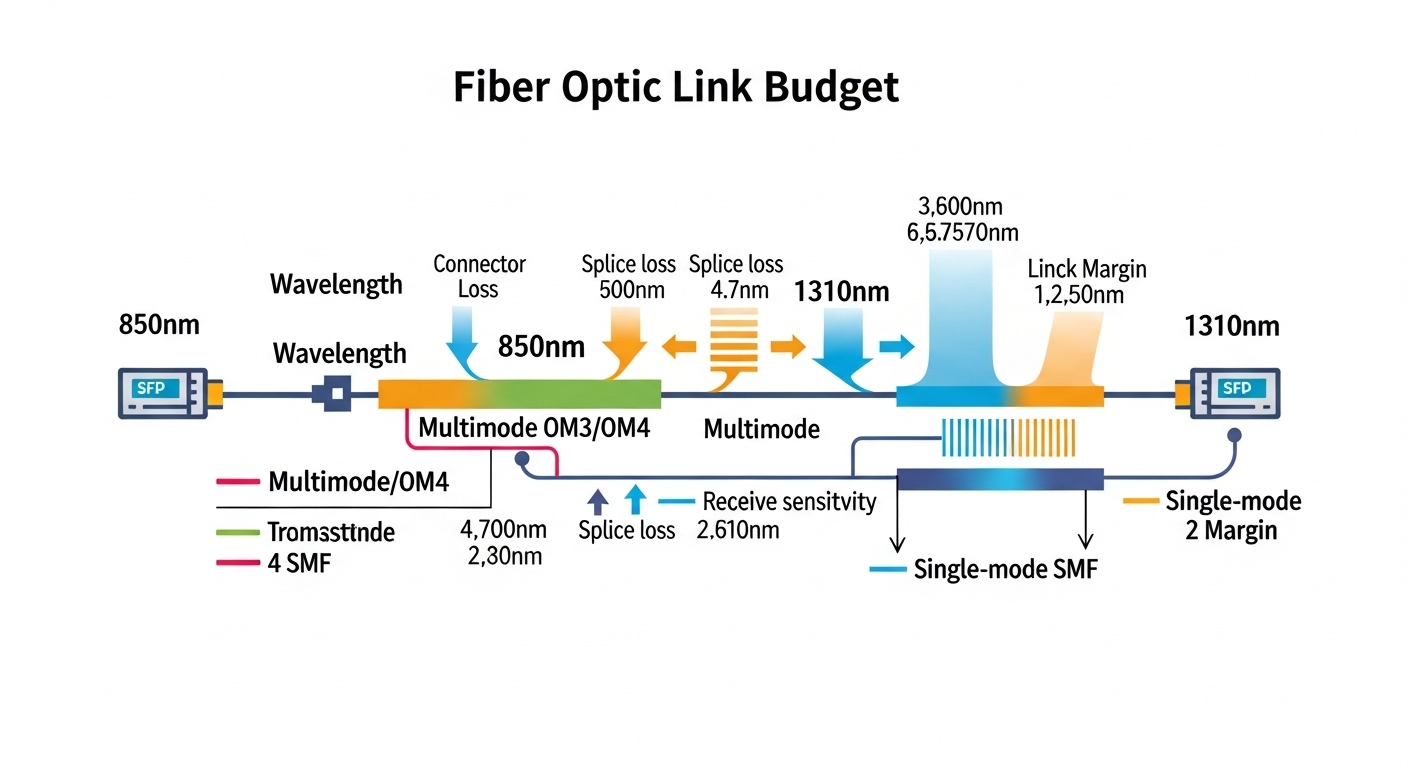
Most modern pluggable optics expose a standard set of diagnostics over the management interface: laser bias, transmit power, receive power, temperature, and link error counters. The key shift in intelligent fiber monitoring is that these raw values are not only displayed, they are fused with context from the switch, the transceiver vendor diagnostics model, and historical baselines. In practice, you build a “health score” that correlates optical margin trends with specific failure modes such as connector contamination, fiber attenuation growth, or laser aging.
At the physical layer, pluggable modules follow the IEEE 802.3 ecosystem for optical link behavior, while the management and diagnostics are typically implemented through vendor-specific MSA pages. For example, SFP/SFP+ and QSFP/QSFP28 modules commonly implement Digital Diagnostics Monitoring (DOM) that reads calibrated metrics like Tx power and Rx power. Field teams then map these into thresholds and change-detection rules, and they feed the results to an analytics layer that can recommend actions: clean a patch panel, schedule a transceiver swap, or re-balance optics across uplinks.
What to collect from transceivers and the switch
Engineers typically pull three categories of data. First, transceiver DOM metrics: Tx bias current, Tx optical power, Rx optical power, and module temperature. Second, link-layer and interface errors: CRC counts, FEC statistics (for platforms that expose them), and interface up/down events. Third, inventory context: module part number, serial number, firmware versions, port mapping, and the switch’s optical calibration status.
For standards alignment, DOM-like diagnostics are commonly associated with vendor implementations of optical module digital monitoring, and link behavior is grounded in IEEE 802.3 link specifications for optical Ethernet. For additional background on optical module monitoring concepts, see IEEE 802.3 Ethernet over optical links context.
Pro Tip: In field deployments, the most reliable early-warning signal is often not “low receive power” by itself, but a divergence pattern: Rx power slowly trends downward while Tx bias trends upward or stays elevated. That combination frequently indicates increasing loss or aging components, and it helps distinguish contamination from a sudden fiber break.
What intelligent monitoring can detect: margin loss, contamination, and aging lasers
To make intelligent fiber monitoring credible, the analytics must connect telemetry to optical physics. Optical margin is the difference between what the link budget can tolerate and what the link is currently delivering. When margin shrinks, links become more sensitive to temperature swings, connector micro-movements, and minor fiber damage.
Common failure modes are detectable when telemetry changes in recognizable ways. Connector contamination typically causes erratic behavior and can worsen during maintenance vibrations, while fiber attenuation growth tends to be gradual and monotonic. Laser aging may show increased bias current to maintain output power, with Tx power holding steady for a period before eventually declining.
Telemetry-to-fault mapping engineers actually use
Most teams implement a rule set that compares current readings to baselines. For example, they may flag a port if Rx power drops more than a fixed dB threshold within a defined window, or if Tx bias increases beyond a vendor-specific “normal” band. Then they cross-check with error counters: if CRC spikes coincide with the Rx drop, the alert becomes a high-confidence fault that warrants immediate action.
When platforms support it, analytics can incorporate FEC health. While exact counters differ by vendor, the principle remains: if forward error correction begins to work harder, the system is approaching the link’s optical sensitivity limit. That linkage between optical margin and error correction behavior is what turns monitoring into something operationally useful.
Choosing transceivers for analytics: DOM support, compatibility, and optical specs
Intelligent monitoring is only as good as the telemetry you can read. If a module lacks reliable DOM data, the analytics layer becomes guesswork and thresholds become less trustworthy. Even when DOM exists, details like calibration accuracy, update rate, and whether the platform reads certain vendor pages can affect the resulting health scores.
When selecting optics, engineers also need to ensure the module type matches both distance and link budget. For example, 10G SR optics are designed for short reach over multimode fiber, while 10G LR targets single-mode deployments at longer distances. If you choose the wrong type, intelligent fiber monitoring will still show values, but the values will reflect a chronic margin deficit that triggers constant alerts.
Technical specifications comparison (representative modules)
The table below compares common 10G-class optics used in data center and metro environments. Exact specs vary by vendor and revision, so teams should verify against the specific datasheet for the ordering part number.
| Module example | Data rate | Wavelength | Reach | Fiber type | Connector | Typical DOM | Operating temperature |
|---|---|---|---|---|---|---|---|
| Cisco SFP-10G-SR (example) | 10G | 850 nm | Up to 300 m (OM3) / 400 m (OM4) | MMF | LC | Tx power, Rx power, bias, temp | 0 to 70 C (typical) |
| Finisar FTLX8571D3BCL (example) | 10G | 850 nm | Up to 300 m (OM3) / 400 m (OM4) | MMF | LC | Tx power, Rx power, bias, temp | 0 to 70 C (typical) |
| FS.com SFP-10GSR-85 (example) | 10G | 850 nm | Up to 300 m (OM3) / 400 m (OM4) | MMF | LC | Tx power, Rx power, bias, temp | 0 to 70 C (typical) |
| Long-reach alternative (typical 10G ER) | 10G | 1550 nm | Up to 40 km (varies) | SMF | LC | Tx power, Rx power, bias, temp | -5 to 70 C (typical) |
For concrete purchase decisions, verify: wavelength, reach at your fiber type, DOM page behavior, and whether the switch platform supports the module’s DOM readings without quirks. Vendor datasheets are the authoritative source here; start with the module vendor’s datasheet and the switch vendor’s optics compatibility list. For a general reference point on module and monitoring concepts, see IEEE standards portal and vendor DOM documentation in the specific transceiver datasheet.
Deployment scenario: leaf-spine data center with transceiver analytics
Consider a 3-tier data center leaf-spine topology with 48-port 10G top-of-rack switches and 2 spines, each using 10G uplinks. Suppose each leaf has 8 uplinks to spines (so 48 ports total, with 8 active uplinks and 40 downlinks), and you deploy optics across 96 uplink links per rack pair. In a typical quarter, you might see a small number of intermittent link issues caused by patch panel handling during moves/adds/changes, even when cabling passes initial acceptance tests.
With intelligent fiber monitoring, the analytics agent polls DOM every 30 to 60 seconds and ingests switch interface counters every 5 minutes. Over two weeks, you establish baselines per port: for example, Rx power around -2.5 dBm with module temperature near 38 C and stable Tx bias. On one uplink, Rx power trends down by 1.8 dB while Tx bias increases by 6 percent relative to baseline; CRC errors begin rising after the second day. The operations team schedules a connector cleaning and reseats the LC pair; within hours, Rx power returns near baseline and CRC errors stop.
This scenario matters because it converts a “mystery flapping link” into a predictable workflow: alert, confirm with optical margin and error correlation, dispatch to the correct rack and patch pair, and verify recovery using the same telemetry metrics. It also prevents unnecessary full reroutes, which can cost more than the optics themselves.
Selection criteria checklist for intelligent fiber monitoring success
Engineers should treat optics selection as part of the monitoring design, not a procurement afterthought. The analytics layer depends on consistent telemetry quality, predictable calibration behavior, and stable compatibility with the switch’s optics management.
- Distance and fiber type: choose SR for OM3/OM4 multimode and LR/ER for single-mode; verify reach at your measured link loss, including patch cords and adapters.
- Switch compatibility: confirm the module is on the switch vendor’s supported optics list; test one port model before rolling out at scale.
- DOM support and readability: ensure Tx/Rx power, bias, and temperature are exposed and readable without missing fields; check for known platform quirks.
- Calibration and DOM accuracy: prefer modules whose datasheets state meaningful calibration ranges; inconsistent calibration reduces the value of thresholds.
- Operating temperature: confirm the module temperature range matches your environment, especially near top-of-rack airflow paths.
- Vendor lock-in risk: evaluate whether analytics thresholds rely on vendor-specific DOM page formats; plan for normalization across vendors where possible.
- Failure mode data: where available, use vendor reliability notes (MTBF, compliance) and track real RMA rates per batch during rollout.
Common pitfalls and troubleshooting tips
Even with good analytics, teams can misinterpret signals or create avoidable failures. Below are concrete pitfalls seen in operational environments, with root causes and fixes.
Pitfall 1: False positives from mismatched module types
Root cause: Installing an SR module on a link that effectively behaves like a longer reach path (higher loss than expected) or mixing fiber types across a patch panel. DOM will still show values, but they will reflect chronic low Rx power and elevated error counters.
Solution: Recalculate link budget using measured insertion loss of patch cords and adapters, confirm MMF OM rating, and validate polarity and connector cleanliness. If needed, swap to the correct optics class (e.g., SR vs LR) and rebaseline telemetry.
Pitfall 2: DOM fields read but thresholds are wrong
Root cause: Analytics thresholds assume one vendor’s DOM scaling or update cadence, but the installed modules report values differently due to DOM implementation variance. The health score becomes noisy or systematically biased.
Solution: During rollout, run a short calibration period: compare readings across a known-good baseline set, update normalization rules, and validate that Tx/Rx power trends align with observed error behavior.
Pitfall 3: Chasing Tx power when the real issue is Rx side contamination
Root cause: Teams sometimes focus on Tx power decreases, but the dominant issue is often Rx-side connector contamination or fiber endface wear. Rx power drops while Tx bias and Tx power may remain relatively stable.
Solution: Use a correlation-first approach: check Tx power, Rx power, and bias together. If Rx power drops with stable Tx metrics, prioritize cleaning and reseating at the receiver end, then verify recovery.
Pitfall 4: Environmental temperature drift overlooked
Root cause: Modules near restricted airflow can run hotter than baseline, shifting laser characteristics and DOM temperature. This can trigger alerts that resemble aging.
Solution: Map module temperature to airflow zones, confirm fan tray operation, and incorporate temperature-aware thresholds so that heat-driven shifts do not automatically imply optical degradation.
Cost and ROI note: OEM vs third-party optics and total cost of ownership
Pricing varies by speed class, reach, and certification, but for many 10G deployments, transceiver street prices often land in a broad band depending on vendor and volume. In practice, OEM optics may cost more per unit than third-party modules, but OEM compatibility and consistent DOM behavior can reduce troubleshooting time and reduce the chance of telemetry mismatches. Third-party modules can be cost-effective, especially when you validate DOM readability and error correlation in a pilot.
From a TCO perspective, the ROI comes less from the optics cost itself and more from fewer incidents and faster mean time to repair. If intelligent fiber monitoring prevents even a handful of outage events per quarter, the savings in on-call effort, customer impact, and cabling rework can outweigh the incremental tooling and analytics overhead. Track your real RMA and failure rates by batch; a monitoring system that creates reliable triage can reduce unnecessary swaps and connector handling.
FAQ
What exactly is intelligent fiber monitoring in a transceiver analytics setup?
It is a system that ingests transceiver DOM metrics and switch interface counters, then correlates optical-layer telemetry with link performance to detect early degradation. The “intelligent” part is the analytics layer that compares trends to baselines and maps signals to likely fault types.
Do I need special transceivers, or will standard DOM optics work?
Standard DOM-capable optics usually work, as long as your switch platform reliably reads the DOM fields you plan to use. The main requirement is consistent telemetry quality: Tx power, Rx power, bias, and temperature should be readable and stable enough to support thresholding and trend detection.
How often should telemetry be polled for best results?
Common operational cadences are every 30 to 60 seconds for DOM readings and every 5 minutes for interface counters, depending on how quickly you need to react. For slower aging signals, longer intervals are fine, but for intermittent contamination you may want faster DOM polling.
Will analytics work across multiple transceiver vendors?
It can, but you must normalize DOM scaling and account for vendor-specific calibration behavior. Run a pilot and validate that your health score correlates with real error patterns, not just absolute power numbers.
What are the fastest troubleshooting actions after an intelligent alert?
Start with verifying that the alert is optical-margin related by checking Tx power, Rx power, and bias together. Then inspect and clean the most likely connector endpoints, reseat the LC pair, and confirm recovery using the same DOM and error counters.
How do I avoid alert fatigue from constantly changing thresholds?
Use baselines per port, per module type, and per airflow zone, and add hysteresis to your alerting logic. Also incorporate temperature and maintenance windows so that planned changes do not trigger alarms that look like faults.
If you want to operationalize this approach, the next step is to connect your transceiver telemetry to a repeatable workflow for baselining, alerting, and verification; see how to baseline optical power trends for fiber monitoring.
Author bio: I have deployed optical monitoring and transceiver analytics in production data centers, building baselines from DOM and switch counters and validating alerts against real outages. I focus on measurable optics margin behavior, compatibility testing, and TCO-driven procurement decisions.
