
Picking a Factory Fiber Module for IEEE 802.3-2018 Industrial Ethernet
In factories, one missed compatibility detail can turn a clean commissioning day into hours of link flaps and spare-part runs. This article helps plant network engineers and field technicians choose a factory fiber module that matches Industrial Ethernet expectations under IEEE 802.3-2018. You will get practical selection criteria, a spec comparison table, and troubleshooting patterns tied to real hardware behavior.
Where IEEE 802.3-2018 meets the factory wiring reality
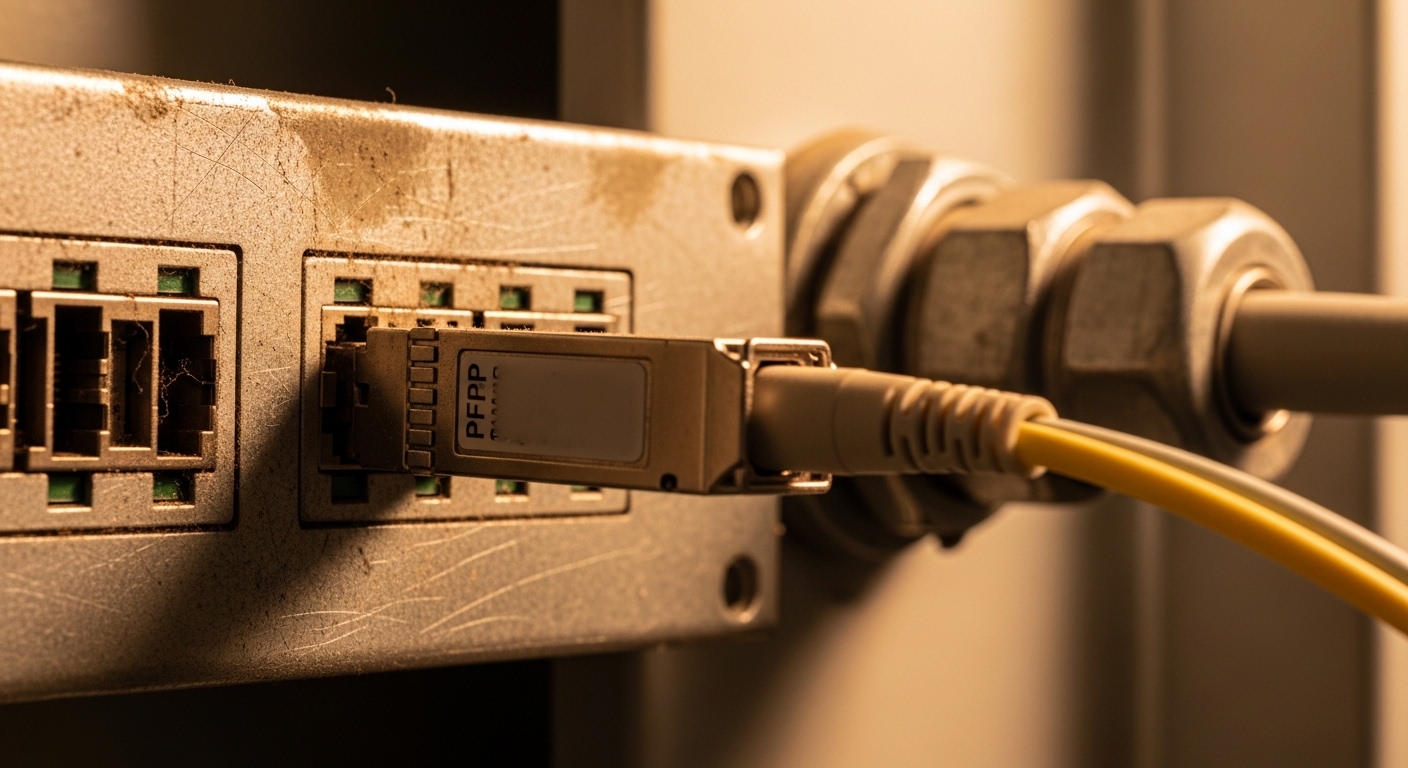
Think of the module like a translator between two dialects: the switch speaks one language of electrical signaling, while the plant cabling speaks another language of light. IEEE 802.3-2018 defines transceiver and PHY behavior for Ethernet, but the factory adds constraints like vibration, temperature swings, and mixed cable plant generations. In my deployments, I’ve seen the same fiber type work perfectly in an office and misbehave in a production bay due to patch panel losses, connector contamination, or a temperature-rated module being used outside its range. The goal is to select a module whose optical parameters and management features align with both the standard and your physical plant.
Industrial Ethernet expectations that affect module choice
Under IEEE 802.3-2018, the relevant transceiver families typically include 1G, 10G, and higher-rate Ethernet optical interfaces depending on your switch platform. The standard focuses on optical link performance and electrical interface requirements, while your deployment focuses on link budget, connector cleanliness, and optical safety. If your plant uses managed switches, you also need a module that supports DOM (Digital Optical Monitoring) so you can track received power and laser bias over time. That monitoring becomes your early warning system before a fiber run degrades or a connector gets contaminated.
Factory fiber module types: matching wavelength, reach, and connectors
A quick way to avoid wrong purchases is to map each module to three things: wavelength, reach, and connector style. Wavelength determines the fiber type compatibility and attenuation profile; reach is limited by optical power, receiver sensitivity, and total link losses; connector style determines patch panel fit and contamination risk. For industrial cells, the most common choices are short-reach multimode and longer-reach single-mode optics, often at 850 nm (multimode) or 1310 nm / 1550 nm (single-mode).
Common module examples field engineers actually install
In real sites, you’ll see models like Cisco SFP-10G-SR for 10G over multimode, and vendor-compatible optics such as Finisar FTLX8571D3BCL or FS.com SFP-10GSR-85 when the optics budget and DOM requirements are met. For single-mode, there are common 10G and 25G variants in the 1310 nm family and 1550 nm family depending on distance. Always verify the exact interface type on your switch: SFP, SFP+, SFP28, QSFP+, QSFP28, or QSFP-DD. A module that physically fits but electrically mismatches can still fail link negotiation or violate timing expectations.
Technical specifications snapshot (what to compare before you buy)
Use this table as a checklist baseline. Exact values vary by vendor and temperature grade, so treat it as a way to compare categories rather than a promise of identical performance across brands.
| Module category | Typical data rate | Wavelength | Nominal reach | Connector | Power classes (TX) | Operating temperature | DOM support |
|---|---|---|---|---|---|---|---|
| 10G SR multimode (SFP+) | 10G | 850 nm | ~300 m (OM3) or ~400 m (OM4) | LC | Class 1 laser product (varies) | -40 C to 85 C (industrial options) | Commonly available |
| 10G LR single-mode (SFP+) | 10G | 1310 nm | ~10 km (typical) | LC | Class 1 laser product (varies) | -40 C to 85 C (industrial options) | Commonly available |
| 25G SR multimode (SFP28) | 25G | 850 nm | ~70 m (OM3) / ~100 m (OM4) | LC | Class 1 laser product (varies) | -20 C to 70 C (some) or -40 C to 85 C (industrial) | Often supported |
| 25G LR single-mode (SFP28) | 25G | 1310 nm | ~10 km (typical) | LC | Class 1 laser product (varies) | -40 C to 85 C (industrial options) | Often supported |
Field note: the reach numbers above depend on link budget, fiber modal bandwidth (OM3/OM4), and the actual end-to-end losses including patch cords, splices, and connectors. If your plant uses heavy patching, the “paper reach” can shrink quickly.
Pro Tip: Before you trust any factory fiber module reach rating, measure or estimate total link loss using the vendor’s link budget and your installed connector/splice count. In commissioning, I’ve seen two runs both labeled “OM4” fail because one patch panel had older, high-loss LC adapters and the module was marginal at cold temperature.
Real deployment scenario: replacing optics in a production bay
Picture a 3-tier industrial network in a manufacturing plant: 48-port 10G switches at the top-of-rack equivalent for industrial zones, uplinked to a distribution layer and then to core. In one commissioning, a production line used 10G multimode links between an access switch and an industrial media converter, with OM4 fiber and LC patch panels. The site expanded by adding 12 more machine cells, and we needed 24 additional transceivers. The installed patching included about 10 connector pairs per end-to-end path plus two splices, so total loss margin was tight. We selected a compatible 10G SR multimode module with DOM and an industrial temperature grade, then validated received power thresholds using switch diagnostics during a cold-start test.
Operationally, we tracked Rx power and DOM alarms for the first 72 hours after installation, because early connector contamination problems often surface after the first maintenance cycle. The measured behavior matched the link budget when we cleaned and re-seated connectors, while the first batch of “standard temperature” optics started showing intermittent link drops at the coldest morning, even though they eventually recovered. That failure mode is why industrial temperature rating matters as much as nominal wavelength and reach.
Selection criteria checklist for factory fiber module procurement
When choosing a factory fiber module, I treat it like matching a spare tire to a specific car: the shape matters, but so does the load and temperature rating. Use this ordered checklist to reduce returns and avoid downtime.
- Distance and fiber type: Determine whether you have OM3, OM4, or single-mode, and measure or estimate total link loss including patch cords, connectors, and splices.
- Wavelength and data rate: Match the module wavelength family to the switch port and your fiber plant; confirm the port speed mode (10G vs 25G) and whether the switch expects specific optics.
- Switch compatibility and form factor: Verify SFP/SFP+/SFP28/QSFP+ type and vendor compatibility. Some platforms restrict optics using vendor IDs or electrical characteristics.
- DOM and monitoring requirements: If you rely on alerts for proactive maintenance, confirm DOM support and that the switch reads thresholds correctly.
- Operating temperature: Choose an industrial grade module for bays with cold starts or hot enclosures. Validate against your worst-case ambient and airflow conditions.
- Budget and total cost of ownership: Compare OEM vs third-party cost, but include failure rates, expected swap cycles, and engineering time for troubleshooting.
- Vendor lock-in risk: Check whether the switch supports standards-based optics behavior. Some vendors enforce strict compatibility lists; confirm before scaling.
- Optical safety and compliance: Ensure the module is Class 1 laser compliant and that your procedures for cleaning and inspection are consistent with industry practices.
Reference points that matter during selection include IEEE 802.3 transceiver expectations for optical PHY behavior and vendor datasheets for exact link budgets and DOM details. For standards context, see [Source: IEEE 802.3-2018]. For practical transceiver behavior and compatibility considerations, see [Source: ANSI/TIA-568 series] for cabling performance concepts and [Source: vendor transceiver datasheets].
Common mistakes and troubleshooting patterns in the field
Most factory optics failures are not “mystery gremlins.” They are predictable outcomes of mismatch, budget overflow, or contamination. Here are concrete failure modes I’ve seen, with root cause and fix.
Link comes up, then flaps during temperature swings
Root cause: The module is rated for standard temperature, but the enclosure reaches lower-than-rated or higher-than-rated ambient. Laser bias and receiver sensitivity shift with temperature, narrowing the margin. Solution: Replace with an industrial temperature grade module and verify airflow. Also check DOM temperature readings and Rx power trends.
“Wrong reach” despite matching fiber type on paper
Root cause: Excess patching, aged connectors, or extra splices increased end-to-end loss beyond the vendor link budget. OM4 labels do not guarantee low loss if adapters and jumpers are old. Solution: Rebuild the link budget using measured or conservative loss values per connector and splice, then clean and test. If needed, reduce patching length, replace jumpers, or move to a longer-reach optics family.
Intermittent errors after maintenance work
Root cause: Connector endfaces are contaminated after re-seating, leading to micro-reflections and increased BER. Dust can cause errors even when the link appears stable. Solution: Use proper fiber cleaning tools (no bare wipes), inspect with a scope, then clean and re-terminate if scratches or burns are present.
Switch rejects module or shows “unsupported transceiver”
Root cause: The module is electrically compatible but fails platform optics checks (EEPROM identification, DOM implementation, or timing constraints). Solution: Confirm the exact module family and vendor compatibility. If you use third-party modules, validate with a small pilot batch before broad rollout.
DOM shows alarming Rx power but link still works briefly
Root cause: The link is at the edge; BER may still be acceptable until a temperature or vibration event changes alignment and losses. Solution: Treat DOM alarms as a maintenance ticket, not a warning to ignore. Clean connectors, reduce loss, and confirm optical power levels within the vendor’s specified operating range.
Cost and ROI: OEM vs third-party factory fiber module economics
In typical industrial purchasing, OEM optics often cost more per unit but can reduce compatibility risk and shorten troubleshooting during commissioning. Third-party or “compatible” optics can be significantly cheaper, but the ROI depends on your acceptance testing process and how strict your switch platform is. In my experience, a third-party module might be 20% to 40% cheaper upfront, yet the TCO can rise if you need additional engineering hours for validation or if compatibility issues cause multiple returns. For critical links with high uptime requirements, the ROI often favors optics with strong DOM behavior and industrial temperature guarantees, even if the sticker price is higher.
A practical TCO model includes: expected failure rate during the warranty window, cost of downtime or maintenance labor, and the cost of spares inventory. If your plant maintains a spares strategy, buying fewer but more reliable modules can be cheaper than stocking many “cheap” units that fail early due to marginal optical budgets.
FAQ: factory fiber module questions from engineers and buyers
What is a factory fiber module, and how is it different from a generic transceiver?
A factory fiber module is a transceiver intended for industrial network use, typically emphasizing industrial temperature range, vibration tolerance, and reliable DOM monitoring. Generic transceivers may work electrically but can be rated for narrower ambient conditions, which can cause flaps in production bays. Always verify the operating temperature and DOM behavior in the vendor datasheet.
Which IEEE 802.3-2018 points matter most when selecting optics?
The standard defines Ethernet PHY behavior and optical transceiver expectations for supported rates and interfaces. In practice, you still rely on vendor link budgets, wavelength specs, and switch compatibility to ensure the factory link meets performance. Use IEEE 802.3-2018 as the baseline, then validate with your actual cabling and losses.
Can I use third-party factory fiber module optics in OEM switches?
Often yes, but it depends on the switch platform’s optics compatibility checks and DOM interoperability. Run a pilot with a small number of ports and validate stability, error counters, and DOM readings under temperature variation. If the switch enforces strict transceiver identification, you may need specific vendor-compatible part numbers.
How do I estimate whether my link will work: reach on the box or link budget math?
Use link budget math. Reach ratings are nominal and assume typical patch cords and connector quality; your installed patching can add loss quickly. Measure or conservatively estimate connector and splice losses, then compare to the vendor’s receiver sensitivity and transmitter power range.
What troubleshooting steps should I do before swapping a module?
Start with connector inspection and cleaning, then check DOM Rx power and temperature readings. Verify that the fiber type matches the wavelength family and that the module is supported by the switch. If errors persist, swap optics in a controlled A/B test while keeping the fiber path constant.
Are DOM alarms always accurate indicators of failure?
DOM alarms are useful early indicators, especially for Rx power drifting toward the margin. However, the exact thresholds and how the switch reports them can differ by vendor, so interpret alarms alongside BER or interface error counters. Treat DOM warnings as maintenance triggers, not as proof of immediate failure.
Choosing the right factory fiber module is less about the marketing label and more about matching IEEE expectations to your installed link budget, temperature reality, and switch compatibility. Next, review your cabling plant and validation process with factory fiber optic cabling best practices so your optics stay stable through commissioning and maintenance cycles.
Author bio: I’m a field-focused network educator who has commissioned industrial Ethernet links with DOM monitoring, measured Rx power margins, and documented optics failures tied to temperature and connector loss. I write operator-ready guidance so teams can select and validate transceivers with fewer surprises.
Update date: 2026-05-02
Sources: [Source: IEEE 802.3-2018], [Source: ANSI/TIA-568 series], [Source: Cisco transceiver datasheets and compatibility notes], [Source: Finisar/Viavi transceiver datasheets], [Source: FS.com transceiver datasheets].
