
Liquid cooling is now common in high-density racks, but it can unintentionally stress optical transceivers when thermal paths, airflow, or module placement are wrong. This article helps data center engineers, field techs, and network architects understand how liquid cooling fiber optic links can change SFP operating conditions, and what to check before you swap hardware. You will get an implementation-style checklist, a spec comparison table, and practical failure-mode troubleshooting grounded in IEEE guidance and vendor datasheets. Update date: 2026-05-02.
Prerequisites: what you must measure before touching SFPs in liquid-cooled racks
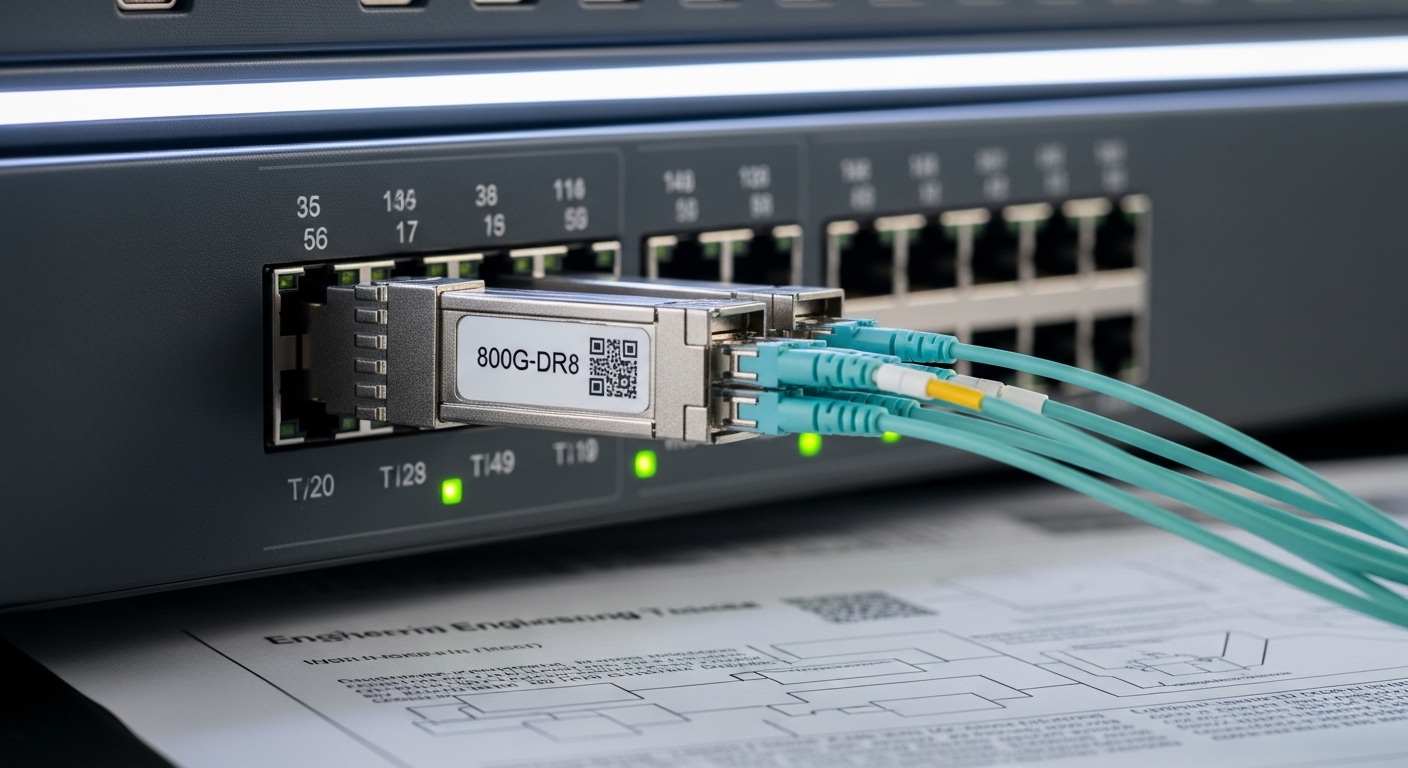
Before you redesign cooling fiber optic behavior around SFP modules, confirm your baseline thermal and optical performance. In practice, most “mystery” SFP failures trace back to temperature excursions, contact resistance at heat transfer interfaces, or optical link budget drift that is worsened by thermal stress. You should also document vendor part numbers and DOM capabilities so you can correlate temperature trends to real alarms.
Required tools and data
- Temperature measurement: calibrated contact thermocouples or resistance temperature detectors (RTDs), plus an IR camera for non-contact spot checks (remember emissivity settings can skew readings).
- DOM telemetry: access to SFP digital optical monitoring via switch CLI or controller API (temperature, Tx bias current, received power).
- Optical test equipment: link verification workflow using vendor-recommended optics and a power meter for Tx/Rx levels.
- Rack and loop data: liquid loop supply/return temperatures, coolant flow rate, and target inlet temperature at the cold plate or manifold.
- Compliance references: IEEE 802.3 physical layer requirements for your data rate (for example 10GBASE-SR / 40GBASE-SR4 / 100GBASE-SR4), and vendor SFP operating temperature ranges from the datasheet.
Legal and compliance note (educational): This article is general technical information and does not create an attorney-client relationship. For procurement, safety, or warranty disputes, consult qualified counsel; and rely on the specific SFP and switch vendor warranties and guidance. Cooling liquid systems can implicate electrical safety and facility codes, which are outside the scope here.
Pro Tip: In liquid-cooled enclosures, the “SFP case temperature” can be decoupled from the “board or cage temperature.” Always log DOM temperature plus an external contact sensor on the module body; if the delta is large, you likely have a thermal path or clamp pressure issue rather than a pure ambient problem.
Step-by-step implementation: align liquid cooling fiber optic thermal paths with SFP limits
This numbered guide is written for a common scenario: SFP or SFP+ optics in a top-of-rack switch installed in a liquid-cooled chassis or rack manifold. Follow the steps in order, because later steps assume you have stable temperature measurements and known optical baselines.
Identify the exact SFP type and its thermal envelope
Expected outcome: you can state the module’s rated operating temperature range and verify whether it supports DOM temperature reporting.
- Pull the label and vendor datasheet for each optic SKU (for example, Cisco branded optics or third-party equivalents).
- Record the rated operating range (commonly 0°C to 70°C or sometimes -5°C to 85°C depending on class).
- Confirm DOM support: DOM usually reports module temperature, but some OEM parts have partial telemetry.
- Note connector type and wavelength: for example 850 nm (SR) multimode or 1310 nm (LR) single-mode.
In IEEE terms, the physical layer defines electrical and optical behaviors, but it does not override vendor temperature limits. If your cooling fiber optic design pushes the module beyond its rated operating temperature, you can see increased bit error rate, reduced optical output stability, or DOM alarms even when the link “seems up.” [Source: IEEE 802.3].
Establish a thermal baseline under normal and worst-case load
Expected outcome: you have a time series of inlet coolant temperature, switch internal temperatures, and SFP DOM temperature.
- Run a representative traffic profile (for example, bidirectional line-rate bursts and sustained utilization).
- Log coolant supply/return and estimate module inlet temperature if your design includes a cold plate near the cage.
- Capture DOM temperature every 10 seconds for at least 30 minutes.
- Set a “stop condition” if DOM reports temperature near the upper threshold (for example within 3°C to 5°C of the rated maximum).
Liquid cooling fiber optic issues often appear during ramps: when fans and liquid pumps change speed, the thermal lag in the cage can cause short spikes that are invisible in slow ambient sensors.
Verify thermal contact and mechanical fit between the module cage and cooling structure
Expected outcome: you eliminate clamp pressure and contact resistance as root causes.
- Inspect whether the SFP cage has a designed thermal interface or standoff pressure mechanism.
- Check for module variants that differ in housing height or finish (including third-party “compatible” optics with slightly different tolerances).
- If the chassis uses a liquid-cooled cold plate near the cage, confirm the airflow bypass or shield arrangement is intact.
- Measure temperature at: coolant manifold, cold plate surface, cage area, and module body. Record deltas.
If the module body is significantly warmer than the cage, you may have poor thermal coupling; if it is significantly cooler, you may have condensation risk (less common with properly managed HVAC, but still possible in some facilities).
Confirm optical link budget stability at temperature extremes
Expected outcome: you validate that thermal stress is not quietly degrading optical power or receiver margins.
- Measure Tx output power and Rx received power at room temperature and during thermal steady state.
- Use your expected link budget for the fiber type and connector loss (for example MPO/MTP insertion loss, patch cord loss, and aging margin).
- Compare DOM Tx bias current and received power trends against historical values for the same port.
- Trigger a controlled BER test if your lab process supports it (vendor tools or certified testers).
Thermal impact can shift laser characteristics and can also increase connector interface resistance or contamination effects when the system cycles temperatures. Vendors typically publish aging guidance, but you should still treat temperature excursions as a risk multiplier.
Implement safeguards in monitoring and maintenance workflows
Expected outcome: you catch thermal drift before it becomes a field outage.
- Enable switch alarms for DOM temperature and optical power thresholds (use the thresholds your vendor recommends, then adjust based on your measured baseline).
- Schedule “micro-inspections” after maintenance events: pump speed changes, cold plate gasket replacement, or cage replacement.
- Track replacement optics by lot number and vendor SKU so you can detect batch-related thermal behavior.
- Document a rollback plan: if you change optics or cooling settings, you must preserve a known-good configuration.
This step is operational, not theoretical: if your cooling fiber optic environment is stable, you can run longer without surprises; if it is not, alarms and logging shorten mean time to repair.
Cooling fiber optic SFP thermal specs: what matters for liquid-cooled racks
Cooling design choices matter because SFP lasers and receivers are temperature-sensitive. Even when the electrical link meets IEEE requirements, the optical path can be stressed by temperature-driven changes in output power, bias current, and receiver sensitivity. Your goal in a liquid-cooled system is to keep module temperature within the rated envelope and to ensure the module’s thermal behavior is repeatable across ports.
Representative module examples and typical specs
Exact values depend on SKU, but the table below shows common patterns engineers see with multimode SR optics near 850 nm and typical DOM-enabled SFP variants. Use it to structure your comparison, not to replace the vendor datasheet review.
| Example SFP SKU | Data rate | Wavelength | Reach (typical) | Connector | Operating temp range | DOM | Notes for cooling fiber optic |
|---|---|---|---|---|---|---|---|
| Cisco SFP-10G-SR | 10G | 850 nm | Up to ~300 m over OM3 | LC | Commonly 0°C to 70°C | Usually supported | Temperature excursions can increase bias current and reduce power margin. |
| Finisar FTLX8571D3BCL | 10G | 850 nm | Up to ~300 m over OM3 | LC | Often 0°C to 70°C (verify) | Varies by exact SKU | Confirm DOM telemetry mapping and alarm thresholds. |
| FS.com SFP-10GSR-85 | 10G | 850 nm | Up to ~300 m over OM3 | LC | Check datasheet (often 0°C to 70°C) | Commonly supported | Third-party housings may have slightly different thermal coupling. |
Sources: vendor datasheets and product pages for the cited SKUs; [Source: IEEE 802.3]. For procurement decisions, always use the exact datasheet revision for your part number and lot.
Liquid cooling fiber optic use-case: leaf-spine ToR with 10G SR SFPs
Consider a 3-tier data center leaf-spine topology where each top-of-rack switch uses 48 ports of 10G SFP for server downlinks and additional uplinks to spines. The facility uses a liquid cooling fiber optic approach with a cold plate near the switch line card region. During a maintenance window, the operator increases pump speed to reduce inlet temperature from 23°C to 19°C, but they do not re-seat or re-torque the module cage hardware.
Within 20 minutes, the switch reports intermittent DOM temperature alarms on a subset of SR optics. Field investigation shows the cage temperature is stable, but the module body temperature is 6°C higher than baseline on the affected ports. After reseating optics and confirming thermal interface contact, the DOM temperatures return to the prior range and optical received power stabilizes. This scenario is common because the cooling fiber optic environment can be “correct” at the facility level while still failing at the module-to-cage thermal interface.
What you should log during this scenario
- Coolant supply and return temperatures and pump speed changes.
- Switch cage or line card temperature sensors (if available).
- SFP DOM temperature and Tx bias current trends per port.
- Received power and any CRC or FEC-related counters if your platform exposes them.
Selection checklist: choosing optics and cooling interfaces for SFP thermal reliability
When engineers select transceivers for cooling fiber optic deployments, they are balancing optical performance, mechanical fit, and thermal predictability. The checklist below is ordered the way real projects typically work, from physical constraints to long-term operations.
- Distance and fiber type: confirm OM3/OM4/OS2 and reach requirements for your IEEE physical layer target.
- Switch compatibility and optics policy: verify whether the switch supports third-party optics and what its compatibility list requires.
- Operating temperature range: choose modules with sufficient headroom above your measured worst-case module body temperature.
- DOM support and telemetry mapping: ensure the platform can read temperature, bias, and optical power; confirm threshold units and scaling.
- Thermal coupling risk: prefer optics with documented mechanical and thermal characteristics; test reseating behavior before full rollout.
- Operating environment limits: confirm your facility humidity and condensation controls; avoid mixing optics classes that assume different thermal management.
- Vendor lock-in risk: evaluate if the switch enforces strict vendor IDs, and plan a cross-vendor qualification test.
- Serviceability and lead times: stock spares with the same SKU and lot strategy to reduce troubleshooting complexity.
Common mistakes and troubleshooting: cooling fiber optic SFP failures
Below are three high-frequency failure modes you can expect in liquid-cooled racks, along with root causes and direct fixes. The goal is to reduce downtime by narrowing the problem quickly.
Failure point 1: DOM temperature alarms without link loss
Root cause: thermal contact resistance between SFP housing and cage due to mechanical tolerance differences, missing thermal interface parts, or insufficient clamp pressure after a rack service event. DOM will often show module temperature drift before the optical link fully fails.
Solution: reseat the optics, inspect for debris in the cage, verify clamp pressure or retention mechanism, and re-measure module body temperature with a contact sensor. If you are swapping vendors, qualify the mechanical fit and not just the optical spec.
Failure point 2: Optical power margin collapse at high load
Root cause: temperature-driven changes in laser output and bias current that reduce effective optical power, combined with connector loss increase from contamination or aging. Liquid cooling can mask the ambient cause while the module experiences localized hot spots.
Solution: clean fiber connectors using the facility-approved process, re-test Tx and Rx power at the module temperature extremes, and compare against the original link budget. If you see a consistent received power drop correlated with DOM temperature, treat thermal coupling as the primary suspect.
Failure point 3: Persistent alarms after pump speed changes
Root cause: the thermal system has different time constants than your monitoring cadence. Pump speed changes can cause short thermal spikes that exceed the module rating briefly, especially if the cold plate and cage have different thermal masses.
Solution: increase logging granularity (for example every 10 seconds), capture a full ramp event, and adjust your control loop setpoints or maintenance procedures. Consider setting a conservative alarm threshold and adding a “ramp stabilization” period before declaring the system ready.
Cost and ROI note: what cooling fiber optic changes typically cost
In many deployments, the direct cost driver is not the liquid loop itself but the qualification effort, spare inventory strategy, and the time spent troubleshooting. OEM optics can cost more than third-party modules, but they often reduce compatibility risk and shorten RMA cycles. As a practical range, many 10G SR SFP optics are commonly priced roughly from tens to over a hundred USD per module depending on brand, temperature class, and DOM support; QSFP and higher-rate optics often cost more.
TCO should include: replacement failure rates, downtime labor, testing time, and the risk of having to rework optics due to thermal coupling issues. If you qualify third-party optics with a controlled thermal test plan, you can reduce module BOM costs; if you skip qualification, ROI can invert quickly due to repeated field failures.
FAQ: cooling fiber optic and SFP thermal reliability
Q1: Does liquid cooling automatically make SFP optics last longer?
Not automatically. Cooling helps only if module temperature stays within the vendor operating range and the thermal path is consistent. If liquid cooling changes mechanical pressure or cage contact, you can worsen module temperature even while facility ambient drops.
Q2: What DOM data should I prioritize for cooling fiber optic troubleshooting?
Start with DOM temperature and Tx bias current, then correlate with received power and any link error counters available on your switch. Temperature-only alarms can be benign, but temperature plus bias or power drift usually indicates a thermal or optical margin problem.
Q3: Can I mix third-party SFP optics in a liquid-cooled chassis?
Yes in principle, but compatibility and mechanical tolerances matter. Many switches enforce optics policies, and “compatible” modules can have slightly different thermal coupling behavior; qualify the exact SKU in your exact chassis.
Q4: What temperature threshold should trigger action?
Use the vendor’s rated maximum operating temperature as the hard limit, then set an earlier operational threshold based on your measured baseline and safety margin. Common practice is to investigate when DOM temperature approaches the upper bound by a few degrees, especially during pump or load ramps.
Q5: How do I validate optical link budget after thermal changes?
Measure Tx and Rx power at baseline and at thermal steady state, ideally at both normal and worst-case operating conditions. Then compare to your pre-existing link budget that includes connector and patch cord losses and an aging margin.
Q6: Are there standards that define thermal limits for SFPs?
IEEE 802.3 defines physical layer performance requirements, but it does not replace the SFP vendor’s temperature ratings. Treat the vendor datasheet as the controlling thermal envelope for the specific module SKU.
Sources: [Source: IEEE 802.3]; vendor datasheets for the cited SFP examples; switch vendor DOM and optics compatibility guides.
If you want the next step, review how to size fiber optic link budgets for SR optics to ensure that thermal-driven power shifts still leave you with margin. For projects involving liquid cooling fiber optic systems, treat thermal qualification as part of your optical qualification plan, not as an afterthought.
Expert bio: I am a practicing network engineer who has deployed and troubleshot liquid-cooled racks with SFP and QSFP optics, including DOM-based thermal correlation during ramp events. I write implementation guides that translate vendor specs and IEEE physical layer requirements into field-ready checklists.
