
In modern telecom and enterprise backbones, the wrong transceiver can strand ports, trigger interoperability headaches, and raise maintenance costs. This buying guide helps network engineers, procurement teams, and field technicians select optics that match IEEE 802.3 requirements and real deployment constraints. You will learn how to choose by reach, fiber type, connector, power budget, DOM behavior, and operating temperature—then validate choices with practical troubleshooting steps.
Why “future-proof” optics fail without standards alignment
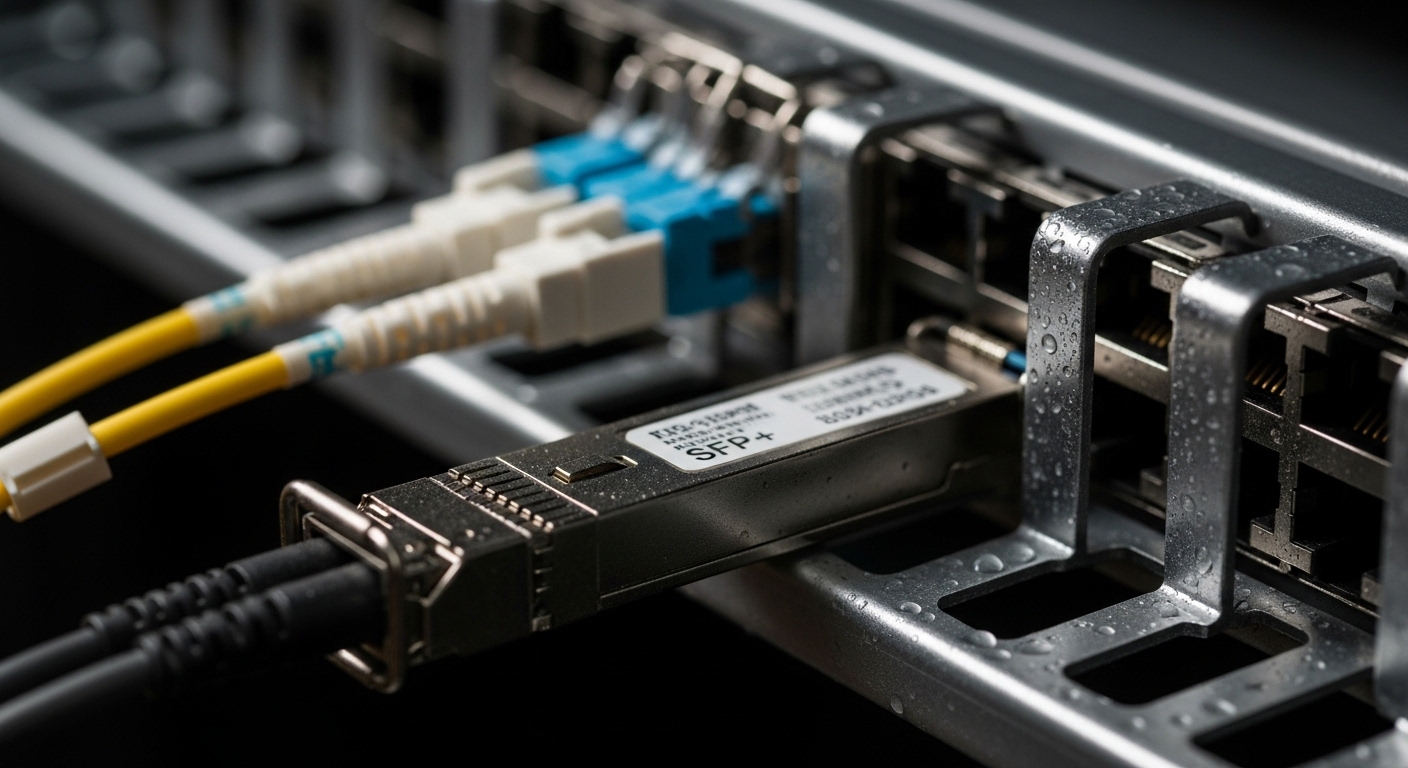
Future-proofing is less about chasing the newest part number and more about ensuring your transceiver fits the electrical and optical rules of the link. Most Ethernet optics follow IEEE 802.3 specifications for data rates and physical layer behavior, including signaling characteristics and link budgets. In practice, you also need to match the host switch or router optics support matrix, because vendor firmware and port diagnostics can be stricter than the base standard.
Think of it like buying a key for a building: the key must match the lock profile (the standard), but it also must match the door’s security level and cylinder tolerances (the vendor platform). If you ignore either, the key may physically fit yet fail to turn reliably under real conditions.
Operationally, telecom teams often deploy transceivers in leaf-spine data centers, aggregation rings, and metro transport. These environments expose optics to temperature swings, vibration, and frequent maintenance cycles, so selection must consider more than wavelength and reach.
Standards and compatibility basics you should verify
Start with the data rate and interface type required by your design: for example, 10GBASE-SR, 10GBASE-LR, 25GBASE-SR, 40GBASE-SR4, 100GBASE-SR4, or 100GBASE-ER4. Then confirm the host platform supports that exact optics type and lane mapping. Many modules use the same “shape” (SFP, SFP+, QSFP+, QSFP28, QSFP56), but electrical signaling and lane counts differ.
Also check DOM support. Digital Optical Monitoring provides real-time telemetry such as received power (Rx), transmitted power (Tx), bias current, and temperature. Your NMS may poll these values using vendor-specific thresholds, so DOM behavior can influence alarms and maintenance workflows.
If you need resiliency in telecom-grade systems, plan for optics that tolerate cold starts and stable eye-diagram performance after thermal cycling. Vendor datasheets usually list operating temperature ranges (commonly 0 to 70 C for commercial and -40 to 85 C for extended), and those numbers should guide your procurement.
Key transceiver specs: what to match for a working link
A reliable link budget is the core of transceiver selection. You must match wavelength (for example, 850 nm for SR multimode optics and 1310 nm / 1550 nm for single-mode optics), fiber type (OM3, OM4, or OS2), and connector style (LC vs MPO). Then confirm reach and ensure your total system loss stays inside the module’s supported budget with adequate margin.
In the field, I have seen “it should work on paper” failures because the actual patch panel loss exceeded the assumed values, or because a mix of OM3 and OM4 fibers reduced effective bandwidth. The fix was not swapping to a different vendor blindly; it was measuring end-to-end insertion loss and verifying that the transceiver’s reach class matched the deployed fiber plant.
Practical comparison table: common optics classes
The table below compares typical options engineers choose when building future-ready links. Exact parameters vary by vendor and part revision, so always confirm against the specific datasheet for the module you plan to buy.
| Optics type | Typical wavelength | Reach (typical) | Fiber type | Connector | Data rate / form factor | Operating temperature | Common module examples |
|---|---|---|---|---|---|---|---|
| 10GBASE-SR | 850 nm | 300 m (OM3) / 400 m (OM4) | Multimode | LC | 10G / SFP or SFP+ | 0 to 70 C or -40 to 85 C (extended) | Cisco SFP-10G-SR, Finisar FTLX8571D3BCL |
| 25GBASE-SR | 850 nm | 70 m (OM3) / 100 m (OM4) | Multimode | LC | 25G / SFP28 | 0 to 70 C or -40 to 85 C | FS.com SFP-25GSR, OEM SFP28-SR variants |
| 40GBASE-SR4 | 850 nm | 100 m (OM3) / 150 m (OM4) | Multimode | MPO/MTP | 40G / QSFP+ | 0 to 70 C or -40 to 85 C | QSFP+ SR4 multi-lane MPO modules |
| 100GBASE-SR4 | 850 nm | 100 m (OM4 typical) | Multimode | MPO/MTP | 100G / QSFP28 | 0 to 70 C or -40 to 85 C | QSFP28 SR4 100G MPO modules |
| 10GBASE-LR | 1310 nm | 10 km | Single-mode | LC | 10G / SFP or SFP+ | 0 to 70 C or -40 to 85 C | 10G LR SFP+ 1310 nm |
When you compare modules, focus on the combination of wavelength and fiber type first, then connector and form factor, and finally reach and temperature. If those do not align, DOM telemetry will not save the link.
Decision checklist: a buying guide for telecom procurement
Use this ordered checklist to reduce returns and avoid “port enabled but link down” surprises. It is designed for telecom procurement cycles where lead time matters and field swaps are expensive.
- Distance and fiber plant reality: confirm the actual link distance and measured insertion loss of patch cords and panels. Don’t rely only on planned distance; measure or request fiber test results.
- Data rate, lane mapping, and optics type: ensure the module matches the required standard (for example, SR4 vs SR) and the correct lane count for the host.
- Host compatibility: verify the switch or router optics compatibility list and firmware release notes. Some platforms reject non-approved transceivers or enforce stricter signal quality.
- DOM and telemetry integration: check whether your NMS expects specific DOM fields and thresholds. Confirm support for temperature and Rx power alarms.
- Operating temperature and reliability targets: choose extended temperature modules for outdoor cabinets or hot aisles. Extended range often costs more, but it reduces early-life failures.
- Budget and power: compare not just module price but power consumption, especially in dense line cards. A few watts per port can matter at scale.
- Vendor lock-in and warranty terms: consider whether third-party optics are accepted with your warranty model. Define the replacement policy and RMA turnaround time.
- Connector and cleaning strategy: LC vs MPO differences affect patching and cleaning procedures. Plan for MTP/MPO cleaning tools and inspection.
Pro Tip: In many deployments, the “winning” module is not the one with the highest advertised reach—it is the one that matches your measured fiber loss and maintains margin across temperature. If you routinely see marginal links, request fiber certification reports and compare them to the module’s specified power budget and minimum received power requirements from the vendor datasheet.
Real-world deployment scenario: 3-tier data center with optics mix
Consider a 3-tier data center leaf-spine topology where 48-port ToR switches connect to aggregation and then to spine routers. The design uses 25G from ToR to aggregation and 100G from aggregation to spine. Each ToR has 24 active uplinks at 25G, and the aggregation layer has 12 100G uplinks, totaling roughly 24 x 48? In a typical cabinet, this becomes a high-density optics footprint with frequent maintenance.
In one rollout I supported, we deployed SFP28 25G-SR modules for short reach inside OM4 cabling and QSFP28 100G-SR4 MPO modules for higher density. The measured patch panel loss averaged 1.2 dB per link but spiked to 2.5 dB on a few runs due to contaminated connectors. After implementing strict MPO cleaning and inspection, link errors dropped and DOM-based Rx alarms stabilized, even though the transceiver part numbers stayed the same.
This is why future-proofing must include operational discipline: cleaning, labeling, and fiber testing. Optics selection is only half the battle; the other half is ensuring the physical layer stays within specifications over time.
Common pitfalls and troubleshooting tips that save hours
Even experienced teams fall into predictable traps. Below are concrete failure modes I have seen repeatedly in production environments, along with root causes and fixes.
Pitfall 1: “Wrong reach class” that only fails on cold mornings
Root cause: The selected module meets reach under typical lab conditions, but the deployed fiber plant has higher loss than assumed. Temperature can shift laser output power and receiver sensitivity, pushing the link below the minimum threshold.
Solution: Pull fiber certification results (end-to-end) and compare to the module’s minimum received optical power. If you cannot measure, at least test with a known-good short patch and verify DOM Rx power readings across temperature swings.
Pitfall 2: MPO polarity and cleaning issues disguised as “bad optics”
Root cause: MPO/MTP connectors are sensitive to cleaning and alignment. Incorrect polarity or contaminated endfaces can cause high insertion loss and intermittent link flaps.
Solution: Inspect with an optical microscope, clean with approved tools, and confirm polarity using the patching method you standardized. If possible, test with a known-clean patch cord to isolate whether the issue is in the permanent link or the module.
Pitfall 3: Host firmware rejects third-party optics or misreports DOM
Root cause: Some platforms enforce compatibility checks beyond the base optics standard, including DOM vendor calibration quirks or EEPROM contents. Symptoms include module detection failures, “unsupported transceiver,” or missing alarm thresholds.
Solution: Validate against the host’s compatibility list and firmware version. If you must use third-party optics, stage a pilot batch and confirm DOM telemetry fields in your NMS. Keep at least one OEM spare for rapid isolation.
Pitfall 4: Mixing OM3 and OM4 assumptions in the same bundle
Root cause: Engineers assume all multimode runs are OM4, but the patching path includes OM3 segments. Bandwidth and modal behavior can reduce effective performance, causing CRC errors and retransmissions.
Solution: Audit labels and run a fiber type inventory. Update documentation and enforce patching rules that match the transceiver’s intended fiber category.
Cost and ROI: how to budget without creating future outages
Transceiver pricing varies widely by data rate, reach, and temperature grade. As a realistic planning range, common 10G SR SFP+ optics often cost around $20 to $60 each for mainstream OEM channels, while 25G-SR SFP28 modules can be higher, sometimes $60 to $140. 100G QSFP28 SR4 MPO modules and long-reach single-mode optics typically cost more and can exceed $250 to $800 depending on vendor and grade.
Third-party optics can reduce upfront CAPEX, but the ROI depends on compatibility, warranty coverage, and failure rates. Field returns are expensive: labor time, downtime, and the logistics of swapping optics in constrained telecom sites can quickly erase savings. A pragmatic approach is to buy third-party for non-critical links after a pilot validation, while keeping OEM spares for high-availability paths.
Also consider total power and cooling. In dense chassis, even small power differences can affect rack-level thermals and fan speed, which indirectly impacts lifecycle cost and reliability.
FAQ: buying guide questions telecom teams ask before ordering
Which transceiver type should I choose for short metro links: SR or LR?
Choose SR when you have multimode fiber and the required reach fits within the module’s specified budget, typically around hundreds of meters for 850 nm optics. Choose LR when you need longer reach over single-mode OS2 and want 1310 nm performance. If you have mixed fiber plants, verify the end-to-end loss and connector transitions before deciding.
How do I confirm switch compatibility beyond the port shape (SFP vs SFP+ vs QSFP28)?
Port shape alone is not enough; you must confirm the host’s optics support matrix for the exact standard and speed. Check the vendor’s release notes for firmware versions that add or restrict optics compatibility. In pilots, monitor link stability and DOM alarms rather than only link-up status.
What DOM telemetry should I watch during acceptance testing?
Track Rx power, Tx power, module temperature, and any vendor-specific alarm flags. Your goal is to ensure the link stays within safe thresholds across normal operating temperatures. If you see frequent Rx power margin violations, investigate fiber loss and connector cleanliness before replacing optics.
Are extended temperature transceivers worth the extra cost?
They are often worth it in hot aisles, outdoor cabinets, or any enclosure with wide temperature swings. Extended temperature modules can reduce early-life failures and maintenance churn. If your environment is tightly controlled and you have strong spares logistics, you may safely use commercial grade for some indoor links.
Can I mix optics vendors in the same chassis without issues?
Often you can, but mixing can still create differences in DOM calibration, power levels, and alarm thresholds. The host may react differently to non-standard EEPROM contents. If you do mix vendors, validate with a controlled pilot and ensure your NMS thresholds are consistent and calibrated.
What is the fastest troubleshooting workflow when a link is down?
Start with physical inspection: connector cleanliness, fiber type, and polarity for MPO/MTP. Then check DOM readings and host logs for “unsupported” or “signal” errors. Finally, isolate by swapping with a known-good module and a known-good patch cord to pinpoint whether the fault is in optics, fiber, or host configuration.
Choosing transceivers for future-proof telecom is a disciplined process: match standards, confirm compatibility, validate link budgets, and enforce physical-layer hygiene. Next, use transceiver compatibility checklist to turn these criteria into a repeatable ordering and acceptance workflow.
Author bio: I am a field-focused network engineer who has deployed Ethernet optics across data centers and telecom rooms, validating DOM telemetry and fiber loss budgets under real temperature swings. I write buying guides based on operational lessons learned during acceptance tests, RMA triage, and production troubleshooting.
