
When AI applications start pushing GPUs harder, the bottleneck often shifts from compute to east-west networking. This guide helps data center and network engineers plan and deploy 800G optical transceivers for AI-driven workloads, with concrete compatibility checks, fiber planning, and verification steps. You will also get a troubleshooting section for the most common failure points seen during bring-up.
Prerequisites: what you need before touching 800G optics
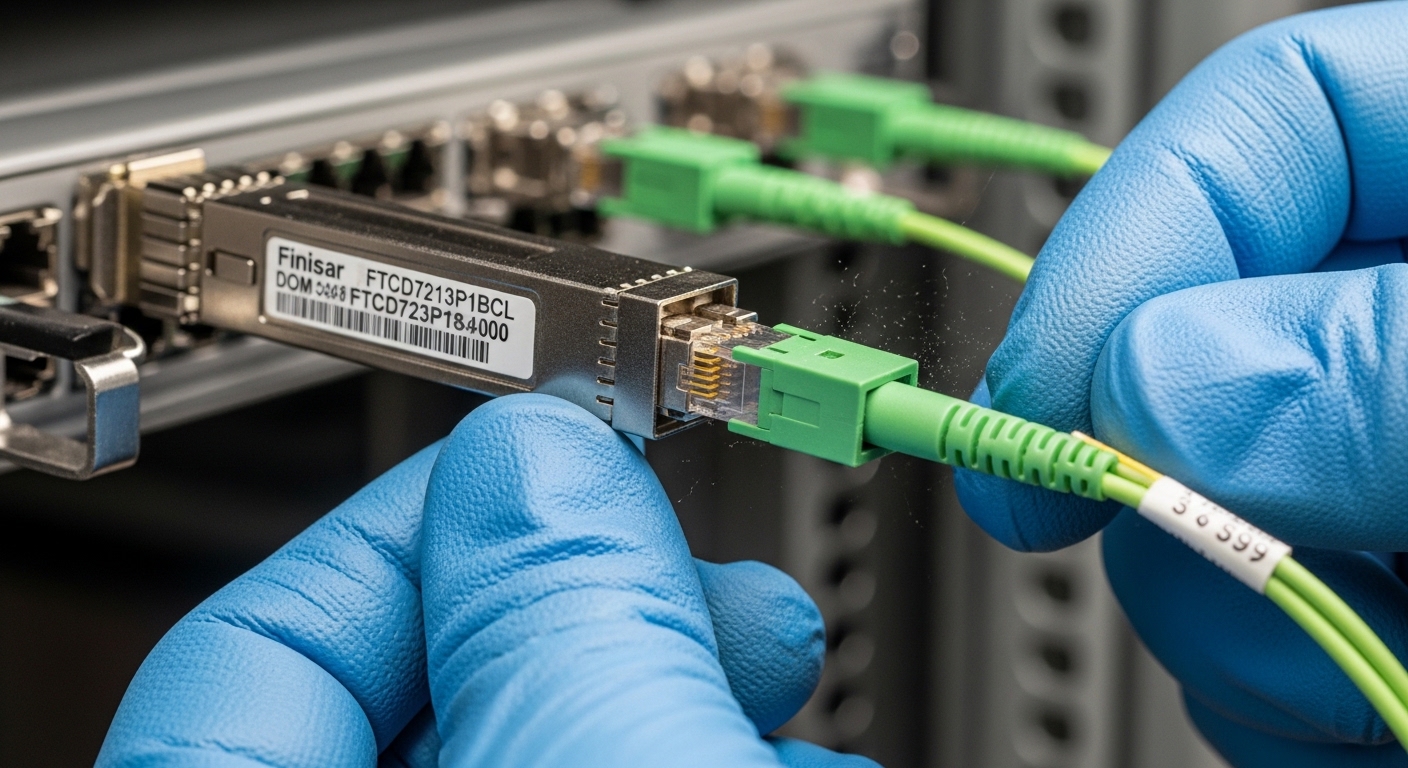
Before ordering modules, confirm your switch platform supports the exact electrical and optical interface your AI fabric uses. In practice, teams waste weeks when they buy the right wavelength but the wrong 800G form factor or forget about DOM/telemetry expectations. Also validate that your fiber plant has the right endface cleanliness and loss budget for the reach you intend to run.
Reference points that matter: IEEE Ethernet operation is defined by the relevant Ethernet PHY behavior (e.g., IEEE 802.3 families), while optics behavior and diagnostics are vendor-specific but typically follow common digital diagnostics concepts. For baseline Ethernet/PHY framing assumptions, see IEEE 802.3. For optics selection concepts and typical module capabilities, use vendor datasheets such as Cisco optics guides and Finisar/Coherent module documentation.
Lock the target link type and reach
Decide whether your AI applications need short reach (in-rack or within a row) or extended reach (between rows or across rooms). For 800G, many deployments use parallel optics or coherent variants depending on vendor and platform. As a rule of thumb, start by mapping each hop length: rack-to-rack, row-to-row, and spine-to-leaf.
Expected outcome: A hop list with distances in meters and a preliminary reach category for each link.
Verify switch compatibility and optics interface
Check the exact switch model and its supported optics matrix. For example, an 800G switch might support specific module families such as Cisco-compatible optics or vendor-specific part numbers. Confirm both the electrical interface and the optical connector type (commonly MPO/MTP for high-density parallel links, and LC for some coherent or adapter-based designs).
Expected outcome: A short list of module part numbers explicitly validated for your switch.
Confirm DOM support, operating temperature, and power envelope
During AI fabric bring-up, telemetry failures can masquerade as “link down” issues. Confirm whether the module reports DOM values (laser bias, received power, temperature) and whether your network OS expects certain diagnostic thresholds. Also check operating temperature ranges and maximum optical input/output power limits against your airflow profile.
Expected outcome: DOM and thermal feasibility documented before installation.
800G optical transceiver specs that affect AI applications
For AI applications, the practical question is not just “Does it reach?” but “Does it reach with enough margin at scale?” Loss budget, fiber type, connector cleanliness, and transceiver power all interact. Below is a representative comparison of commonly deployed 800G optics families; always validate against your vendor datasheets and your switch’s supported optics list.
| Spec | 800G SR8 / Parallel Short Reach | 800G LR8 / Extended Reach (typical) | 800G Coherent (long-haul capable) |
|---|---|---|---|
| Typical wavelength | Multi-lane, short-reach bands (parallel) | Single-mode long-reach bands (parallel) | Coherent tuned bands (varies) |
| Target reach | ~100m class on OM4/OM5 | ~1km class on SMF (varies) | 10km+ class on SMF (varies) |
| Connector style | Often MPO/MTP (8-fiber or higher lane count) | Often MPO/MTP | Often LC with adapters |
| Data rate | 800G aggregate | 800G aggregate | 800G aggregate |
| Power (typical order) | Moderate; platform dependent | Moderate; platform dependent | Higher due to DSP/COH |
| Operating temperature | Commonly 0 to 70C or vendor-specific | Commonly 0 to 70C or vendor-specific | Vendor-specific; often -5 to 70C |
Note: Exact reach and power depend on fiber grade, lane count, and vendor implementation. Always use the optics datasheet for the exact part number you plan to deploy. For example, third-party module compatibility and DOM behavior are often documented in vendor and integrator guides; validate with your switch vendor’s optics compatibility list. See IEEE for standards context and consult module vendor datasheets for the optical budget specifics.
Pro Tip: In large AI clusters, the biggest “surprise” is not the transceiver reach spec; it is the connector and polarity discipline. A single reversed polarity on an MPO trunk can reduce received power enough to trigger intermittent link flaps under load, even if the link passes initial up tests.
Step-by-step rollout: mapping AI traffic to 800G optics
Think of the rollout as a controlled pipeline: plan fiber paths, install modules, verify optics diagnostics, then validate traffic patterns that resemble AI applications. In AI-driven fabrics, you want to exercise all-to-all or all-reduce style communication flows, not just idle pings.
Build the fiber and patch plan with polarity checks
Use your fiber management system to map each MPO/MTP trunk and patch panel. For each 800G link, document the lane mapping, polarity method (including MPO polarity adapters if used), and connector cleaning verification. If you are using OM4 or OM5, confirm that your patch cords and trunks are consistent with the intended mode and that you have measured end-to-end loss.
Expected outcome: A per-link fiber record with measured loss and confirmed polarity method.
Install modules and validate DOM readings before traffic
Insert modules carefully and ensure latch engagement. Then check switch diagnostics for DOM values. You are looking for received power within the vendor-recommended operating range, stable laser bias currents, and temperature readings consistent with the module’s data sheet. If DOM values are missing or “unsupported,” stop and confirm the switch’s optics compatibility mode.
Expected outcome: All target ports show stable “up” state readiness with plausible DOM telemetry.
Run an AI-like traffic validation test
Use a workload generator that approximates your AI applications: large gradient all-reduce or synthetic east-west flows. On the network side, monitor link error counters, CRC, and optical diagnostics for drift over time. A common field practice is to run a short burst test first (minutes), then a longer soak (hours) to catch thermal or power supply effects.
Expected outcome: No link flaps, no rising error counters, and stable received power under sustained traffic.
Selection checklist engineers actually use
- Distance and reach category: match 800G SR vs LR vs coherent to your hop lengths and measured fiber loss.
- Switch compatibility: use the vendor optics matrix; confirm the exact module family and interface type.
- Budget and power envelope: compare transceiver power and cooling impact; AI clusters often run warm.
- DOM and telemetry integration: ensure your network OS can read and alarm on key DOM fields.
- Operating temperature and derating: validate airflow assumptions and worst-case transceiver temperature.
- Vendor lock-in risk: check whether third-party optics are supported and whether firmware updates affect compatibility.
Common mistakes and troubleshooting (top 3 failure points)
Link up then flapping under load
Root cause: connector contamination, damaged MPO/MTP endfaces, or marginal optical power budget that only fails at higher transmit levels. Solution: inspect with a fiber scope, re-clean, re-seat modules, and verify measured insertion loss. If available, compare received power across lanes and replace the worst lane trunk.
DOM shows “unsupported” or alarms immediately
Root cause: module not on the switch’s supported optics list, or DOM/EEPROM fields not matching what the platform expects. Solution: confirm exact part number, DOM compatibility, and whether the switch needs a specific optics profile or firmware level.
Persistent “link down” after installation
Root cause: polarity mismatch, wrong adapter type, or swapped MPO trunk mapping in the patch panel. Solution: re-check polarity method, verify adapter orientation, and correct lane mapping in the patch record. If you used polarity adapters, ensure they are consistent across both ends.
Cost and ROI note for AI-driven 800G deployments
In many procurement cycles, 800G optics pricing depends heavily on vendor, reach class, and whether you buy OEM or third-party. As a realistic planning range, short-reach 800G modules are often cheaper than long-reach, while coherent 800G options can be substantially more expensive due to DSP and optics complexity. Total cost of ownership (TCO) should include spares strategy, field replacement labor, optical testing time, and the cost of downtime during AI training windows.
OEM modules typically reduce compatibility risk but can carry a premium; third-party modules can work well when they are explicitly validated for your switch family. ROI improves when you standardize on a small set of module types and enforce fiber cleanliness processes, because failures during bring-up are costly in both time and rework.
FAQ: AI applications buying questions for 800G optics
What fiber type should I plan for with 800G short reach?
Most data center short-reach designs are built around OM4 or OM5 multimode fiber with MPO/MTP trunks. Still, you must validate end-to-end loss with measured results, not just cable labeling. Your switch and optics datasheet will specify the supported fiber grades and reach limits.
Do I need DOM support for AI applications?
Yes, practically. DOM data enables early detection of drift in received power and temperature, which matters when AI training runs long and changes utilization patterns. Without telemetry, you may only notice issues after errors and retransmits start affecting performance.
Can I mix optics vendors across an AI fabric?
You can sometimes, but it is risky unless your switch vendor explicitly supports the combination. Differences in DOM behavior, threshold defaults, and firmware compatibility can cause inconsistent alarms or marginal performance
