
Airport fiber networks carry mission-critical traffic for baggage handling, access control, and video analytics. When a link drops at a screening checkpoint, operators see delayed throughput, stalled conveyor coordination, and blank surveillance feeds. This article helps airport network engineers and field techs choose the right `SFP`-based security network optics for these environments, with practical compatibility checks and troubleshooting patterns.
Why airport security links fail: optics meet real-world constraints
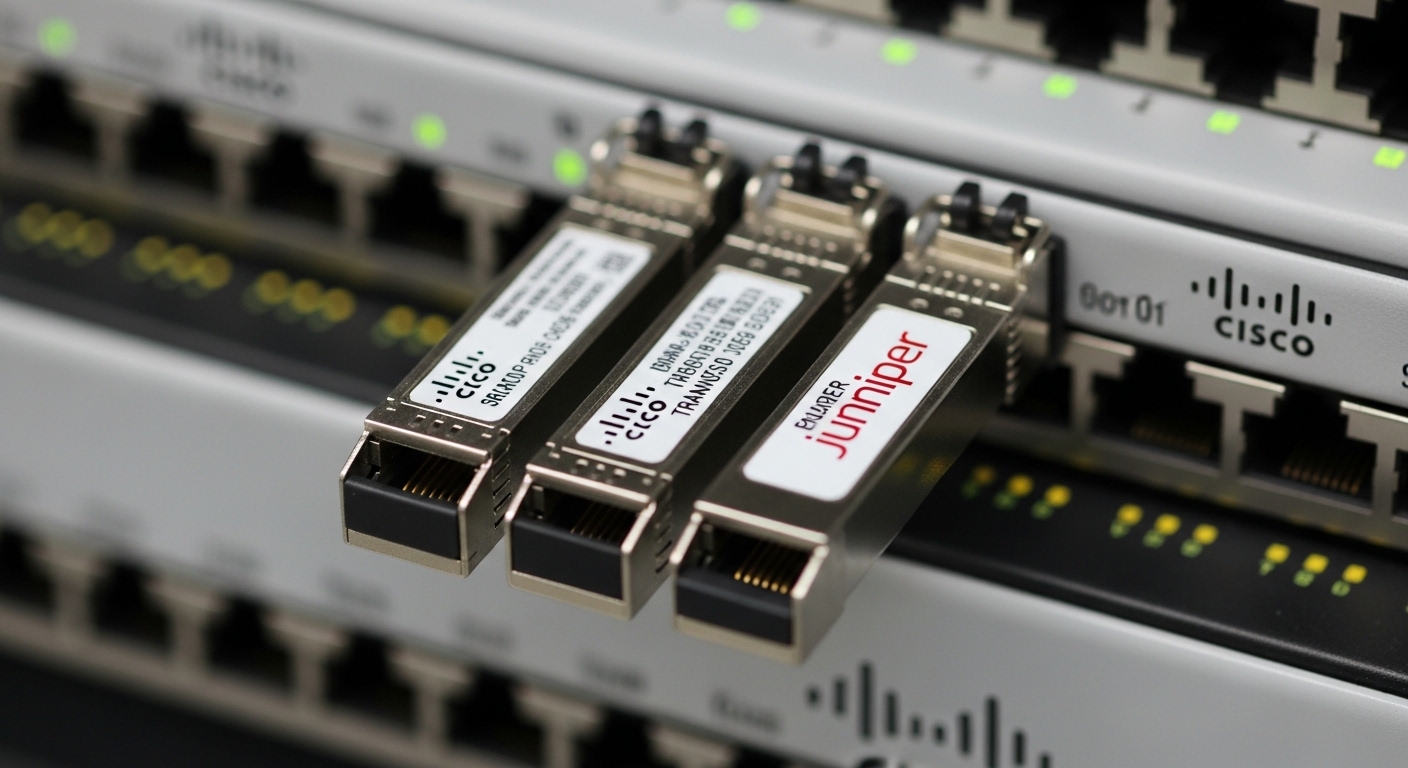
In terminal and back-of-house areas, fiber runs through cable trays, near HVAC exhaust, and across zones with frequent maintenance. Even when the fiber plant is engineered correctly, optics can still introduce failures through marginal optical budgets, temperature drift, or mismatched transceiver parameters. For security network optics, the goal is consistent link stability across door cycles, vibration, and power-supply transients in industrial cabinets.
IEEE 802.3 defines electrical and optical behaviors for Ethernet, but the operational limits come from the specific transceiver design: transmitter power, receiver sensitivity, and how the module manages thermal regulation. In practice, airport deployments often use 1G/10G Ethernet from switches to cameras, badge readers, and baggage controllers, so engineers commonly select SFP (or SFP+) optics matched to multimode or single-mode fiber. Vendor datasheets and the module’s DOM (Digital Optical Monitoring) are key for proving that the link is operating within spec.
What to verify beyond “it links up”
Start with the optics class your switch expects: many enterprise and industrial switches support SFP/SFP+ but vary in compatibility with third-party modules. Then confirm the fiber type (OM3/OM4 multimode or OS2 single-mode), expected reach, and connector type (LC is most common for SFP). Finally, validate DOM thresholds and monitoring visibility, because airport operations teams often need proof of optical degradation before a failure.
Reference point: Most baggage and security subsystems use Ethernet links that must remain stable under temperature swings; choose optics with an operating temperature that matches the cabinet environment, not just the lab spec.
Key SFP optics specs that decide reach and stability
For airport security network optics, the most important specs are wavelength, reach, optical power, receiver sensitivity, and temperature range. These determine whether your link budget survives aging fiber, patch cord loss, and connector contamination. The right choice also reduces truck rolls by enabling proactive monitoring via DOM.
Typical SFP options used in airport security and baggage systems
Common patterns include 1000BASE-SX (850 nm) for short runs on multimode fiber, and 1000BASE-LX or 10GBASE-LR (single-mode) for longer spans. For baggage halls that span multiple security zones, engineers frequently migrate from multimode to OS2 to simplify reach planning and reduce the sensitivity to patch cord variations.
| Spec | Example Module (Model) | Data Rate / Standard | Wavelength | Reach (Typical) | Fiber Type / Connector | DOM | Operating Temp Range |
|---|---|---|---|---|---|---|---|
| Multimode short reach | Finisar FTLX8571D3BCL (SFP) | 1G Ethernet (1000BASE-SX) | 850 nm | Up to ~550 m on OM2; higher on OM3/OM4 depending on link budget | OM3/OM4 / LC | Supported on many production variants (confirm exact ordering) | ~0 to 70 C (confirm datasheet) |
| Single-mode longer reach | Cisco SFP-10G-SR vs SR is multimode; use an LR-class for OS2 in practice (example: 10GBASE-LR SFP+) | 10G Ethernet (10GBASE-LR) | 1310 nm | ~10 km typical for LR-class | OS2 / LC | Commonly supported | ~0 to 70 C (confirm datasheet) |
| Enterprise 1G single-mode | FS.com SFP-1G-LX (example LX-class) | 1G Ethernet (1000BASE-LX) | 1310 nm | ~10 km typical for LX-class | OS2 / LC | Usually available; verify | Standard telecom range (confirm datasheet) |
Note: Exact reach depends on switch implementation, patch cord lengths, measured fiber attenuation, and connector cleanliness. Always validate with an optical power meter or link test that matches your installed plant.
Pro Tip: In airport cabling, the biggest hidden variable is not the fiber run length; it is the total insertion loss from patch panels plus connector cleanliness. Use DOM to trend received power (Rx) after installation, then set alert thresholds so you catch degradation before the link falls off.
Selection checklist for airport security network optics
Engineers typically decide in an order that prevents rework. Use this ordered checklist to reduce the chance that a “works on the bench” module fails in the field.
- Distance and fiber type: confirm whether you are on OM3/OM4 multimode or OS2 single-mode, and measure total loss including patch cords and splices.
- Switch compatibility: verify the exact switch model and its SFP/SFP+ compatibility matrix. Some switches are sensitive to vendor-specific EEPROM behaviors.
- Optical budget fit: compare transmitter power and receiver sensitivity from datasheets, then subtract your measured plant loss plus a margin for aging.
- DOM support and telemetry format: confirm that the switch reads DOM reliably and that your NMS can alert on Tx/Rx drift, not just link up/down.
- Operating temperature and airflow: check cabinet ambient temperature near the port. Airport equipment racks can exceed standard office ranges during peak summer operations.
- Connector and transceiver form factor: ensure LC connectors, correct SFP vs SFP+ physical fit, and latch style appropriate to the switch cage.
- Vendor lock-in risk: decide whether you will standardize on an OEM module program or allow third-party optics. Factor in support agreements and RMAs.
Practical compatibility checks before mass install
Do a pilot deployment on one baggage control cabinet and one security camera zone. Confirm link stability over at least one full operational cycle (including any daily power cycling and temperature peaks). Then validate that DOM values remain within expected ranges and that your monitoring system flags anomalies early.
For standards alignment, use IEEE 802.3 for Ethernet physical layer expectations and vendor datasheets for the module-specific transmitter/receiver limits. [Source: IEEE 802.3 working group documentation] IEEE 802.3
Deployment scenario: baggage and screening zones with mixed fiber
Consider a 3-tier airport architecture with leaf-spine switching in the core and edge switches near checkpoints. A typical deployment might use 48-port 10G ToR switches in the baggage operations areas, with several leafs feeding security camera aggregators and access control controllers. In one terminal, engineers run OM4 multimode inside the building for spans under 300 m to reduce cost, then transition to OS2 single-mode for inter-building runs and long corridors.
Field selection: for camera aggregators in the baggage hall, they choose 1000BASE-SX class SFP optics at 850 nm into LC connectors on OM4, because the patch panels and patch cord lengths are short and the measured insertion loss fits the optical budget. For the inter-building access control head-end, they select 1G LX or 10G LR-class modules at 1310 nm on OS2 to cover up to several kilometers with margin. After installation, they monitor DOM Rx power trending in the NMS and set alerts for a drift of a few dB over time, which correlates with connector wear or contamination.
Common pitfalls and troubleshooting for SFP link instability
Even experienced teams hit predictable failure modes. Below are concrete issues seen in fiber-rich facilities like airports, along with root causes and field fixes.
Pitfall 1: Wrong fiber type selected for the module class
Symptom: Link flaps, intermittent connectivity, or link never comes up. Root cause: Installing an 850 nm SX module into a path that is actually OS2 single-mode, or conversely using a single-mode module on an OM3 path with unexpected loss or connector issues. Solution: Verify fiber labeling, trace the strand through patch panels, and confirm with a light source test or OTDR. Then reinstall the correct wavelength module for the fiber type.
Pitfall 2: DOM mismatch and missing telemetry
Symptom: The switch reports link up but DOM fields are blank, frozen, or out of expected ranges. Root cause: EEPROM/DOM implementation differences across vendors, or the switch firmware not supporting certain monitoring interpretations. Solution: Validate DOM visibility during the pilot. If telemetry is required for security operations, standardize on an optics part number that the switch vendor confirms for DOM support.
Pitfall 3: Connector contamination after maintenance
Symptom: Sudden drop in received power, increased CRC errors, or rising packet loss under load. Root cause: Dust on LC end faces introduced during patch changes near security kiosks. Solution: Use proper fiber cleaning tools (alcohol wipes alone are often insufficient), inspect with a microscope, and re-clean or replace jumpers. Re-run link tests and confirm Rx power returns to baseline.
Pitfall 4: Temperature overshoot in sealed racks
Symptom: Errors increase during peak heat, then improve later, with occasional module resets. Root cause: Operating temperature outside the transceiver’s specified range due to restricted airflow, blocked vents, or high ambient near baggage control cabinets. Solution: Measure ambient with a calibrated sensor, ensure fan trays and vents are unobstructed, and align optics temperature rating with worst-case cabinet conditions.
Cost and ROI note: how to budget optics without risking uptime
Pricing varies by vendor, data rate, and certification level. In general, OEM SFP modules often cost more but may reduce compatibility and support friction. Third-party optics can be cost-effective for large airport fleets, but you should budget time for compatibility validation and higher acceptance testing.
As a realistic planning range, many teams see SFP-class optics in the roughly $50 to $200 per module range depending on reach and brand, while 10G-class modules may be higher. The ROI comes from fewer truck rolls: if DOM monitoring prevents even a small number of failures per year, the savings in labor and downtime typically outweigh the optics price delta. Also consider TCO from spares: standardizing a small set of optics SKUs reduces inventory complexity and reduces the chance of field mis-picks.
For compliance and operational expectations, align your design with Ethernet physical layer requirements and vendor-specific module behavior. [Source: Cisco and Finisar transceiver datasheets] Finisar Cisco
FAQ: security network optics for airport SFP installs
Which wavelength should I use for airport security network optics on multimode?
Most short-reach multimode deployments use 850 nm SX-class optics (for example, 1000BASE-SX). Confirm your fiber type (OM3 vs OM4) and measure total link loss including patch cords. If you cannot confidently control patching loss, consider moving to OS2 single-mode for the longer runs.
Do I need DOM for security systems, or is link up/down enough?
Link up/down is not sufficient for proactive operations. DOM enables monitoring of Tx and Rx power, which correlates with aging and connector contamination. For airport security workflows, DOM-driven alerts reduce response time and help prove that degradation is happening before a hard outage.
Are third-party SFP modules safe for airport switch ports?
They can be safe if the switch supports the module type and DOM behavior is verified. The main risk is compatibility variance across switch firmware versions and differing EEPROM implementations. Run a pilot with the exact switch models and monitor DOM readings for stability before scaling.
How do I troubleshoot an SFP that links but shows high packet loss?
Start by checking DOM Rx power and compare it to the baseline from installation. Then inspect and clean LC connectors and reseat patch cords. If packet loss persists under stable Rx power, check for duplex mismatches on the switch side, CRC error counters, and potential fiber damage.
What temperature range matters in airport cabinets?
Use the transceiver’s specified operating temperature and compare it to measured cabinet ambient under peak conditions. Airport racks can experience seasonal spikes, especially near HVAC exhaust or poorly ventilated aisles. If you are operating near the high end of the module rating, plan airflow improvements or select a module with a broader industrial temperature range.
Should I standardize on SFP or migrate to higher-density optics?
Standardize first to reduce operational risk, especially if your security systems require predictable optics behavior. When you need higher bandwidth, plan a staged migration to the appropriate form factor (for example, SFP+ or QSFP) with compatibility testing. For many airport security and baggage control links, SFP remains efficient if the required throughput matches your design.
If you want fewer outages at security checkpoints, treat security network optics as an engineered system: match wavelength to fiber, validate optical budget with measured loss, and enable DOM-based monitoring for early warning. Next, review how to design fiber link budgets for Ethernet so you can quantify margin before procurement and avoid rework during terminal commissioning.
Author bio: I have deployed and troubleshot SFP and SFP+ optics in fiber-heavy facilities, including validating optical budgets with DOM telemetry and connector cleaning workflows. I write from the perspective of field engineers who need predictable uptime, measurable margins, and fast root-cause isolation.
