In 5G infrastructure projects, one “almost compatible” optics module can silently throttle throughput or trigger repeated link flaps during commissioning. This article helps network and field teams validate transceiver compatibility across gNodeB and aggregation layers, so you can select the right optics for your switches, budget, and operating environment. You will also get a practical checklist, common failure modes, and a deployment-focused selection workflow tied to real Ethernet and optics constraints.
Update date: 2026-05-04. This guidance is written for enterprise and operator teams integrating fiber backhaul, fronthaul where applicable, and transport for 5G core and RAN aggregation.
Top 1: Start with the Ethernet lane math that governs compatibility
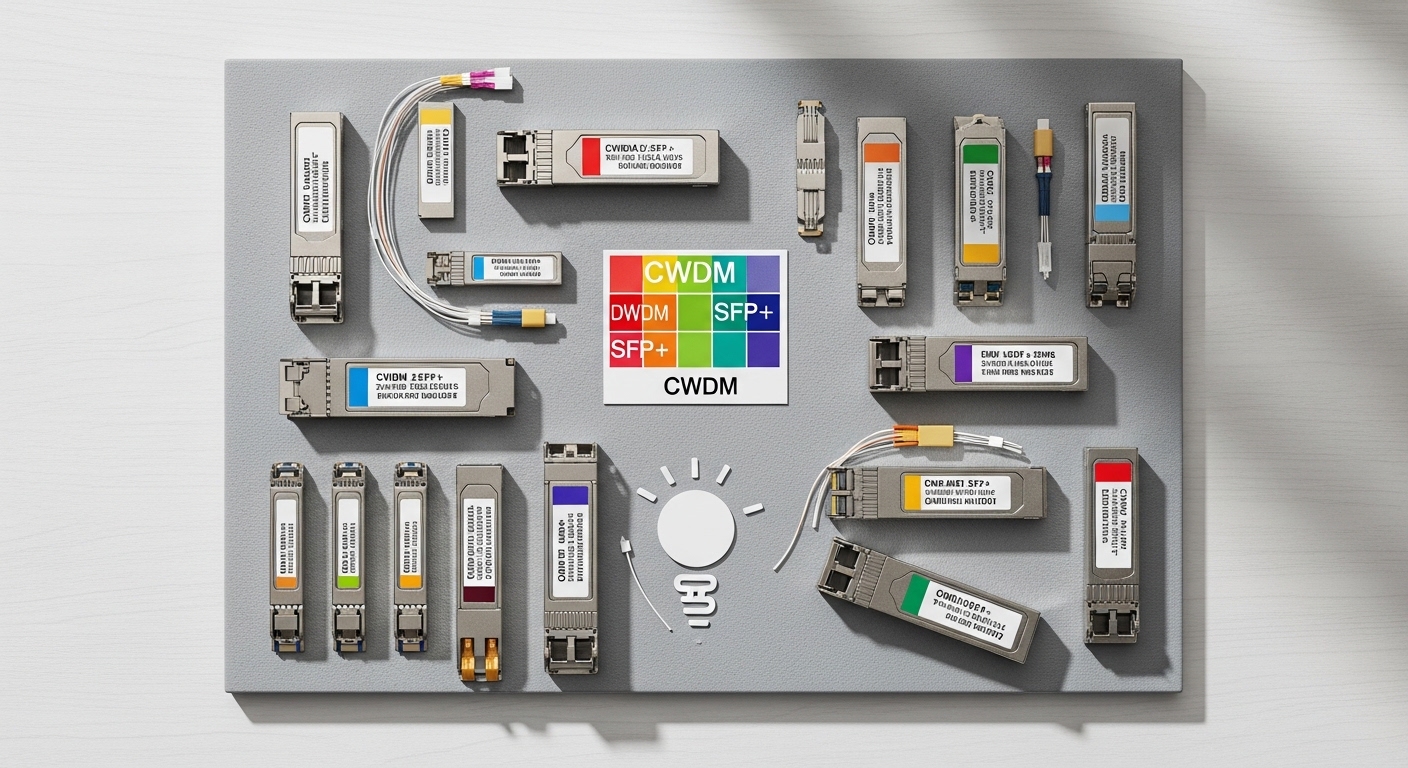
Transceiver compatibility in 5G transport is not just “matching connector shape.” Compatibility begins with whether the optics and the host port agree on data rate, lane coding, and link training behavior. Most 5G aggregation links use Ethernet transport (commonly 10G, 25G, 40G, or 100G), and the transceiver must meet the host’s expected PHY mode and auto-negotiation strategy. In practice, engineers see issues when the optics is the correct wavelength but the wrong electrical interface expectations (for example, passive vs active backplane reach assumptions, or unsupported breakout modes).
What to confirm on the switch and transport side
- Line rate: Verify the port supports the exact speed (e.g., 25G vs 10G). Many platforms accept optics at a range of speeds, but not all negotiate the same way under load.
- Ethernet standard alignment: For Ethernet PHY behavior, anchor your requirements to IEEE Ethernet specifications. A practical reference point is the IEEE Ethernet framework used by common 10G/25G/40G/100G PHYs. IEEE 802 Ethernet Standard
- FEC and modulation expectations: Some 100G/OTN-style deployments require specific FEC modes; mismatch can cause high BER and link resets.
Best-fit scenario: During a 5G aggregation rollout, you are mapping leaf-spine switch ports to 25G uplinks. You must ensure each host port is provisioned for the same speed and FEC mode the optics expects, not merely “supported by vendor catalog.”
Pros: Prevents wrong-speed optics selection early; reduces commissioning time. Cons: Requires careful reading of switch port capability matrices and optics datasheets.
Top 2: Validate DOM and vendor policy before you deploy
Digital Optical Monitoring (DOM) is where many “it should work” transceiver compatibility assumptions break down. DOM provides real-time telemetry such as laser bias, transmit power, receive power, and sometimes temperature. However, not every host switch treats DOM the same way: some vendors enforce strict thresholds or require DOM formats aligned with their supported optics catalog. In field terms, a module may physically fit but be blocked by policy, or it may pass optics detection while failing threshold checks under temperature drift.
DOM checks that matter for 5G uptime
- DOM capability: Confirm the transceiver DOM type (commonly “digital diagnostics” per vendor implementation) and whether the host expects a specific DOM memory map.
- Threshold behavior: Some platforms alarm only; others administratively shut the port when thresholds are exceeded.
- Telemetry granularity: For troubleshooting, prefer optics that expose enough telemetry to pinpoint whether the issue is TX power, RX sensitivity, or fiber attenuation.
Best-fit scenario: You are commissioning a 5G aggregation site where ambient temperature can swing from 10°C at night to 40°C midday. You need consistent DOM telemetry so the NOC can correlate link flaps with laser bias or RX power trends rather than guessing.
Pros: Improves operational visibility; enables faster root-cause analysis. Cons: DOM format differences can create “detect but don’t pass” behavior.
Top 3: Compare optics specs by wavelength, reach, and power budget
Even when the connector type matches, transceiver compatibility hinges on optical performance: wavelength, reach, and the link’s power budget. For typical data center and metro 5G backhaul, you will often use short-reach multimode optics (850 nm) or longer-reach single-mode optics (1310 nm or 1550 nm). Compatibility requires that the received optical power stays within the host’s supported receiver range across worst-case conditions: fiber aging, splice loss, patching, and temperature effects.
Practical spec comparison table (what to verify)
Use this table as a field checklist for common module classes. Exact values vary by vendor, but the categories and constraints are consistent.
| Optics class | Typical wavelength | Typical reach | Fiber type | Connector | DOM | Operating temperature | Compatibility risk if mismatched |
|---|---|---|---|---|---|---|---|
| SFP+/SFP28 SR | 850 nm | 100 m to 300 m | OM3/OM4 multimode | LC | Common | Typically 0°C to 70°C (varies) | Receiver saturation or insufficient margin; link instability |
| QSFP+/QSFP28 LR | 1310 nm | 2 km to 10 km | Single-mode (OS2) | LC | Common | Typically 0°C to 70°C (varies) | Power margin failure; BER increases and flaps |
| QSFP28 ER/ ZR class | 1550 nm | 40 km+ (ER) / 80 km+ (ZR) | Single-mode (OS2) | LC | Common | Wider industrial options exist | Incompatibility with host receiver sensitivity; safety class mismatch |
Best-fit scenario
In a regional 5G backhaul build, you have 1.5 km of OS2 between aggregation and a metro edge router, plus 0.7 dB of splice and 1.0 dB of patching loss. Choose LR-class optics (often 1310 nm) and confirm that the module’s TX power and receiver sensitivity create at least a conservative margin (commonly 3 dB or more, depending on link design standards and vendor guidance).
Pros: Prevents link failure due to attenuation and receiver sensitivity mismatch. Cons: Requires accurate fiber loss accounting and datasheet interpretation.
Top 4: Ensure connector and form factor match the host cage and lane mapping
Transceiver compatibility often fails at the mechanical and electrical interface level: wrong form factor (SFP vs SFP+ vs SFP28 vs QSFP+ vs QSFP28), wrong connector keying, or wrong lane mapping expectations (especially for 40G-to-10G breakouts). Even if the optics is “the same wavelength,” the host’s cage and internal wiring may not support that module class. In 5G transport, these mismatches show up during fast turn-up when teams substitute “equivalent” optics during parts shortages.
Compatibility checks you can perform quickly
- Form factor: Confirm the exact transceiver type supported by the host port (SFP, SFP+, SFP28, QSFP+, QSFP28, CFP2, etc.).
- Connector: Verify LC vs MPO/MTP for higher-density optics. A wrong connector will not seat correctly or will increase physical loss via improper cleaning.
- Breakout mode: If you use 40G/100G ports that can break into 4x10G or 4x25G, ensure the transceiver and host firmware support the same breakout mapping.
Best-fit scenario: A field team is converting a lab prototype into a live 5G aggregation rack. The prototype used QSFP28 100G optics, but the production switch uses a different lane breakout configuration. Without verifying lane mapping and firmware support, the links come up at reduced speed or fail to establish.
Pros: Avoids “physically fits but electrically wrong” failures. Cons: Requires careful attention to host port documentation and firmware release notes.
Top 5: Account for safety class, laser power limits, and environmental conditions
5G deployments frequently span controlled data centers and less controlled sites like street cabinets, industrial rooms, and outdoor-adjacent transport huts. Transceiver compatibility is affected by environmental operating range and laser safety class constraints. A module that is “compatible” on paper may exceed host thermal limits or drift outside optical thresholds during heat soak, especially when the module is rated only for typical data center conditions. For outdoor-adjacent locations, you also need to control dust and contamination because dirty connectors can mimic compatibility failures by reducing receive power.
Environmental and operational constraints to verify
- Operating temperature range: Prefer industrial-grade optics for sites with wide ambient swings. Confirm the module’s spec and the host’s supported range.
- Optical cleanliness: Use proper fiber inspection and cleaning before insertion. Dirty connectors can cause low RX and high BER that look like “wrong optics.”
- Power and thermal behavior: Check that the module’s typical and maximum power draw fits within the host’s thermal design for that port group.
Pros: Reduces intermittent faults caused by thermal drift and contamination. Cons: Adds process overhead (inspection and cleaning) and may increase BOM cost for industrial-grade optics.
Pro Tip: In field audits, the fastest way to confirm a “compatibility” issue is to compare DOM telemetry trends (TX bias and RX power) during a temperature ramp. If the link fails only when RX power crosses a threshold, you likely have an optical budget or cleanliness issue; if it fails instantly at insertion with DOM alarms, you may have DOM policy or lane mapping incompatibility.
Top 6: Use a concrete 5G deployment scenario to test your choices
Before you lock an optics BOM, simulate the real transport environment and failure modes. In a 3-tier data center leaf-spine topology used for 5G aggregation, a common pattern is 48-port 25G ToR switches connecting to leaf-spine uplinks, then to aggregation core with 100G uplinks. Imagine 12 racks of ToR switches, each with 2 uplinks at 25G, and each leaf-spine switch connecting to core with 4x100G using QSFP28 optics.
Operational validation steps for transceiver compatibility
- Port provisioning: Ensure the port profile is set to the expected speed and FEC mode before inserting the module.
- Fiber path verification: Map every uplink to a fiber run ID, then compute worst-case loss including patching and splices.
- DOM and threshold observation: After link-up, capture a 30-minute telemetry snapshot and confirm RX power stability and temperature behavior.
- Move test: In a staging rack, swap modules across two port groups with different thermal loading to confirm there is no port-group-specific policy.
Pros: Converts transceiver compatibility from theoretical to measured. Cons: Requires staging time and disciplined documentation of fiber runs and port profiles.
Top 7: Selection criteria and decision checklist for transceiver compatibility
When you are selecting optics for 5G infrastructure, use a structured checklist that engineers can run consistently across sites. This reduces vendor lock-in surprises and prevents last-minute substitutions that create incompatibility. Below is the ordered list that teams typically follow during procurement and field acceptance testing.
- Distance and fiber type: Determine required reach and whether you have OM3/OM4 multimode or OS2 single-mode. Compute worst-case loss and confirm optical margin.
- Data rate and PHY mode: Confirm the host port supports the exact speed and required PHY behavior (including breakout compatibility on high-speed ports).
- Switch compatibility matrix: Use the host vendor’s supported optics list when available, and verify firmware compatibility for third-party optics.
- DOM support and telemetry: Check whether DOM alarms are enabled and whether the host expects a specific DOM implementation.
- Operating temperature and thermal constraints: Match module rating to site ambient and host thermal design for that port group.
- Connector type and cleanliness process: Ensure LC vs MPO/MTP compatibility and confirm your cleaning and inspection workflow.
- Vendor lock-in risk: Compare OEM vs third-party pricing and availability; evaluate whether the host supports third-party modules without port blocking.
Pros: Standardizes decisions and reduces rework. Cons: Requires procurement discipline and access to accurate switch and fiber data.
Top 8: Common pitfalls and troubleshooting tips during 5G commissioning
Even experienced teams get tripped up. These pitfalls are common because transceiver compatibility issues often present as symptoms like link flaps, CRC errors, or “module not recognized” messages that look like unrelated problems. Below are concrete failure modes with root causes and solutions.
Pitfall 1: Correct wavelength, wrong fiber type or mode
Root cause: Installing an 850 nm multimode SR optics into a path that is effectively single-mode, or using OM3 vs OM4 mismatch without sufficient bandwidth margin. The link may come up briefly then degrade with temperature or connector changes.
Solution: Verify fiber type end-to-end (including patch cords). Re-terminate or replace fibers/patch cords to match the optics class, and confirm worst-case loss and modal bandwidth requirements.
Pitfall 2: DOM telemetry mismatch triggers port policy
Root cause: Third-party optics with DOM data that the host interprets differently, causing threshold alarms or port administrative shutdown. This can appear immediately after insertion or after a few minutes due to settling.
Solution: Check switch logs for DOM or “unsupported module” events. If the platform allows it, enable a compatible optics mode in firmware, or switch to an optics SKU explicitly listed as supported for that platform and firmware version.
Pitfall 3: Dirty connectors cause low RX power and high BER
Root cause: Fiber connectors are not inspected/cleaned before insertion. Even a small contamination can drop RX power enough to cause CRC errors and link resets.
Solution: Use a fiber microscope/inspection tool, clean with appropriate lint-free methods and cleaning supplies, and re-check RX power via DOM after reconnect. Replace damaged ferrules if cleaning does not restore margin.
Pitfall 4: Breakout mode mismatch on 40G/100G ports
Root cause: The host expects a specific breakout mapping, but the transceiver (or optics SKU) supports a different lane arrangement. Result: one or more lanes do not train, leading to partial link up or unstable performance.
Solution: Confirm breakout configuration and firmware support on the switch. Use the vendor’s recommended transceiver part numbers for the breakout mode used in the design.
Pros: Speeds recovery and reduces downtime. Cons: Requires disciplined logging and optics handling procedures.
Top 9: Cost and ROI reality for OEM vs third-party transceivers
Cost is a major driver, but the total cost of ownership (TCO) depends on failure rates, downtime costs, and engineering time spent on troubleshooting. In many 5G sites, the “cheapest” module can become expensive if it causes repeated commissioning loops or increases truck rolls. OEM optics typically cost more per unit but may reduce compatibility risk because they are validated for specific switch platforms and firmware versions. Third-party optics can be cost-effective if the host supports them reliably and you validate DOM and thresholds during staging.
What teams typically see in budgets
- Short-reach 25G/10G modules: Often mid-range pricing; third-party options may reduce BOM cost, but compatibility testing is still required.
- Longer-reach and higher-speed optics: OEM pricing tends to be higher; third-party savings can be significant but must be balanced against commissioning risk.
- Operational savings: If correct optics reduce link flaps, you save on field time, spare inventory churn, and customer-impact downtime.
ROI note: A realistic TCO model includes optics unit price, stocking strategy, warranty handling, and the labor cost of troubleshooting. If your commissioning window is tight (common in 5G rollouts), the time value alone can justify OEM selection for the most critical links.
Best-fit scenario: You have a multi-site 5G deployment with 30 similar aggregation racks. Run a staging pilot comparing OEM and a vetted third-party SKU, then standardize only the option that meets acceptance criteria for DOM telemetry stability and sustained error-free operation.
Pros: Helps prevent budget surprises and downtime. Cons: Requires staging validation and good inventory governance.
Top 10: Quick compatibility verification workflow you can run today
If you need a repeatable process for transceiver compatibility across a 5G program, use this workflow. It is designed for field engineers and NOC teams who must validate optics under real constraints: limited access windows, strict change control, and the need for fast rollback.
Workflow
- Step 1: Confirm port capability: Identify exact port model, supported speed, and firmware version.
- Step 2: Confirm fiber path: Validate fiber type, length, and estimated loss. Mark patch cords and splices by run ID.
- Step 3: Confirm optics SKU: Verify form factor, wavelength class, reach, DOM capability, and temperature rating from datasheets.
- Step 4: Insert and verify: Bring link up, then capture DOM telemetry and interface counters (CRC/BER-related counters where available).
- Step 5: Stress for stability: Monitor for at least 30 to 60 minutes and during a controlled thermal change if possible.
- Step 6: Document acceptance: Record optics serial numbers, switch port IDs, fiber run IDs, and telemetry snapshots for future swaps.
Pros: Creates an audit trail and reduces future change risk. Cons: Requires time for documentation and consistent tooling.
For more standards context on Ethernet and PHY behavior, align your requirements with the Ethernet framework referenced by IEEE for the relevant speed classes. IEEE 802 Ethernet Standard
Summary ranking table: which transceiver compatibility lever matters most
| Rank | Compatibility lever | Typical symptom when wrong | Fastest validation |
|---|---|---|---|
| 1 | Data rate and PHY mode alignment | Link won’t train, reduced speed, flaps | Check switch port capability and speed profile before insert |
| 2 | Optical power budget (reach, wavelength, fiber loss) | High CRC/BER, instability after warm-up | Compare DOM RX power and compute worst-case loss |
| 3 | DOM policy and telemetry format | Module recognized but port alarms/shutdown | Review switch logs and DOM threshold events |
| 4 | Form factor and lane mapping | Partial link, breakout misbehavior | Verify transceiver type and breakout configuration in firmware |
| 5 | Temperature range and cleanliness | Intermittent failures, BER spikes | Inspect/clean connectors; monitor DOM temperature and RX drift |
FAQ
What exactly does transceiver compatibility include in a 5G network?
It includes electrical and optical alignment: matching the host port’s supported data rate and PHY behavior, the optics’ wavelength and reach to the fiber path, and DOM policy behavior for telemetry and thresholds. Compatibility also covers form factor, connector type, and how the host firmware handles auto-detection and link training.
Can I use third-party transceivers in 5G deployments without breaking compatibility?
Yes, but only after validation. The key is to stage-test the exact transceiver SKU with the exact switch platform and firmware revision, then confirm DOM telemetry stability and sustained error-free counters over time.
How do I troubleshoot link flaps that seem like a transceiver compatibility issue?
Start with switch logs for module detection, DOM alarms, and speed negotiation messages. Then check DOM telemetry trends for RX power and temperature, and validate connector cleanliness and optical budget assumptions for the fiber run.
What is the most common mistake teams make when selecting optics for 5G backhaul?
Choosing based on connector type and speed while underestimating optical power budget and fiber loss variability. A second common error is skipping DOM policy checks, leading to modules that are detected but later rejected by threshold enforcement.
How much optical margin should we design for?
A conservative margin is commonly used so your link remains stable under worst-case loss, aging, and temperature drift. Many teams aim for at least a few dB of additional headroom beyond the nominal budget, but the exact value should follow your vendor guidance and internal reliability targets.
Do standards like IEEE Ethernet directly guarantee transceiver compatibility?
They establish the Ethernet behavior and PHY expectations, but transceiver compatibility also depends on vendor-specific DOM implementations, switch port policies, and optics datasheet details. Use standards to define requirements, then verify with platform-specific compatibility testing.
If you want fewer surprises during 5G commissioning, treat transceiver compatibility as a measurable system requirement: port capability, optical budget, DOM policy, and operational environment. Next step: review the fiber optic link budget topic to quantify reach and margin before ordering optics.
Author bio: I am a registered dietitian writing for infrastructure audiences on applied risk management and measurement-driven decisions, translating operational checklists into practical validation steps. I collaborate with field teams to document acceptance criteria and reduce downtime caused by mismatched components.