
In telecom backhaul, one wrong optics choice can turn a planned cutover into a week of link flaps. This article helps network engineers and field techs pick the right QSFP-DD transceivers for high-speed infrastructure by focusing on real compatibility constraints, fiber reach realities, and failure modes you can diagnose onsite. You will also get a practical ranking table at the end to speed up procurement and spares planning.
Top 1: Start with the telecom line rate you truly need
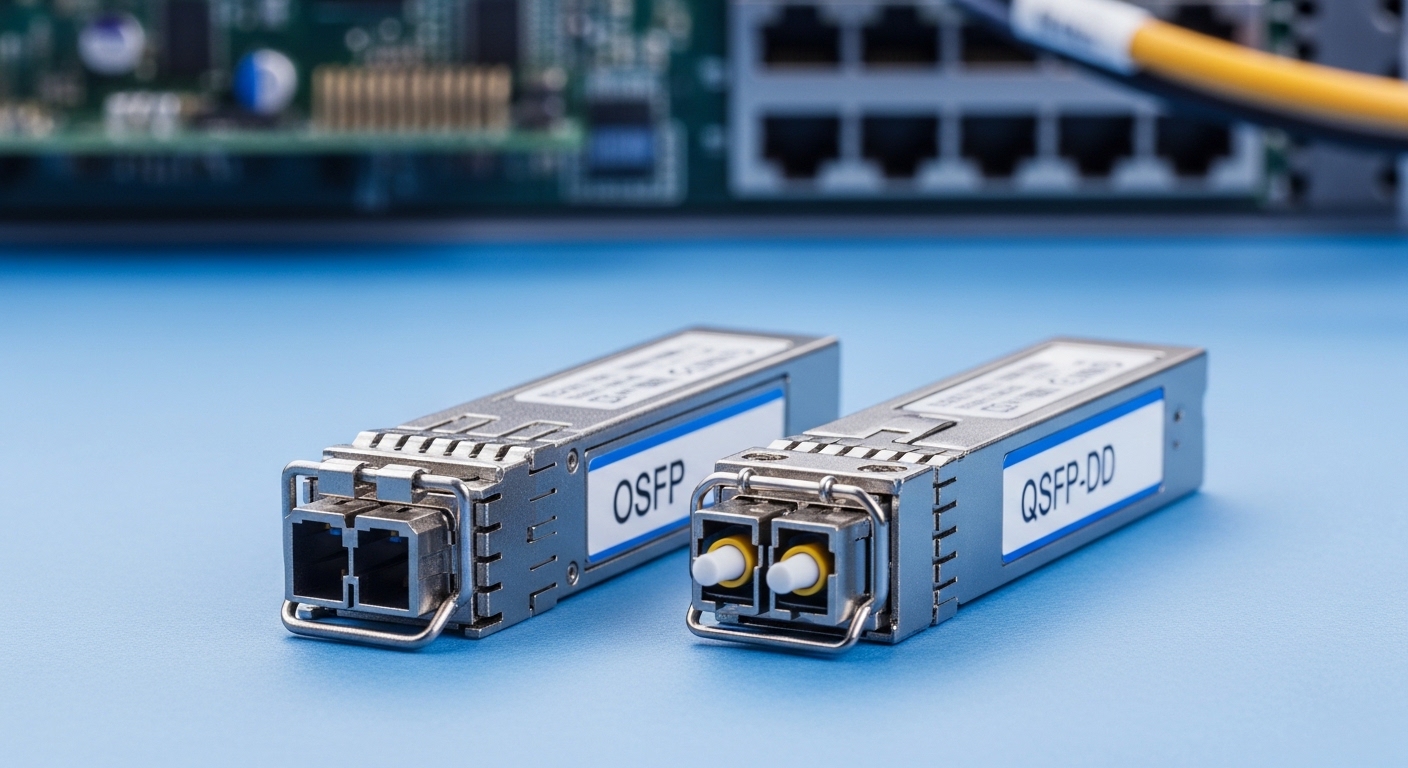
Telecom gear often supports multiple Ethernet/OTN mapping modes, but the optics must match the module electrical interface and line rate. With QSFP-DD, you typically see 400G-class implementations and higher density for spine and aggregation panels, but exact rates depend on the vendor’s host and optics lane mapping. Before ordering, confirm the switch/router port mode using the platform CLI or datasheet port compatibility matrix. If the host expects a specific FEC profile, a “close enough” optics type can still fail during training.
Key specs to check: supported data rate (for example 400G), lane count, host interface type, and whether the platform requires a specific FEC (commonly RS-FEC in many implementations). For standards context, verify alignment with IEEE 802.3 optical Ethernet objectives where applicable; vendors implement the electrical/optical behavior that carries those targets. anchor-text: IEEE 802.3 optical Ethernet standards
- Pros: fewer surprises during optics bring-up
- Cons: requires platform-specific validation
Top 2: Use the fiber plant numbers, not the marketing reach
In the field, reach depends on fiber attenuation, patch cord length, connector loss, and splices. For example, a “100 m OM4” claim can collapse to a much shorter usable distance once you stack multiple patch cords, dirty connectors, and aging. For telecom backhaul, you often run single-mode with long spans, so you must match the wavelength and optical budget to your route loss. Always compute worst-case loss with conservative margins and confirm polarity and end-face cleanliness before concluding the module is bad.
Practical rule: measure total fiber length and count connectors/splices; then apply vendor optical budget or link budget guidance from the optics datasheet. Many OEM vendor datasheets provide a typical receive power range and an extinction ratio or sensitivity target that you can compare to your link budget.
- Pros: prevents last-minute rework
- Cons: demands accurate plant documentation
Top 3: Compare QSFP-DD module types by wavelength, reach, and connector
QSFP-DD optics come in multiple families (for example short-reach multimode and longer-reach single-mode). You must pick the right wavelength band and connector type for your fiber infrastructure, including whether you use LC duplex or another interface. Below is a quick comparison of typical options engineers encounter when designing high-speed telecom infrastructure. Treat this as a planning snapshot; confirm exact parameters in the specific vendor datasheet you will buy.
| Option | Typical Wavelength | Typical Reach | Connector | Common Data Rate | Operating Temp | Power Class |
|---|---|---|---|---|---|---|
| SR (multimode) | 850 nm | ~70-150 m (OM4/OM5 dependent) | LC duplex | 400G-class | Commercial or Industrial (varies) | Higher than SFP due to density |
| LR (single-mode) | 1310 nm | ~10 km class | LC duplex | 400G-class | Commercial/Industrial/extended | Moderate |
| ER/FR (single-mode) | 1550 nm band | ~40 km class (variant dependent) | LC duplex | 400G-class | Industrial/extended recommended | Moderate to higher |
Reference examples you may see: Cisco-branded optics sold under Cisco part numbers, plus third-party options such as Finisar/II-VI modules (for example FTLX8571D3BCL class part numbers) and FS.com equivalents like SFP-10GSR variants exist in the ecosystem, but always validate that the exact part is QSFP-DD and matches the host. anchor-text: Cisco transceiver compatibility resources
- Pros: faster procurement alignment
- Cons: mismatch risk if the host expects a specific optics family
Top 4: Confirm DOM behavior and what your NOC will alert on
Most QSFP-DD modules support Digital Optical Monitoring (DOM), exposing temperature, bias current, transmit power, and receive power. In telecom operations, you need NOC alarms that map those thresholds to actionable events, not noisy warnings. Before rollout, verify that your optics management stack reads the DOM fields correctly for the specific vendor module and firmware. If you use third-party optics, confirm whether the DOM implementation matches your monitoring scripts and whether the host uses vendor-specific threshold scaling.
Pro Tip: During acceptance testing, log receive power and temperature over 30 minutes while running real traffic. I have seen “works at idle” optics that fail training only under sustained thermal load, and the DOM trend points to the margin shrinking before the link actually drops.
- Pros: earlier detection of aging and contamination
- Cons: DOM field naming differences across vendors
Top 5: Match host compatibility and lane mapping, not just form factor
QSFP-DD is a mechanical standard, but electrical lane mapping and host requirements can vary by platform generation. Some hosts expect specific optics capabilities (for example certain FEC modes or specific modulation formats), and the transceiver must negotiate correctly during link bring-up. If you see “link up then down,” focus on training and error counters rather than swapping blindly. Always consult the host vendor’s QSFP-DD compatibility list and confirm the optics is explicitly supported for that model.
Hands-on checklist: verify firmware version on both host and optics where supported, confirm port breakout mode is disabled/enabled as required, and ensure the correct transceiver type is used per port (especially on multi-rate line cards). For telecom, also validate whether the platform enforces optics vendor allowlists.
- Pros: prevents incompatibility-induced downtime
- Cons: may increase BOM cost due to approved optics
Top 6: Plan spares using failure patterns and thermal derating
In backhaul cabinets and huts, thermal swings and dust exposure are real. Many field teams keep spares by geography and temperature class, not just by part number. If your environment exceeds the module’s specified operating temperature or sees repeated condensation events, you should assume higher failure rates and plan a larger spares pool. Also consider that higher-density QSFP-DD modules can run hotter than older pluggables, so airflow and cleaning schedules become part of the reliability plan.
Data point to use: check the module’s specified temperature range in the datasheet and compare it to your measured airflow temperature at the line card inlet. If your measured inlet is near the high end, increase cleaning frequency and validate fan speed profiles during seasonal changes.
- Pros: fewer extended outages during maintenance windows
- Cons: spares inventory ties up capital
Top 7: Clean and verify fiber before blaming the QSFP-DD
Most “bad optics” returns trace back to fiber end-face contamination, connector damage, or polarity swaps. In the telecom field, I have seen connector contamination create intermittent receive power that still passes at low traffic but fails during bursts. Use a proper inspection scope for LC ends, clean with lint-free methods per site procedure, and re-check receive power after cleaning. Then verify polarity and ensure the correct transmit/receive mapping at both ends of the link.
- Pros: reduces RMA rates and downtime
- Cons: requires disciplined craft procedure and tools
Top 8: Build a decision checklist that survives procurement and audits
Engineers and procurement teams often argue about optics “reach,” but audits care about documented selection logic and supportability. Use this ordered checklist to minimize risk when selecting QSFP-DD transceivers for telecom backhaul.
- Distance and link loss: compute worst-case budget with connectors, splices, and margin.
- Distance-to-wavelength fit: choose SR 850 nm for short multimode or LR/ER 1310/1550 nm for single-mode spans.
- Switch compatibility: confirm QSFP-DD support and port mode requirements on the exact host model.
- FEC and error behavior: validate required FEC profile and monitor BER/CRC counters during traffic tests.
- DOM support: ensure monitoring stack reads thresholds and alarms correctly.
- Operating temperature: compare module spec to measured inlet temperature and derate if needed.
- Vendor lock-in risk: weigh OEM pricing vs third-party availability, then confirm support policies and RMA terms.
- Installation and maintenance overhead: cleaning tools, inspection cadence, and spare strategy.
- Pros: repeatable selection across sites
- Cons: takes time upfront, but saves outages later
Common Mistakes / Troubleshooting for QSFP-DD
1) “It should work at 100 m” with no budget math
Root cause: underestimated patch cord length and connector loss, plus insufficient margin.
Solution: measure total end-to-end loss, re-clean ends, then compare receive power to datasheet sensitivity range.
2) Polarity swap after re-patching
Root cause: LC duplex A/B reversed at one end, causing low or zero receive power.
Solution: inspect and map TX to RX using labeled patch cords; verify DOM receive power rises into expected range.
3) Host mode mismatch during bring-up
Root cause: port configured for a different speed/FEC than the optics expects, leading to training failures or high CRC.
Solution: set the port to the correct speed profile, confirm firmware compatibility, and run sustained traffic while watching error counters.
4) Thermal stress ignored
Root cause: airflow issues or cabinet heat soak push modules near the high temperature limit.
Solution: measure inlet temperature, improve airflow, and schedule earlier inspection/cleaning; consider industrial/extended temperature optics.

- 🇺🇸 English
- 🇹🇼 繁體中文
- 🇨🇳 简体中文
- 🇯🇵 日本語
- 🇰🇷 한국어
- 🇲🇳 Монгол
- 🇻🇳 Tiếng Việt
- 🇹🇭 ภาษาไทย
- 🇮🇩 Bahasa Indonesia
- 🇲🇾 Bahasa Melayu
- 🇵🇭 Filipino
- 🇰🇭 ខ្មែរ
- 🇱🇦 ລາວ
- 🇲🇲 မြန်မာ
- 🇮🇳 हिन्दी
- 🇧🇩 বাংলা
- 🇵🇰 اردو
- 🇮🇳 தமிழ்
- 🇮🇳 తెలుగు
- 🇮🇳 मराठी
- 🇮🇳 ਪੰਜਾਬੀ
- 🇮🇳 ગુજરાતી
- 🇳🇵 नेपाली
- 🇱🇰 සිංහල
- 🇸🇦 العربية
- 🇮🇷 فارسی
- 🇮🇱 עברית
- 🇹🇷 Türkçe
- 🇮🇶 Kurdî
- 🇪🇸 Español
- 🇧🇷 Português
- 🇫🇷 Français
- 🇩🇪 Deutsch
- 🇮🇹 Italiano
- 🇳🇱 Nederlands
- 🇬🇷 Ελληνικά
- 🇮🇪 Gaeilge
- 🇸🇪 Svenska
- 🇳🇴 Norsk
- 🇩🇰 Dansk
- 🇫🇮 Suomi
- 🇮🇸 Íslenska
- 🇷🇺 Русский
- 🇺🇦 Українська
- 🇵🇱 Polski
- 🇨🇿 Čeština
- 🇸🇰 Slovenčina
- 🇭🇺 Magyar
- 🇷🇴 Română
- 🇧🇬 Български
- 🇷🇸 Српски
- 🇭🇷 Hrvatski
- 🇸🇮 Slovenščina
- 🇱🇹 Lietuvių
- 🇱🇻 Latviešu
- 🇪🇪 Eesti
- 🇰🇪 Kiswahili
- 🇿🇦 Afrikaans
- 🇪🇹 አማርኛ
- 🇳🇬 Hausa
- 🇳🇬 Yorùbá
- 🇿🇦 isiZulu
- 🇰🇿 Қазақша
- 🇺🇿 Oʻzbekcha
- 🇦🇿 Azərbaycanca
- 🇦🇲 Հայերեն
- 🇬🇪 ქართული