
A SCADA engineer can have perfect register logic and still lose visibility when the comms layer is fragile. This article walks you through deploying Modbus fiber SFP links for Modbus TCP over fiber, with emphasis on deterministic wiring discipline, switch/SFP compatibility, and how to validate the link in the field. It is written for technicians and field engineers who need repeatable outcomes on racks, in substations, and inside industrial Ethernet cabinets.
Prerequisites: decide your Modbus TCP over fiber architecture
Before you touch an SFP cage, confirm what “Modbus TCP over Fiber” means in your site. In most industrial deployments, Modbus TCP runs over standard TCP/IP (port 502) on an Ethernet network, so the fiber transceiver only needs to carry L2 Ethernet frames reliably. Still, you must align network behavior: VLAN tagging, QoS, and whether the switches enforce link training, FEC, or specific optical power levels.
Inventory the existing SCADA and network path
Expected outcome: A diagram showing where fiber begins and ends, plus the switch models and port types in between.
- List SCADA servers/RTUs/PLCs and their interfaces (often 10/100/1000BASE-T on copper).
- Record switch models and the exact port speed (for example, 10G SFP+ uplinks vs 1G SFP ports).
- Confirm whether the link must support VLANs (for example, VLAN 10 for process traffic and VLAN 20 for engineering).
- Note the optical budget constraints: cable length, splices, and connector count.
Choose the correct SFP generation and data rate
Expected outcome: A confirmed transceiver class that matches your switch ports and desired throughput.
- If your switches use 1G SFP (common on legacy SCADA rings), select a 1.25G module such as SX/LX depending on fiber type.
- If your uplinks are 10G, use 10G-class SFP+ optics; do not assume backward compatibility.
- For each port, verify whether the switch supports “DDM/DOM” reporting and whether it locks out “unsupported” third-party optics.
- Cross-check against IEEE Ethernet PHY behavior to avoid mismatch surprises; Ethernet over fiber uses standard link negotiation and line coding defined by the Ethernet PHY layer. IEEE 802.3 Ethernet Standard
Optical specs that matter: wavelengths, reach, DOM, and power
Field failures often trace back to optical mismatch, not Modbus settings. A Modbus fiber SFP must match wavelength (for example, 850 nm multimode versus 1310 nm single-mode), fiber type (OM3/OM4 versus OS2), and connector geometry (LC is most common). The module’s DOM (Digital Optical Monitoring) affects alarms and can influence whether a switch accepts the transceiver.
Compare candidate modules using a spec table you can audit
Expected outcome: A shortlist of optics that align with your fiber type, distance, and switch acceptance policy.
Use the table below as a practical baseline for typical SCADA uplinks. Exact values vary by vendor, but the categories are consistent.
| Parameter | Example 1G MM (850 nm) | Example 1G SM (1310 nm) | Example 10G SR (850 nm) | Example 10G LR (1310 nm) |
|---|---|---|---|---|
| Typical data rate | 1.25G | 1.25G | 10.3125G | 10.3125G |
| Wavelength | 850 nm | 1310 nm | 850 nm | 1310 nm |
| Fiber type | OM3/OM4 multimode | OS2 single-mode | OM3/OM4 multimode | OS2 single-mode |
| Typical reach (rule-of-thumb) | 300–550 m | 10–40 km | 300 m (OM3) / 400–500 m (OM4) | 10–40 km depending on model |
| Connector | LC duplex | LC duplex | LC duplex | LC duplex |
| DOM/diagnostics | Common (SFF-8472 class) | Common | Common | Common |
| Operating temperature | Often 0 to 70 C | Often -40 to 85 C available | Often -10 to 70 C or broader | Often -40 to 85 C available |
In real industrial shopping lists, you will see part numbers like Cisco SFP-10G-SR for 10G SR, and optics such as Finisar FTLX8571D3BCL or FS.com SFP-10GSR-85 for compatible 10G multimode links. Always treat “compatible” as “validated in your exact switch and temperature range,” not as a universal guarantee.
Validate optical budget and connector cleanliness
Expected outcome: A pass/fail decision based on measured loss, not brochure reach.
- Use an OTDR or calibrated optical power meter to measure end-to-end loss at the correct wavelength.
- Account for connector losses (commonly around 0.2 to 0.5 dB per connection when clean) and splices.
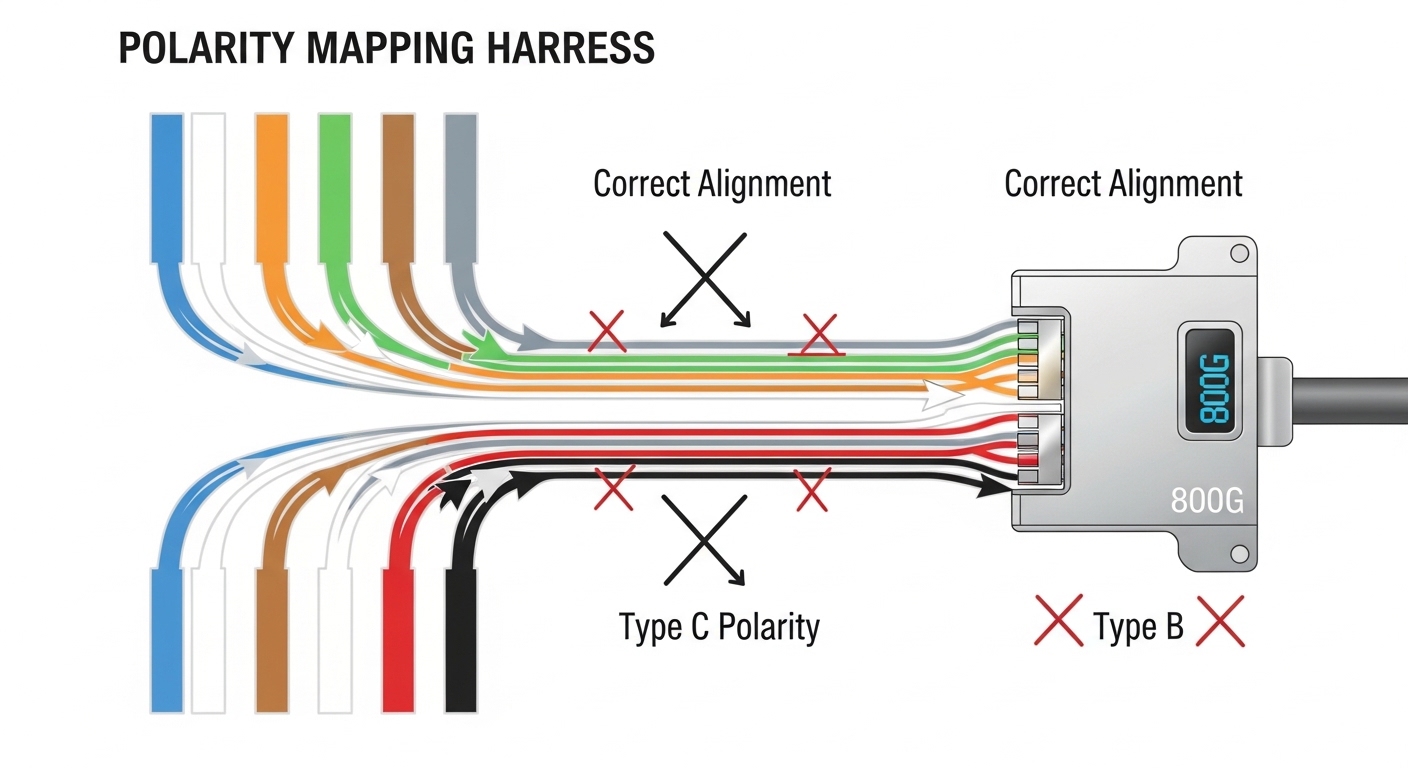
- Verify fiber polarity: LC duplex uses Tx/Rx pairing rules; swapping can produce “link down” behavior without obvious alarms.
- Clean connectors with lint-free wipes and approved cleaning tools before insertion. Even a thin film can reduce received power enough to fail.
Implementation steps: wire, configure, and verify Modbus TCP over fiber
Once optics are correct, the remaining risk is configuration drift: the Modbus devices may be fine, but the network path blocks traffic. For SCADA, you usually want consistent L2 behavior (VLANs, trunk/access mode) and predictable L3 access control (ACLs or firewall rules). IEEE and vendor documentation define the Ethernet layer behavior; for Modbus TCP reachability, you validate at TCP port level.
Physical install and link establishment
Expected outcome: Link up on both ends with stable optical diagnostics.
- Power down only if your site policy requires it; otherwise hot-insert according to switch manufacturer guidance.
- Insert the SFP into the correct cage and connect the LC duplex patch cable.
- Check DOM values (temperature, Tx/Rx power) in the switch CLI or web UI.
- Confirm link status: Speed should match the transceiver (for example, 10G vs 1G) and the interface should not show excessive CRC or runts.
VLAN and QoS alignment for industrial traffic
Expected outcome: Modbus TCP frames traverse the intended VLAN without unintended flooding or filtering.
- If you use VLANs, set the switch port mode to access for single-device segments or trunk for uplinks.
- Tag the Modbus traffic VLAN consistently across both ends and any intermediate switches.
- If your network uses QoS, map traffic appropriately; prioritize control traffic if you have mixed voice/video/engineering streams.
- Confirm that spanning tree settings do not place the fiber link into blocking for extended periods during topology changes.
Confirm Modbus TCP reachability end to end
Expected outcome: You can connect to TCP 502 from the SCADA server to each RTU/PLC.
- From the SCADA server, verify routing to the device IPs (ping or equivalent ICMP checks if allowed).
- Test TCP port 502 reachability (for example, using a TCP connect test from a maintenance host).
- Enable and review switch counters: look for CRC errors, interface resets, and optical warnings.
- Only after network reachability passes, validate Modbus application timing and unit IDs.
Pro Tip: In the field, “link up” can still hide marginal receive power. Many switches will report optical levels as “within threshold,” yet Modbus sessions intermittently stall when CRC errors spike. Always correlate Modbus timeouts with interface error counters and DOM readings, not just the link state.
Comparison: choosing between common optical types for SCADA links
Engineers often start with distance and end with connector chaos. The better approach is to match fiber plant to optics: multimode for short runs inside buildings, single-mode for cross-site and outdoor routes. Then decide whether you need high-temperature optics for cabinets exposed to sun, heaters, or cold corridors.
Select optics based on distance, fiber plant, and switch behavior
Expected outcome: A selection that survives both electrical and environmental constraints.
- Multimode (850 nm) tends to be cost-effective for short indoor distances, but it is sensitive to modal dispersion and connector quality.
- Single-mode (1310 nm) supports long distances and is more forgiving for outdoor runs, but optics and fiber plant are typically more expensive.
- 10G SR/LR optics should be selected to match the exact switch speed class and optics acceptance policy (OEM lockouts are common in some environments).
Apply a decision checklist your team can reuse
Expected outcome: A documented rationale for each chosen Modbus fiber SFP.
- Distance and fiber type: confirm OM3/OM4 versus OS2, and measure actual loss.
- Switch compatibility: confirm SFP vs SFP+ vs QSFP cages, and whether the switch enforces vendor/part-number checks.
- DOM support: decide if you need temperature and optical power alarms for maintenance.
- Operating temperature: match cabinet environment; prefer industrial-grade modules for harsh enclosures.
- Budget and spares: price modules and plan spares so you do not delay recovery after an optical failure.
- Vendor lock-in risk: evaluate third-party options and validate them with your switch before standardizing.
- Deployment risk: consider polarization and polarity handling procedures for LC duplex.
Common mistakes and troubleshooting: where SCADA fiber links fail
Below are the top failure modes I see during commissioning. Each includes root cause and a practical fix that you can apply on-site.
Failure point 1: “Interface up” but Modbus TCP times out
Root cause: VLAN mismatch, ACL/firewall rules, or wrong routing path between SCADA server and device. Fiber may be fine, but IP reachability is blocked.
Solution: Verify VLAN tagging on both ends, confirm the Modbus device IP/subnet, and test TCP 502 reachability from the SCADA server. If you have intermediate firewalls, confirm they allow TCP 502 and that NAT rules are correct.
Failure point 2: Link flaps or CRC errors spike under load
Root cause: Dirty connectors, marginal received optical power, or fiber polarity reversal causing intermittent receive conditions.
Solution: Clean LC connectors and re-seat them. Check DOM for Rx power and interface error counters (CRC, runts, alignment errors). If polarity is suspect, swap Tx/Rx by using patch cord reconfiguration.
Failure point 3: Switch rejects the SFP or reports “unsupported module”
Root cause: DOM compatibility differences, vendor lockout policies, or wrong form factor (SFP vs SFP+) in the cage.
Solution: Confirm cage type and speed. Update switch firmware if the vendor recommends it for optics compatibility. If the switch enforces vendor checks, use an approved part number list or validate a third-party module in a staging rack before deploying.
Cost and ROI note: what to budget for and how to think about TCO
Typical pricing varies by speed and temperature grade. For many 1G optics, module costs may land roughly in the $30 to $150 range, while 10G optics commonly cost about $150 to $600 depending on reach class (SR versus LR) and whether you choose industrial temperature variants.
From a total cost of ownership perspective, the hidden costs are not the transceiver price; they are downtime and troubleshooting time. OEM optics can reduce compatibility risk with some switches, but third-party optics can cut unit cost if you validate DOM behavior and acceptance policies. Plan spares and include cleaning supplies and an optical meter/OTDR in your maintenance toolkit; those items often pay back faster than repeatedly replacing optics due to avoidable connector contamination.
For network architecture and management expectations, you may also align your operational procedures with guidance from established storage and network management communities. [Source: SNIA]
FAQ: buying and deploying a Modbus fiber SFP for SCADA
What is a Modbus fiber SFP used for?
A Modbus fiber SFP is the optical transceiver that carries Ethernet traffic over fiber so Modbus TCP messages can reach PLCs and RTUs. The SFP itself does not “speak Modbus”; it enables the physical and link layers required for Modbus TCP (TCP port 502) to work over an IP network.
Can I use any SFP with my SCADA switch?
Not safely. You must match the cage type and speed class (for example, SFP versus SFP+), the wavelength and fiber type, and your switch’s optics acceptance rules. Many switches rely on DOM readings; unsupported optics can trigger port errors or administrative shutdown.
How far can fiber go with Modbus TCP?
Distance depends on whether you use multimode (short indoor runs) or single-mode (longer runs), plus measured optical budget. Instead of assuming “reach,” measure actual loss and include connector/splice losses so you do not operate near the module’s sensitivity limit.
Do I need to configure anything special for Modbus TCP when using fiber?
Usually, no special Modbus configuration is required beyond IP addressing, routing, VLANs, and firewall/ACL rules. The key step is verifying end-to-end TCP connectivity to port 502 after the fiber link is stable.
What should I monitor after installation?
Monitor interface counters and optical diagnostics: CRC errors, link resets, and DOM thresholds (Tx/Rx power, temperature). If Modbus sessions fail intermittently, correlate timestamps with error spikes rather than relying on “link up” status alone.
Are third-party Modbus fiber SFP modules reliable?
They can be reliable if they are validated for your switch and temperature range, and if DOM behavior matches what the switch expects. The risk is not performance alone; it is compatibility and alarm semantics that can cause unnecessary maintenance actions or port instability.
With the right optics class, verified optical budget, and a disciplined network validation for VLAN and TCP port 502, a Modbus fiber SFP deployment can be both stable and maintainable. Next, review Modbus TCP for application-layer timing considerations and SCADA network design patterns that reduce commissioning surprises.
Article update date: 2026-05-04.
Author bio: I am a field-focused photographer-engineer who documents industrial network installs, from fiber cleaning to DOM troubleshooting. My work blends visual inspection discipline with practical switch and SCADA verification routines under real cabinet conditions.


