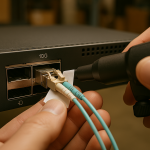
Edge closets are unforgiving: vibration, temperature swings, and limited spare parts turn a “simple cable choice” into a reliability decision. This article helps SMB IT teams and field engineers choose DAC versus AOC when building leaf-spine or collapsed core links to industrial sites, retail backrooms, and remote labs. You will get implementation steps, measurable criteria, a troubleshooting playbook, and a pragmatic cost view.

Start with the edge constraints that decide DAC vs AOC
In edge computing, the link is not just throughput; it is uptime under heat, dust, and occasional power instability. DAC (Direct Attach Copper) modules move data electrically over short reach, typically 1 m to 7 m for common 10G and 25G classes, and they avoid the optical budget entirely. AOC (Active Optical Cable) converts to fiber optics inside the cable assembly, enabling longer reach and better EMI behavior, but it adds an active optical component with its own failure modes and power draw.
When engineers say “DAC is simpler,” the ISO 9001 lens is process control: fewer conversions means fewer variables, but it also means tighter physical constraints. If your edge site uses patch panels with frequent re-cabling, a DAC’s mechanical fit and bend radius matter; if it uses long, noisy runs next to power distribution, AOC often wins. For standards context, Ethernet link behavior is defined by IEEE 802.3; the physical medium differs, but the MAC/PCS expectations remain grounded in the standard’s electrical and signaling requirements. IEEE 802.3 Ethernet Standard
Prerequisites (before you touch any ports)
Before choosing DAC or AOC, collect site and equipment facts. You need the exact switch model and port type (for example, 10G SFP+ or 25G SFP28), the transceiver form factor, and the vendor’s compatibility list or optics policy. Also measure the physical path: cable length, expected routing changes, and whether the run crosses near VFDs, contactors, or unshielded power rails.
Finally, confirm your operational envelope: ambient temperature, airflow, and any planned relocation. Many optics are specified for 0 to 70 C (commercial) or -40 to 85 C (extended). If your edge closet routinely exceeds those limits, you will trade link speed for survival—either by selecting extended-rated optics or by redesigning airflow.
Technical trade-offs: reach, power, jitter, and compatibility
The practical difference between DAC and AOC is not marketing; it is where the signal changes form. A DAC keeps the signal electrical end-to-end across a copper assembly, while an AOC performs optical conversion within the cable, then relies on optical signaling and photodiodes to recover electrical data at the far end. That shift affects power, EMI tolerance, and the nature of troubleshooting when a link refuses to train.
Specs that matter at the edge
Below are typical, not universal, ranges. Always verify the exact part number against the vendor datasheet and your switch’s transceiver support matrix. The table focuses on what SMB buyers repeatedly discover during deployments: wavelength family, reach, connector type, power/heat, and temperature range.
| Attribute | DAC (Direct Attach Copper) | AOC (Active Optical Cable) |
|---|---|---|
| Typical form factor | SFP+ / SFP28 / QSFP+ / QSFP28 (varies) | SFP+ / QSFP+ / QSFP28 (varies) |
| Medium | Copper electrical link | Optical fiber inside cable, active electronics at ends |
| Typical reach | 1 m to 7 m common for 10G/25G | 10 m to 100 m+ common depending on class |
| Wavelength | N/A (electrical) | Often 850 nm for multimode variants |
| Connector | Integrated module plug (no fiber terminations) | Integrated cable ends; may require MPO/MTP style assemblies by type |
| Power and heat | Lower per link than AOC in many deployments | Higher per link due to optical engines and drivers |
| EMI immunity | Good within short runs; degrades with poor routing | Generally stronger immunity over longer or noisy environments |
| Operating temperature | Commercial or extended depending on SKU | Commercial or extended depending on SKU |
| Compatibility risk | Usually simpler electrical training; still model-specific | May require strict firmware/DOM behavior and vendor support |
Standards and interoperability reality
Ethernet physical layers define signaling and link training behavior, but vendors enforce compatibility through optics support and DOM expectations. When you mix third-party optics with switch firmware, you may encounter “link up then flaps,” or ports that refuse to negotiate. For SMB reliability, the goal is predictable behavior during routine maintenance windows. Checking IEEE guidance helps you understand what the link should do, but your switch vendor datasheet and optics qualification list determine what it will actually allow. ITU-T Recommendations

Numbered implementation guide: build a DAC or AOC plan for an edge site
This section is written like a field checklist. Use it to decide the right medium, then implement with repeatable verification so your links behave the same after every patch, power cycle, or seasonal dust event.
Prerequisites
- Inventory your ports: document switch models and which ports support DAC or AOC (for example, 10G SFP+ vs 25G SFP28 vs 40G QSFP+). Record whether the platform enforces vendor optics.
- Measure the physical path: measure from switch port center to destination port center, and add a routing allowance for slack and service loops. Keep a record of cable bend radius constraints from the transceiver datasheet.
- Define the environment: record ambient temperature range and whether the route passes near VFDs, large motors, or unshielded power bars.
- Decide your verification method: plan to use switch CLI to read link status, optic diagnostics (DOM), and error counters.
Match the link budget to the actual distance
For DAC, treat the maximum reach as a limit, not a target. If you have a 4.5 m run, choose a DAC rated for at least 5 m or 7 m depending on your platform, and avoid tight turns that degrade signal integrity. For AOC, select the reach class that covers your physical distance plus margin for routing complexity; many AOC SKUs are intended for OM3 or OM4 multimode style environments around 850 nm, but the cable itself is pre-terminated so you must still respect spec for maximum supported distance.
Expected outcome: you eliminate “it should fit” decisions and replace them with a distance-based selection that has margin for future re-routing.
Confirm switch compatibility and DOM behavior
Check your switch vendor’s optics compatibility list and verify whether it requires compliant Digital Optical Monitoring (DOM) reporting. Many platforms rely on DOM fields such as temperature, laser bias current, and received optical power (for AOC). If DOM is missing or outside thresholds, the port may disable or show errors.
In practice, I have seen a situation where third-party optics trained at first boot, but after a firmware upgrade the port began rejecting optics due to stricter DOM parsing. The ISO-minded fix is to freeze your optics BOM and test compatibility against your planned firmware version before rolling out to production.
Expected outcome: fewer surprises during maintenance windows and fewer port flaps after upgrades.
Evaluate power and thermal impact at the edge
DAC often consumes less power than AOC per link because it avoids optical engines and drivers. In edge deployments with constrained cooling, that matters. For example, if you run 48 links between top-of-rack switches and a small leaf switch, even a 1 to 2 W per-link difference can change the heat load and fan duty cycle.
Expected outcome: you reduce thermal stress, which improves MTBF by preventing drift in laser bias current and solder joint fatigue under temperature cycling.
Choose the medium based on EMI and physical routing
If the cable route crosses near high-current conductors, contactors, or noisy industrial equipment, AOC’s optical isolation can reduce bit errors and retransmissions. If the route is short and tidy inside a controlled rack, DAC is often more predictable and easier to replace. This is not ideology; it is a signal integrity and electromagnetic compatibility choice.
Expected outcome: the medium aligns with the electromagnetic reality of the site.
Implement with repeatable verification
After installation, verify link training and error counters. For DAC and AOC, you want stable link state across a power cycle. Use switch CLI to confirm interface admin/oper status, then read counters for CRC errors and symbol errors.
Expected outcome: you establish a baseline so you can detect early degradation (increasing CRC rates) before a hard failure.
Selection criteria checklist engineers actually use
When time is short, the checklist prevents costly rewrites. Use it in order, because each step reduces the risk envelope.
- Distance: confirm the measured run length and add margin; do not rely on “close enough.”
- Data rate and port type: ensure the DAC or AOC matches the exact optics standard and speed (10G SFP+ vs 25G SFP28 vs 40G QSFP+).
- Switch compatibility: validate optics support on the specific switch model and firmware version.
- DOM support: confirm DOM fields are present and within thresholds; plan for alarms if supported.
- Operating temperature: choose extended-rated SKUs if the edge closet can exceed 70 C or dip below 0 C.
- Vendor lock-in risk: estimate replacement availability and whether third-party optics are acceptable to your vendor policy.
- Spare strategy: keep at least one known-good spare per medium type to reduce downtime during field swaps.
Common DAC vs AOC pitfalls: troubleshooting with root cause
Below are the failure modes that show up repeatedly in edge rollouts. Each item includes a root cause and a practical fix.
Pitfall 1: Link flaps after a few hours
Root cause: thermal drift or marginal signal integrity in a too-long DAC run, or an AOC whose optical power is near the receiver sensitivity edge. Heat can increase copper loss or shift optical output bias.
Solution: shorten the DAC path if possible, loosen tight bends, and verify ambient temperature. If you must keep the distance, move to AOC rated for longer reach and extended temperature.
Pitfall 2: Port refuses to come up with third-party optics
Root cause: DOM parsing differences, firmware enforcement, or a vendor-specific optics qualification policy. Sometimes the cable trains but later fails due to DOM thresholds or unsupported vendor IDs.
Solution: use optics listed as compatible for that exact switch model and firmware. If you use third-party modules, test them in a staging rack with the same firmware before edge deployment. For additional practical optics guidance, Fiber Optic Association resources are often helpful for field terminology and handling best practices. Fiber Optic Association
Pitfall 3: CRC errors climb but link stays “up”
Root cause: intermittent EMI coupling over copper (DAC) or a damaged connector/cable assembly on AOC. Dust and micro-bends can degrade the signal without immediately dropping the link.
Solution: for DAC, re-route away from power conductors and inspect cable seating; for AOC, inspect and clean any optical interfaces if the design allows (some AOCs are closed assemblies, limiting field cleaning). Then monitor CRC error counters over 24 to 72 hours.
Pitfall 4: Unexpected power budget pressure
Root cause: deploying many AOC links in a thermally constrained edge closet without accounting for per-link power draw. The result is higher fan speeds, dust loading, and faster cooling system wear.
Solution: calculate link power impact and validate thermal design. If cooling is already near limit, prefer DAC for short runs and reserve AOC for longer or EMI-heavy segments.
Pro Tip: In edge racks, the earliest indicator of trouble is often not link down events but rising interface error counters after a seasonal temperature shift. If you graph CRC or symbol errors per hour, you can catch marginal optics drift long before a hard failure forces a truck roll.
Cost and ROI note: what SMBs should budget for
Pricing varies by speed, reach, and vendor. As a realistic planning range: a short 10G SFP+ DAC might cost roughly $10 to $40 per cable depending on length and brand, while an AOC for similar speeds and distances often lands in the $60 to $200 range. Higher speeds like 25G and 40G can multiply those costs.
Total cost of ownership includes not only purchase price but also downtime risk and labor. If your site is a remote warehouse where a failed link triggers a 2 to 6 hour dispatch window, the ROI of choosing a more reliable medium with better thermal/EMI behavior can be immediate. At the same time, AOC’s higher per-link power and active components mean you must budget for spares and validate compatibility to avoid repeated swap cycles.
For procurement, consider a mixed strategy: use DAC for short, clean rack-to-rack runs and AOC where distance or noise justifies it. This reduces cost without ignoring reliability engineering.

FAQ
What is DAC, and when is it the better choice at the edge?
DAC is a direct attach copper link that carries Ethernet electrically over short distances. It is usually best for short, tidy runs inside racks where you can control cable routing and keep within the DAC reach and temperature requirements.
Is AOC always more reliable than DAC?
No. AOC can be more robust in noisy environments and can extend reach, but it introduces active optical components with their own failure modes. Reliability depends on temperature, compatibility, and whether the selected reach class matches your site conditions.
How do I confirm compatibility before buying optics for an edge deployment?
Use the switch model’s optics compatibility list and test in a staging rack with the same firmware. Verify DOM fields and monitor error counters for at least a day after power cycling to ensure stable training.
What temperature range should I plan for in edge closets?
If your ambient can exceed 70 C or drop below 0 C, choose extended-rated optics and confirm airflow design. Also verify that the rack does not trap heat from adjacent line cards and that dust filters are maintained on schedule.
Can I mix DAC and AOC within the same edge topology?
Yes, and it is often a cost-effective strategy. Just ensure each link medium matches the port type and reach requirements, and maintain consistent monitoring so you can detect which segment is drifting first.
What monitoring should SMB teams enable after installation?
Enable interface error counters (CRC or symbol errors), link state change logs, and optics DOM alarms if supported. Then set alerts on trends rather than only hard-down events, because edge failures often start as gradual degradation.
If you treat DAC versus AOC as a reliability design choice—distance, compatibility, thermal load, and EMI—you can build edge links that stay stable through seasonal stress. Next, review optics monitoring and DOM practices so your team can detect drift early and schedule proactive spares instead of emergency swaps.
Author bio: I have deployed and troubleshot SFP+ and QSFP optics in distributed edge sites, validating link stability with DOM telemetry and interface error counters. My work blends reliability engineering and practical field procedures to reduce uptime risk under real operating conditions.
Author bio: I design optics selection and verification plans aligned with quality management thinking, including repeatable test steps and failure-mode analysis. I focus on measurable outcomes like error-rate trends and MTBF-oriented maintenance planning.