If your AI cluster is growing from 10G to 25G or 100G, the transceiver choice can make or break link stability. This guide helps network and field engineers decide between SFP and QSFP28 based on throughput, reach, optics type, switch compatibility, and operational risk. You will also get a practical checklist and troubleshooting playbook for the most common failure modes in production.
What changes when you move from SFP to QSFP28 for AI

In AI leaf-spine fabrics, the optics decision is usually about port density, aggregate bandwidth, and power per port. SFP commonly shows up as 1G, 10G, and 25G in modern deployments (including SFP28 for 25G), while QSFP28 is designed for 25G per lane and aggregates to 100G by using four lanes. In practice, that means QSFP28 tends to reduce the number of uplink ports you need, but it also increases per-module bandwidth and can tighten thermal and budget constraints.
Both form factors are pluggable optics families, but their electrical interface and lane mapping differ. Many switches expose QSFP28 ports as 100G only, sometimes with breakout options (for example, 4x25G) depending on the platform. Before you order anything, verify the switch’s port breakout mode and whether it supports the exact optical type (SR, LR, ER) and vendor-grade DOM behavior. For reference on Ethernet PHY operation and link behavior, see IEEE 802.3 Ethernet Standard.
Quick reality check: typical AI traffic patterns
Most AI training stacks produce bursty east-west traffic between GPUs and parameter servers, plus steady north-south traffic for storage and monitoring. If your workload is dominated by GPU-to-GPU communication, you often want predictable low-loss links and enough headroom for congestion control. Engineers frequently start with 25G or 100G optics and then tune oversubscription ratios, buffer thresholds, and ECMP hashing.
Because QSFP28 carries more aggregate bandwidth per physical port, it can help when your switch backplane or uplink budget is the limiting factor. However, if your switch only supports a specific lane breakout mode and you misconfigure it, you may see flapping links, CRC errors, or “link up but no traffic” symptoms.
Key specs comparison: SFP vs QSFP28 optics you will actually buy
Below is a practical comparison of the transceiver characteristics that matter for AI fabrics: wavelength band, reach, data rate, connector type, and typical operating environment. Exact values vary by vendor and temperature grade, so always validate against the specific datasheet for the module part number you plan to deploy.
| Spec | SFP (often SFP+ / SFP28) | QSFP28 (100G over 4x25G) |
|---|---|---|
| Common aggregate speed | 10G or 25G | 100G (4 lanes of 25G) |
| Typical lane architecture | Single lane electrical interface | Four-lane parallel optics |
| Fiber types | Usually multimode (SR) or single-mode (LR/ER) | Usually multimode (SR) or single-mode (LR/ER), depending on module |
| Wavelength examples | 850 nm (SR multimode) or 1310/1550 nm (SM, depending on model) | 850 nm (SR) or 1310/1550 nm (SM, depending on model) |
| Connector styles | LC is most common | LC is most common |
| Reach examples | SR can be short-reach; exact distance depends on OM grade and module class | SR reach depends on OM grade; LR/ER extend distance but require single-mode cabling |
| Power (typical) | Often lower per optical channel than QSFP28 at comparable lane rates | Higher per module because it carries 4 lanes; still can reduce total ports |
| Operating temperature | Commercial or industrial options; validate range on datasheet | Same concept: validate commercial vs extended temperature grades |
Concrete module examples engineers commonly deploy
For AI clusters in data centers, SR optics on multimode fiber are common. Examples you may see in the field include Cisco-aligned optics such as Cisco SFP-10G-SR and Finisar/FS-style 10G SR modules, plus 25G and 100G SR modules that match QSFP28 requirements. For 100G over QSFP28 SR, check parts such as FS.com 100G QSFP28 SR modules (for example, FS.com QSFP-100G-SR4) and vendor equivalents. Always match: wavelength, fiber type, and DOM support expectations.
If you are planning single-mode long reach (for inter-rack or campus extension), QSFP28 LR/ER modules are often used with LC connectors and specific link budgets. For cabling and channel performance considerations, consult ANSI/TIA cabling guidance via IEEE 802.3 Ethernet Standard plus the vendor datasheets for optical power and receiver sensitivity.
Selection criteria checklist for AI: pick based on what breaks first
When teams fail to plan, the failure is usually not “the optics can’t do the speed,” but “the platform can’t negotiate the link the way you assumed” or “the cabling budget is marginal.” Use this ordered checklist before you buy SFP or QSFP28 modules.
- Distance and fiber plant: Confirm multimode OM grade or single-mode loss budget, then match optics type (SR vs LR/ER). If you are unsure, test end-to-end with an optical time-domain reflectometer (OTDR) or certified loss measurement.
- Switch compatibility and breakout mode: Verify whether QSFP28 ports are configured for 100G or breakout into 4x25G. Confirm the exact port numbering and lane mapping in the switch CLI or documentation.
- Speed and oversubscription math: Map GPU traffic patterns to uplink capacity. For example, if each leaf needs 4 uplinks at 25G and you only have 4 QSFP28 ports, you may hit a mismatch when breakout is disabled.
- Budget and total cost of ownership: QSFP28 modules can cost more per module but may reduce port count and cabling complexity. Include spares and expected failure rates over your warranty window.
- DOM support and monitoring: If you rely on telemetry, check whether the module supports Digital Optical Monitoring (DOM) and whether the switch reads it cleanly. Some third-party modules work, but DOM fields can differ.
- Operating temperature and airflow: Validate module temperature grade and switch cooling. In dense AI racks, a small airflow shortfall can push optical bias current out of spec.
- Vendor lock-in risk: Confirm whether your switch enforces vendor ID filtering. If it does, test one module in a lab or staging rack first.
Pro Tip: In many production switches, QSFP28 breakout support is the hidden constraint. Even when the optics are “25G capable,” the platform may only expose those lanes as 100G unless the port is explicitly configured for breakout mode. Always confirm the lane mode before swapping optics during a maintenance window.
Troubleshooting SFP and QSFP28 in the real world
Below are common pitfalls that cause long debugging sessions. Each includes the root cause and a field-proven fix. These scenarios assume you are working with fiber optic patch panels, patch cords, and transceivers in a controlled data center environment.
Pitfall 1: Link flaps after a “successful” insertion
Root cause: The fiber connector is partially seated or the polarity is wrong for the transceiver lane direction. With QSFP28, polarity mistakes can affect multiple lanes and cause intermittent CRC errors.
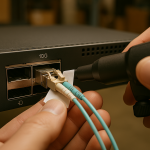
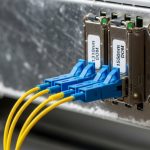
Solution: Reseat the LC connectors, verify latch engagement, and confirm polarity using a polarity tester or labeling standard. Replace patch cords if you see connector wear or inconsistent insertion depth. Then re-check interface counters (CRC, alignment errors) after the link stabilizes.
Pitfall 2: “Link up” but no traffic during AI training
Root cause: Speed mismatch or breakout misconfiguration. For QSFP28, you might have 100G optics inserted into a port configured for 4x25G (or vice versa), leading to negotiation quirks or traffic blackholing.
Solution: Validate interface configuration on the switch (port mode, lane mapping, FEC settings if applicable). Confirm that the transceiver type is supported by the platform and that the port is set to the correct speed. If available, use DOM readings to confirm laser bias and optical power are within expected ranges.
Pitfall 3: High error rates that correlate with temperature
Root cause: Thermal stress from insufficient airflow, blocked vents, or running modules outside their specified temperature range. QSFP28 modules can be especially sensitive in high-density trays.
Solution: Check switch fan health, confirm clear airflow paths, and compare module temperature telemetry (if supported) against the datasheet’s operating range. In one common deployment pattern, teams fixed recurring errors by improving rack side-to-side airflow and swapping modules from commercial to extended temperature grade.
Pitfall 4: DOM telemetry mismatch causing automated alarms
Root cause: Third-party optics may report DOM fields differently, confusing monitoring thresholds. The link may be fine, but dashboards page you at 3 a.m.
Solution: Compare telemetry from a known-good OEM module versus the third-party module. Adjust monitoring thresholds cautiously, and if your platform enforces DOM format, consider using vendor-approved optics for the monitored fleet.
Cost, power, and ROI: how to justify SFP vs QSFP28
ROI is rarely about the optics alone; it is about labor time, spares strategy, and how many ports and patch cords you need. In general, QSFP28 can reduce the number of physical uplinks needed for the same aggregate bandwidth, which can lower cabling complexity and port licensing constraints on some platforms.
Typical market pricing varies by vendor and distance class, but as a planning baseline: third-party SFP and SFP28 optics are often cheaper than OEM equivalents, while QSFP28 100G optics tend to be higher per module. Over a 3 to 5 year lifecycle, the biggest TCO drivers are often spare inventory, downtime risk, and power consumption across the number of active ports. If your switch supports breakout and you can use fewer physical ports, QSFP28 may win on total cost even if the module price is higher.
Be honest about compatibility caveats: OEM optics are usually the lowest-risk option for strict vendor validation, but third-party optics can be acceptable if you test in a staging rack with your exact switch model and firmware. For an optics monitoring and interoperability perspective, Fiber Optic Association resources and best practices can help validate operational workflows via Fiber Optic Association.
FAQ: SFP vs QSFP28 for AI deployments
Can I mix SFP and QSFP28 in the same AI fabric?
Yes, typically you can mix them as long as each switch port is configured for the correct speed and breakout mode. The key is ensuring the upstream and downstream topology expects the same link capacity and that your monitoring treats each interface consistently.
When should I choose SFP28 instead of QSFP28?
Choose SFP28 when you need 25G per port and your switch already provides enough 25G lanes or breakout modes. SFP28 can simplify port planning and reduce the chance you accidentally run a QSFP28 port in the wrong mode.
Do I need DOM support for AI monitoring and alerting?
If your operations team relies on optical health telemetry, DOM support is strongly recommended. Without it, you may only see link state and error counters, which delays detection of degrading optics and increases troubleshooting time.
What fiber type matters most for SR optics?
For SR modules, the multimode fiber plant (including OM grade) is critical. If the cabling is borderline, you can see intermittent errors under load even when the link initially comes up.
Are third-party optics safe for production AI clusters?
They can be safe, but only after validation with your switch model, firmware, and monitoring stack. Test one module in staging, check DOM readings, and confirm link stability under sustained traffic before scaling.
How do I prevent “silent” misconfiguration during maintenance?
Use a pre-check: confirm port mode, speed, and breakout configuration, then verify interface counters after insertion. Keep a known-good spare for each transceiver type so you can isolate whether the issue is optics, cabling, or switch configuration.
In most AI rollouts, the best decision rule is simple: choose the form factor that matches your switch port mode and your actual fiber reach, then validate DOM and thermal behavior before scaling. If you are planning the next refresh, see how to choose fiber optic transceivers for a practical workflow that reduces ordering mistakes.
Author bio: I have supported enterprise and data center optical deployments for years, including leaf-spine upgrades and AI rack bring-ups. I focus on hands-on validation: DOM checks, port breakout verification, and field troubleshooting using real interface counters.