
If you have ever chased a “marginal link” after a transceiver swap, you know how fast downtime can spread across racks. This article walks you through hands-on optical transceiver testing methods used in real telecom and data center environments, with a focus on repeatability, traceability, and safe rollback. It helps network engineers, field techs, and operations teams validate optics before traffic is impacted.
Test workflow: pre-check vs full link validation
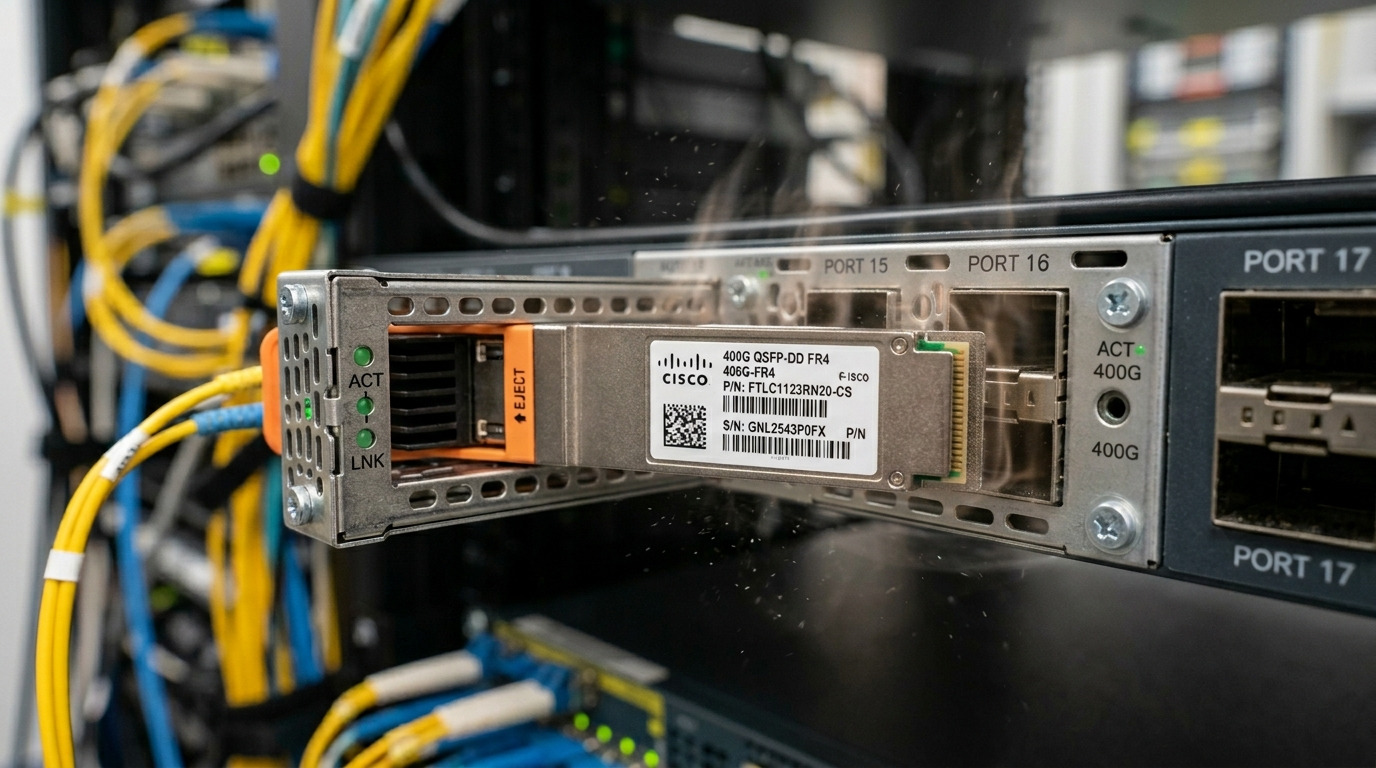
In telecom best practices, the biggest win is separating inventory verification from signal validation. Pre-checks catch the easy failures (wrong module, dirty connector, incorrect lane mapping), while full validation confirms the link meets optical and electrical requirements under real conditions.
Pre-checks that save hours
- Confirm module identity: Compare the physical label and part number against the ticket and BOM. For example, Cisco SFP-10G-SR modules should match the expected vendor and DOM capability.
- Inspect and clean: Use a fiber scope and clean with approved lint-free wipes and alcohol, then re-scope. Dirty connectors cause receiver overload or high error rates that mimic “bad optics.”
- Check DOM data: Read temperature, supply voltage, Tx bias/current, and optical power. DOM readings that are out of range can indicate counterfeit parts or aging optics.
Full link validation that proves it works
After pre-checks, validate the link with a known-good test path. Measure receive optical power at the far end, observe link stability over time, and confirm error counters stay within acceptable thresholds. For Ethernet, this typically means monitoring interface CRC errors, FEC status (if applicable), and link flaps.
Measurement targets: optical power vs eye/FEC quality
Two testing philosophies get compared a lot in the field. One approach focuses on optical power levels (simple and fast), while the other focuses on signal quality (eye diagrams, BER, and FEC indicators) for deeper assurance.
Optical power checks (speed-first)
With most SFP/SFP+ and QSFP optics, optical power targets are derived from the module’s datasheet and the link budget. In practice, you validate that Tx and Rx power are within the module’s DOM ranges and that the receiver isn’t near sensitivity limits. For short-reach multimode, typical 10G SR links use 850 nm optics such as Finisar FTLX8571D3BCL or FS.com SFP-10GSR-85, with DOM-based power alarms.
Signal quality checks (quality-first)
For higher data rates, optical power alone can miss problems like dispersion sensitivity, excessive jitter, or lane-specific degradation. Where supported, use BER/eye measurements or vendor diagnostics. In some 25G/50G/100G systems, FEC status is a practical indicator; “working but with heavy correction” is a warning sign even if the link appears up.
| Optic type (example) | Wavelength | Typical reach | Connector | DOM support | Operating temperature | Common test focus |
|---|---|---|---|---|---|---|
| 10G SR (e.g., Cisco SFP-10G-SR) | 850 nm | ~300 m (OM3) / ~400 m (OM4) | LC duplex | Yes (SFF-8472) | 0 to 70 C typical | Rx power, DOM alarms, error counters |
| 25G SR (SFP28) | 850 nm | ~100 m (OM4) | LC duplex | Yes | -5 to 70 C typical | Lane balance, FEC/BER indicators |
| 10G LR (e.g., 1310 nm SM) | 1310 nm | ~10 km | LC duplex | Yes | -40 to 85 C typical | Optical budget, dispersion, Rx sensitivity |
Source notes: Optical module behavior and DOM interfaces are generally aligned with SFF specifications and vendor datasheets; Ethernet electrical and optical link requirements are defined in IEEE standards. See [Source: IEEE 802.3] and [Source: SFF-8472 DOM information] plus vendor datasheets for exact power and alarm thresholds. anchor-text
Compatibility: OEM optics vs third-party modules in telecom testing
This is where telecom best practices get practical: your test results must be comparable across module vendors. OEM optics can reduce surprises, but third-party modules can be totally fine when they match specs and support the same diagnostics.
What engineers actually check
- DOM/EEPROM implementation: Validate that the switch reads temperature and optical power reliably. Some modules report values with different scaling.
- Vendor-specific alarm thresholds: A module might “work” but trigger early warnings due to conservative DOM settings.
- Lane mapping and polarity: Especially with MPO or multi-lane optics, confirm polarity handling and correct transmit/receive orientation.
Real deployment experience: mixed vendor racks
In a 3-tier data center leaf-spine topology with 48-port 10G ToR switches, one team replaced failed transceivers during a maintenance window. They used a staged approach: first swap one link, confirm DOM telemetry and interface error counters for 30 minutes, then roll out the remaining 12 ports. With strict fiber cleaning and consistent optical power checks, they avoided the classic “link comes up but errors climb over hours” scenario that usually happens when connector contamination is the real culprit.
Decision checklist: how to pick the right test method and tools
Engineers often argue about which test is “best,” but telecom best practices treat testing as a risk-managed process. Use this ordered checklist to decide what to test and how deep to go.
- Distance and link budget: Short reach (SR) tends to be more sensitive to cleanliness and modal conditions; long reach (LR) tends to be more budget-driven.
- Data rate and modulation sensitivity: Higher speeds often require deeper signal quality checks or FEC monitoring.
- Switch compatibility: Confirm the exact switch model and software version support DOM reads and any vendor diagnostics.
- DOM support and scaling: Verify alarm thresholds and telemetry units match your monitoring system.
- Operating temperature: In hot aisles or outdoor enclosures, confirm the module’s temperature range and ensure airflow assumptions hold.
- Vendor lock-in risk: If you plan multi-vendor sourcing, standardize your acceptance criteria so third-party modules can pass the same gates.
Common pitfalls: why transceiver tests still fail
Even with good tools, failure modes repeat. Here are the most common ones field teams see, with root causes and fixes.
-
Pitfall 1: “DOM looks normal” but the link errors
Root cause: Fiber polarity reversal, wrong lane mapping, or marginal optical alignment rather than a dead module.
Fix: Verify transmit/receive direction and polarity, then re-clean and re-scope connectors before escalating to module replacement. -
Pitfall 2: Optical power is in range right after install, then degrades
Root cause: Connector contamination that gets worse with thermal cycling, or a connector seated unevenly during swap.
Fix: After seating, re-check with the fiber scope and perform a second cleaning pass; monitor error counters for at least 30 to 60 minutes. -
Pitfall 3: “Module is bad” when the real issue is switch support
Root cause: Firmware/compatibility quirks where the switch reads DOM partially or enforces stricter thresholds than expected.
Fix: Validate with the same switch software baseline used in the acceptance test; compare telemetry with a known-good optic. -
Pitfall 4: Using the wrong fiber type assumptions
Root cause: OM3 vs OM4 mismatch or over-optimistic distance calculations.
Fix: Confirm patch cord type and measure end-to-end loss where possible; don’t rely only on labels.
Cost and ROI note: what testing really costs
OEM optics often cost more upfront, but the ROI comes from fewer “it works today, fails later” incidents. Typical street pricing varies widely by region and speed tier, but in many enterprise deployments third-party SFP/SFP28 transceivers cost roughly 20 to 50 percent less than OEM while offering similar optical specs when they match the exact standard and pass DOM compatibility checks. The hidden cost is engineering time: if your test gates are inconsistent, you pay for repeated swaps, truck rolls, and extended outages.
From a TCO view, invest in repeatable verification: a fiber scope, consistent cleaning consumables, and a checklist for optical power and error counter monitoring. That setup reduces failure rates and speeds up mean time to repair because you can prove the optic or the fiber path is at fault.
Pro Tip: In many SR deployments, the fastest “real” acceptance test is to watch interface error counters while you simulate the swap conditions again: re-seat the module, re-check optical power, and confirm the link remains stable after the optics warm up for 20 to 30 minutes. If counters climb only after thermal stabilization, you are usually dealing with connector fit or contamination, not a defective transmitter.
Which option should you choose?
Pick your testing depth based on risk, not habit. If you are running a high-change environment or multiple vendors, use a two-stage approach: pre-checks every time, then full link validation for first installs and any “near-threshold” optics. If you are doing routine maintenance on known-good links with stable patching, power-first checks plus error monitoring is usually enough.
| Reader type | Best option | What to test | Why |
|---|---|---|---|
| Enterprise ops team with mixed optics | Two-stage workflow | DOM read + optical power + 30 to 60 min error monitoring | Balances speed and repeatability across vendors |
| Telecom field team on critical links | Quality-first for first install | Optical budget + receiver margin + FEC/BER indicators where available | Reduces risk of latent lane issues and marginal optics |
| Cost-focused refresh projects | Compatibility-gated third-party | Strict DOM scaling checks + connector cleaning verification | Lower procurement cost without losing acceptance rigor |
FAQ
How do I confirm a transceiver is truly compatible with my switch?
Start by matching the exact optics class and expected DOM interface behavior, then verify telemetry reads correctly in your switch CLI or monitoring system. If you have a known-good reference module, compare DOM scaling and alarm thresholds rather than assuming the values are identical across vendors. [Source: vendor transceiver datasheet] is the fastest way to confirm supported DOM features.
What is the minimum telecom best practices test after swapping an optic?
At minimum, do DOM readout, optical power sanity checks, and watch interface error counters for at least 30 minutes. If the link becomes unstable after warm-up, re-clean and re-scope the connectors before declaring the module faulty.
