
When a telecom link starts flapping or BER rises, the root cause is often optical fiber quality rather than the transceiver itself. This article helps field engineers and network operations teams apply quality assurance methods to isolate fiber defects, verify power budgets, and document evidence for faster remediation. You will get practical checks, compatibility notes for common transceivers, and troubleshooting steps that map to real deployment constraints.
Start with evidence: what “optical fiber quality” means in practice
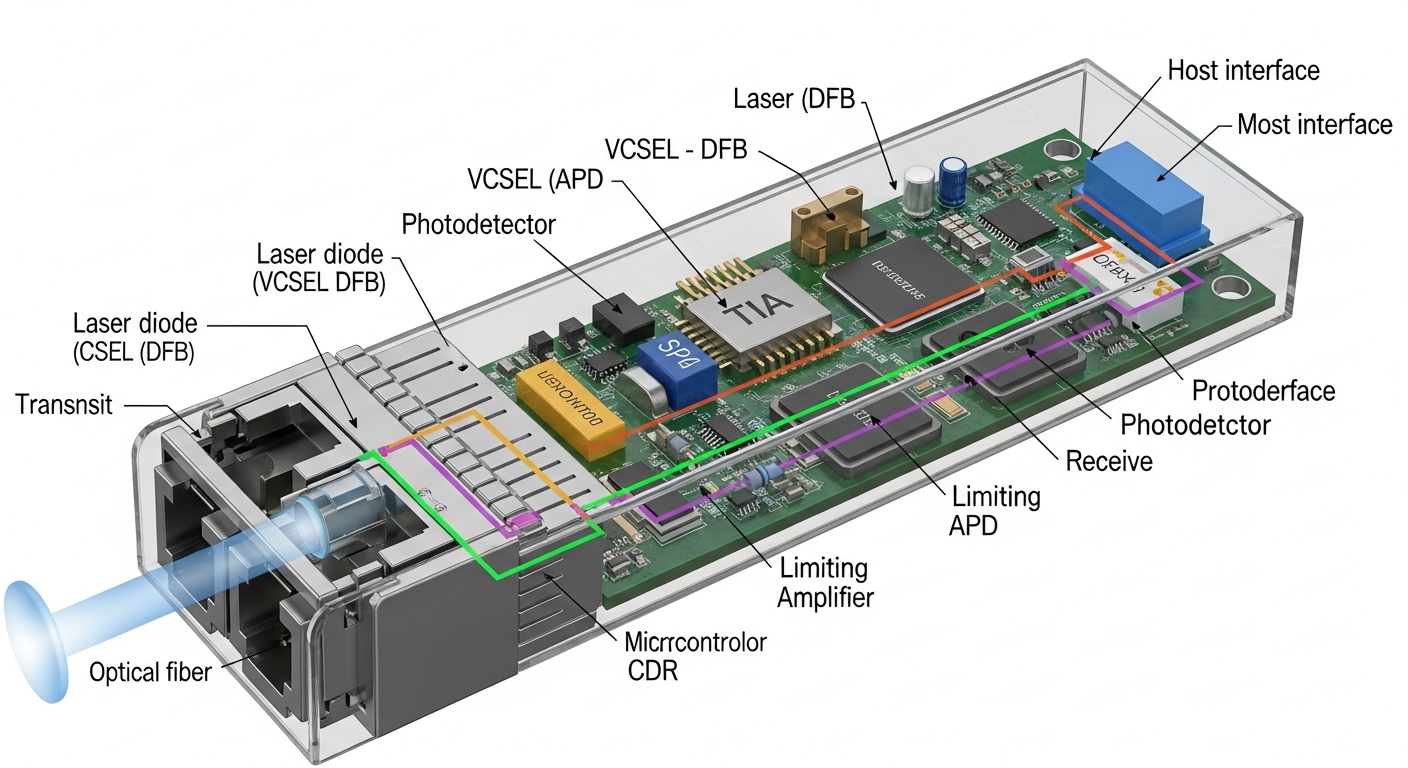
In telecom operations, “optical fiber quality” typically shows up as excessive attenuation, connector contamination, micro-bends, or end-face damage that degrades received power and increases error rates. Under IEEE 802.3 physical layers, the most measurable symptoms are rising BER, link training instability, and frequent LOS/LOF events. A disciplined quality assurance workflow treats each incident as an auditable chain: fiber plant condition, patching hygiene, optical budget, and transceiver health.
Field-friendly evidence usually includes OTDR traces, optical power readings (Tx/Rx), and connector inspection results. For quick triage, confirm whether the issue is localized to a specific span or patch panel by swapping patch cords and re-measuring. If you have data from prior acceptance tests, compare today’s values to the baseline to catch drift.
Quality assurance measurements: OTDR, power budget, and connector inspection
Quality assurance typically spans three layers: physical plant characterization, optical performance, and optical interface cleanliness. OTDR helps identify events such as splice loss, bend-induced attenuation, and breaks; power measurements validate the end-to-end budget for the specific wavelength and data rate. Connector inspection is often the fastest win because microscopic contamination can cause losses even when the fiber core is fine.
Key checks you can do on site
- OTDR: verify event locations, measure splice/reflectance peaks, and look for abnormal slopes that suggest stress or micro-bending.
- Optical power: measure Tx at the source and Rx at the far end using calibrated meters; confirm you remain within the transceiver and receiver sensitivity specs.
- Connector inspection: use a scope to detect dust, scratches, and end-face chips; clean and re-inspect before re-measuring.
Representative specs comparison for common 10G short-reach deployments
These examples help frame expectations when you suspect fiber quality issues. Always validate against the exact transceiver part number and vendor datasheet.
| Parameter | 10G SR (MMF) | 10G LR (SMF) |
|---|---|---|
| Typical wavelength | 850 nm | 1310 nm |
| Reach class | Up to 300 m over OM3/OM4 (typical) | Up to 10 km (typical) |
| Fiber type | Multimode (OM3/OM4) | Single-mode (OS2) |
| Connector examples | LC duplex (common) | LC duplex (common) |
| Operating temperature | Usually 0 to 70 C for standard modules | Usually 0 to 70 C for standard modules |
| Field QA focus | Patch cord cleanliness, OM3/OM4 compliance, bend radius | Splice reflectance, end-face cleanliness, macrobend stress |
| Example module references | Cisco SFP-10G-SR, Finisar FTLX8571D3BCL | Common LR SFP+ variants (vendor dependent) |
For standards context, remember that physical layer behavior, optical interfaces, and management reporting are constrained by the Ethernet PHY ecosystem defined in IEEE 802.3. For connector inspection and cleaning practices, use vendor guidance and recognized industry methods such as those referenced by IEEE standards portal.
Field triage workflow: isolate fiber quality vs transceiver faults
In a service window, speed matters, but so does evidence quality assurance. A practical workflow is to rule out transceiver issues first by validating optics health via digital diagnostics (DOM) when available, then focus on plant and patching. If DOM shows high laser bias current, abnormal Rx power, or frequent alarms, you still must confirm whether the fiber path is responsible.
Decision tree that works in telecom rooms
- Check alarms: confirm whether the interface reports LOS, LOF, or link flaps.
- Read DOM (if supported): record Tx power, Rx power, temperature, and laser bias.
- Swap patch cords: move to a known-good patch pair; if the fault follows the patch, the issue is likely connector contamination or cord damage.
- Inspect connectors: clean using proper lint-free wipes and verified cleaning tools; re-inspect before reconnecting.
- Measure end-to-end power: compare to budget and to the baseline acceptance record.
- OTDR the span: locate abnormal events or stress points; correlate with installation history (routing changes, construction, or rack moves).
Pro Tip: If DOM reports Rx power is consistently low but the transceiver’s temperature and bias current look normal, treat it as a fiber-path or connector-loss problem first. Many “bad fiber” cases are actually end-face contamination that passes a quick visual check but fails under magnification.
Common mistakes and troubleshooting tips that prevent repeat outages
Even experienced teams can misdiagnose optical fiber quality issues because symptoms overlap across connectors, splices, and optics. The goal of quality assurance is to avoid repeating the same failure mode after “successful” link restoration.
Pitfall 1: Cleaning without inspection
Root cause: Cleaning material re-scratches the end face or spreads contamination, while the connector remains dirty. Solution: Inspect before cleaning, clean with approved methods, then inspect again and only then re-seat the connector.
Pitfall 2: Assuming power is fine because link comes up
Root cause: Some links negotiate successfully at marginal power, then fail under temperature swings or after a patch is disturbed. Solution: Record baseline Tx/Rx power and compare to thresholds; run a short BER or error counter check if your platform supports it.
Pitfall 3: Using the wrong fiber type or launch conditions
Root cause: Mixing OM3 and OM4 cables, or using a multimode-rated path with mismatched launch conditions, can increase modal noise and sensitivity to bends. Solution: Verify the fiber plant labels, confirm OM3/OM4 compliance, and re-terminate or replace cords that do not meet spec.
Pitfall 4: Ignoring bend radius during cabinet work
Root cause: Re-routing patch cords or closing doors can introduce micro-bends that raise attenuation. Solution: Check physical routing after maintenance; verify bend radius adherence and re-run OTDR to confirm the event trace did not change.
Cost and ROI note: where quality assurance saves money
Third-party optics can be cost-effective, but total cost depends on compatibility and replacement rates. In many networks, a calibrated inspection microscope and OTDR time reduce truck rolls by catching connector contamination early; the tools cost is typically far less than an outage day for critical services. As a rough planning point, field-grade inspection microscopes and cleaning kits often pay back quickly when you prevent repeated failures on high-density patch panels.
Module pricing varies widely by vendor and warranty, but short-reach 10G optics often land in the low to mid tens of dollars each in bulk, while branded or enterprise-supported optics can be higher. For quality assurance, the ROI lever is not just cheaper optics; it is fewer dispatches, faster root cause, and better documentation that helps you negotiate repairs and reduce mean time to recovery. For transceiver compatibility, consider DOM support and cabling standards compliance; lock-in risk can be mitigated by maintaining an approved parts list and validating interoperability in your lab.
FAQ
What does quality assurance look like for existing fiber in telecom?
For existing fiber, quality assurance means comparing current OTDR and power measurements against an acceptance baseline, then validating connector cleanliness before blaming optics. You should also log physical changes like rack moves or patch panel rewiring that could introduce micro-bends.
How do I tell connector contamination from a bad splice?
If cleaning and re-inspection restores performance quickly, contamination is likely. If OTDR shows a stable event at a specific location with consistent loss or reflectance, a splice or termination issue is more probable.
Should I replace the transceiver first when errors appear?
Do not assume optics are the cause. First check DOM for obvious laser faults, then validate Rx power and patch cord swaps; this prevents unnecessary optics churn and preserves evidence for quality assurance.
Which standards should my team reference during troubleshooting?
Use IEEE 802.3 for PHY behavior and vendor datasheets for optical power and sensitivity limits. For cleaning and inspection, follow recognized industry connector practices and your vendor documentation; cite the approach used in your internal work instructions. IEEE standards portal is a good starting point.
What is the fastest way to reduce repeat outages?
Standardize inspect-clean-inspect, require evidence capture (OTDR snapshot and Rx power reading), and correlate failures with recent physical changes. Teams that do this consistently see fewer “mystery” link flaps.
When is OTDR essential versus optional?
OTDR is essential when you see persistent attenuation, suspect splice damage, or need event localization after maintenance. If issues clearly follow a patch cord or connector and cleaning resolves it, OTDR may be optional for that incident but still
