
If you are wiring an industrial Ethernet backbone and one port keeps flapping, the root cause is often the transceiver: wrong optics type, mismatched DOM, or a fiber reach that the link budget cannot support. This article helps automation engineers and field techs choose and validate an Omron SFP transceiver for Omron and Keyence controller environments. You will get a step-by-step implementation approach, a realistic deployment scenario, and troubleshooting patterns that match what we see on commissioning floors.
Prerequisites before you touch the module
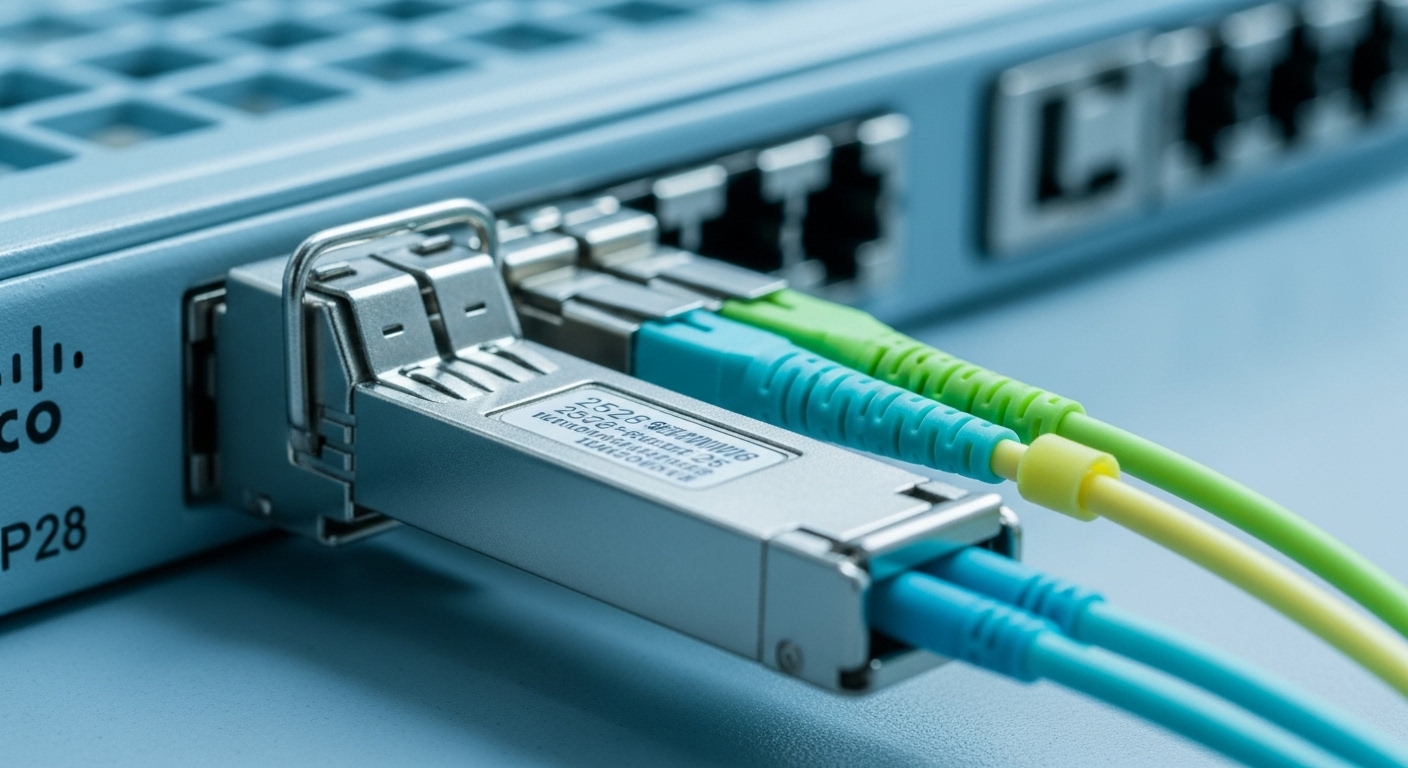
Before swapping any optics, gather the exact interface details on the controller and the target switch or media converter. For SFP, confirm whether the controller expects 1000BASE-SX (multimode 850 nm), 1000BASE-LX (single-mode 1310 nm), or sometimes 100BASE-FX depending on the controller family. Also confirm whether the platform reads Digital Optical Monitoring (DOM) and whether it enforces vendor-specific behavior.
What to write down from the controller label
- Controller model number (for example, Omron industrial Ethernet controller or Keyence Ethernet interface module).
- Port speed and media type (copper vs fiber; SFP vs fixed optics).
- Supported optical standard (SX, LX, or FX) and nominal wavelength.
- Environmental constraints (operating temperature and vibration class if specified).
- Any warning about unsupported third-party optics or DOM requirements.
What to gather from the network side
- Fiber type: OM2/OM3/OM4 multimode or OS2 single-mode.
- Approximate link distance including patch cords and slack.
- Connector type (LC is common for SFP, but verify).
- Splice count and estimated loss budget if you have it.
- Whether the far end is an SFP switch port, media converter, or another controller.
Expected outcome: you can map “controller port expectation” to an SFP standard and connector/wavelength pair, reducing the chance of silent incompatibility.
Step-by-step: implement an Omron SFP transceiver link that stays up
This section is a practical build sequence you can follow during commissioning. It assumes you are integrating an SFP-based fiber link between an Omron controller (or Keyence controller) and a switch or another device. The goal is to validate optics, confirm link negotiation, and prove stability under real load.
Select the correct optical standard and wavelength
Match the fiber and reach requirement first. For typical industrial 1G fiber runs, 850 nm SX over multimode is common for short distances, while 1310 nm LX over single-mode supports longer runs. If your controller documentation specifies a particular standard, follow it even if another transceiver “appears to work” at first.
Expected outcome: an SFP that is aligned to the controller’s expected physical layer (PHY) behavior.
Verify connector type and cleaning state
Most SFPs use LC connectors. Before inserting, inspect and clean both ends using lint-free wipes and appropriate cleaning sticks. Contamination can create intermittent CRC errors that look like “bad optics,” but the root cause is often dust at the connector interface.
Expected outcome: consistent optical power at the receiver and stable BER performance.
Budget the link using reach limits and fiber loss
Do not rely on “nominal reach” alone. Use a link budget approach: transmitter power minus receiver sensitivity, minus fiber attenuation, minus splice and connector losses. A typical 1G SX optic might be rated for 550 m over OM3, but real installations with many splices can fall short.
Expected outcome: a realistic distance estimate that predicts whether the link will pass under worst-case aging.
Confirm DOM compatibility and readout behavior
If the controller or switch reads DOM, confirm it supports the transceiver’s DOM format. Many modules expose temperature, bias current, and received optical power. Some industrial platforms may accept a third-party SFP but refuse DOM reads, which can trigger alarms or port disable policies.
Expected outcome: no port-level fault state tied to missing or nonstandard DOM telemetry.
Bring up the link and validate error counters under traffic
After insertion, check link state, then generate traffic (for example, continuous TCP throughput or the controller’s normal cyclic data load). Monitor interface counters for CRC errors, FCS errors, and link resets. If the platform supports it, log optical power thresholds or DOM alarms.
Expected outcome: a stable link under sustained throughput, not just a momentary link-up.
Key specs that matter: wavelength, reach, power, and temperature
When selecting an Omron SFP transceiver, the “specs that matter” are the ones that directly influence optical budget and thermal stability. Below is a practical comparison of common 1G SFP optics used in industrial controller links. Always cross-check with your controller’s supported list and vendor datasheets.
| Spec | 1G SX SFP (850 nm) | 1G LX SFP (1310 nm) | Notes for Omron/Keyence use |
|---|---|---|---|
| Typical standard | IEEE 802.3 1000BASE-SX | IEEE 802.3 1000BASE-LX | Match what the controller port expects |
| Wavelength | 850 nm | 1310 nm | Wavelength must align with fiber type |
| Typical reach (example) | Up to 550 m on OM3 | Up to 10 km on OS2 | Real reach depends on loss budget |
| Connector | LC (common) | LC (common) | Verify LC vs SC on your patch panels |
| Optical power / sensitivity | Varies by vendor; check datasheet | Varies by vendor; check datasheet | Use transmitter power and receiver sensitivity |
| Operating temperature | Commercial or industrial grade | Commercial or industrial grade | Prefer -40 to +85 C if cabinet temps are high |
| DOM | Often supported | Often supported | DOM mismatch can trigger alarms |
| Data rate | 1.25 Gbaud line rate (1G Ethernet) | 1.25 Gbaud line rate (1G Ethernet) | Controller PHY must match 1G |
Example optics you may encounter in the field include vendor- or OEM-branded modules such as Finisar FTLX8571D3BCL (850 nm SX, DOM often present depending on SKU) or FS.com SFP-10GSR-85 (note: this is 10G SR and should not be used for 1G ports). For 10G SR you would look at 850 nm designs like Cisco SFP-10G-SR or Finisar equivalents, but your controller port must actually support 10G.
Sources worth consulting include IEEE Ethernet PHY definitions and vendor datasheets: [Source: IEEE 802.3], [Source: Cisco SFP-10G-SR datasheet], [Source: Finisar/Fabrinet SFP datasheet pages], [Source: FS.com SFP product pages]. For controller-specific compatibility, always use the controller’s official “supported transceiver” list if provided.
Pro Tip: In many industrial cabinets, the transceiver is thermally stressed long before it fails. Choose an industrial temperature grade (commonly -40 to +85 C) and avoid “works on the bench” modules that only meet commercial ranges; thermal drift can reduce receiver margin and increase CRC errors after a few months.
Real-world deployment: Omron or Keyence controller in a leaf-spine industrial fabric
Consider a 3-tier industrial data center style topology: 48-port 1G fiber ToR switches uplink to a leaf pair, then to a small spine. Each ToR has 24 fiber downlinks to machine cells, and each cell runs a Keyence controller connected to an SFP port on the ToR. The fiber runs are typically 300 to 450 m from controller to patch panel, using OM3 multimode with about 0.5 dB typical connector loss per end and a few splices. In this setup, engineers often standardize on 850 nm SX SFPs with LC connectors and validate DOM alarms to catch marginal optics early.
In commissioning, we also see that the “wrong but similar” optic (for example, an LX 1310 nm module on OM3) may still show link-up due to transient power levels, but traffic later triggers CRC spikes and periodic link drops. The fix is always to align wavelength and fiber type, then re-check the link budget with your actual measured patch cord loss.
Selection criteria checklist engineers use under time pressure
Use this ordered list during procurement and staging. It is optimized for “fast validation, fewer surprises,” especially when mixing controller brands and switch vendors.
- Distance and fiber type: pick SX for OM multimode or LX for OS2 single-mode; confirm connector and fiber plant details.
- Data rate and standard: ensure the controller port is IEEE 802.3 compatible for SX/LX/FX and that the line rate matches (1G vs 10G).
- Budget and availability: third-party optics can be cheaper, but verify support for DOM and alarm behavior.
- Switch and controller compatibility: check vendor notes for supported transceivers and any DOM enforcement.
- DOM support and alarm thresholds: confirm the controller or switch reads DOM without triggering “unsupported module” faults.
- Operating temperature: prefer industrial grade for cabinets with elevated ambient temperatures.
- Vendor lock-in risk: if you standardize on an OEM brand, factor future lead times and replacement availability.
Cost & ROI note: in many markets, a compatible 1G SX SFP often lands in a broad range (commonly roughly $20 to $60 for third-party units and $60 to $120+ for OEM-branded modules, depending on DOM and temperature grade). The TCO driver is not the purchase price; it is downtime and failure rate. If an optics failure causes a production line stop, the economic loss dwarfs the price difference; investing in industrial-grade optics and validating DOM behavior typically pays back quickly.
Common mistakes and troubleshooting for Omron and Keyence fiber links
Below are the top failure modes we see when teams deploy an Omron SFP transceiver in an Omron or Keyence environment.
Link-up but traffic fails after minutes
Root cause: wrong wavelength or fiber mismatch (for example, LX 1310 nm on a multimode plant, or using an SR optic on a 1G port). Optical power can be insufficient for stable BER under load.
Solution: confirm standard (SX vs LX) against controller documentation; verify fiber type at the patch panel; then run a traffic test while monitoring CRC/FCS and link resets.
Intermittent disconnects that correlate with cable movement
Root cause: dirty or damaged connector endfaces, micro-bends, or patch cord strain. Dust can elevate insertion loss and cause receiver margin to oscillate.
Solution: inspect with a fiber scope if available; clean both ends with approved methods; re-seat connectors; replace suspect patch cords; then retest with sustained traffic.
Controller alarms: “unsupported module” or missing DOM
Root cause: DOM format or behavior not matching what the controller expects, or a transceiver that lacks DOM even though the controller requires it. Some platforms may also enforce specific vendor ID fields.
Solution: try a transceiver SKU explicitly listed as compatible; verify DOM presence using switch diagnostics; if DOM is required, avoid “DOM-less” variants.
Persistent high error counters after install
Root cause: link budget too tight for the actual fiber plant (more splices, higher attenuation, older fiber). Even a correct standard can fail if the margin is insufficient.
Solution: measure or estimate loss, reduce patch cord lengths, replace high-loss segments, and ensure the optic meets sensitivity requirements at the operating temperature.
Expected outcome: you can isolate whether the fault is optical standard, physical layer cleanliness, DOM compatibility, or link budget margin.
FAQ
Q1: How do I know whether my Omron SFP transceiver should be SX or LX?
Check the controller port documentation for the supported optical standard and nominal wavelength. Then match it to your fiber type: OM multimode typically uses 850 nm SX, while OS2 single-mode typically uses 1310 nm LX. If you are unsure, verify the fiber type at the patch panel before ordering.
Q2: Will a third-party Omron SFP transceiver work with Keyence controllers?
Often it can, but compatibility depends on DOM behavior and any controller enforcement of module identification. The safe path is to use a SKU that the vendor or controller documentation lists as supported, especially if alarms or port disable policies exist.
Q3: What should I monitor during commissioning to prove the link is stable?
Monitor interface errors such as CRC/FCS, link up/down events, and any DOM alarm flags if available. Run the controller’s normal traffic pattern for long enough to reveal marginal optics, commonly at least 30 to 60 minutes in a first pass.
Q4: My link comes up but errors spike under load. Is cleaning always the cause?
Cleaning is a frequent cause, but not the only one. Also check optical standard match, connector condition, and link budget against the real fiber plant loss. If you have DOM, compare received optical power against the vendor’s expected range.
Q5: What temperature grade should I buy for cabinets with high ambient?
If your cabinet ambient can approach or exceed commercial ranges, choose an industrial grade module that supports operation down to about -40 C and up to about +85 C (verify exact spec in the datasheet). Thermal drift can reduce margin and increase error rates over time.
Q6: Are 10G SFP modules compatible with 1G controller ports?
Not reliably. A 10G SR optic is designed for 10G PHY behavior and a specific line rate; a 1G port expects 1G PHY signaling and optics. Always match the controller’s supported speed and IEEE standard.
If you want the fastest path to PMF in your own network design process, treat transceiver selection like a validation experiment: specify optics standard, confirm DOM expectations, and run sustained traffic tests. Next, align your replacement strategy with a hardware lifecycle plan using related topic for spare parts and compatibility management.
Author bio: I build and validate field-deployed Ethernet links for industrial automation teams, focusing on optical budgets, DOM telemetry, and commissioning automation. My work emphasizes rapid compatibility validation between controller platforms and switch gear to reduce downtime.
