
If your switches light up but your links stay flaky, the culprit is often the fiber type, not the transceiver. This article helps network and facility teams choose correctly between multi-mode vs single-mode for Ethernet and data center cabling, using practical specs, compatibility notes, and field-tested troubleshooting. You will also get a decision checklist, a cost and ROI view, and common failure modes that waste hours during cutovers.
Why multi-mode vs single-mode changes link behavior
Multi-mode fiber (MMF) and single-mode fiber (SMF) differ in core size and how light propagates. MMF uses a larger core and supports multiple propagation paths, which can broaden pulses over distance; that is why reach is tighter for common 10G and 25G optics. SMF uses a smaller core and supports one dominant propagation mode, enabling longer reach with less modal dispersion. From an engineering standpoint, the “right” choice is about matching fiber type, wavelength, and transceiver optics to the required distance and link budget.
For Ethernet optics, the IEEE physical layer depends on the transceiver class and wavelength. For example, 10GBASE-SR class optics typically target MMF at 850 nm while 10GBASE-LR class optics target SMF at 1310 nm, aligning with typical vendor reach specs. Use vendor datasheets for the exact optical budget and required cabling grade; do not rely on marketing reach alone.
Specs that matter: wavelengths, reach, connectors, and power
When teams compare MMF and SMF, they should focus on the optics that match each fiber type. The table below summarizes common short-reach and long-reach Ethernet optics used in modern deployments.
| Spec | Multi-mode (Typical) | Single-mode (Typical) |
|---|---|---|
| Common wavelength | 850 nm (SR), sometimes 1310 nm (extended) | 1310 nm (LR), 1550 nm (ER/ZR-class) |
| Typical connector | LC duplex (most common); MTP/MPO in high-density trunks | LC duplex; MTP/MPO for trunks in some racks |
| Common reach examples | 10G SR: often 300 m on OM3, 400 m on OM4 (varies by optic) | 10G LR: often 10 km on SMF |
| Optics examples | Cisco SFP-10G-SR, Finisar FTLX8571D3BCL, FS.com SFP-10GSR-85 | Cisco SFP-10G-LR, Finisar FTLX1471D3BCL, FS.com SFP-10GLR-10 |
| Typical temperature range | 0 to 70 C (commercial) or -40 to 85 C (industrial choices exist) | 0 to 70 C or -40 to 85 C depending on vendor |
| Where it fits best | In-rack to end-of-row links, data center patching | Between buildings, long aggregation runs, future-proofing |
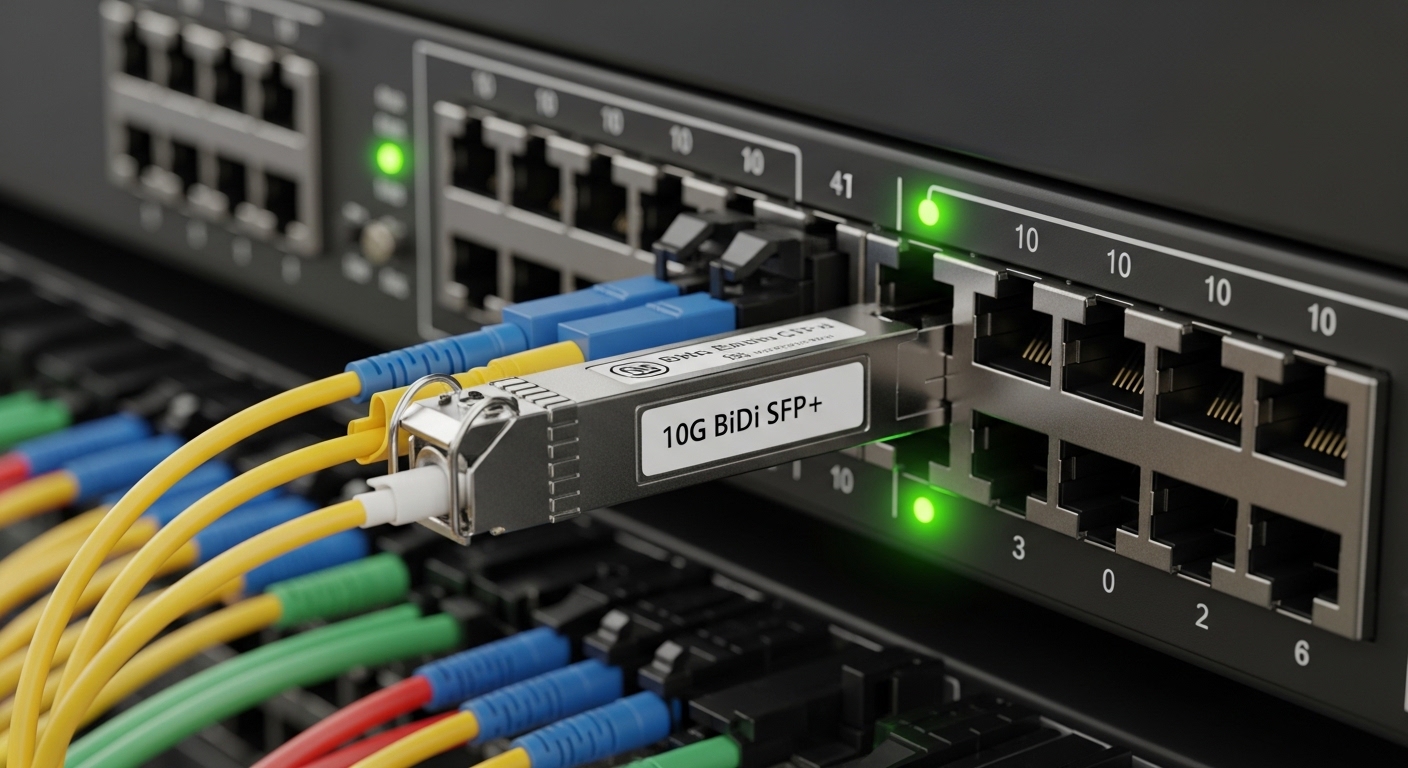
Image note: MMF and SMF choices show up in the physical patching style and the label on the fiber cable and patch panel.
Real-world deployment scenario: leaf-spine with mixed distances
In a 3-tier data center leaf-spine topology with 48-port 10G ToR switches, a common pattern is MMF for leaf-to-row patching and SMF for aggregation-to-spine runs. Imagine leaves in rows of 20 racks: you may need 30 to 80 m from leaf to end-of-row patch panels, where MMF OM4 is cost-effective and supports 10G SR optics. Then, for spine uplinks that run 3 to 5 km across cable trays and between buildings, SMF OS2 with 1310 nm LR optics reduces the need for regeneration or expensive intermediate equipment.
During commissioning, teams also validate that the transceiver DOM readings match expectations. Many optics provide digital diagnostics such as laser bias current and received power; if received power is consistently near the threshold, you may have an aggressive budget, dirty connectors, or a fiber type mismatch.
Selection checklist: how engineers decide under time pressure
Use this ordered decision checklist during design or during an optics swap after a failed cutover.
- Distance and target reach: confirm required link length plus margin for patch cords and splices.
- Fiber type and grade: ensure the cabling plant is OM3/OM4 for MMF or OS2 for SMF, not “compatible by assumption.”
- Transceiver wavelength and standard: pick MMF SR at 850 nm or SMF LR at 1310 nm as required by the switch and optics.
- Switch compatibility: check vendor transceiver matrices and firmware requirements; some platforms enforce stricter optics profiles.
- DOM support: if you rely on alarms, confirm the vendor’s DOM implementation and thresholds.
- Operating temperature and airflow: crowded racks can push optics toward upper limits; choose rated temperature classes.
- Vendor lock-in risk and optics sourcing: compare OEM vs third-party costs and the likelihood of future replacement availability.
Pro Tip: Field teams often find that “it works on the bench” but fails in production because patch cords and couplers add loss. Always include estimated insertion loss for patch cords, connectors, and splices when you compare multi-mode vs single-mode reach, and then verify received optical power via DOM after every clean-and-reseat cycle. [Source: IEEE 802.3 physical layer guidance summarized in vendor application notes]
Common mistakes and troubleshooting tips
1) Fiber type mismatch: Root cause is installing an MMF SR optic into an OS2 run (or vice versa), leading to weak or unstable signal. Solution: verify cable labels and measure with a fiber inspection and continuity test; then replace the transceiver with the correct wavelength and fiber type.
2) Wrong fiber grade for reach: Root cause is assuming OM3 and OM4 are interchangeable, then exceeding the SR reach budget. Solution: confirm OM3 vs OM4 grading at the cable and patch panel; if you must extend, move to SMF LR optics or shorten the channel by reworking patching.
3) Dirty connectors after re-cabling: Root cause is contamination on LC endfaces after repeated disconnects, increasing reflectance and reducing received power. Solution: use a proper fiber inspection scope, clean with approved wipes and cleaning tools, then re-test link stability.
4) Overlooking polarity and MPO mapping: Root cause is flipped polarity in duplex LC or reversed MPO polarity in high-density trunks. Solution: follow the polarity method required by your equipment, and use a polarity tester plus a consistent patching scheme.
Cost and ROI: where the money really goes
MMF cabling and optics are often cheaper upfront for short runs, especially inside buildings where distances stay under typical SR reach. Third-party MMF SFP+ modules can be attractive, but TCO depends on failure rates, vendor support, and the time cost of troubleshooting. SMF optics are usually higher per module, yet the cabling plant can reduce expensive rework when you need longer runs, inter-building connectivity, or future bandwidth upgrades.
In many projects, a realistic budgeting approach is to price optics at both ends plus the labor for splicing and patching. If your rollout includes growth, SMF can reduce the risk of buying “right now” optics that become stranded when you expand rack rows or add cross-building links. [Source: vendor datasheets for Cisco SFP-10G-SR and typical LR modules; also see IEEE standards portal for physical layer context]
FAQ
Is multi-mode vs single-mode only about distance? No. It is also about wavelength compatibility, connector and polarity handling, and the transceiver standard your switch expects. A wrong pair can fail even over short links.
Can I use an 850 nm multi-mode optic on single-mode fiber? Usually not reliably. The physics of modal propagation and core size mismatch prevent the expected coupling efficiency. You will typically see low optical power or link
