
In modern data centers, 800G optical links can fail in ways that look identical at the switch CLI but have very different root causes in the field. This article helps data center network engineers and field technicians build repeatable link management practices across planning, transceiver handling, fiber routing, and diagnostics. You will get practical checklists, measured operational targets, and troubleshooting patterns tied to IEEE Ethernet behavior and vendor module realities. Update date: 2026-05-03.
What “link management” means for 800G optics (and why it breaks)
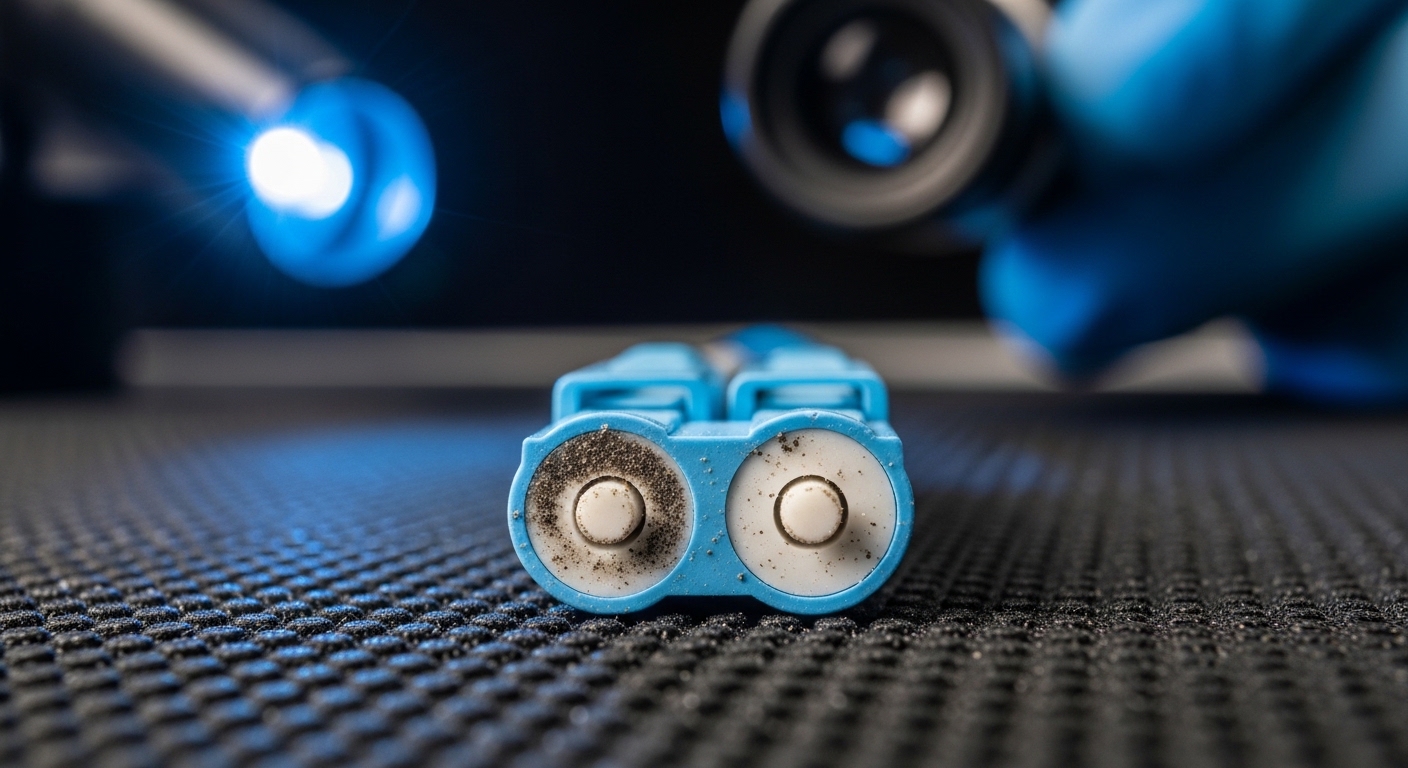
For 800G, link management is more than “make the port come up.” It is the disciplined process of controlling optics selection, fiber polarity, link training behavior, optical power margins, and ongoing health monitoring so that failures are isolated quickly. Most 800G Ethernet optics implement high-speed electrical serialization plus coherent or PAM4-style signaling paths depending on the interface; regardless of modulation, the operational bottleneck is usually optical budget margin and physical layer hygiene (endface cleanliness, connector quality, bend radius). IEEE 802.3 defines Ethernet PHY behavior, but it does not guarantee consistent field outcomes when dust, patch panel strain relief, or mismatched optics introduce loss and reflections. [Source: IEEE 802.3 (relevant 800G Ethernet PHY clauses)] IEEE 802.3
3 behavior you should account for
At 800G, the PHY may require link training and repeated retrains when optical power is near threshold. Many switches expose link state reasons (for example, LOS, OOS, or training failure counters), but the counters often reflect symptoms rather than causes. In practice, I treat “port up but flapping” as a fiber plant issue until proven otherwise, because patching and connector contamination produce intermittent reflections that trigger retrains. The key is to manage the whole chain: transceiver optics, fiber type, patch cord length, MPO/MTP polarity, and the exact loss you measure at commissioning.
Measured targets I use during commissioning
During acceptance testing, I record baseline optical receive power and verify it sits comfortably inside the module vendor’s recommended range, not merely “within spec.” In one leaf-spine rollout with 32 ToR switches and 800G uplinks, we targeted a conservative margin by ensuring measured receive power stayed at least 3 dB away from the module’s minimum sensitivity across the planned fiber loss budget. If your team only logs “link up,” you lose the ability to distinguish gradual degradation (connector wear) from sudden faults (broken fiber or wrong polarity).
Pro Tip: If you have flapping at 800G but the optical receiver reports “not in alarm,” check the lane-level or sub-channel error counters and correlate them with patching events. I have seen a single contaminated MPO endface drive periodic retrains even while aggregate alarms looked quiet.
800G optical choices that make link management predictable
Before you touch a cable, pick optics and fiber that align with your reach requirement and operational constraints. In data centers, 800G is commonly deployed as either multi-lane short-reach modules (often using MPO/MTP) or longer-reach variants depending on the architecture. Your link management strategy should include a compatibility matrix for each switch model, supported module families, and DOM (Digital Optical Monitoring) behavior. Vendors vary in DOM implementation details, so “works on one switch” is not the same as “works everywhere.” [Source: Cisco and vendor switch transceiver compatibility guides] Cisco Transceiver Compatibility
Common optics and fiber plant implications
Short-reach 800G optics typically assume tight loss budgets and good connector cleanliness. Multi-fiber connectors (MPO/MTP) demand correct polarity mapping and consistent patch panel labeling. Longer-reach options can tolerate more insertion loss, but they often become more sensitive to chromatic dispersion and to connector quality over time. For field teams, this means your link management process must treat fiber plant documentation (loss, polarity type, patch cord IDs) as a first-class deliverable, not an afterthought.
Technical specifications table (typical reference points)
The table below compares representative 800G short-reach optics and shows the fields you should capture in your link management database. Exact values vary by vendor and interface type, so always confirm from the module datasheet before you finalize the budget. [Source: Finisar/Flex optics and OEM datasheets; FS.com module datasheets] FS.com SFP/QSFP transceiver datasheets
| Parameter | Example 800G SR4 (short reach, MPO) | Example 800G LR4 (longer reach) | Why it matters for link management |
|---|---|---|---|
| Data rate | 800 Gbps (per port) | 800 Gbps (per port) | Determines PHY training and error behavior |
| Wavelength | Typically multi-lambda in the ~850 nm class | Typically multi-lambda around 1310/1550 nm class | Impacts fiber type choice and budget |
| Reach | Short-reach class (meters to ~100 m depending on type) | Long-reach class (hundreds of meters to km class) | Sets maximum allowable insertion loss |
| Connector | MPO/MTP | MPO/MTP or LC depending on platform | Drives polarity and cleaning workflow |
| DOM / monitoring | Commonly supported; verify thresholds | Commonly supported; verify thresholds | Enables health baselines and alerts |
| Optical power / sensitivity | Vendor-specific min/max receive power | Vendor-specific min/max receive power | Defines your commissioning and margin targets |
| Operating temperature | Typically industrial or commercial range per datasheet | Typically industrial or commercial range per datasheet | Protects against drift and thermal derating |
Commissioning workflow: build a link management playbook
A repeatable commissioning workflow is the fastest way to reduce 800G optical downtime. In my field practice, I treat link management like a manufacturing test: every port gets a baseline measurement, every fiber gets a unique identity, and every patch event updates the database. This approach reduces mean time to repair because you can reverse-engineer which variable changed since the last healthy moment.
Step-by-step checklist engineers can follow
- Pre-verify switch compatibility: Confirm the exact transceiver model and DOM support for your switch SKU and software release; some platforms reject certain vendors or require specific firmware. [Source: Cisco and Arista transceiver support matrices] Arista transceiver compatibility
- Define fiber plant rules: Record fiber type (for example, OM4/OM5 for SR-class), connector type, and patch panel layout. Enforce bend radius guidance from the fiber manufacturer.
- Label everything: Assign IDs to each transceiver, each patch cord, and each MPO/MTP trunk. Keep a polarity mapping reference (MPO polarity A/B and any required polarity adapters).
- Clean before insertion: Use lint-free wipes and approved cleaning tools; inspect with a microscope or inspection scope. If you skip this, you will “chase ghosts” later.
- Measure and log optical metrics: Capture receive power, transmit power (if available), and error counters after link training stabilizes. Store baseline values per port.
- Set alert thresholds: Configure alarms around vendor DOM thresholds with hysteresis; monitor trends rather than only absolute alarm states.
- Document training outcomes: Record whether training stabilizes immediately or requires retrains; repeated retrains should trigger a fiber hygiene re-check.
Real-world deployment scenario (where this saves hours)
In a 3-tier data center leaf-spine topology with 48-port 800G ToR switches (each ToR using 16 uplinks at 800G) and a dedicated fiber patching team, we standardized link management during a 10-day migration. Each uplink patch was tested with an inspection scope, then receive power was logged within 30 seconds of stable link training. When one uplink began flapping 6 days later, our logs showed receive power had dropped by 2.8 dB while transmit power stayed stable, pointing to a connector issue rather than a module failure. The repair time fell from ~4 hours (typical “swap and hope”) to ~35 minutes because we had a baseline and a strict fiber ID mapping.
Distance, budget, and compatibility: how to choose the right link design
For 800G optical link management, the selection criteria must include both the optical budget and the operational compatibility layer. Teams often focus on reach and ignore the fact that connector contamination and patch cord loss variability can consume the margin you thought you had. The result is a link that “works today” but fails during seasonal temperature shifts or after a maintenance event.
Decision checklist (ordered like a field workflow)
- Distance and loss budget: Use measured insertion loss from the as-built fiber, not only estimated lengths. Include worst-case patch cord loss and connector aging factors.
- Switch compatibility: Validate the transceiver family for your switch model and software version; confirm DOM and alarm mapping behavior.
- Operating temperature: Check module operating range and ensure rack airflow meets requirements; thermal derating can shrink optical margins.
- DOM support and telemetry granularity: Prefer modules that expose stable receive power and error counters; it improves link management automation.
- Vendor lock-in risk: Balance OEM vs third-party modules; confirm return policies and warranty terms because TCO depends on failure rates.
- Connector and polarity strategy: Decide MPO/MTP polarity approach and standardize adapter usage to prevent cross-wiring mistakes.
- Maintenance plan: Ensure your team has cleaning tools, inspection capability, and spare transceivers of the same model.
Cost and ROI note (realistic expectations)
In many markets, 800G optics frequently cost more than 100G/400G equivalents due to higher-speed electronics and tighter binning requirements. As a practical planning rule, OEM modules may be priced at a premium (often roughly 1.2x to 2.0x compared with comparable third-party options), but the ROI can still be positive when you factor in compatibility testing time, warranty coverage, and reduced swap-and-retrain cycles. TCO is dominated by downtime and labor during failures: if your link management process cuts troubleshooting time by even 2 to 3 hours per incident, the savings can outweigh the optics price delta over a year. [Source: vendor warranty and field support terms; industry discussions on pluggable module lifecycle costs] TechTarget networking coverage
Common mistakes and troubleshooting patterns for 800G link flaps
Below are field-tested failure modes I have seen repeatedly. For each, the root cause is the key: the symptom is often “link down,” but the fix differs dramatically.
Port flaps right after patching, then stabilizes temporarily
Root cause: Connector contamination or micro-scratches on MPO endfaces causing intermittent reflections. In 800G, reflections can trigger retrains even if aggregate alarms are not yet raised. Solution: Inspect both ends with a scope, clean with approved methods, re-seat connectors with proper strain relief, and re-measure receive power after training stabilizes.
Link never comes up after a “simple swap” of transceivers
Root cause: Switch compatibility mismatch or incorrect DOM threshold expectations; some platforms require specific vendor firmware behavior for optical monitoring. Solution: Confirm transceiver model numbers against the switch support matrix, verify software release compatibility, and check DOM readings for “out of range” before concluding fiber failure.
Works on one switch pair but fails on another in the same rack
Root cause: As-built fiber polarity or patch panel mapping error. MPO polarity mistakes are common when patch panels are labeled inconsistently across teams. Solution: Validate MPO polarity end-to-end using the documented polarity scheme, then correct with polarity adapters or re-terminated patch cords. Re-run optical measurements and log the corrected baseline.
Gradual degradation over weeks with increasing error counters
Root cause: Connector wear, dust intrusion, or slight mechanical stress from cable routing that violates bend radius. Solution: Inspect and clean at the time of the first threshold crossing, verify routing constraints, and compare receive power trend lines to the original commissioning baseline.
Pro Tip: When you suspect fiber issues, avoid “randomly swapping optics.” Instead, swap at the lowest-cost element first (patch cord and polarity adapter), then confirm with scope inspection and receive power deltas. This reduces the chance you overwrite the diagnostic signal with new variables.
FAQ: link management for 800G optical in real networks
Q1: How do I verify link management baselines for 800G ports?
After the port reaches stable link state, log receive power (and transmit power if available) plus PHY error counters. Store those values per port and per fiber ID so later incidents can be correlated to a specific connector or patch event.
Q2: Are third-party 800G optics safe for production?
They can be, but you must validate compatibility against your switch model and software release. Ensure warranty terms cover optics replacement and confirm DOM behavior matches what your monitoring expects.
Q3: What is the fastest troubleshooting path for 800G flapping?
Start with fiber inspection and cleaning on both ends, then compare receive power to the commissioning baseline. If receive power is stable, shift focus to switch/firmware compatibility and DOM alarm mapping.
Q4: How critical is MPO/MTP polarity in link management?
It is critical. Wrong polarity can prevent link training or create high error floors that look like “random” failures under load. Use consistent patch panel documentation and enforce polarity adapter rules.
Q5: What should I include in the link management database?
At minimum: transceiver model and serial, switch port ID, fiber IDs, patch cord IDs, measured optical power, error counters, and training stability notes. Add inspection results and cleaning events so you can correlate incidents with physical layer changes.
Q6: How often should we re-clean and re-inspect MPO connectors?
At each maintenance event and whenever optical power trends degrade beyond your threshold. For high churn areas, I recommend scheduled inspection intervals aligned with change frequency rather than a fixed calendar alone.
Link management for 800G optical links succeeds when you treat commissioning measurements, fiber hygiene, polarity control, and DOM telemetry as one integrated system. If you want the next step, build a standardized documentation template and run it through your next 800G patch window using link documentation best practices.
Author bio: I am a field-focused network engineer who designs and troubleshoots high-speed Ethernet optics in production data centers. I write from hands-on deployments, emphasizing measurable baselines, repeatable fiber workflows, and rigorous compatibility validation.
