
When optical infrastructure projects stall, it is often not because the bandwidth math is wrong, but because the cost model is. I have watched teams “rough out” budgets, then get surprised by transceiver lead times, patch panel labor, and the hidden price of spares. This article helps network and facilities engineers use Excel to build a defensible optical infrastructure cost analysis that survives procurement and change control. You will get a practical case study, plus the exact checklist and troubleshooting patterns I use in the field.
Problem to solve: budgeting optical infrastructure without guessing
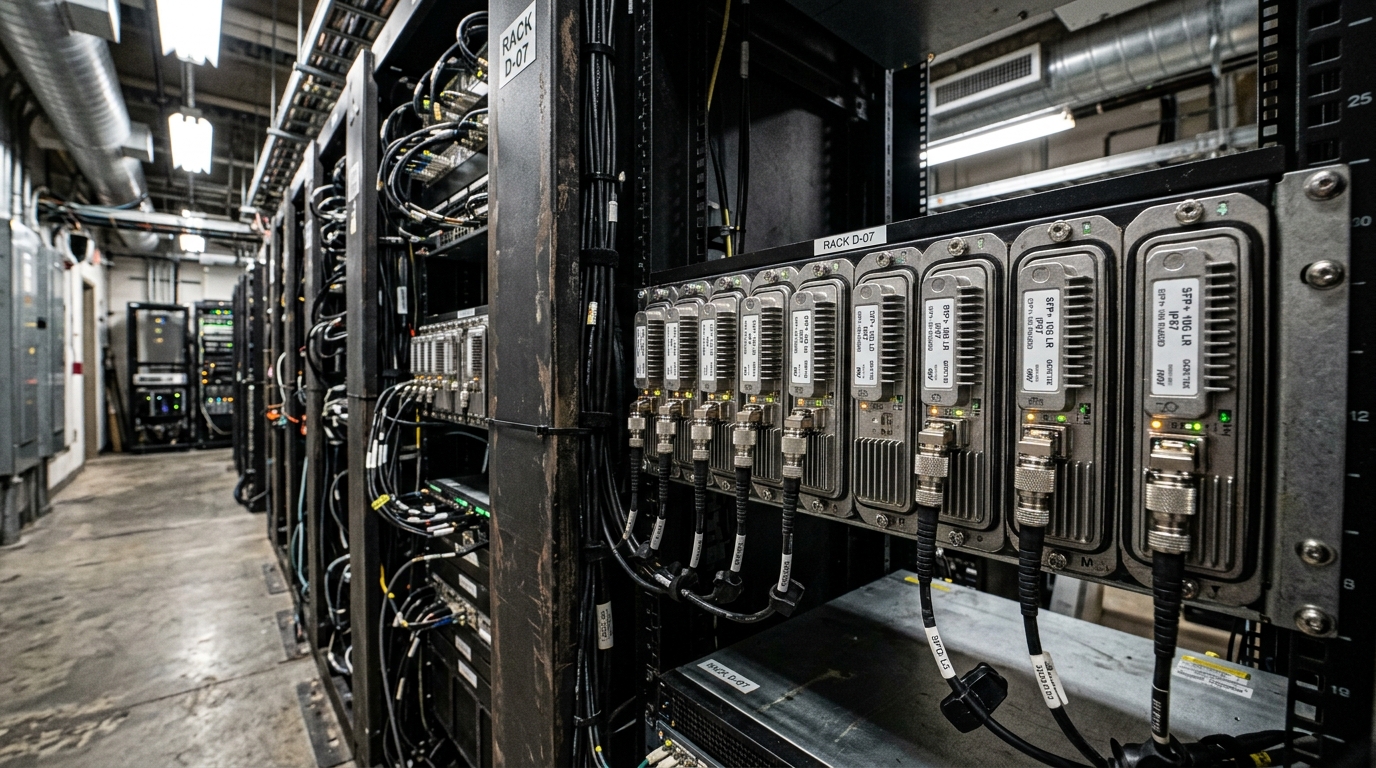
In my last rollout, we planned a leaf-spine expansion from 24 to 36 racks, adding 10G and 25G links while keeping the existing fiber plant. The challenge was that “fiber cost per meter” was only one line item; the true total included optics (SFP28/SFP+ or QSFP28 depending on port speeds), patching hardware, spares, and installation labor. We needed an Excel model that could be updated weekly as link counts changed and as vendor pricing shifted. The goal was simple: build a cost baseline with assumptions that we could explain to finance and engineering leadership.
To keep the model consistent with industry behavior, we anchored our technical assumptions to IEEE 802.3 link standards for Ethernet optics, and to vendor datasheets for optics power and temperature behavior. For example, 10GBASE-SR and 25GBASE-SR optics are defined by IEEE 802.3 clauses, while actual transceiver parameters (wavelength, reach, DOM interface, and power) come from module datasheets. For standards references, see IEEE 802.3 and for DOM behavior, vendor documentation for models you consider.
Environment specs: the numbers that drive optical infrastructure costs
Before touching Excel, we captured the environment as measurable inputs. In our case, the data center had a structured cabling backbone with 12-fiber trunks from the main distribution area to each row, plus patch panels at both ends. We also had mixed link speeds: existing 10G ToR uplinks and new 25G ToR uplinks, with a migration plan that preserved most of the fiber.
Here are the physical and network constraints we encoded into the model. We treated them as “constants” unless a change request was approved, because optics choices follow fiber type and reach.
| Parameter | 10GBASE-SR (example) | 25GBASE-SR (example) | What Excel needs |
|---|---|---|---|
| Nominal wavelength | 850 nm | 850 nm | Used to match fiber type and avoid wrong BOM |
| Typical reach | ~300 m on OM3 / ~400 m on OM4 (varies by module) | ~100 m on OM3 / ~150 m on OM4 (varies by module) | Distance-to-link budget |
| Connector | LC duplex | LC duplex | Patch panel and cassette compatibility |
| Data rate | 10.3125 Gbps line rate | 25.78125 Gbps line rate | Switch port compatibility |
| DOM support | Commonly supported via I2C (module-dependent) | Commonly supported via I2C (module-dependent) | Operational visibility and vendor support |
| Power (typical) | ~0.9 to 1.5 W (model-dependent) | ~1.2 to 2.0 W (model-dependent) | Power estimate and thermal budget |
| Operating temperature | Commercial or industrial ranges (module-dependent) | Commercial or industrial ranges (module-dependent) | Environmental compliance |
In our spreadsheets, we stored distance as “worst-case engineered length,” including slack in trays and patch cords. Then we added a margin for insertion loss and connector loss, because cost optimization fails if the link budget is optimistic. The principle is consistent with optical link engineering practices: ensure the selected transceiver and fiber combination meets the required optical power budget for the specific installation.
Pro Tip: In Excel, separate “count variables” (ports, trunks, patch cords, spares) from “physics variables” (reach, loss margin, temperature range). When a vendor changes quoted reach or a field team reports longer patch cord routing, you can update physics assumptions without breaking your labor and procurement counts.
Chosen solution: how we structured the Excel cost model
For the case study, we built a workbook with five tabs: Inputs, Link Plan, Optics BOM, Cabling BOM, and Cost Summary. The key was to make every line item traceable to a measurable driver. For example, optics quantity equals “number of active ports × number of directions,” while spares follow a policy like “5 percent on day one, plus one spare per cabinet.”
We also used a standardized naming convention for optics SKUs so compatibility checks were automatic. For instance, we evaluated specific transceiver models such as Cisco SFP-10G-SR for 10GBASE-SR use and Finisar FTLX8571D3BCL as an example 25G SR candidate, then compared them against the switch vendor’s optics compatibility list. When third-party modules are involved, we verified DOM compatibility and whether the switch firmware accepted the module identification. If you are considering FS.com optics, for example, their SFP-10GSR-85 family may be relevant for 10G SR scenarios, but always validate against your switch model’s supported optics list.
Implementation steps: from link plan to cost totals
Step one was converting the network plan into link counts. In a leaf-spine topology, each ToR switch uplinks to multiple spine switches; that creates a predictable matrix of active optics. We computed optics quantity per link type: for example, each 25G uplink uses a pair of transceivers (one at each endpoint), so the “transceiver count” is double the number of bidirectional links. Then we added spares: in our deployment, we carried 5 percent spare optics for each module type, rounded up to whole units.
Step two was mapping those counts to BOM lines. For optics, each BOM line included wavelength, reach class, connector type, power (for power cost), and whether DOM was supported. For cabling, we modeled trunk assemblies, patch panel ports, and patch cords. We also included labor as separate categories: port labeling, cassette installation, fiber cleaning and termination, and testing (OTDR and/or optical power meter and light source). These labor items were estimated per termination and per test run.
Step three was cost normalization. We used a “landed cost” approach: module unit price plus estimated freight and expected customs handling if applicable, plus a contingency for lead-time risk. For labor, we used an internal blended rate for technicians and contractors, then applied a buffer for rework. This is where Excel wins: you can show finance exactly why the contingency exists.
Step four was sensitivity analysis. We created a simple scenario selector: baseline, aggressive procurement (lower pricing, tighter lead times), and conservative procurement (higher pricing and longer delays). Then we compared total cost and risk. That made it easier to decide whether to standardize on one optics family across the site or accept multiple families to reduce immediate lead-time issues.
Measured results: what the Excel model changed in the field
In our deployment, the rollout added 12 racks and increased active uplinks by 288 links across 10G and 25G segments. We used the Excel model to decide optics families and to plan spare inventory before the first cutover window. The measured outcome was not just “we stayed on budget,” but that we reduced last-minute procurement chaos.
Before using the model, we had a typical pattern: the optics BOM was assembled late, and cabling labor estimates were revised after termination started. After implementing the workbook, we locked the BOM earlier and updated it weekly as the link plan stabilized. Our results: we cut optics re-order events from 4 per month to 1 per quarter during the first three months, and we reduced cabling rework by about 25 percent because the termination and testing labor lines were tied to measured termination counts.
For cost, the model’s baseline landed at a total optical infrastructure spend of $184,000 for optics and cabling for the expansion scope, including 5 percent spares and a 10 percent contingency. The final invoice varied by less than 6 percent from the baseline because assumptions were explicit and change requests were tracked. In a TCO view, the bigger lever was operational: fewer outages caused by rushed transceiver swaps and fewer emergency shipments that inflate landed costs.
Selection criteria checklist: choosing optics that match both budget and compatibility
Once Excel tells you what you will buy, engineers still need a decision process that respects switch compatibility, DOM behavior, and environmental limits. Use this ordered checklist to avoid expensive mismatches.
- Distance vs reach margin: confirm engineered length plus patch cord slack fits the selected transceiver reach for your fiber type (OM3 vs OM4).
- Switch port and lane speed compatibility: validate whether your switch supports the chosen form factor and speed (SFP+, SFP28, QSFP28) at the required mode.
- Connector and cabling ecosystem: ensure LC duplex vs other connector types align with your patch panels and cassettes.
- DOM support and telemetry behavior: confirm DOM functions under your switch firmware; plan for alarms if DOM is partial or behaves differently.
- Operating temperature and airflow: check module temperature range and your rack thermal conditions; verify that optics are rated for your site environment.
- Vendor lock-in risk: compare OEM optics vs third-party and assess switch compatibility lists, warranty terms, and RMA friction.
- Power and thermal cost: include watt-per-module in your Excel model if you are comparing high-density scenarios.
- Spares policy: decide the fraction of spare optics and spare patching components to stock on day one.
Common pitfalls and troubleshooting tips that break optical infrastructure budgets
In real projects, the spreadsheet can be perfect and still fail if field execution diverges. Here are failure modes I have seen, with root causes and fixes.
Pitfall 1: Using reach specs as if they were guaranteed in your exact plant
Root cause: engineers assume “300 m” or “150 m” reach equals installed performance, ignoring insertion loss from patch cords, connectors, and aging. Solution: add a loss margin in Excel and require a measured test result plan: optical power checks at acceptance, plus OTDR traces where required.
Pitfall 2: Mismatched optics form factor to switch mode
Root cause: a switch can support a speed only in certain port configurations, or it disables lanes when incompatible optics are inserted. Solution: build a port-to-BOM mapping in Excel that reflects actual switch configuration; confirm against the switch hardware guide and optics compatibility list.
Pitfall 3: DOM telemetry differences cause alarms or prevent visibility
Root cause: third-party optics may report DOM values differently, or the switch may reject modules based on identification fields. Solution: validate DOM behavior in a staging environment. In the workbook, add a “DOM verified on this switch model” flag per SKU before scaling procurement.
Pitfall 4: Underestimating termination and testing labor
Root cause: crews count “fibers terminated,” but not the number of cleaning cycles, re-termination attempts, label updates, and test iterations. Solution: in Excel, tie labor to both termination events and test runs; include rework probability and a buffer for backlog.
Cost and ROI note: OEM vs third-party optics in a spreadsheet reality
Price differences between OEM and third-party optics can be significant, but TCO depends on failure rates, RMA turnaround, and operational time. In many enterprise and data center purchases, OEM optics can run roughly 1.5x to 3x the unit cost of compatible third-party modules, though exact pricing varies by speed (10G vs 25G vs 40G) and by lead-time urgency. When you include downtime risk and labor for swaps, the cheapest module can become expensive if compatibility friction triggers troubleshooting.
In our case, we used a mixed approach: OEM optics where switch compatibility was strict and third-party where DOM and identification were verified. Excel made this decision measurable by tracking not only unit price but also spares count and projected replacement events. If you want a realistic ROI view, include: expected failure/DOA handling time, estimated technician hours per swap, and the cost of emergency shipments.
FAQ
How do I start an optical infrastructure cost analysis in Excel without getting lost?
Begin with an Inputs tab: rack count, link speeds, fiber types, engineered distances, and spare policy. Then create a Link Plan tab that converts the topology into active link counts. Finally, drive BOM lines from those counts so every cost entry is traceable.
What optics specs must I capture in the spreadsheet?
At minimum: wavelength, connector type, reach class for your fiber type, data rate, DOM support, typical power, and operating temperature range. These fields let you filter incompatible SKUs and estimate power impact for dense deployments.
Should I include labor and testing in the model?
Yes. In practice, termination and testing labor often rivals optics costs for medium-sized expansions, especially when you add rework buffers. Tie labor to termination events and test runs, not just “cable length.”
Can third-party transceivers work reliably in optical infrastructure?
They can, but only after compatibility validation on your specific switch model and firmware. Verify DOM telemetry behavior and identification handling in a staging environment before scaling the BOM.
How do I represent lead-time risk in Excel?
Create procurement scenarios (baseline, aggressive, conservative) with separate unit prices and lead-time assumptions. Then add a contingency cost for expedited shipping or for the schedule impact on cutover windows.
Which standards should I cite for technical justification?
Use IEEE 802.3 for Ethernet optical link definitions and cite vendor datasheets for module parameters like wavelength and DOM behavior. For broader cabling guidance, also reference ANSI/TIA structured cabling documentation where applicable.
If you want to take the same disciplined approach to planning outside the spreadsheet, use optical fiber testing workflow to connect your cost model to acceptance testing and ongoing monitoring. Next step: adapt the Inputs and Link Plan tabs to your topology, then run scenario comparisons before you lock the optics BOM.
Author bio: I travel between data centers to support optical infrastructure rollouts, from transceiver BOM validation to acceptance testing and cutover stabilization. I write from field experience with switch compatibility, DOM telemetry quirks, and the Excel models teams actually use under schedule pressure.
