
Ports and maritime networks live in a harsher reality than most enterprise server rooms: salt air, vibration, temperature swings, and long fiber runs across docks. This article helps network and facilities engineers choose the right harbor network optics for switch ports, routers, and media converters—without betting uptime on guesswork. You will get eight practical transceiver picks, the specs that actually matter, and a field-tested decision checklist for compatibility, cooling, and power.
10G SFP+ SR for Short-Move Intra-Quay Links
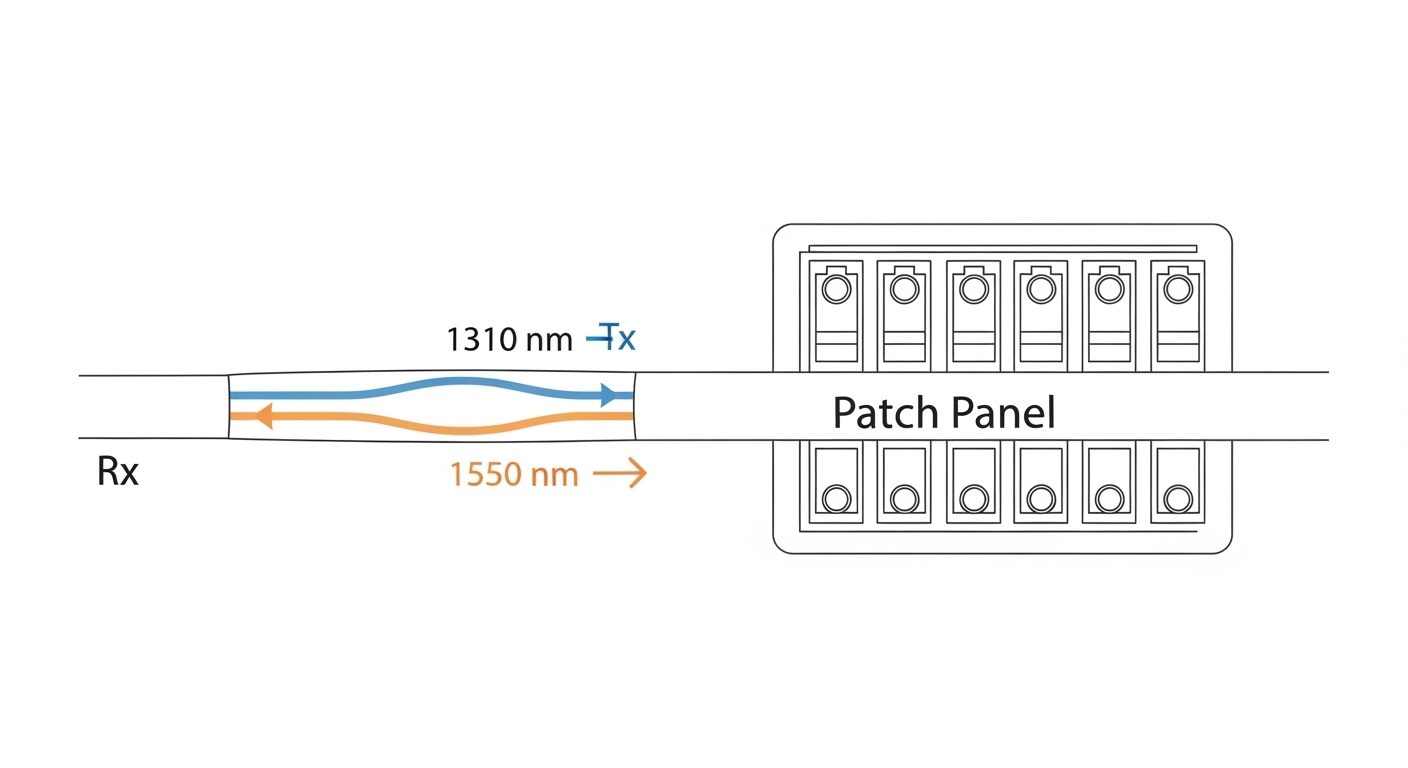
When you need fast 10G connectivity inside a port building—between a core switch and a nearby aggregation rack—10G SFP+ SR is often the lowest-friction choice. SR uses 850 nm multimode optics, typically leveraging OM3 or OM4 fiber for shorter distances. In real deployments, I’ve seen SR used for uplinks from shipyard office closets to a central MDF where patch lengths stay under the budgeted reach.
Key specs to verify include wavelength, reach, connector type, and the switch’s expected electrical interface (SFP+). Look for vendor datasheets that state DOM support if you want proactive monitoring in NMS.
Best-fit scenario
In a port operations center with a 3-tier design, a pair of aggregation switches uplink to a core switch using 48x 10G SFP+ ports. Patch and pigtail lengths are engineered to keep total loss within budget, commonly landing around 0.8–1.2 dB per mated pair plus patch cord loss. SR keeps cost down while maintaining high throughput.
Typical options (examples)
- Finisar FTLX8571D3BCL (10GBASE-SR, SFP+)
- FS.com FS SFP-10G-SR (OEM/third-party options vary by DOM and temperature grade)
- Cisco SFP-10G-SR (commonly used where vendor compatibility is strict)
Pros / Cons
- Pros: Widely supported, cost-effective, easy to stock, high availability
- Cons: Limited reach vs LR/ER, depends on multimode fiber quality (OM3/OM4)
10G SFP+ LR for Dock-to-Warehouse Runs Over Budgeted Distance
For runs that exceed multimode reach, 10G SFP+ LR (long reach) moves you to 1310 nm single-mode fiber. LR commonly supports longer distances than SR, and it is resilient when fiber plant loss and splice count are carefully engineered. In practice, LR is a go-to choice for connecting a warehouse switch to a dock-side cabinet when trenching already installed single-mode.
Engineers should confirm link budget assumptions: fiber attenuation at 1310 nm, splice and connector losses, and any patch panel contributions. Also verify whether the transceiver supports Digital Optical Monitoring (DOM) and whether your switch reads it correctly.
Best-fit scenario
On a multi-dock campus, a central network room connects to three dock-side enclosures. Each run is engineered to about 2.8 km average with controlled splice counts and scheduled cleaning. LR provides margin for aging connectors and seasonal temperature drift.
Typical options (examples)
- Finisar FTLX1312D3BCL (10GBASE-LR, SFP+)
- FS.com SFP-10G-LR style modules (verify DOM and temperature grade)
- Vendor-specific LR SFP+ modules for strict compatibility environments
Pros / Cons
- Pros: Strong reach for single-mode, good balance of price and distance
- Cons: Requires single-mode fiber plant, higher cost than SR
25G SFP28 SR for High-Density Switch Stacks Without Changing Cabling
When you are preparing for higher port utilization but cannot justify a full fiber plant rebuild, 25G SFP28 SR is a popular middle step. It keeps the multimode ecosystem but doubles per-lane throughput compared to 10G. In a typical port network refresh, this can mean replacing older 10G uplinks with 25G uplinks while leaving OM3/OM4 backbone intact.
Verify that your switch supports 25G SFP28 optics at the required electrical lane mapping. Also check power consumption and airflow requirements because dense 25G deployments can change rack-level thermal behavior.
Best-fit scenario
In a leaf-spine style modernization for port logistics, top-of-rack and spine switches are upgraded in waves. The first wave replaces 10G SR uplinks with 25G SFP28 SR to increase north-south capacity without recabling. Total channel budgets are validated by OTDR and end-to-end light testing before cutover.
Typical options (examples)
- Cisco 25GBASE-SR SFP28 variants (switch-dependent)
- Finisar/FS.com 25G SR SFP28 options (confirm DOM and temperature)
Pros / Cons
- Pros: Higher throughput, leverages existing multimode in many ports
- Cons: Still multimode-limited; thermal/power density increases
25G SFP28 LR for Longer Runs With Better Future-Proofing
25G SFP28 LR is the natural next step when you need more distance than SR but want to stay on 25G per port. It uses 1310 nm single-mode fiber and is frequently used for campus-style links where you want capacity growth without moving to 40G/100G. In port environments, LR also fits well for connecting buildings, control towers, and remote security hubs.
For selection, engineers often focus on reach, DOM, and whether the transceiver is specified for the operating temperature range you expect in enclosures. Maritime cabinets can exceed typical indoor assumptions during summer peaks.
Best-fit scenario
A port security overlay adds cameras and access control at remote gates. Each gate cabinet is connected back to a regional switch with roughly 3–6 km of single-mode fiber. Using 25G LR reduces oversubscription and helps avoid additional uplink bottlenecks as video streams grow.
Typical options (examples)
- 25GBASE-LR SFP28 modules from Cisco-compatible catalogs (verify exact switch model)
- Third-party LR SFP28 modules with DOM and matching wavelength class
Pros / Cons
- Pros: Good distance, scalable capacity, compatible with modern switch ports
- Cons: Single-mode required; ensure thermal spec matches cabinet realities
40G QSFP+ SR for Legacy Backbone Consolidation
If your port network still carries legacy 40G QSFP+ backbone links, 40G SR can be a cost-effective way to keep optics consistent while you migrate. SR at 850 nm typically uses multimode, and 40G can reduce port count pressure in aggregation blocks. I’ve used 40G SR during phased replacements where older chassis were scheduled for retirement but needed to stay live for one more season.
Confirm the QSFP+ interface support in your switch and validate that the optics temperature and power class align with the platform’s airflow design.
Best-fit scenario
In a port data room, a core switch uplinks to two aggregation switches using 8x 40G QSFP+ links. The physical fiber plant is OM4, and patch lengths are managed to stay within the SR budget with a small margin for connector aging.
Typical options (examples)
- Cisco 40GBASE-SR QSFP+
- Finisar/FS.com 40G SR QSFP+ modules (verify compatibility and DOM)
Pros / Cons
- Pros: Helps consolidate bandwidth, relatively fast to deploy in multimode plant
- Cons: Multimode dependency, higher optics cost than 10G/25G per bit
100G QSFP28 SR4 for High Throughput in Dense Port Data Rooms
For modern port data rooms that aggregate traffic from multiple services—OT networks, logistics apps, telemetry—100G QSFP28 SR4 can be a high-density capacity lever. SR4 uses 850 nm optics with four lanes, typically over OM3/OM4. It is common in switch refresh projects where you need fewer fibers and more bandwidth in limited rack space.
Engineers should pay close attention to module power draw and how it impacts rack cooling. In high-density deployments, you may also need to adjust cable management to avoid airflow restriction around the QSFP28 cage area.
Best-fit scenario
In a port’s main network room, a pair of spine switches each host 16x 100G QSFP28 uplinks. Multimode cabling already exists to the aggregation layer, and SR4 keeps the migration staged without immediate single-mode conversion. Rack airflow is verified with temperature probes near the switch exhaust points.
Typical options (examples)
- Cisco QSFP28 100G SR4 modules (platform-specific)
- FS.com 100G SR4 (verify lane mapping and DOM behavior)
- Finisar 100G SR4 variants (datasheet match required)
Pros / Cons
- Pros: Massive bandwidth per slot, strong fit for dense indoor data rooms
- Cons: Multimode limits distance; power and thermal constraints are real
DWDM-Compatible Long-Reach Options for Inter-Island or Wide Harbor Fiber
When you need to span long distances across harbor zones or interconnect facilities where fiber is expensive to trench, long-reach single-mode options and DWDM strategies can become attractive. While the exact choice depends on your wavelength plan, the selection mindset remains consistent: confirm ITU channel compatibility, verify transceiver wavelength stability, and align launch power with your MUX/DEMUX budgets.
In the field, I’ve seen teams underestimate the importance of connector cleanliness and the cumulative effects of aging on optical power. For DWDM, those issues can shift you from “works on day one” to “marginal after seasonal humidity cycles.”
Best-fit scenario
A harbor authority interconnects two buildings separated by a wide waterway using existing aerial fiber. The project uses single-mode with a managed optical budget and scheduled maintenance. For capacity upgrades, the team plans wavelength-locked optics to avoid channel collisions with existing services.
Pros / Cons
- Pros: Supports long reach and efficient fiber utilization
- Cons: Higher design complexity; requires careful optical budgeting and compatibility testing
Ruggedized Patch and Temperature-Grade Optics for Maritime Enclosures
In maritime cabinets, optics reliability is not only about distance—it is about operating temperature, mechanical stress tolerance, and consistent fiber handling. Many “it should work” failures come from mismatch between module temperature rating and the enclosure’s real thermal profile. For harbor networks, I recommend selecting optics with clear temperature range and ensuring you have a maintenance plan for cleaning and re-termination.
Also consider that some optics are sensitive to how they are seated in cages. In humid environments, even slight contact issues can create intermittent link drops that look like congestion but are actually optical faults.
Best-fit scenario
At a dock-side gate cabinet, switches are housed in an outdoor-rated enclosure with forced airflow. The optics must survive the measured internal range during peak summer. Technicians use lint-free wipes, proper cleaning tools, and inspect ferrules before swaps to prevent repeating the same failure mode.
Pros / Cons
- Pros: Fewer intermittent failures, better uptime under harsh conditions
- Cons: Often higher cost; requires disciplined optics handling procedures
Quick Spec Comparison: Pick the Right Harbor Network Optics Class
Use this table as a fast sanity check. Always confirm exact compliance with IEEE Ethernet optics requirements and your specific switch vendor compatibility list.
| Optics Type | Data Rate | Wavelength | Typical Fiber | Common Reach Class | Connector | DOM | Temperature Range (verify) |
|---|---|---|---|---|---|---|---|
| 10G SR (SFP+) | 10GbE | 850 nm | OM3/OM4 MMF | Up to ~300 m (OM3) / ~400 m (OM4) | LC | Often available | Commercial or extended (check datasheet) |
| 10G LR (SFP+) | 10GbE | 1310 nm | SMF | Up to ~10 km | LC | Often available | Commercial or extended (check datasheet) |
| 25G SR (SFP28) | 25GbE | 850 nm | OM3/OM4 MMF | Up to ~100 m class (varies by OM) | LC | Often available | Commercial or extended (check datasheet) |
| 25G LR (SFP28) | 25GbE | 1310 nm | SMF | Up to ~10 km | LC | Often available | Commercial or extended (check datasheet) |
| 40G SR (QSFP+) | 40GbE | 850 nm | OM3/OM4 MMF | Up to ~150 m class (varies by OM) | LC | Often available | Commercial or extended (check datasheet) |
| 100G SR4 (QSFP28) | 100GbE | 850 nm | OM3/OM4 MMF | Up to ~100 m class (varies by OM) | LC | Often available | Commercial or extended (check datasheet) |
Sources: IEEE Ethernet optics requirements and transceiver class behavior are commonly aligned with IEEE 802.3 specifications for respective PHYs; vendor datasheets define exact reach, power, and DOM support. [Source: IEEE 802.3] [Source: Vendor transceiver datasheets such as Cisco and Finisar]
Engineer Decision Checklist: What to Verify Before You Buy
In harbor networks, the fastest way to avoid downtime is to treat optics selection like a link-budget and compatibility project, not a “part number swap.” Use this ordered checklist and document the results for each site.
- Distance and link budget: Confirm fiber attenuation, splice loss, connector loss, and patch cord contribution at the wavelength you need.
- Switch compatibility: Validate the exact transceiver form factor and PHY type (SFP+, SFP28, QSFP+, QSFP28) against your switch model.
- DOM and telemetry: Decide whether you need real-time receive power monitoring; confirm your switch reads DOM fields correctly.
- Operating temperature range: Match the module grade to the enclosure profile during peak heat and humidity cycles.
- Power and thermal impact: QSFP28 and higher-density optics can change rack airflow targets; check switch cooling guidance.
- Fiber cleanliness and connectors: Plan cleaning tools and inspect ferrules; dirty connectors cause intermittent link events.
- Vendor lock-in risk: OEM and some third-party optics behave differently across platforms; test before broad rollout.
- Spare strategy: Stock optics by class and wavelength; label them by DOM capability and temperature grade.
Pro Tip: In field troubleshooting, I’ve seen “random link flaps” traced not to the transceiver itself but to marginal receive power caused by one dirty connector that only fails under certain humidity. If you have DOM, correlate link events with receive power swings, then clean and re-seat both ends before replacing optics.
Common Mistakes and Troubleshooting Tips in Harbor Network Optics
Even experienced teams can get tripped up. Below are failure modes I’ve personally encountered during port upgrades, along with root causes and fixes.
-
Mistake 1: Buying the right wavelength but the wrong fiber mode class.
Root cause: SR optics chosen for a plant that is older or mixed multimode (OM2/unknown) leads to insufficient margin. Fix: Verify fiber type with records and test results, then confirm the SR reach spec for that OM grade.
-
Mistake 2: Ignoring enclosure temperature and assuming “commercial” is fine.
Root cause: Outdoor-rated cabinets can exceed transceiver operating limits, causing intermittent link drops or permanent failures. Fix: Measure internal cabinet temperature at peak conditions and select optics with an appropriate temperature grade.
-
Mistake 3: Skipping connector cleaning after a swap or inspection.
Root cause: Handling ferrules contaminates surfaces; salt-laden air accelerates residue buildup. Fix: Use proper fiber cleaning tools, inspect with a scope, and document cleaning steps in the work order.
-
Mistake 4: Assuming third-party optics will behave identically across switch vendors.
Root cause: Some optics may report DOM differently or require firmware support for link negotiation. Fix: Pilot in a staging rack, validate DOM telemetry, and only then expand deployment.
Cost and ROI Note: How to Budget Without Underbuying
Pricing varies by brand, temperature grade, and whether DOM is included. As a realistic planning range, OEM optics often cost more but reduce compatibility risk; third-party modules can be significantly cheaper yet require validation. For many port projects, the TCO difference comes from labor and downtime: one failed swap on a dock-side cabinet can cost more than the optics price due to truck rolls, safety procedures, and extended outage windows.
A practical ROI approach is to model expected
