
When an 800G fabric link drops, the outage is rarely “mystical”; it is usually a measurable optics, polarity, or physical-layer mismatch. This guide helps network and field engineers triage fiber optics failures in minutes by mapping symptoms to verifiable checks, then applying corrective actions with minimal disruption. It focuses on practical recovery for high-speed transceivers and cabling in modern leaf-spine or spine-leaf deployments. Update date: 2026-05-03.
Prerequisites for safe 800G fiber optics troubleshooting
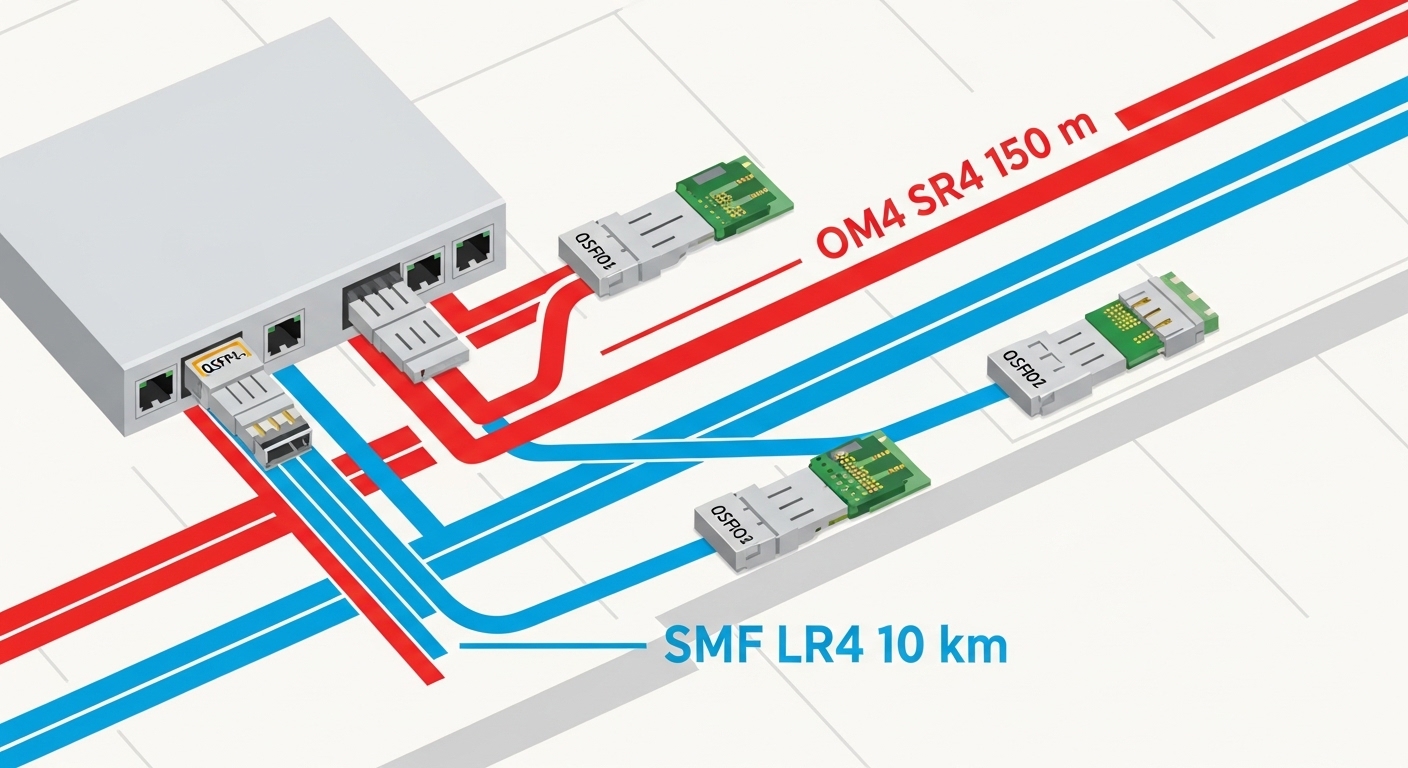
Before you touch optics, confirm you can observe link state and physical-layer alarms without creating a second fault. You will need access to the switch CLI, optical DOM/telemetry, and a known-good test method for continuity and loss. If you are working on live traffic, plan a maintenance window; some re-seating actions can flap adjacent lanes.
- Tools: lint-free wipes, isopropyl alcohol or approved cleaner, fiber inspection scope, polarity test method, calibrated optical power meter (or built-in receiver telemetry), and a label system.
- Documentation: port-to-cable map, transceiver part numbers, and target standards (for example, IEEE 802.3cd for 800G-class Ethernet).
- Safety: ESD precautions; never look into active optics; follow your site laser safety policy.
Expected outcome: You can capture alarms, identify whether the failure is optical power, encoding/lane errors, or cabling/polarity, and proceed without guesswork.
Step-by-step triage workflow for critical 800G fiber optics failures
This section is written as a numbered implementation plan for rapid recovery. The logic is: confirm symptoms, validate optics health, verify physical layer (loss, cleanliness, polarity), then isolate whether the problem is on the transmit, receive, or link partner side.
Capture the failure signature from the switch
Start by recording what the switch reports, because 800G optics often fail in distinct ways: link down, BER/PCS errors, receiver LOS, or high lane error counts. On Cisco and similar platforms, collect per-port counters and optics telemetry. If you see RX_LOS or “receive signal not detected,” prioritize transmit power and connector cleanliness first; if you see “lane deskew” or “FEC/PCS” errors without LOS, suspect marginal loss or a polarity/route problem.
Example commands (adjust to your platform): show interface status, show interface transceiver details, and show interface counters. Save outputs for before/after comparison.
Expected outcome: You classify the failure into optical power/LOS, BER/FEC instability, or full link negotiation failure.
Identify the exact transceiver type and lane mapping
800G modules are frequently multi-fiber parallel optics (for example, eight lanes of 100G-class sub-links aggregated). Confirm the module model, wavelength, and connector type from the vendor label and DOM. Cross-check whether the deployment uses MPO/MTP polarity conventions (often “A-to-B” style) and whether the patch panels match.
Real-world spec anchor: Many 850 nm multimode 800G implementations target short-reach distances on OM4/OM5 with MPO connectors. A mismatch between OM4 vs OM5 assumptions, or an incorrect polarity patch, can cause high lane errors even when the link lights appear “up” briefly.
Perform a controlled optics re-seating and inspection
Re-seat the transceivers only after checking that the port is administratively safe for your environment. Remove the module, inspect the optical ferrules with a scope, and clean if you see dust, haze, or scratches. Then re-seat firmly and wait for link training.
Expected outcome: If the failure was connector contamination, the link should recover with stable error counters within minutes.
Validate receive optical power and compare against thresholds
Use DOM telemetry to compare TX bias, RX power, and any vendor-provided “optical diagnostics” values. If RX power is below expected operating range, suspect cabling loss, a damaged patch cord, or a misrouted fiber. If TX bias is abnormal while RX power is normal, suspect a failing module or lane-level issue.
For third-party optics, ensure they are within the host’s compatibility envelope and that they support the same DOM schema; otherwise, telemetry can be misleading even if the link eventually passes.
Verify polarity and MPO/MTP mapping end-to-end
Polarity errors are the fastest-to-fix failure mode when you have the right test method. Verify the patch cord type and the polarity configuration at both the transmit and receive ends. If the system uses MPO/MTP polarity adapters, confirm they are installed consistently across the row.
Pro Tip: In 800G parallel optics, “it partially links” often means polarity is wrong for some lanes, not all. After correcting polarity, watch lane-level error counters; a full link-down can be a worst-case, but lane skew or mixed polarity can present as intermittent FEC/PCS instability before total failure.
Swap optics with a known-good module (isolate module vs fiber)
If RX power is low and cleaning/polarity checks do not restore service, swap the transceiver with a verified known-good unit of the same part number. If the issue follows the module, replace it; if it stays on the port/cable, move to fiber inspection and loss testing.
Expected outcome: You isolate whether the failure is in the transceiver optics or in the cabling/patch path.
Key fiber optics parameters that matter for 800G recovery
800G links are sensitive to optical budget, connector cleanliness, and lane mapping. The goal is to ensure the installed link meets the standard’s reach and the vendor’s optical power requirements across temperature and aging. Always confirm whether your environment is multimode (850 nm class) or single-mode (1310/1550 nm class), because fixes differ.
| Parameter | 850 nm Multimode (Typical short reach) | 1310/1550 nm Single-mode (Typical longer reach) |
|---|---|---|
| Data rate target | 800G aggregate via parallel lanes | 800G aggregate via parallel lanes |
| Wavelength | ~850 nm | ~1310 nm or ~1550 nm |
| Connector style | MPO/MTP (common for parallel) | Often MPO/MTP for parallel or LC depending on design |
| Typical reach class | Short reach on OM4/OM5 with strict polarity | Longer reach depending on optics class |
| Temperature range | Vendor-dependent; verify DOM spec and module class | Vendor-dependent; verify DOM spec and module class |
| Failure sensitivity | High sensitivity to dust, polarity, and excess loss | High sensitivity to wrong fiber type and connector contamination |
Selection note: When you troubleshoot, do not assume that “same wavelength” means “same optical budget.” Compare module part numbers and vendor datasheets, including supported fiber types and reach. Examples of optics families you may encounter include Cisco SFP-10G-SR (as a reference point for short-reach behavior), and common 800G-class modules such as Finisar FTLX8571D3BCL and FS.com 800G SR variants (exact compatibility depends on host platform).
Authority references: IEEE 802.3 family overview for Ethernet physical-layer standards, and vendor datasheets for your specific 800G transceiver model: Finisar (Oclaro) / Coherent optics documentation portal and FS.com optics documentation portal. [[Source: IEEE 802.3], [Source: vendor transceiver datasheets]]
Decision checklist: choosing the right fix path for 800G fiber optics
Engineers typically narrow the fault domain quickly by ordering checks in the most information-dense sequence. Use this list to decide whether to clean, swap, repatch, or run loss testing.
- Distance and optical budget: confirm the installed fiber length and patch panel count against the transceiver reach class.
- Connector type and cleanliness: inspect every MPO/MTP interface before swapping optics.
- Switch compatibility: verify the transceiver model is supported by the host (vendor compatibility matrix when available).
- DOM telemetry reliability: confirm DOM values are readable and consistent with the module type.
- Operating temperature: check if the failure correlates with thermal events or rack airflow changes.
- Polarity and lane mapping: validate MPO polarity adapters and patch cord orientation end-to-end.
- Vendor lock-in risk: if third-party optics are used, plan spares and keep documentation for DOM behavior and thresholds.
Expected outcome: You pick the minimum set of actions that will resolve the outage with the least service disruption.
Common mistakes and troubleshooting tips for 800G outages
Below are frequent failure modes that create long outages when handled incorrectly. Each includes a root cause and a practical solution.
- Mistake: Cleaning only the face of the connector and skipping end-to-end inspection
