
When an edge switch suddenly drops link on an SFP port, the outage is rarely “mysterious” for long. This article helps field engineers and network leads troubleshoot SFP connection failures in edge deployments by isolating optics, fiber, switch compatibility, and physical-layer settings. You will get a practical comparison of the most common SFP transceiver types, a decision checklist, and concrete failure modes with root causes.
Start with the failure boundary: link down vs errors vs intermittent flaps
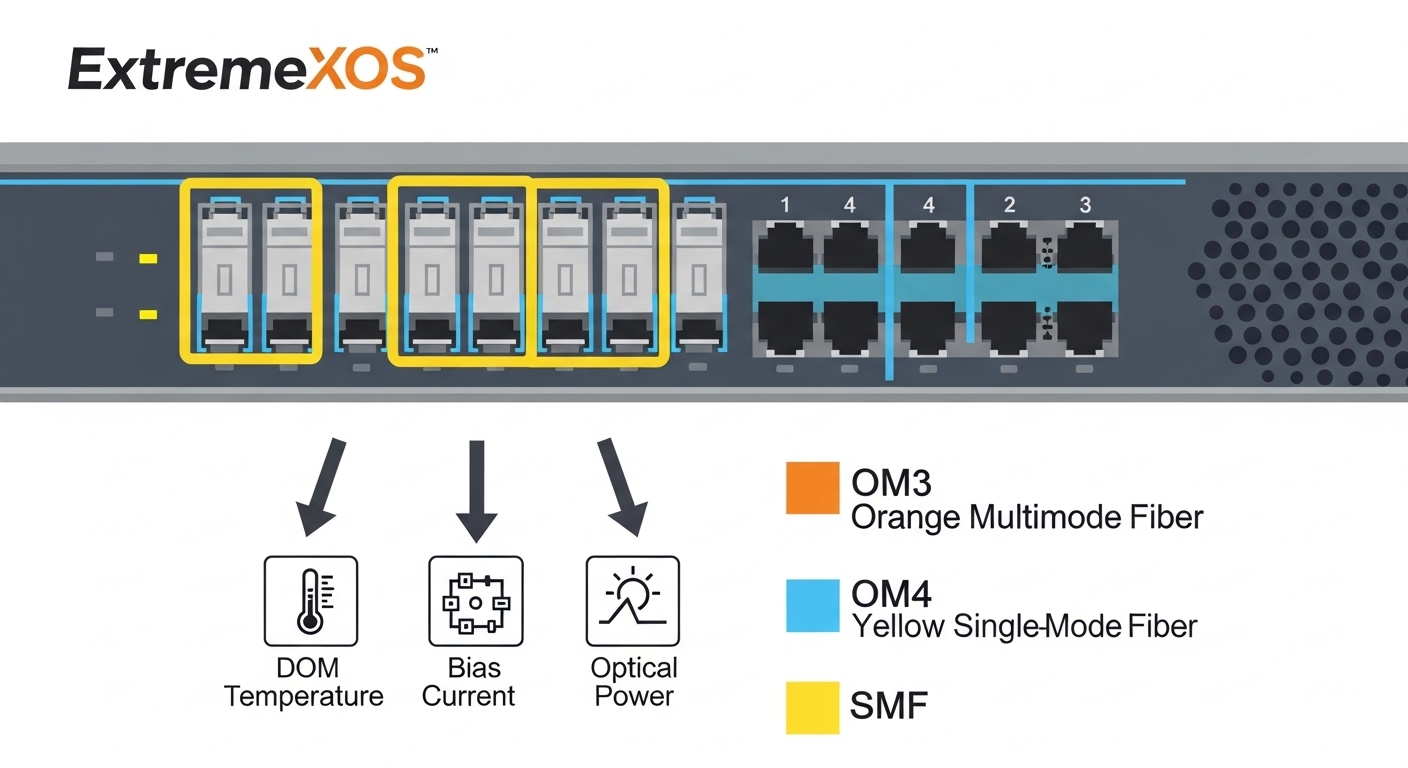
In edge deployments, the fastest path to recovery is to classify the symptom before swapping parts. Treat the problem as a physical-layer chain: transceiver optics → fiber plant → connector/patch hardware → switch port electrical interface → transceiver DOM data. A link-down event usually points to power, wrong wavelength, bad insertion, or fiber direction issues. Intermittent flaps often indicate contamination at ferrules, marginal optical power, or vibration-related connector looseness.
Quick triage workflow you can run on-site
Use a consistent sequence to avoid random swaps. First, read port status and optical diagnostics if available (DOM). Then confirm the partner side: the remote transceiver type and fiber polarity. Finally, perform physical checks: latch engagement, dust on LC/SC ferrules, and cable strain relief. If you have access to a light source and power meter, validate receive power within the vendor’s specified sensitivity range.
Field note: On many switches, the port may report “up” while experiencing high CRC errors, which still breaks higher-layer services. If you see rising interface errors, focus on optical budget, fiber cleanliness, and connector alignment rather than only link state.
SFP transceiver types in edge deployments: what fails differently
SFP is a form factor, not a guarantee of compatibility. In edge deployments you typically choose between SR (short reach multimode), LR (long reach single-mode), and occasionally BX (bi-directional over one fiber). Failures differ: SR is sensitive to multimode cabling type and patch hygiene; LR is sensitive to single-mode fiber quality and wavelength matching; BX adds polarity and wavelength-pair constraints.
Key specs that determine whether the link should even work
Before troubleshooting, confirm the basics: data rate, wavelength, reach, and connector type. Also verify temperature range for outdoor or near-freezer enclosures, because many edge cabinets experience wide thermal cycles. The SFP must be electrically compatible with the switch’s supported optics; many modern switches support SFP/SFP+ but may restrict third-party modules unless they pass DOM expectations.
| Transceiver (example) | Data rate | Wavelength | Fiber type | Typical reach | Connector | DOM / diagnostics | Operating temp (typ.) |
|---|---|---|---|---|---|---|---|
| Cisco SFP-10G-SR | 10G | ~850 nm | MMF | ~300 m (varies by OM) | LC | Yes (vendor-specific) | 0 to 70 C (device dependent) |
| Finisar FTLX8571D3BCL (10G SR) | 10G | ~850 nm | MMF | ~300 m (OM3/OM4 dependent) | LC | Yes | -40 to 85 C (model dependent) |
| FS.com SFP-10GSR-85 (10G SR) | 10G | ~850 nm | MMF | ~400 m (with OM4, varies) | LC | Yes | -40 to 85 C (model dependent) |
| Common 10G LR SFP (example class) | 10G | ~1310 nm | SMF | ~10 km | LC | Yes | -40 to 85 C (model dependent) |
| Common 10G BX SFP (example class) | 10G | ~1310/1550 pair | SMF (one strand) | ~10 km | LC | Yes | -40 to 85 C (model dependent) |
These numbers are representative; always confirm exact limits in the module datasheet and the switch transceiver matrix. For Ethernet SFP behavior and optical interface requirements, refer to IEEE 802.3 for 10GBase-SR/LR specifications and vendor datasheets for reach and power budgets. Source: IEEE 802.3
Pro Tip: In edge deployments, the fastest “is the optics alive?” check is not always the switch LEDs. If you have an optical power meter, measure receive power at the receiver end. A clean connector can still fail if the optical budget is exceeded due to extra patch panels, dirty MPO/LC transitions, or a mismatch between OM3 and OM4.
Compatibility and DOM: why “the light is on” but the port stays dead
Some edge deployments use hardened switches or industrial gateways with strict optics validation. In those cases, a module can physically seat and still be rejected due to unsupported DOM thresholds or vendor-specific behaviors. Even when the transceiver is “compatible” by wavelength and data rate, differences in EEPROM programming, diagnostic calibration, or vendor locking policies can cause the port to remain down or report “unsupported transceiver.”
What to verify on both ends
Check the switch logs for messages indicating transceiver type errors, EEPROM read failures, or signal loss. Then verify the far-end module: SR must pair with SR; LR must pair with LR; BX requires the correct wavelength pair (for example, “Tx1310/Rx1550” on one side and the complementary direction on the other). If you are using patch cords, confirm that fiber polarity is correct for the connector type and that you are not swapping transmit and receive.
DOM and temperature surprises in the field
DOM typically reports laser bias current, received optical power, and temperature. If you see temperature excursions or DOM read failures, suspect poor thermal contact, a partially seated module, or an enclosure that causes condensation. Many “industrial” edge enclosures are sealed; when cooling fails, humidity can degrade connector surfaces and increase insertion loss.
For electrical and management interfaces, consult the module’s datasheet and the host switch’s transceiver support list. Source: Cisco Support and transceiver guidance
Build a distance and budget decision matrix for edge deployments
To avoid repeat outages, treat optical selection as a budget exercise. In edge deployments, the distance is not just the cable length; it includes patch panels, splice loss, connector count, and worst-case aging. Choose transceivers that meet the required link margin under realistic conditions, then standardize on one vendor family when possible to reduce DOM and compatibility surprises.
Selection checklist engineers actually use
- Distance: fiber length plus worst-case patch and panel count, not just “site A to site B.”
- Fiber type and grade: OM3 vs OM4 for SR; SMF core quality and bend radius for LR.
- Wavelength pairing: SR (850 nm) vs LR (1310 nm) vs BX (paired wavelengths).
- Connector type: LC vs SC and cleanliness/inspection capability at the site.
- Switch compatibility: vendor transceiver matrix and supported DOM behavior.
- DOM support: confirm the host can read and interpret diagnostics for alerting.
- Operating temperature: ensure the module is rated for the enclosure environment (often -40 to 85 C for industrial optics, if your module class supports it).
- Vendor lock-in risk: test third-party optics in staging and define acceptable models.
- Spare strategy: keep a known-good module pair with matching wavelength and connector type.
Decision matrix: pick the optics that match your edge constraints
| Edge constraint | Best-fit option | Why it works | Main risk to watch |
|---|---|---|---|
| Short runs inside a cabinet or nearby buildings using MMF | 10G SR (850 nm) SFP | Lower cost, common LC ecosystem | Contamination and OM mismatch (OM3 vs OM4) |
| Long haul across a campus or metro tail over SMF | 10G LR (1310 nm) SFP | Higher reach over SMF | Bad SMF patching, excessive loss, wrong wavelength pair |
| Space-limited links using one fiber strand | 10G BX SFP pair | Bi-directional over one strand | Wrong directional pairing and polarity confusion |
| Harsh environment with thermal cycling | Industrial-rated SFP with proper temp spec | Stability across temperature range | Thermal contact and condensation damage |
| Strict switch validation and DOM policies | Same-vendor or validated third-party model | Reduces “unsupported transceiver” faults | Third-party EEPROM differences causing port disable |
Common SFP connection failure modes in edge deployments (root cause + fix)
Below are repeat offenders that cause link failures in edge deployments. The goal is to move from symptom to root cause quickly, with actions that prevent recurrence.
Link down immediately after insertion
Root cause: Transceiver not fully latched, bent pins, or a damaged cage/connector. Less commonly, the module is the wrong type (for example SR in an LR-only design) or the switch cannot read EEPROM/DOM.
Solution: Remove and reseat firmly until the latch clicks. Inspect the module contacts and the switch port with magnification if available. Confirm the transceiver part number and wavelength class match the design, then check switch logs for “unsupported transceiver.”
Link up but high CRC errors or frequent flaps
Root cause: Fiber contamination at LC ferrules, connector misalignment, or optical power outside the budget due to extra patching/splicing. In edge sites, dust ingress after maintenance is common.
Solution: Clean both ends with a proper fiber cleaning method and inspect with a scope. Re-terminate or replace patch cords if insertion loss remains high. Validate optical receive power against the vendor sensitivity spec.
One-way traffic only (Tx works, Rx silent)
Root cause: Transmit/receive polarity reversed, especially after field re-cabling, or wrong BX directional pairing.
Solution: Confirm polarity: for typical duplex LC, Tx must connect to Rx on the far end. For BX, verify the exact Tx/Rx wavelength direction pairing according to the module labels and datasheet. Use a known-good test transceiver pair if you can.
Works during daylight tests, fails after temperature swings
Root cause: Laser output drift, poor thermal contact, or condensation causing connector surface degradation. Some enclosures also experience power supply instability that affects the switch PHY.
Solution: Confirm temperature rating of the optics and improve thermal management in the cabinet. Add hygroscopic desiccant and ensure cable strain relief prevents micro-movement. Check power rails and verify the switch logs for supply brownouts.
For optical safety and handling best practices, follow the module vendor’s laser safety guidance and cleaning procedures. Source: IEEE 802.3 overview material
Cost and ROI reality: OEM vs third-party optics for edge deployments
Transceiver pricing varies by reach, temperature grade, and vendor. As a rough planning range, 10G SR optics often cost less than LR optics, and industrial temperature-rated modules typically cost more than standard commercial-grade parts. OEM modules can carry a premium of roughly 1.5x to 3x compared to validated third-party optics, but the TCO can still be lower for OEM when you factor in fewer compatibility incidents and faster RMA cycles.
TCO drivers in edge deployments: truck rolls caused by “unsupported transceiver” events, downtime during troubleshooting, cleaning supplies and scopes, and failure rates tied to harsh environments. Third-party optics can be cost-effective if you standardize on a small set of models, test them against your switch firmware, and monitor DOM for early warning. If your site has strict uptime requirements, plan spares as matched pairs and keep a “known-good” module set for each wavelength class.
Which option should you choose?
If your edge deployments are mostly short runs over multimode fiber inside buildings, choose SR optics with OM4 support and enforce connector cleaning discipline. If you need long reach across campuses or outdoor SMF routes, choose LR optics and allocate budget for patch panels and worst-case loss. If you have strict fiber-count constraints, use BX only with a documented directional pairing convention and a polarity verification step in your change process.
For teams optimizing for reliability under strict switch policies, prefer OEM or a pre-validated third-party model set. For teams optimizing for cost at scale, invest in staging tests and DOM-based monitoring so you can safely expand third-party choices without increasing truck rolls. Next, review fiber-cleaning-and-optical-budget-basics to reduce repeat contamination and budget overruns.
FAQ
Q: What is the first thing I should check when an SFP port is link down?
A: Confirm the transceiver is fully seated and latched, then review switch logs for DOM read or unsupported transceiver messages. Next, verify wavelength class and fiber type on both ends, because a wrong pairing can look like a hardware failure. If you have a meter, measure receive power at the receiver end.
Q: Can I mix SR and LR optics in edge deployments?
A: No. SR uses ~850 nm multimode optics, while LR uses ~1310 nm single-mode optics. Even if the data rate is the same, the optical wavelengths and fiber assumptions differ, so the link will not meet the receiver conditions.
Q: How do I prevent one-way traffic after maintenance?
A: Standardize polarity labels and validate with a change checklist. For duplex LC, Tx on one side must connect to Rx on the other side. For BX, document the exact directional wavelength pairing and verify module labels before powering.
Q: Are third-party SFPs safe for production edge deployments?
A: They can be safe if they are validated with your specific switch model and firmware, and if you monitor DOM for alarm thresholds. The risk is compatibility: some hosts enforce stricter EEPROM/DOM expectations than others, causing port disablement.
Q: What should I do if the port flaps under temperature changes?
A: Verify the module’s operating temperature rating and inspect for condensation or thermal contact issues in the enclosure. Also check switch power stability and ensure connectors are not under mechanical stress that causes micro-movement during thermal cycling.
Q: How often should we clean fiber connectors in edge deployments?
A: After any maintenance or re-termination, and on a defined interval if the environment is dusty or outdoors. Use an inspection scope rather than relying on appearance; a connector can look clean but still have contamination that increases insertion loss.
Alex Morgan is a hands-on network architect focused on optical reach engineering and operational reliability in distributed sites. He designs edge deployments with measurable optical budgets, DOM monitoring, and pragmatic spares strategy to reduce truck rolls.
