
When a high speed fiber link underperforms, the root cause is often not “bad fiber,” but mismatched AOC (Active Optical Cable) expectations: reach class, connector cleanliness, power budget, and transceiver timing behavior. This quick reference gives field and network engineers technical insights to select, validate, and troubleshoot AOC runs in production. It focuses on what you can measure on site and what to verify against datasheets and IEEE Ethernet link requirements.
AOC link basics that matter for real deployments
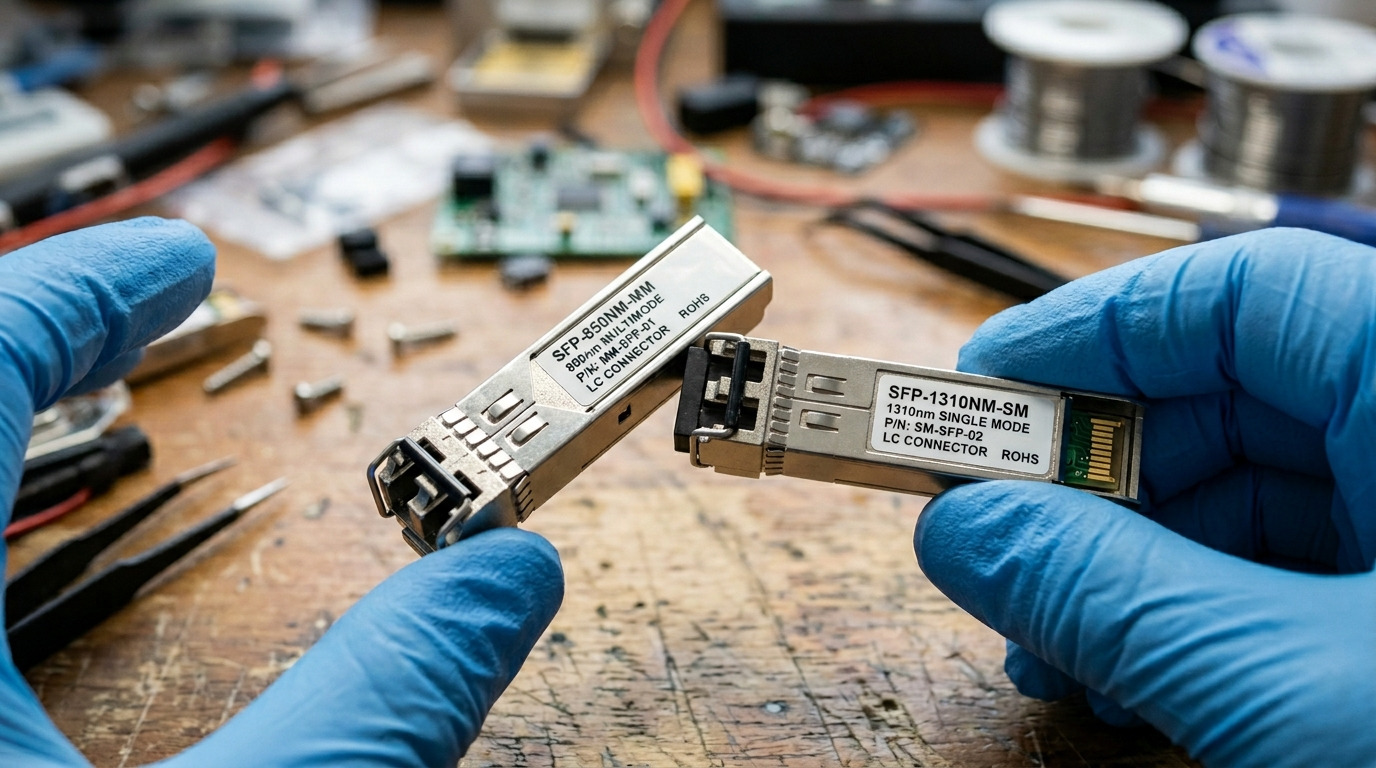
AOC is an integrated optical assembly where electronics and optics are packaged together, typically with fixed wavelength and a fixed connector type (most commonly LC on the cable ends). Because AOC is “active,” it can reduce installation cost versus separate optics and patch cords, but it also introduces vendor specific behavior (laser class, equalization, and temperature drift). For Ethernet over fiber, compatibility ultimately depends on the host transceiver mode and the AOC’s compliance with the relevant data rate and reach category.
In practice, the biggest operational variables are optical budget, attenuation from connectors and splices, receiver sensitivity, and power/thermal headroom under ambient conditions. Even when a vendor lists a rated reach (for example, 10G, 25G, or 100G reach classes), the link can fail if your installed loss is higher than assumed during qualification.
Pro Tip: Treat AOC like a precision component, not a passive cable. If you see intermittent CRC errors that correlate with temperature, measure ambient temperature at the bundle and verify the AOC is operating within its specified temperature range; thermal drift can push a marginal link over the receiver sensitivity edge.
Specs that drive compatibility: what to verify before you buy
Use the datasheet as your primary source, but map each spec to a host requirement. The table below compares typical AOC characteristics you will encounter for high speed Ethernet. Exact values vary by vendor and part number; always confirm with the specific model you intend to deploy.
| Parameter | Typical AOC spec range | Why it matters |
|---|---|---|
| Data rate | 10G, 25G, 40G, 100G (model dependent) | Host port must support the same lane rate and signaling |
| Wavelength | 850 nm (SR) or 1310 nm/1550 nm (LR/ER style) | Mismatch with plant fiber type and loss profile |
| Reach class | Often up to 100 m (850 nm), higher for longer wavelength classes | Installed loss must be within vendor optical budget |
| Connector | Commonly LC on both ends | Host and patch panels must match connector geometry |
| Optical power / budget | Vendor specifies transmit power and receive sensitivity | Determines whether your connectors, bends, and splices fit |
| Operating temperature | Often 0 to 70 C (varies by model) | Thermal drift can affect eye opening and error rate |
| DOM / diagnostics | Some AOCs expose telemetry (vendor dependent) | Helps field troubleshooting and proactive monitoring |
| EMI / cable jacket | Varies by installation environment | Impacts stability in high noise racks and cable trays |
For Ethernet standards alignment, remember that Ethernet link behavior is governed by the physical layer and coding assumptions captured in IEEE specifications such as IEEE 802.3 for the relevant speeds. For practical field checks, vendor datasheets and host compatibility lists remain decisive. Reference points include IEEE 802.3 for signaling and optical link classes, and vendor documentation for AOC electrical/optical performance. [Source: IEEE 802.3 (relevant clauses for optical Ethernet PHYs)] [Source: Cisco transceiver and cabling compatibility guidance] [Source: vendor AOC datasheets for specific part numbers]
Deployment scenario: where AOC choices make or break the link
Consider a 3-tier data center leaf-spine topology with 48-port 25G ToR switches feeding 2 uplinks per ToR into a spine. Each ToR-to-spine hop uses short, pre-terminated structured cabling runs in the same row, with patch cords already installed in overhead trays. The engineering team wants to use AOCs to reduce patch cord splicing and speed up move/add/change work. They select a 25G AOC with 850 nm wavelength and a rated reach class suitable for their measured end-to-end distance of 35 m.
During acceptance, the field crew performs a loss sanity check: they verify connector cleanliness, inspect ferrules with a scope, and confirm the patch panel is within the vendor’s assumed loss per mated pair. They then run a link validation script and monitor interface counters for at least 30 minutes under normal load. If they later see rising CRC errors after rack door closure, they correlate it with higher ambient temperature and confirm the AOC is still within its rated operating range, then retest. This is exactly where technical insights about reach class assumptions and thermal headroom save hours of blind swapping.
Selection criteria checklist engineers use on site
Use this ordered checklist to reduce surprises. It is designed for quick decisions during staging, not for theoretical comparison.
- Distance vs reach class: measure end-to-end fiber length and account for patch panel routing and slack loops.
- Installed loss budget: include connector pairs, any splices, and expected insertion loss; keep margin below the AOC vendor optical budget.
- Switch compatibility: confirm the host supports the required speed and that the AOC is intended for that ecosystem (especially for 100G breakout modes).
- DOM or diagnostics support: if you need telemetry for monitoring, choose AOCs that expose the expected diagnostics and verify how the switch reports them.
- Connector and polarity handling: confirm LC orientation and labeling; ensure correct transmit/receive mapping.
- Operating temperature and airflow: check ambient in the rack during peak load; confirm the AOC temperature spec is not violated.
- Vendor lock-in risk: evaluate return policies, lead times, and whether your optics procurement strategy can tolerate part-specific sourcing.
For concrete compatibility examples, engineers often cross-reference host vendor transceiver guidance and optical standards, then verify the exact AOC model number before scaling deployment. When possible, pilot the chosen part in one row, validate error counters, and only then roll out broadly. [Source: IEEE 802.3] [Source: vendor AOC datasheets]
Common pitfalls and troubleshooting tips (with root causes)
Most AOC failures are predictable. Here are frequent mistakes and how to fix them.
-
Pitfall 1: “It should work at 100 m” but link fails early
Root cause: installed loss exceeds the vendor’s assumed budget due to extra connector pairs, dirty ferrules, or higher-than-expected patch cord loss.
Solution: inspect ferrules, clean with approved methods, re-seat connectors, and re-measure with an OTDR or loss tester if available. -
Pitfall 2: Intermittent CRC/packet drops after airflow changes
Root cause: thermal drift reduces optical margin; cable bundles near exhaust blocks can run warmer than expected.
Solution: verify rack ambient at the AOC location, confirm temperature within spec, improve airflow, then re-check counters over a sustained load test. -
Pitfall 3: Wrong polarity or swapped fibers
Root cause: LC A to B mapping errors (Tx/Rx inversion) prevent proper link training or lead to high error rates.
Solution: follow labeling, confirm transmit to receive mapping, and validate with a known-good reference AOC or patch cord. -
Pitfall 4: Using an AOC outside intended speed mode
Root cause: host port configured for a different Ethernet PHY mode or breakout expectation than the AOC supports.
Solution: confirm port speed and configuration (including breakout settings), then test with the exact rated AOC for that mode.
Cost and ROI note: balancing OEM sourcing and TCO
In many enterprise and data center procurements, AOC pricing varies widely by speed and reach class. As a practical range, short-reach 25G AOCs often cost less than long-reach optics plus patch cords, but 100G AOCs can be meaningfully higher than individual transceivers depending on vendor pricing. The real ROI comes from installation labor reduction, faster staging, and fewer field failures when you standardize part numbers and cleanliness procedures.
From a TCO view, compare:
- OEM vs third-party: OEM may reduce compatibility risk; third-party can lower unit cost but may increase validation effort.
- Failure rate and spares: keep a small tested spare kit per site to reduce downtime during swaps.
- Power and cooling: power draw differences are usually secondary versus optical margin issues, but thermal constraints can still cause performance loss.
FAQ
Q1: Are AOCs always interchangeable across switches?
No. While the fiber connector may match (often LC), speed mode, diagnostics behavior, and host compatibility can differ by vendor and firmware. Validate with the specific switch model and port configuration before scaling.
Q2: How do I confirm the link will meet optical margin?
Start with the AOC optical budget from the datasheet, then measure installed loss including connector pairs and any splices. If you cannot measure loss, at least inspect and clean connectors thoroughly and keep conservative distance margins.
Q3: What should I monitor during acceptance testing?
Track interface counters such as CRC or FCS errors, link flaps, and any reported optical power or temperature telemetry if available. Run the test under typical load for at least 30 minutes and repeat after any major airflow or environmental change.
Q4: Why does an AOC work in staging but fail in the field?
Staging often has lower ambient temperature, shorter cable routing, or fewer connector re-matings. Field installations introduce extra handling and potentially higher loss or thermal stress, so re-validate after final routing.
Q5: Can I use OTDR on AOC links?
OTDR can help characterize fiber sections, but the AOC itself is active and may limit interpretation near the ends. If available, use loss testing on the passive fiber path and rely on vendor guidance for AOC-specific verification.
Q6: What is the fastest troubleshooting path when the link is down?
Verify speed configuration first, then confirm polarity and connector cleanliness, then reseat and inspect with a scope. If still down, test with a known-good reference AOC to isolate whether the issue is at the cable or host port.
These technical insights help you treat AOC deployments as measurable engineering work: verify specs, validate loss and temperature margins, and troubleshoot with a repeatable checklist. Next, apply the same discipline to the broader optical plant by reviewing fiber connector cleanliness and inspection workflow.
Author bio: I have deployed and validated optical links in production data centers, including AOC rollouts across multi-rack environments with scoped connector inspection and counter-based acceptance tests. My work focuses on practical compatibility verification against IEEE-aligned Ethernet PHY behavior and vendor datasheet constraints.
