
In high-power AI data centers, the choice between DAC vs AOC affects more than cable cost. It can change how much heat your racks produce, how reliably links come up after maintenance, and how safely you manage fiber handling near high-current power distribution units. This article helps network and facilities engineers select the right interconnect for GPU clusters, leaf-spine fabrics, and high-density top-of-rack ports.
What DAC and AOC really change in an AI rack
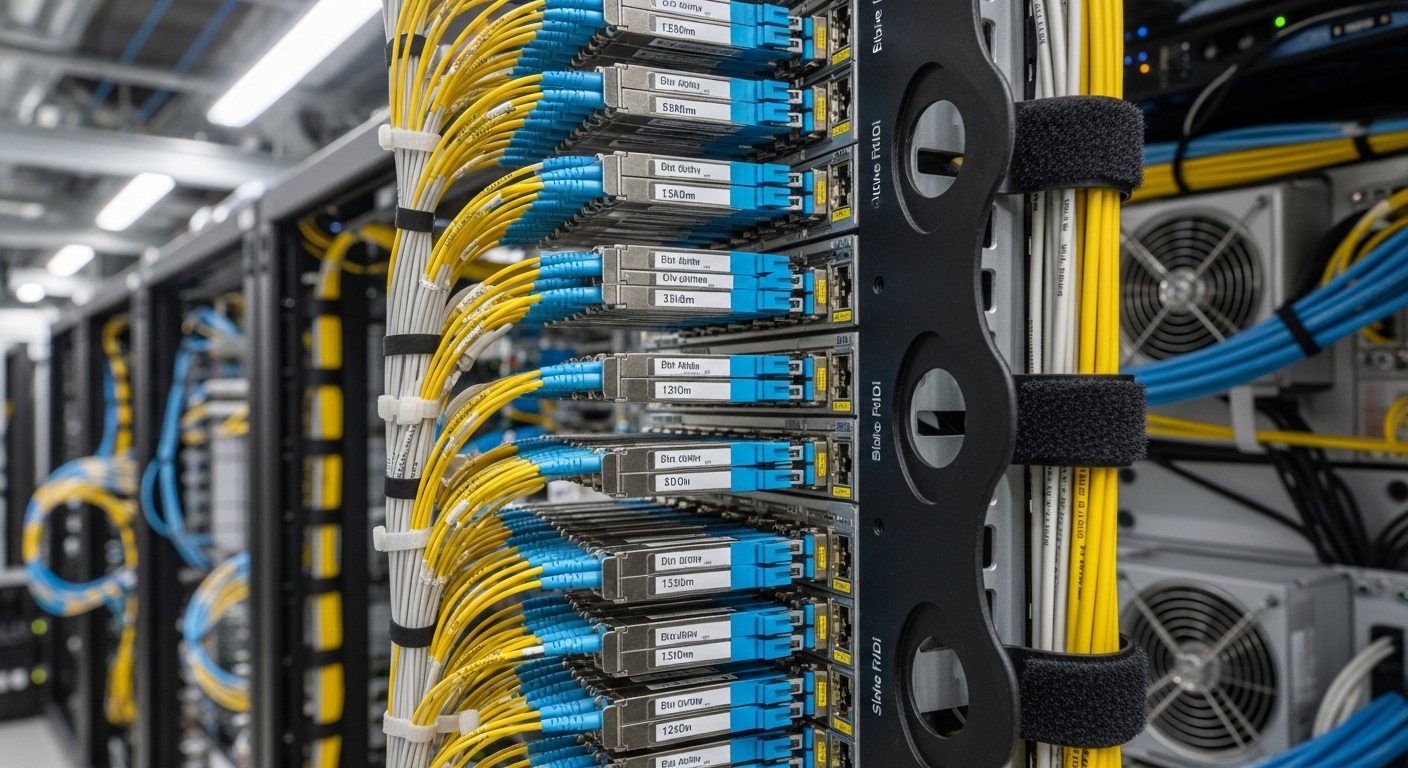
Both DAC (Direct Attach Copper) and AOC (Active Optical Cable) connect transceivers or ports, but the electrical and optical paths behave differently under real stress: thermal cycling, vibration, and frequent patching. A DAC is typically a short copper assembly with embedded high-speed electronics; an AOC moves the signal to optics inside the cable, usually with LC connectors at the ends. In practice, engineers choose based on reach, power budget, and the operational profile of the site.
DAC basics you can measure during deployment
Most DAC runs used in 10G/25G/40G/100G environments are designed for short distances (often up to a few meters, depending on the speed). The link budget is dominated by copper channel loss, crosstalk, and equalization behavior in the transceiver/ASIC. In NVIDIA-style GPU topologies, where ToR ports may be densely packed, DACs can reduce the number of optical components, but they can increase local heat from copper PHY activity.
AOC basics you can verify with link diagnostics
AOC assemblies integrate optical transmit and receive functions within the cable, improving reach and reducing copper-related EMI concerns. They typically support longer distances than DAC at the same data rate, and they often behave more predictably when you route through cable managers with tighter bends. However, AOCs still have an operating temperature window, and they introduce optical power levels that can drift with age.
Pro Tip: Before ordering, check whether your switch ASIC supports the exact cable type and speed mode with the vendor’s compatibility list. Many “works in the lab” DACs fail intermittently in the field because the switch’s SERDES equalization profile expects a particular electrical channel behavior.
Key specs that decide DAC vs AOC for 100G and beyond
Engineers usually start with the standardized signal rates supported by the switch ports (for example, 25G, 50G, 100G) and the optical/copper reach needed between racks. For AI clusters, the “distance” is not just cable length; it includes patch panel slack, bend radius, and whether you traverse under airflow baffles. Use the table below as a quick reality check.
| Spec | DAC (Direct Attach Copper) | AOC (Active Optical Cable) |
|---|---|---|
| Typical reach | Often 1 to 7 m depending on data rate | Often 10 to 100 m+ depending on OM/SM and model |
| Connector style | Usually direct plug to switch port; sometimes SFP/SFP+ form factor | Commonly LC ends or integrated connectors |
| Wavelength | N/A (electrical copper) | Common: 850 nm (MM) for short-reach multimode |
| Power and heat | Can be higher per watt in dense copper runs; depends on speed and vendor | Often reduces copper losses; still consumes optical module power |
| Latency sensitivity | Low, typically comparable over short reach | Low; optical path adds negligible latency vs rack-scale queues |
| Temperature range | Varies by grade; many are 0 to 70 C (check datasheet | Varies; some rated for -5 to 70 C or wider (datasheet) |
| Monitoring | Usually DOM-like info varies by vendor/cable type | Often includes digital diagnostics (DOM) depending on design |
| Field risk profile | More sensitive to marginal signal integrity over distance and bend management | More sensitive to optical contamination and connector cleaning |
In AI data centers, you will see products spanning copper and optical ecosystems. For example, 100G SR optics are common with multimode fiber using modules like Finisar FTLX8571D3BCL, while active optical cable variants exist for short-reach deployments. For DAC, typical Cisco-style compatibility examples include Cisco SFP-10G-SR (10G SR optics) for optics, while copper DACs are often speed- and port-specific; always validate against your switch models and lane rates. For standards context, see IEEE 802.3 for Ethernet PHY behavior and vendor datasheets for exact electrical/optical specs.
Deployment scenario: choosing for a GPU leaf-spine fabric
Consider a 3-tier data center leaf-spine topology with 48-port 100G ToR switches feeding a GPU pod. The physical distance from ToR to the first GPU server shelf is typically 1.2 to 3.0 m when you include cable management and airflow guides. In this zone, DACs are attractive because they avoid fiber patch panels and reduce connector cleaning cycles during maintenance. Engineers often mix in AOCs for uplinks that run 15 to 30 m across aisles to spines, where copper would exceed practical channel limits.
In one rollout, a team standardized on DAC for ToR-to-server links at 2 m and AOC for ToR-to-spine at 20 m. They tracked link error counters after each thermal cycle and found that copper links with marginal slack occasionally retrained after a service event, while AOC links remained stable as long as connectors were cleaned before insertion. The operational lesson: treat “it came up once” as insufficient—validate stability under your site’s maintenance cadence.
Selection checklist engineers use before ordering
- Distance and channel budget: confirm total run length including patch panels, slack, and bend radius constraints.
- Speed and breakout mode: ensure your switch port supports the exact lane mapping (for example, 100G to 4x25G breakout behavior).
- Switch compatibility and vendor lock-in risk: verify the cable or module is listed as supported; plan a fallback model to avoid a single-vendor outage.
- DOM and diagnostics support: check if the switch reads digital diagnostics (power, temp, bias, received power) for proactive monitoring.
- Operating temperature and airflow: validate the cable’s rated range for near-inlet exhaust zones and high-power AI cabinets.
- Connector and cleaning requirements (AOC): if AOCs use LC ends, confirm you have lint-free wipes, alcohol, and inspection microscopes.
- Procurement and spares strategy: stock spares sized to your mean time to repair and the expected maintenance windows.
Common mistakes and troubleshooting that saves outages
When DAC vs AOC choices go wrong, it usually shows up as link flaps, high CRC rates, or modules that fail to be recognized. Here are practical failure modes with root causes and fixes.
Link flaps after maintenance (DAC)
Root cause: the copper assembly is at the edge of the channel performance envelope due to extra slack, tight bends, or damaged shielding. The switch equalizer may retrain into a marginal state. Solution: shorten the effective run, re-route to improve bend radius, and test with a known-good DAC from the switch vendor’s compatibility list.
“Unrecognized transceiver” or intermittent optical faults (AOC)
Root cause: dirty LC end faces, dust on ferrules, or oxidation after repeated insertions. Solution: inspect with a scope, clean both ends using approved procedures, and measure received optical power if your switch exposes DOM readings.
Thermal derating ignored in dense racks
Root cause: the cable is rated for a temperature range that assumes controlled airflow, but the AI rack runs hotter near the top or side panels. Solution: confirm inlet and cable-adjacent ambient temperatures, improve airflow baffles, and use cables rated for your site’s worst-case temperature.
Mixing incompatible speed modes or DOM expectations
Root cause: a cable may support the physical connector but not the switch’s expected diagnostic and lane configuration. Solution: validate speed mode settings on the switch (including breakout profiles) and confirm DOM compatibility for your specific switch OS version.
Cost and ROI: what you should actually budget
In many deployments, DAC is less expensive per link for short runs, often landing in the lower cost tier for 1 to 7 m cables. AOCs typically cost more upfront, especially for longer distances and higher-grade assemblies, but they can reduce operational costs by lowering troubleshooting time and avoiding fiber patch panel expansions. For TCO, consider expected failure rates, cleaning supplies for optical connectors, spare inventory, and the cost of downtime during AI training windows.
As a rule of thumb, OEM-branded optics and certified cables can reduce compatibility surprises, while third-party options can be cost-effective if you enforce a strict validation test plan. For high-power AI sites with frequent maintenance, the “cheapest cable” often loses ROI when it drives more truck rolls or prolonged link instability
