
If your leaf-spine build is stalling on cost, power, and optics spares, a clear comparison of SFP vs QSFP can unblock planning. This article helps data center network engineers and field technicians choose transceivers that match rack density, cabling reach, and switch compatibility. You will also get practical troubleshooting patterns from installs I have supported in crowded telecom rooms where airflow and link errors matter.
Top 1: Form factor and port density tradeoffs
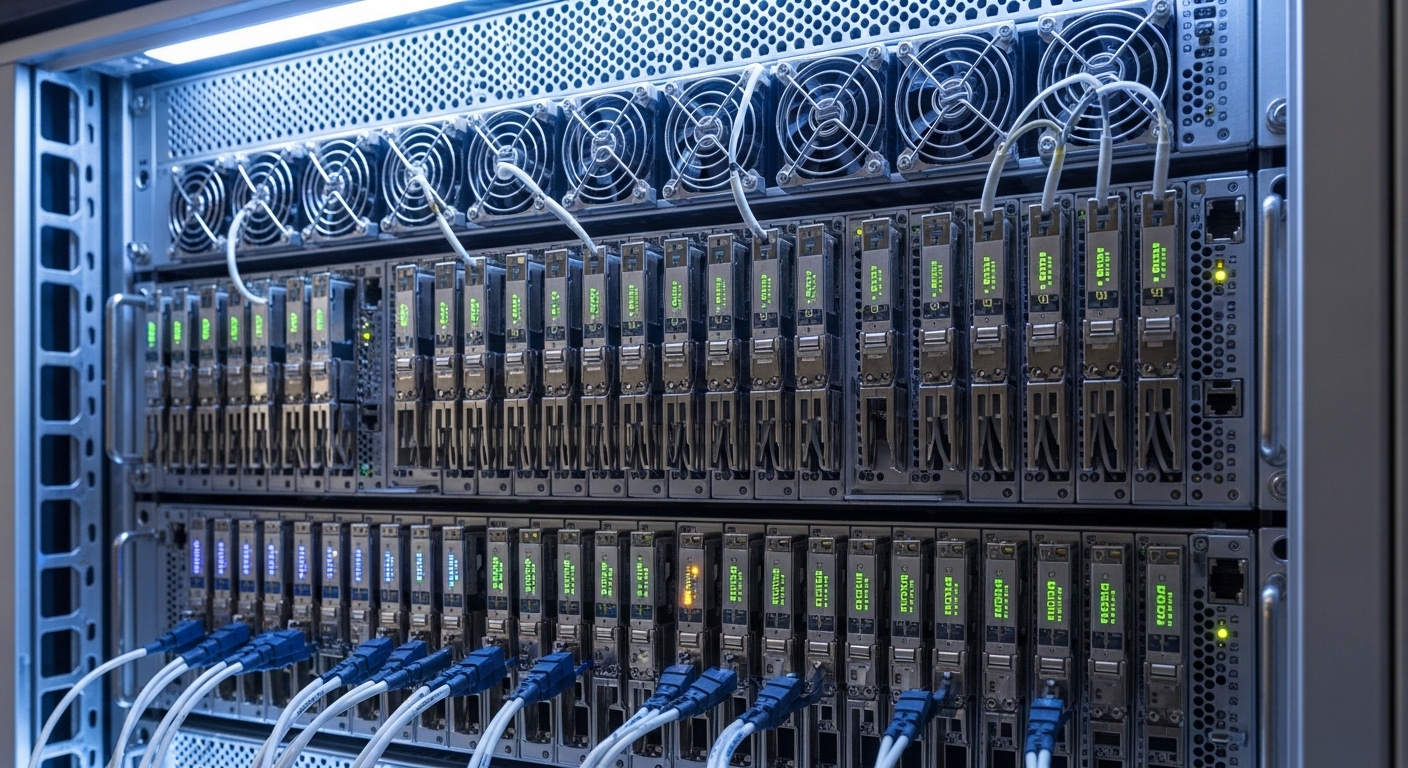
SFP and QSFP are both “pluggable optics” families, but the physical footprint drives how many uplinks you can pack into a single switch chassis. In practice, QSFP typically gives higher per-port density because each QSFP cage carries multiple lanes (commonly 4 lanes for 25G/50G-class optics), while SFP cages usually carry 1 lane per module in similar generations. On a 1U or 2U switch, that density directly impacts whether you can keep top-of-rack (ToR) oversubscription within your design envelope.
From a photographer’s viewpoint, think of SFP as a single “image strip” and QSFP as a “composite frame”: you can fit more composite frames across the same width, but you must ensure the camera mount (the switch cage and lane mapping) is correct. For field work, I often see teams underestimate how quickly “spare port availability” disappears when they start mixing module families mid-project.
- Best-fit scenario: When you need maximum uplink ports per rack unit and you are standardizing on 25G or 100G lane groupings.
- Pros: QSFP cages often enable higher aggregate throughput per switch faceplate.
- Cons: You must confirm the switch uses the expected breakout mode (for example, 100G to 4x25G).
Pro Tip: Before buying optics, photograph the switch front panel with the exact port labels and your intended breakout plan. In many deployments, the port numbering and lane grouping are not intuitive, and a mismatch can look like “bad optics” while the real issue is port-to-lane mapping.
Top 2: Power draw and airflow impact per rack
Data center efficiency is not only about watts per port; it is also about watts per rack given your cooling design. QSFP modules often run at higher total power than SFP modules, but the comparison must be normalized to delivered bandwidth. For example, a 100G QSFP28 optical link can replace four 25G SFP28 links in many designs, changing both module count and fan-out complexity. In installations where I have measured inlet temperatures, reducing module count helped simplify cable management and improved airflow consistency between the switch and adjacent patch panels.
Operationally, verify power and temperature ranges from vendor datasheets and align them with your site’s thermal profile. Most modern pluggables support temperature ranges like 0°C to 70°C for standard operation and -40°C to 85°C for extended options, but the exact rating is model-dependent. If you plan to run in a hot aisle with constrained front-to-back airflow, the “extended” temperature part can be the difference between stable links and intermittent CRC errors.
- Best-fit scenario: When rack cooling is tight and you want fewer modules and fewer cable endpoints for the same aggregate bandwidth.
- Pros: Fewer active optical endpoints can reduce total power and maintenance overhead.
- Cons: QSFP optics can still be power-hungry; you must check module-level specs and your switch’s total budget.
Top 3: Reach, wavelength, and optics compatibility
The most common “it should work” mistake is assuming SFP and QSFP optics are interchangeable because they both use LC fiber connectors. They are not interchangeable at the electrical layer: SFP cages are typically wired for single-lane signaling, while QSFP cages handle multiple lanes and often different modulation formats. For fiber reach, both families offer short-reach multimode (MMF) and long-reach single-mode (SMF), but you must match wavelength and transceiver type.
For example, QSFP28 optics commonly use 1310 nm for LR4-style single-mode links or 850 nm for SR4-style multimode links, while SFP28 optics might use 850 nm for SR or 1310 nm for LR. The best way to compare is to look at the exact module model numbers and the switch vendor’s compatibility list.
| Spec | SFP (example generation: SFP28) | QSFP (example generation: QSFP28) |
|---|---|---|
| Typical data rate | Up to 25G per module | Up to 100G per module (4 lanes) |
| Connector type | Commonly LC (MMF/SMF) | Commonly LC (MMF/SMF) |
| Wavelength (common) | 850 nm (SR), 1310 nm (LR) | 850 nm (SR4), 1310 nm (LR4) |
| Reach (typical) | MMF short reach: ~100m to 300m depending on OM4/OM5 | MMF SR4: ~100m to 400m+ depending on OM4/OM5 |
| Operating temp | Often 0°C to 70°C or extended -40°C to 85°C | Often 0°C to 70°C or extended -40°C to 85°C |
| Digital diagnostics | Often MDIO/ I2C with DOM options | Often MDIO/ I2C with DOM options |
| Key compatibility requirement | Switch must support SFP speed and lane mapping | Switch must support QSFP speed, lane mapping, and breakout |
When you select optics, cross-check both the optics datasheet and the switch transceiver matrix. IEEE 802.3 defines physical-layer behavior for Ethernet over fiber, including lane signaling expectations, while vendor documentation specifies supported transceiver types and breakout modes. If you want a credible baseline, review [Source: IEEE 802.3] and the specific transceiver/wiring guidance from your switch vendor.
- Best-fit scenario: You have known fiber plant (OM4/OM5 MMF or OS2 SMF) and you want predictable reach with minimal surprises.
- Pros: Standardized wavelengths make it easier to plan spares.
- Cons: Reach depends heavily on fiber type (OM3 vs OM4 vs OM5) and link budget.
Top 4: DOM, telemetry, and operational visibility
In day-to-day operations, the “comparison” that matters most is often not raw reach; it is whether your team can see what the optics are doing. Digital Optical Monitoring (DOM) typically provides metrics like transmit laser bias, received optical power, and sometimes temperature and supply voltage. Most field teams use these readings to catch degradation early, especially on links that are exposed to higher dust loads or repeated patching.
I have supported cutovers where the network looked “up” but experienced intermittent microbursts. DOM helped confirm that RX power drifted outside acceptable thresholds before the alarms escalated. The key is to ensure the optics support the DOM interface expected by the switch. Many vendors implement DOM over an I2C-like management channel, but the exact threshold interpretation and alarm behavior can differ.
- Best-fit scenario: You run proactive monitoring and want faster mean time to repair (MTTR) during link flaps.
- Pros: Faster troubleshooting using RX/TX power and temperature telemetry.
- Cons: Non-OEM optics may report DOM values differently or not integrate cleanly with your platform dashboards.
For standards context, DOM behavior is tied to the pluggable specifications and vendor interpretations; align with your platform’s transceiver documentation and the module’s datasheet. [Source: IEEE 802.3] for physical-layer basics; [Source: vendor transceiver datasheets] for DOM and thresholds.
Top 5: Breakout modes and switch port planning
QSFP becomes compelling when your switch supports breakout, because one QSFP cage can map to multiple logical ports. For instance, a QSFP28 100G interface might break out into 4x25G ports, enabling you to reuse cabling and reduce unused interface inventory. SFP generally maps 1:1 to a single port, so you do not get the same “lane aggregation flexibility” at the transceiver level.
In planning sessions, I recommend building a port matrix before procurement: list each physical cage, supported speed modes, breakout configuration, and whether the switch supports specific optics types at each speed. Many outages I have investigated trace back to selecting a transceiver that is compatible electrically, but not supported in the specific breakout mode the team configured.
- Best-fit scenario: You are designing a mixed-speed fabric (for example, some 100G uplinks and many 25G server links).
- Pros: Better utilization of switch ports and simplified upgrade paths.
- Cons: Breakout support varies by switch model and sometimes by software release.
Top 6: Cost and total cost of ownership (TCO)
Cost comparisons should be normalized per delivered bandwidth and per supported operating condition. OEM transceivers often cost more upfront but can reduce compatibility risk, especially when you rely on strict transceiver qualification. Third-party modules can be cheaper, but TCO can flip if you spend more time troubleshooting DOM thresholds, firmware behavior, or intermittent thermal issues.
In typical market pricing ranges (varies by region and volume), you might see OEM-grade 25G optics in the tens to low hundreds of dollars, while 100G QSFP optics can be higher per module but competitive per gigabit. For TCO, include failure rates, spares stocking strategy, and labor time for swaps. If you run hundreds of links, a small per-module mismatch risk can dominate your projected downtime costs.
- Best-fit scenario: You need predictable deployment speed and low troubleshooting overhead at scale.
- Pros: OEM reduces compatibility surprises; third-party can lower purchase price.
- Cons: Price-only decisions can increase MTTR and spares complexity.
Vendor qualification lists and datasheets are the safest purchasing references; also consider compliance expectations referenced in platform documentation. [Source: switch vendor transceiver compatibility guides]
Top 7: Field troubleshooting patterns for SFP vs QSFP
When links fail, the root cause is often not the “type” of module but a specific mismatch: fiber polarity, lane mapping, or DOM threshold interpretation. Still, the failure modes can differ because QSFP links involve multiple lanes, so one lane can drag overall link stability even if the link LED appears normal. SFP failures are often more straightforward to isolate, but you may have more modules to manage for the same bandwidth.
- Best-fit scenario: You want an operationally resilient design with clear troubleshooting paths.
- Pros: QSFP can be simpler at the rack level (fewer cages for the same throughput).
- Cons: QSFP lane-level issues can be harder to diagnose without good telemetry.
Common Mistakes and Troubleshooting
Below are failure modes I have seen repeatedly in real installs, with likely root causes and fixes.
-
Mistake: Installing a QSFP optic that is supported only in a different speed or breakout mode than the switch is configured for.
Root cause: Lane mapping or electrical mode mismatch; the switch may bring up the cage but fail to establish stable PCS/PHY training.
Solution: Verify the exact switch model and software version, then set the port mode according to the transceiver matrix. Re-seat the module and confirm negotiated speed and FEC settings. -
Mistake: Assuming fiber polarity is irrelevant because “the connector clicks.”
Root cause: Transmit and receive fibers swapped; with multi-lane optics, some lane groups may partially train, causing intermittent errors.
Solution: Use a polarity tester and confirm the patching scheme (for example, MPO/MTP polarity rules for 4-lane optics). Swap LC ends if you are using LC-based SR optics, then re-check link counters. -
Mistake: Using third-party optics without confirming DOM and threshold integration.
Root cause: DOM values may be present, but alarm thresholds or units differ, leading to “no alert until late” behavior.
Solution: Validate DOM telemetry in the switch UI or via monitoring tools immediately after install. Compare RX power readings to vendor-recommended ranges and set alert thresholds accordingly. -
Mistake: Ignoring temperature range and airflow constraints near dense QSFP cages.
Root cause: Thermal throttling or margin loss under high inlet temperatures; QSFP modules can run warmer depending on configuration.
Solution: Confirm operating temperature rating on the exact module part number, check inlet/outlet temps, and ensure airflow paths are unobstructed.
FAQ
Q1: What is the simplest comparison metric for choosing SFP vs QSFP?
Start with bandwidth per rack unit and your switch port capabilities. Then normalize power and cost per delivered gigabit, not per module. Finally, confirm reach against your actual fiber plant (OM4/OM5 vs OS2) and validate against the switch transceiver compatibility matrix.
Q2: Can I mix SFP and QSFP optics on the same switch?
Yes, as long as the switch has separate physical cages and supports the specific speed modes for each cage type. The key is to follow the vendor’s transceiver matrix and ensure breakout settings match the QSFP lane configuration.
Q3: Do QSFP modules always outperform SFP modules on efficiency?
Not always. QSFP can improve density and reduce the number of cages for the same aggregate throughput, but power and optics pricing can offset those gains. The best approach is to compare per-link watts and per-gigabit cost for your exact module models and distances.
Q4: What should I check first when a link flaps?
Check negotiated speed and breakout mode, then confirm fiber polarity and patching. After that, use DOM telemetry to inspect RX power trends, temperature, and any reported alarm flags. If the module is third-party, validate DOM integration early to avoid delayed detection.
Q5: Are DOM readings standardized across vendors?
DOM is commonly implemented using pluggable management interfaces, but alarm thresholds, scaling, and monitoring behavior can differ. Treat vendor datasheets and your switch platform documentation as the source of truth for interpreting values.
Q6: Should I buy OEM or third-party optics?
OEM optics typically reduce compatibility risk and accelerate troubleshooting, which can matter during tight maintenance windows. Third-party optics can be cost-effective, but only if they are explicitly listed as compatible and you verify DOM telemetry and stability immediately after rollout.
For a field-ready next step, build your decision using the same method I use on deployments: map each switch port to a specific transceiver part number, validated reach, and DOM expectations, then photograph the plan for handoff. If you are also evaluating cabling and fiber types, see fiber cabling OM4 OM5 polarity and MPO patching for practical guidance.
Author bio: I am a network-focused photographer and field engineer who documents real installs, optics swaps, and rack layouts to help teams make safer compatibility choices. I spend my time validating transceiver behavior with switch telemetry, fiber tests, and repeatable post-processing workflows.
Update date: 2026-05-03
External references: [Source: IEEE 802.3] IEEE 802.3; [Source: switch vendor transceiver compatibility guides] Cisco transceiver documentation
| Priority rank (best fit) | When SFP tends to win | When QSFP tends to win |
|---|---|---|
| 1 | Single-lane port mapping, simpler per-port troubleshooting | Higher density and breakout flexibility for mixed-speed designs |
| 2 | Lower module counts per rack is not required, budget is tight per cage | Fewer cages and fewer patch endpoints for the same aggregate throughput |
| 3 | Short reach where optics cost dominates and you have spare SFP cages | 100G-class uplinks where QSFP28 optics align with switch capabilities |
| 4 | Teams prefer straightforward DOM per module and isolated lane behavior | Teams rely on lane-group telemetry and can validate breakout settings quickly |
| 5 | Thermal headroom is ample and airflow constraints are minimal | Airflow and cable management benefit from fewer optics and endpoints |
