
Edge sites fail in predictable ways: mismatched fiber types, unsupported optics, or modules that overheat in sealed cabinets. This buying guide helps network engineers and field technicians choose the right optical modules for edge computing deployments, with practical checks for compatibility, power, and diagnostics. You will get a short decision checklist, spec comparisons across common module families, and troubleshooting steps you can apply onsite.
Why edge deployments stress optical modules differently
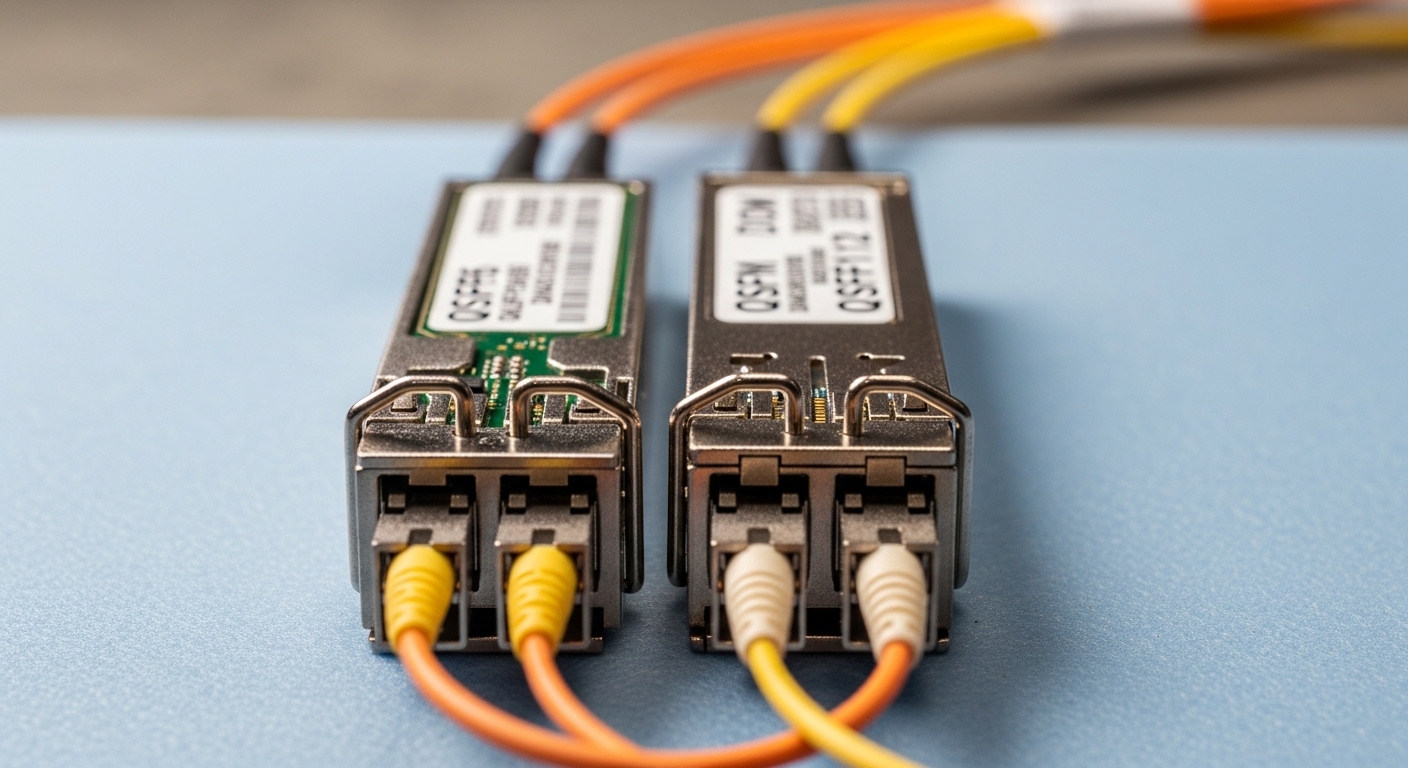
Compared with a central data center, edge computing often uses smaller cabinets, higher vibration, longer patching runs, and harsher temperature swings. Many failures trace back to modules that technically “link up” but run near their thermal or optical power limits. For example, a 10G SR module might pass at room temperature but degrade in a wall-mounted enclosure where ambient exceeds 50 C. Also, edge switches may run strict optics policies, so a module must support the exact electrical and optical interface the vendor firmware expects.
Plan for these edge realities before you buy: limited airflow, mixed fiber infrastructure, and frequent field swaps. Practitioners typically validate with link budgets, DOM readings, and connector inspection rather than relying on vendor compatibility lists alone. If the module supports Digital Optical Monitoring (DOM), you can catch a failing transceiver early by watching laser bias current and received power trends.
Pro Tip: In the field, engineers get fewer “mystery outages” by setting an alert on DOM thresholds for both transmit power and receive power, not just link status. A healthy link can still show rising laser bias current months before it fully fails, especially in dusty edge cabinets.
Core module types you will actually encounter at the edge
Most edge networks use Ethernet optics with familiar form factors: SFP/SFP+ at 1G to 10G, SFP28 at 25G, and QSFP+ or QSFP28 at 40G to 100G depending on switch generation. The key is aligning the module family to the switch port signaling (for example, 10GBASE-R vs 25GBASE-R) and then matching the fiber plant: multimode (MMF) or single-mode (SMF), plus the fiber core size and grade. For edge, you will frequently see multimode for short runs and single-mode for longer or outdoor or inter-building paths.
Distance and fiber type: how to avoid the most common mismatch
Use the module’s standard reach as a starting point, then verify against your actual link budget and patch loss. Multimode SR optics are sensitive to older cabling, poor terminations, and excessive patch cords. Single-mode LR or ER optics are more tolerant of distance but require correct fiber mapping and low-loss connectors. If you have mixed OM2 and OM3/OM4 in the same site, confirm which fiber you are terminating before ordering.
DOM and diagnostics: what to verify before rollout
DOM availability is not universal across every “compatible” module. Confirm DOM type in the vendor datasheet and confirm your switch can read it. Some platforms also enforce temperature class and EEPROM data format; mismatched EEPROM layouts can cause ports to disable or run without diagnostics. For edge operations, DOM is worth paying for because it shortens mean time to repair (MTTR) during remote troubleshooting.
Specs comparison table: choose the right optics family for your port
Use this quick comparison to narrow down what to buy. Always confirm the switch port supports the data rate and lane mapping, then check connector and fiber type. The table below lists typical examples you may see in real edge installs, including widely used models.
| Module family / example | Data rate | Wavelength | Typical reach | Fiber type | Connector | DOM | Temperature range (typ.) |
|---|---|---|---|---|---|---|---|
| Cisco SFP-10G-SR (10G SR) | 10G Ethernet | 850 nm | ~300 m (OM3), ~400 m (OM4) | Multimode | LC | Yes | 0 to 70 C (varies by vendor) |
| Finisar FTLX8571D3BCL (10G SR) | 10G Ethernet | 850 nm | ~300 m (OM3), ~400 m (OM4) | Multimode | LC | Yes | Commercial / industrial grades vary |
| FS.com SFP-10GSR-85 (10G SR) | 10G Ethernet | 850 nm | ~300 m (OM3), ~400 m (OM4) | Multimode | LC | Yes | Commercial / industrial variants |
| Typical SFP28 “SR” (25G SR) | 25G Ethernet | 850 nm | ~70 m to ~100 m (OM4 class) | Multimode | LC | Yes | Commercial / industrial variants |
| Typical SFP “LR” (10G LR) | 10G Ethernet | 1310 nm | ~10 km (SMF) | Single-mode | LC | Yes | Commercial / industrial variants |
Note that reach numbers depend on fiber grade, patch cords, and measured end-to-end loss. For standards context, Ethernet optical interfaces follow IEEE 802.3 formulations for electrical/optical behavior, while the exact reach is specified in transceiver documentation and vendor link budget assumptions. See [Source: IEEE 802.3] and the specific module datasheets from the transceiver manufacturer.
Real-world edge deployment scenario: what to measure before you click Buy
Consider a retail edge deployment using a leaf-spine style within each regional site: 48-port 10G top-of-rack switches uplink to two aggregation switches. Each ToR serves four access stacks, and each uplink uses 10G optics over fiber. In one rollout, engineers used 10G SR (850 nm) optics over OM3 cabling because patch runs were short, with an estimated 2.0 dB average loss per 10 m patch section plus connector loss. After installation, they collected DOM data from the first week of operation, capturing received power at each uplink port and verifying it stayed within the module’s recommended optical budget.
During a winter expansion, they added outdoor backhaul from a nearby warehouse building using 10G LR (1310 nm) optics over SMF. They measured end-to-end loss after cleaning and re-termination, targeting margin for aging and future reconnections. When a link flapped after a storm, the root cause was traced to a connector that had been left unprotected during a temporary repair, not to the transceiver itself. This scenario is typical: purchase decisions should incorporate measured loss and connector hygiene, because edge uptime hinges on physical layer reality.
Buying guide checklist: ordered factors engineers weigh
Use this selection sequence in order. It reduces rework and avoids “works on my desk” outcomes.
- Port and speed compatibility: confirm the edge switch port supports the exact module family (SFP vs SFP+ vs SFP28, and the data rate such as 10G or 25G). Check vendor port mapping requirements.
- Fiber type and connector: verify OM2/OM3/OM4 for multimode, or SMF for single-mode, plus connector type (usually LC). Do not assume fiber grade based on building age.
- Distance and link budget: compute end-to-end loss including patch cords, splitters (if any), and connector count; include safety margin for cleaning and future maintenance.
- Temperature class: choose commercial vs industrial grade based on enclosure ambient. If the cabinet can hit 55 C or more, select an industrial-rated transceiver and verify airflow strategy.
- DOM support and switch readability: confirm the module provides DOM and the switch can read it. Validate that you can monitor transmit power, received power, bias current, and temperature.
- EEPROM and optics policy: some switches require specific EEPROM IDs or vendor-approved optics. Evaluate lock-in risk versus operational flexibility.
- Vendor and sourcing strategy: decide between OEM optics and third-party optics. For third-party, require datasheet alignment and consider adding a short lab validation before mass deployment.
- Spare strategy for MTTR: stock at least one known-good module per site type, and record baseline DOM readings for fast comparisons during remote troubleshooting.
Standards and interoperability notes: Ethernet optical transceivers are shaped by IEEE 802.3 requirements for electrical characteristics and optical behavior, while practical compatibility is enforced by vendor switch firmware and transceiver EEPROM contents. Consult [Source: IEEE 802.3] and the switch optics compatibility documentation from the equipment vendor.
Common mistakes and troubleshooting tips from the field
Below are recurring failure modes that look like “bad optics” but usually have a different root cause. Each item includes a concrete fix you can perform onsite.
“Link comes up but is unstable” due to marginal optical budget
Root cause: End-to-end loss is near the transceiver limit, so temperature and aging push the link past the receiver sensitivity margin. This is common when patch cords are longer than assumed or when connector cleanliness was not verified.
Solution: Measure received power using DOM and compare it to the module’s recommended optical range. Clean connectors with approved procedures, replace suspect patch cords, and re-terminate if needed. If you are consistently within a tight margin, move to a higher-reach option (for example, SR to LR) or reduce patch cord count.
“Port disabled or no signal” due to optics policy or EEPROM mismatch
Root cause: The switch firmware rejects the module based on EEPROM identifiers, vendor ID fields, or unsupported DOM format. Some “compatible” transceivers work electrically but fail the platform acceptance test.
Solution: Use the switch vendor’s optics compatibility list as the primary filter, then validate with a small pilot batch. Confirm that the module supports the exact form factor and data rate required by the port. If the switch provides DOM readouts, verify DOM is readable immediately after insertion.
“Overheating and sudden drops” due to enclosure thermal limits
Root cause: Sealed edge cabinets trap heat; the module may operate outside its intended temperature range, increasing error rates. This can show up during peak hours when HVAC cycles or when a door is closed after maintenance.
Solution: Check ambient temperature at the switch and module area, not just the room. Improve airflow or add a rated fan kit and thermal management. Choose industrial temperature modules if the site environment exceeds the commercial range.
“Wrong fiber type” because labeling drifted during renovations
Root cause: Patch panel labeling was updated incorrectly, so an OM3 link is connected to an OM2 run or a single-mode patch is used where multimode was assumed. The link may partially work but often fails under load or exhibits high error counts.
Solution: Verify fiber type using an OTDR or certified fiber test equipment before commissioning. Re-map fibers and update labeling with a controlled process. Keep a site fiber map document versioned and tied to the change ticket.
Cost and ROI note: what to expect in total cost of ownership
Typical module pricing varies by channel and volume, but a realistic budgeting range for common optics is: OEM 10G SR optics often cost more than third-party equivalents, while third-party modules from reputable vendors can be cheaper but may carry higher compatibility risk. In many edge programs, the ROI comes less from per-module price and more from reduced truck rolls and faster replacements. If your team can monitor DOM and detect degradation early, you may prevent outages that would otherwise cause downtime and customer escalations.
For TCO, include: module cost, spare inventory carrying costs, labor for validation and installation, and the cost of downtime during failures. If your edge environment is strict about optics policies, OEM or fully validated third-party modules reduce the risk of ports rejecting modules or lacking diagnostics. Plan a small lab validation for any new third-party SKU before rolling it across all edge sites.
FAQ: buying guide questions edge engineers ask
Which optical module should I choose for short runs inside an edge rack?
For typical short intra-site runs, 10G SR at 850 nm over multimode fiber is common. Use OM3 or OM4 based on your installed plant and validate with a link budget and DOM received power readings. If patching is messy or margins are tight, consider upgrading to a higher-reach option.
How do I confirm DOM compatibility with my switch?
Check the switch documentation for supported transceiver diagnostics and verify DOM fields using your normal monitoring method immediately after insertion. If the switch cannot read DOM, you may still get a link, but you lose early warning signals during remote troubleshooting. For critical edge sites, prefer modules with confirmed DOM support on that platform.
Are third-party optics safe to buy for production edge networks?
They can be, but you must validate compatibility with your specific switch model and optics policy behavior. Start with a pilot batch and test link stability plus DOM readability. Track failure rates and return policies before expanding procurement.
What temperature rating matters most in edge cabinets?
Ambient temperature around the switch and module insertion area is the key. If you anticipate cabinet ambient above 50 C or frequent HVAC failures, choose an industrial grade module and improve cabinet airflow. Also ensure your switch itself is within its operating thermal envelope, because optics can only perform as well as the overall thermal environment allows.
What is the biggest cause of “it links but errors keep increasing”?
Connector cleanliness and marginal optical power budget are the most frequent causes. Even with correct module type, dirty LC endfaces and excessive patch loss can degrade signal quality over time. Use approved cleaning, inspect with a fiber microscope, and verify DOM received power trends after changes.
Should I standardize on one wavelength across all edge sites?
Standardization helps operations, but it must follow the realities of your fiber plant. Multimode SR is efficient for short distances, while single-mode LR is better for longer or outdoor or inter-building runs. The best approach is to standardize within each site fiber class and keep a small cross-compatibility plan for expansions.
If you follow this buying guide checklist—port compatibility, fiber type, link budget, temperature class, and DOM validation—you will reduce rework and improve edge uptime. Next, review the related topic on fiber connector cleaning and inspection best practices to keep your physical layer reliable after installation and future maintenance.
Author bio: I write from a hands-on perspective after supporting edge deployments where optics failures traced back to thermal limits, connector cleanliness, and DOM observability gaps. I focus on practical selection steps engineers can execute with real measurements and vendor documentation.
