
When an 800G link goes unstable, the outage window often feels immediate: pods fail to converge, traffic shifts, and alarms cascade. This article helps network and field teams perform 800G troubleshooting with fast, evidence-based checks across optics, cabling, optics diagnostics (DOM), and switch port behavior. You will get actionable failure modes, measured thresholds, and a decision checklist you can use during an on-site incident.
How to triage 800G failures in minutes (not hours)
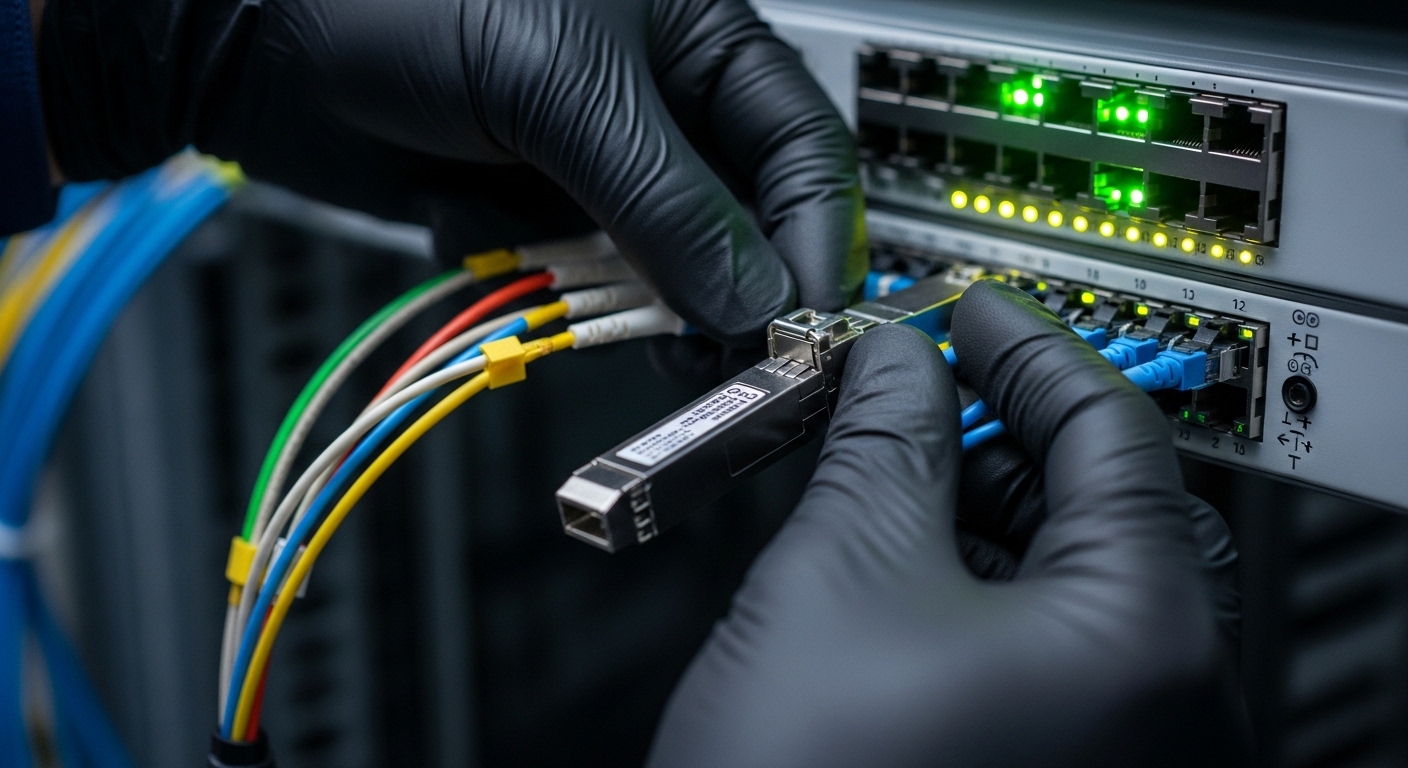
Start by classifying the symptom you see at the switch and in the optics. In most vendor platforms, you can correlate port counters (CRC/FEC/errored seconds) with optical alarms such as LOS, LOF, and temperature/bias anomalies from DOM. The quickest triage flow is to confirm whether the problem is physical (fiber/optics), logical (port config/speed mode), or signaling (FEC/clocking mismatch).
Step-by-step incident flow
- Freeze evidence: capture port status, speed, FEC mode, and key counters (CRC, FEC corrected/uncorrected, errored seconds). Record optics DOM values (Tx bias, Tx power, Rx power, temperature).
- Check link state: if the port is down with LOS, prioritize fiber path and receive power. If the link is up but errors spike, prioritize optics cleanliness, lane mapping, and FEC/BER behavior.
- Swap minimally: replace optics first when the failure follows the transceiver. If the failure stays on the same port, move to cabling, then to port configuration.
800G optics and fiber: the checks that catch most root causes
For 800G troubleshooting, the fastest wins usually come from optical power and connector hygiene. Most 800G implementations use parallel optics over multimode or single-mode variants, with optics that rely on accurate alignment and clean ferrules. Even when the link “comes up,” marginal receive power or contamination can cause CRC spikes and FEC stress.
Technical specifications to compare before you change anything
Verify that the optics match the intended distance and fiber type, and that the switch supports the specific form factor and electrical interface. For example, many 800G deployments use QSFP-DD optics such as FS.com or OEM equivalents; model numbers and supported DOM behavior matter for compatibility.
| Spec | Example 800G Optic (Single-mode) | Example 800G Optic (Multimode) |
|---|---|---|
| Typical wavelength | 1310 nm (varies by vendor) | 850 nm band |
| Reach (typical) | Up to ~10 km class | ~100 m class (OM4/OM5 dependent) |
| Data rate | 800G aggregate (per QSFP-DD) | 800G aggregate (per QSFP-DD) |
| Connector | LC (duplex), MPO in many parallel builds | MPO (parallel), often with polarity key |
| DOM/diagnostics | Temperature, Tx power, Rx power, bias, alarms | Temperature, Tx power, Rx power, bias, alarms |
| Operating temperature | Commonly commercial or industrial ranges | Commonly commercial or industrial ranges |
Use vendor datasheets and standards references to set realistic expectations for receive power and alarm thresholds. For protocol and link-layer behavior, align your interpretation with IEEE 802.3 requirements where applicable and vendor platform documentation. [Source: IEEE 802.3 (Ethernet physical layer standards)] IEEE 802.3 standards portal
Measured thresholds you should watch
During 800G troubleshooting, treat DOM values as leading indicators. If Rx power is significantly low compared to the known-good baseline, suspect fiber damage, wrong patch cord type, or an incorrectly seated connector. If temperature is high or Tx bias drifts, suspect a failing transceiver or poor thermal seating rather than a cabling issue.
Pro Tip: In many field cases, the fastest way to confirm whether you have a fiber or optics problem is to record Rx power from DOM, then swap optics between two known-good ports. If Rx power follows the optics, focus on transceiver health; if Rx power stays tied to the port, focus on the fiber path and MPO polarity.
Selection guide: decide the next move using a 10-point checklist
When you are mid-incident, decision speed matters. Use this ordered checklist to reduce guesswork and prevent repeat failures during 800G troubleshooting.
- Distance vs optic reach: confirm the planned reach matches the optic class (multimode vs single-mode).
- Fiber type: OM4/OM5 for short reach; single-mode for longer reach; confirm patch cord grade.
- Connector type and polarity: MPO polarity key alignment, correct lane mapping, no swapped trunks.
- Switch compatibility: QSFP-DD support, supported FEC mode, and lane configuration.
- DOM support: confirm the platform reads DOM and alarms consistently for the optic you install.
- Operating temperature: verify transceiver temperature stays in spec under load.
- FEC and error counters: check whether errors are corrected-only or include uncorrected/errored seconds.
- Power budget: compare Tx/Rx DOM values to the normal range on that platform.
- Cleanliness verification: inspect and clean MPO/LC endfaces before reseating.
- Vendor lock-in risk: if you use third-party optics, confirm compatibility policy and RMA path.
Common mistakes and troubleshooting tips that prevent repeat outages
Even experienced teams can lose time to repeat failures. Below are frequent 800G troubleshooting pitfalls with root cause and fix.
Swapping optics without confirming DOM baselines
Root cause: replacing optics “blindly” while ignoring DOM Rx power and alarm flags, so the same underlying fiber issue remains. Solution: capture Rx power and temperature for the failing port and a known-good port before changes; then interpret whether values follow the optic.
MPO polarity mistakes during patching
Root cause: MPO trunks are re-patched with incorrect polarity key orientation or swapped cable ends, causing high error rates without obvious LOS. Solution: verify polarity labels, then test with a known-good polarity jumper and record CRC/FEC behavior before and after.
Dirty endfaces leading to intermittent CRC spikes
Root cause: contamination causes marginal optical coupling; link may train but degrade under traffic. Solution: use a fiber inspection scope and cleaning kit; clean both ends, then re-seat optics firmly and re-check errored seconds and CRC counters.
Cost and ROI note: what engineers should budget for
Real-world optic pricing varies by vendor and distance class, but third-party QSFP-DD optics often land in the $500 to $1,500 range per module depending on reach and certification, while OEM-branded equivalents may cost more. The total cost of ownership (TCO) depends on failure rate, compatibility friction, and how quickly you can restore service. If your organization averages multiple incidents per year, investing in inspection scopes, cleaning supplies, and spare “known-good” optics can reduce truck rolls and downtime more than the price delta between OEM and third-party modules.
FAQ
What does LOS mean during 800G troubleshooting?
LOS typically indicates the receiver is not detecting sufficient optical signal power. During 800G troubleshooting, confirm DOM Rx power first, then inspect and re-clean the fiber connectors and verify MPO/LC polarity and seating. If LOS persists after swapping optics, the fiber path is the prime suspect.
How do I tell if it is a fiber problem or an optics problem?
Compare DOM values and swap components in a controlled way. If Rx power follows the optics when you move them between two known-good ports, the transceiver is likely failing or misconfigured; if Rx power stays on the same port, focus on the cabling, polarity, and connector cleanliness.
Why do I see CRC spikes with the link still up?
CRC spikes while the link remains up often point to marginal optical signal quality rather than complete loss. Common causes include dirty endfaces, slight connector damage, incorrect fiber type, or FEC margin issues. Check corrected versus uncorrected error counters to avoid treating all errors as the same.
Can third-party 800G optics work with enterprise switches?
They can, but compatibility depends on QSFP-DD support, DOM behavior, and your switch vendor’s optics policy. Validate using your platform’s supported optics list and test in a low-risk maintenance window. For any incident response, keep a small pool of known-good optics to reduce uncertainty.
What is the fastest safe action during an active outage?
Document the current port state and DOM values, then swap optics with known-good modules rather than re-cabling everything at once. If you have LOS alarms, prioritize cleaning and connector inspection immediately; if the link is up with errors, prioritize polarity verification and optical power margin checks.
For reliable 800G troubleshooting, treat optics and fiber as a measurable system: capture DOM evidence, verify reach and polarity, then swap in a controlled sequence. Next, use how to plan fiber polarity and MPO labeling to prevent repeat failures during maintenance and expansions.
Author bio: I design and validate optical connectivity workflows for high-density data centers, focusing on practical incident recovery and UI-friendly monitoring. I have supported field teams with measured DOM-driven diagnostics across QSFP-DD and parallel optics deployments.
