
Fiber link troubleshooting in AI clusters: field fixes
If your AI training cluster suddenly drops to partial connectivity, fiber optics are often the culprit. This article helps network and datacenter engineers troubleshoot link flaps, CRC bursts, and “up but unusable” ports when using SFP and QSFP optics for east west traffic. I will walk through a real deployment scenario, the exact checks I run, and the most common failure modes I see in the field.
Case study: troubleshooting a link flap during 24/7 AI training
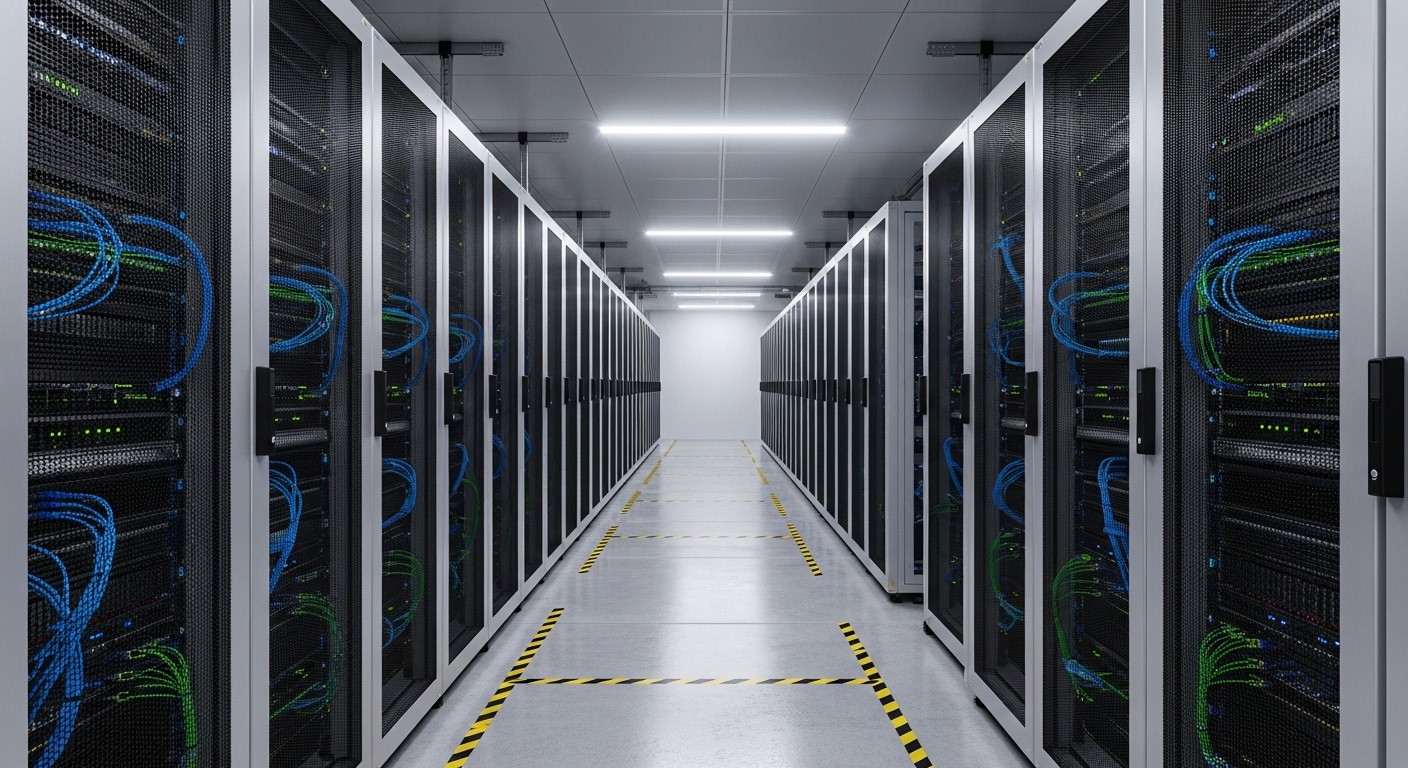
In one deployment, we ran a 3-tier fabric in a machine learning environment: 48-port ToR switches (10G SFP+), 25G leaf uplinks, and spine ports with 100G optics. Over a weekend, monitoring showed intermittent link down/up events on two adjacent leaf uplinks, followed by a noticeable training throughput drop. Packet captures on the leaf showed CRC errors climbing right before the interface flapped, which pointed toward optical or physical-layer issues rather than routing. The challenge was that the optics were “light by light” compatible on paper, but the behavior was inconsistent across ports.
Environment specs we documented before touching anything
We pulled the transceiver inventory and matched it to switch support matrices and optic vendor datasheets. The affected links used 10G SR optics on short runs in a cable-managed row, with patch panels and MPO/MTP breakout adapters. We measured optical power at the switch transceiver diagnostics interface and also verified cabling continuity with a handheld toner and visual inspection. For standards context, Ethernet physical-layer behavior is governed by IEEE 802.3 (for link and PCS/PMA behavior) and by the transceiver electrical/optical specs in vendor datasheets; connector and polarity rules follow common fiber cabling practices referenced in ANSI/TIA guidance, plus vendor-specific polarity notes.
What to check first when troubleshooting fiber optics for AI traffic
When AI applications are sensitive to microbursts and path changes, optics problems show up fast: retransmits increase, queue depths spike, and training jobs slow down. The goal is to narrow the problem to one of four buckets: cabling/connector, optics/DOM mismatch, switch port compatibility, or environmental factors like heat and dust. A disciplined approach beats random swapping, especially when you are dealing with dozens of parallel GPU links.
Confirm the module and port are actually interoperable
Even when both sides are “SR” or “LR,” interoperability can fail due to vendor-specific parameter differences, DOM behavior, or how the switch interprets thresholds. I start by cross-checking the module part number against the switch vendor’s compatibility list. Then I verify DOM readings (temperature, supply voltage, bias current, and received optical power) match expected ranges from the module datasheet. If DOM is inaccessible or shows zeros, treat that as a compatibility or wiring issue before chasing link-layer counters.
Validate fiber distance and link budget, not just reach
AI clusters often run short links, but patch panels, adapters, and dirty connectors can reduce your effective budget. For example, a typical 10G SR link budget assumes a maximum channel reach and a permitted number of mated connections; every adapter adds loss. If you are using OM3/OM4 multimode, confirm the fiber type, core diameter, and whether the patching uses correct polarity (especially with MPO/MTP). If you cannot measure loss with an optical power meter and reference cables, prioritize cleaning and re-termination because that often yields the largest improvement.
Use measured optical power thresholds to guide troubleshooting
Most switch UIs show “Rx power” and sometimes “Tx bias” at the port. If Rx power is near the lower threshold, link quality will degrade under dust or micro-movement. If Rx is abnormally high, you may have polarity reversed, a wrong fiber pair, or a patching error that still produces light but with degraded receiver behavior. For 100G SR4 and similar optics, also watch per-lane behavior; some platforms expose lane-level diagnostics.
Transceiver spec comparison that matters during troubleshooting
Engineers often compare only wavelength and nominal reach, but during troubleshooting you care about connector type, data rate, temperature range, and how DOM reports diagnostics. Below is a practical comparison of common AI datacenter optics I see in the field, including both OEM-style and widely compatible third-party options. Use this as a checklist to avoid mixing module classes that share labels but differ in electrical or DOM behavior.
| Module example | Data rate | Wavelength | Reach (typical) | Fiber type | Connector | Operating temp | DOM |
|---|---|---|---|---|---|---|---|
| Cisco SFP-10G-SR | 10G | 850 nm | ~300 m (OM3) | Multimode | LC | Industrial range per datasheet | Supported (per platform) |
| Finisar FTLX8571D3BCL | 10G | 850 nm | ~300 m (OM3) | Multimode | LC | Industrial range per datasheet | Supported |
| FS.com SFP-10GSR-85 | 10G | 850 nm | ~300 m (OM3) | Multimode | LC | Industrial range per datasheet | Supported (varies by SKU) |
| Common 100G SR4 optics (example: QSFP28 SR4) | 100G | 850 nm | ~100-150 m (OM3/OM4) | Multimode | MPO/MTP | Industrial range per datasheet | Supported |
Sources for baseline behavior and cabling practices include IEEE 802.3 for Ethernet physical-layer operation and [Source: IEEE 802.3] plus vendor module datasheets for actual Rx power ranges and temperature specs, and cabling guidance from [Source: ANSI/TIA-568 and related fiber cabling guidance]. For vendor-specific thresholds and DOM behavior, rely on your switch and optics datasheets: for example Cisco and Finisar module datasheets and your switch transceiver documentation.
Pro Tip: In AI clusters, “link up” can still mask a bad optical path. If you see CRC or FEC-related counters rising while the interface stays up, treat it as a receiver margin problem and re-check connector cleanliness and patch polarity before assuming software congestion. This saves hours because many teams only act when the link actually drops.
Selection criteria checklist for fiber troubleshooting readiness
When you are choosing optics for AI environments, you are also setting yourself up for faster troubleshooting later. Use this ordered checklist during procurement and during incident response.
- Distance and link budget: confirm fiber type (OM3 vs OM4), measured insertion loss, and total adapter/patch count.
- Connector and polarity: verify LC vs MPO/MTP, and confirm polarity method per your patch panel design.
- Switch compatibility: cross-check part numbers against the switch vendor compatibility list and firmware release notes.
- DOM support and threshold reporting: ensure the switch can read DOM and that Rx power thresholds match expected ranges.
- Operating temperature and airflow: confirm the module’s rated temperature range and that the rack airflow matches the datasheet assumptions.
- Vendor lock-in risk: decide whether to standardize on OEM optics or allow third-party modules; document acceptable SKUs to avoid “works on one port” surprises.
- Spare strategy: keep matched spares for the exact optics class and connector type so you can isolate quickly during troubleshooting.
Common pitfalls and troubleshooting tips I see in the field
Here are the failure modes that repeatedly show up during AI link incidents, along with root causes and what to do next.
Pitfall 1: Polarity reversed or wrong fiber pair selection
Root cause: especially common with MPO/MTP trunks and breakout cassettes, where a cable can still light up but the receiver margin is poor. Sometimes the interface negotiates but CRC errors rise.
Solution: verify polarity against your patching standard, then re-terminate or re-patch using a known-good polarity map. Confirm with measured Rx power after each change and watch for CRC counters dropping.
Pitfall 2: Dirty connector faces causing intermittent link flaps
Root cause: dust film or micro-scratches at the end face can cause bursty attenuation that worsens with vibration from cable movement or airflow turbulence.
Solution: clean with proper fiber inspection and cleaning tools before swapping optics. Use an angled polish cleaning method per your cleaning kit instructions, inspect with a microscope, then re-seat the connector gently and re-check Rx power and error counters.
Pitfall 3: “Compatible” optics that fail DOM thresholds or receiver margin
Root cause: third-party optics might be electrically compatible but report DOM differently, or the switch’s supported thresholds may not align with the module’s parameter set. The result can be intermittent errors that look like congestion.
Solution: compare DOM readings (especially bias current and temperature) to the datasheet, and run a controlled swap with a known-good module from the same SKU family. If the problem follows the module, replace; if it stays on the port, escalate to port diagnostics or firmware.
Pitfall 4: Thermal stress at high density
Root cause: in GPU racks and spine uplink rows, airflow can be uneven. A module that is near the upper temperature limit may degrade under sustained load, causing increased error rates before a link drop.
Solution: confirm rack airflow direction, check switch fan status, and measure module temperature via DOM. If temperature is high, improve airflow sealing and ensure the module is rated for your environment.
Cost and ROI note for AI cluster optics and troubleshooting
In most AI datacenters, the economics are about downtime and repeat incidents, not just module price. OEM optics often cost more per unit, but they tend to reduce compatibility churn; third-party modules can be materially cheaper, yet you must manage a tighter validation process. As a rough field reality: 10G SR optics commonly land in the low tens to low hundreds of dollars depending on OEM vs third-party and temperature grade, while 100G QSFP28 SR4 optics often cost multiple times more.
TCO usually favors the path that reduces incident frequency. If cleaning and standardized polarity documentation cut link flaps from weekly to near zero, the ROI of better optics validation and spare strategy is immediate. Also consider failure rates: optics with marginal Rx power performance tend to fail “softly” first, driving retransmits and hidden performance loss long before a hard disconnect.
Measuring results: what improved after we fixed the root cause
In the case study, the first week’s behavior suggested “random” flaps, but our measurements showed Rx power was drifting downward in the affected ports. After we inspected and cleaned connector faces, then corrected a patching polarity mistake on one trunk and replaced one suspect transceiver with a known-good spare, the link stabilized. Over the next 14 days, we saw zero link down events on the impacted uplinks and a return to baseline training throughput. CPU and network error counters also stabilized, and the training job logs stopped showing retransmit storms.
FAQ: troubleshooting fiber optics in AI networks
How do I start troubleshooting when a fiber link is up but traffic is bad?
Check DOM Rx power and error counters like CRC. If CRC increments while link stays up, you likely have a marginal optical path: clean connectors, verify polarity, and inspect patch panels for incorrect labeling. Then swap with a known-good module to isolate whether the issue follows the optics or the port.
What counters matter most for troubleshooting AI east west links?
Look at physical-layer indicators first: CRC errors, input discards, and any FEC or PCS-related counters exposed by your switch. If you see bursts aligned with optical changes, focus on cabling and optics rather than routing or congestion control.
Are third-party SFP or QSFP modules safe for production AI clusters?
They can be, but only after you validate against your switch compatibility matrix and firmware version. During troubleshooting, third-party modules can complicate DOM interpretation, so standardize allowed SKUs and keep spares matching those exact part numbers.
How often should we clean fiber connectors in high-density AI racks?
At minimum, clean before first insertion and before any re-seat during troubleshooting. In dusty environments or after patch panel work, clean more frequently, and always inspect with a fiber scope before concluding the optics are defective.
What is the most common reason for intermittent link flaps on short multimode links?
Connector contamination and polarity/patching mistakes are the top two in my experience, even when the run is only a few meters. The optics may still pass light, but receiver margin collapses intermittently, producing flaps and rising error rates.
Should I measure optical power or just swap modules?
Swapping modules is fast, but measuring optical power and DOM gives you evidence to prevent repeat incidents. If you have stable Rx power but errors persist, the issue might be port behavior or firmware; if Rx power is drifting, you are almost certainly dealing with the optical path.
If you want a faster next step after these checks, use troubleshooting switch port optics to build a repeatable incident runbook. And if you are planning upgrades, I recommend documenting your optics SKUs and polarity maps before the next AI training cycle so troubleshooting is predictable.
Author bio: I am a field-focused network attorney and infrastructure engineer who has deployed and defended fiber-based datacenter designs under incident pressure. I write practical troubleshooting guidance grounded in vendor datasheets, IEEE 802.3 behavior, and real operational constraints.
