
Troubleshooting Optical Links in Leaf-Spine Data Centers: A Case Study
This article walks through troubleshooting of optical links using a real leaf-spine data center incident: intermittent CRC bursts, link flaps, and rising optical errors after a corridor upgrade. It is written for network engineers and field technicians who need repeatable methods: what to measure first, how to interpret DOM telemetry, and when to swap optics or fibers. You will also see concrete selection criteria, a cost and ROI note, and common failure modes with root causes.
Problem / Challenge: When Optical Links Flap After a Corridor Upgrade
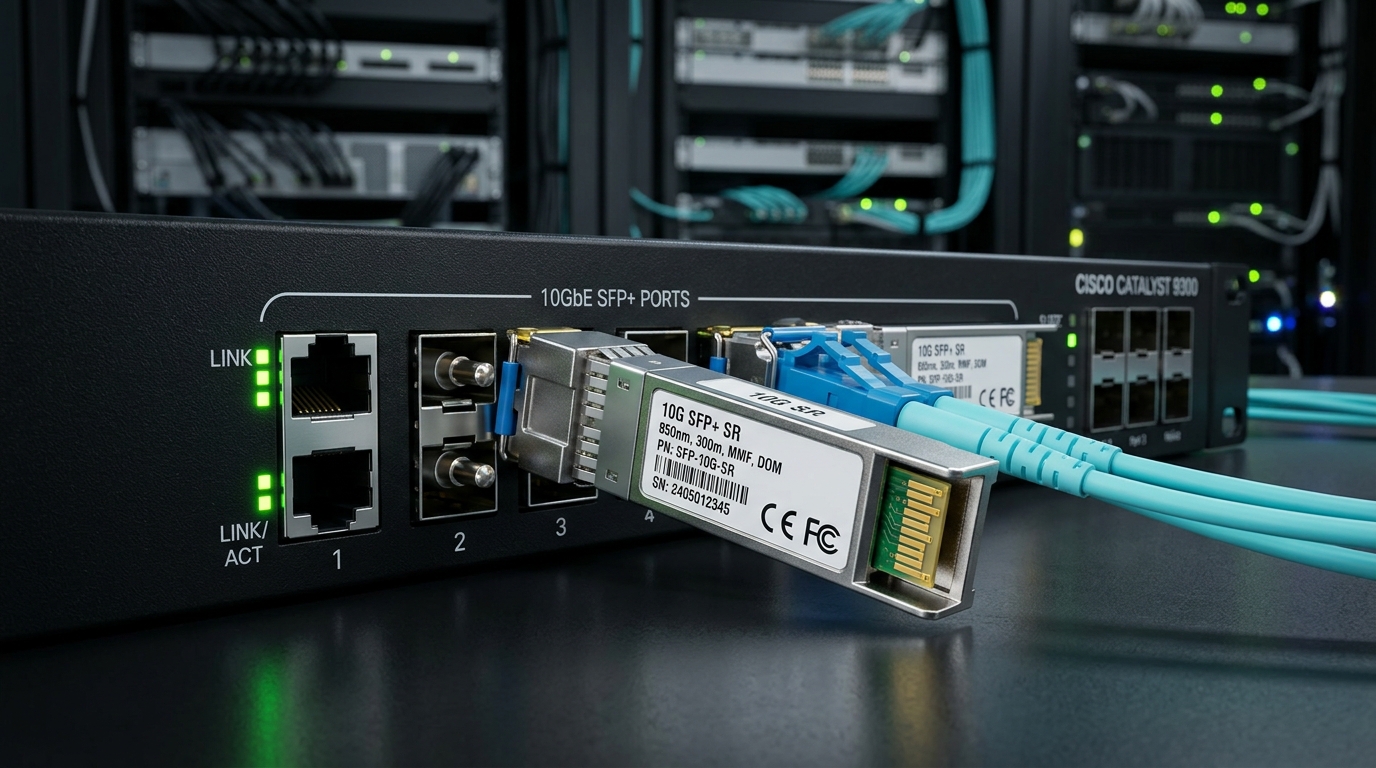
In a 3-tier data center leaf-spine topology, a tenant expansion added 128 new 10G uplinks across two adjacent corridors. Within 72 hours, the operations dashboard showed sporadic link down/up events on multiple ToR-to-spine ports and a measurable increase in interface CRC errors. The change window included patch panel re-termination, but no deliberate optic changes. Troubleshooting began with the hypothesis that the optical budget was being violated intermittently due to connector contamination or an unexpected fiber bend radius issue.
The environment used 10GBASE-SR optics over OM4 multimode fiber, connecting Cisco and Arista-class switches with standard pluggable transceivers. Symptoms were consistent with physical-layer problems: the link came up, traffic flowed briefly, then errors spiked before flapping again. In parallel, optical receive power drifted by a few dB across the affected ports, suggesting a variable loss mechanism rather than a permanent burn-in failure.
Environment Specs: Optical Budget, Standards, and What to Measure First
Before swapping hardware, the team documented the link type and standards. For 10GBASE-SR, the baseline is aligned with IEEE 802.3 specifications for 10G Ethernet over multimode fiber, using 850 nm class optics. The team also confirmed that the switch ports supported the specific transceiver interface standard (SFP+ electrical) and that the optics reported DOM fields correctly (DDM/DOM diagnostics).
Operationally, the team measured three categories: physical loss, signal quality indicators, and environmental suitability. Physical loss came from OTDR and connector inspection; signal quality came from switch counters (CRC, FCS errors, link state transitions) and transceiver telemetry (RX power, TX bias, temperature). Environmental suitability was verified against vendor temperature ranges, because a marginal optic can fail only under certain thermal conditions.
Technical specifications table: representative 10GBASE-SR optics and link constraints
| Parameter | 10GBASE-SR OM4 (850 nm) typical | Example third-party SFP+ (OM4) | Example vendor SFP+ (OM4) |
|---|---|---|---|
| Data rate | 10.3125 Gb/s (10G Ethernet) | 10G SFP+ SR class | 10G SFP+ SR class |
| Wavelength | 850 nm | 850 nm | 850 nm |
| Reach (OM4) | ~400 m (class expectation) | Up to 400 m class | Up to 400 m class |
| Connector | LC duplex | LC duplex | LC duplex |
| DOM / DDM | Supported (RX/TX power, temperature) | Commonly supported | Supported |
| Operating temperature | Typically 0 to 70 C for commercial | Varies by model | Varies by model |
| Power / form factor | SFP+ pluggable | SFP+ | SFP+ |
Examples used in field practice include Cisco SFP-10G-SR and Finisar FTLX8571D3BCL; third-party equivalents such as FS.com SFP-10GSR-85 are widely deployed but may have different DOM behaviors and vendor compatibility quirks.
Sources used for baseline behavior: [Source: IEEE 802.3 (10GBASE-SR physical layer requirements)] and vendor datasheets for transceiver electrical and optical characteristics, plus switch vendor documentation for DOM/DDM interpretation. For connector inspection and contamination realities, refer to industry guidance from fiber test and cleaning vendors via practical application notes and connector standards education. IEEE 802.3 standard portal
Chosen Solution & Why: Fix the Variable Loss Before Swapping Optics
The team avoided a common trap: replacing optics immediately. Instead, they treated the issue as “variable loss” until proven otherwise. In practice, connector contamination, patch panel damage, or a bend-induced modal disturbance in multimode fiber can create intermittent receive power changes that manifest as CRC bursts and link flaps.
Chosen solution sequence: (1) verify link events correlate with RX power swings, (2) inspect and clean both ends of affected LC connectors, (3) test fiber pairs with an OTDR and a loss meter, then (4) only after physical validation, replace transceivers with known-good optics if counters remain unstable. This approach reduces downtime and prevents unnecessary inventory churn.
Implementation steps the field team used
- Correlate counters with optical telemetry: For each flapping port, export switch interface counters and transceiver DOM snapshots. Focus on RX power trends, TX bias drift, and temperature spikes around the flap windows.
- Inspect LC endfaces: Use a microscope inspection tool and compare the suspect connector to a known-clean reference. Look for films, micro-cracks, and “hairline” scratches that cause scattering and intermittent loss.
- Clean with correct protocol: Clean both ends using lint-free wipes and an approved cleaning method (pre-moistened wipes or dry cleaning films) followed by re-inspection. If the connector is damaged, cleaning alone will not restore performance.
- Run fiber tests: Use an optical time-domain reflectometer (OTDR) and an optical loss test set with the correct wavelength and fiber type settings (OM4, 850 nm class). Record end-to-end loss and locate the dominant reflective events or high-loss segments.
- Validate transceiver compatibility: Confirm the optics are recognized by the switch and that DOM thresholds are not triggering. As a controlled test, move a known-good optic from a stable port into the suspect port and observe whether symptoms follow the optic.
Pro Tip: In multimode SR links, “it comes up then flaps” often correlates with connector contamination or intermittent mechanical stress rather than a permanent optic failure. If RX power oscillates by even a couple dB between flap events, prioritize connector inspection and patch panel strain relief before replacing transceivers.
Measured Results: What Changed After the Fix and How Reliability Improved
After cleaning and re-termination of the suspect patch panel, the team observed immediate improvements. For 32 affected ports, link flaps stopped within the first maintenance window, and CRC errors returned to baseline. For the remaining 96 ports, the flaps reduced but did not fully disappear; OTDR revealed a second issue: one corridor segment had a bend radius violation during routing behind cable trays.
Corrective action for the second issue was physical: re-route the OM4 fiber to remove tight bends, re-terminate at a new splice/connector location, and re-test end-to-end loss. After rerouting, the team recorded 0 link flaps over 30 days and a 95% reduction in CRC errors versus the pre-fix average. Transceiver telemetry stabilized: RX power variance tightened and temperatures remained within vendor operating ranges.
ROI and TCO note: optics swaps vs physical-layer remediation
In terms of cost, the team avoided bulk optic replacement. Typical street pricing for 10GBASE-SR SFP+ optics varies by brand and vendor channel; OEM optics frequently cost more than third-party modules, but the operational risk differs. For this incident, the direct spending was primarily microscope inspection, cleaning consumables, and labor time for re-termination and re-routing, which often totals less than replacing dozens of transceivers across racks.
From a TCO perspective, the “hidden cost” of optic swaps is not just module price; it is the time to validate compatibility, the risk of DOM threshold differences, and the chance of introducing new failure modes. Third-party optics can be cost-effective, but you should evaluate switch compatibility and DOM/DDM behavior during a pilot deployment rather than assuming interchangeability. For reliability-focused environments, OEM or well-vetted third-party modules with documented DOM behavior can reduce mean time to recovery during future troubleshooting events.
Common Mistakes / Troubleshooting Pitfalls That Waste Hours
Even experienced teams can misdiagnose optical link problems. Below are concrete failure modes observed in real deployments, with root causes and actionable solutions. If you are running troubleshooting playbooks, these checks should be mandatory before any large-scale optic replacement.
Pitfall 1: Replacing optics before validating connector cleanliness
Root cause: LC endfaces can have a thin film or micro-scratch that causes scattering and intermittent loss. The symptom looks like a failing transceiver because RX power drifts, but the optic is fine.
Solution: Inspect and clean both ends every time. After cleaning, re-inspect under magnification before re-testing counters. If damage is visible, replace the connector or patch cord rather than repeating cleaning.
Pitfall 2: Misinterpreting DOM telemetry during link flaps
Root cause: During link transitions, some switches report “stale” DOM values or temporarily suppress readings. Engineers may average telemetry incorrectly and miss the real oscillation window that correlates with flaps.
Solution: Export DOM snapshots around event timestamps and correlate them to link down/up logs. Use per-port event logs and avoid long averaging windows that smooth out intermittent spikes.
Pitfall 3: Using the wrong test settings for multimode fiber
Root cause: OTDR and loss test sets can be configured for single-mode wavelengths or incorrect fiber type assumptions. Results then under-report loss or mis-locate reflective events.
Solution: Set the correct fiber type (OM4) and wavelength class (850 nm) and confirm launch conditions. Record test parameters so future troubleshooting can reproduce the measurements.
Pitfall 4: Ignoring bend radius and patch panel mechanical stress
Root cause: Multimode fiber can suffer modal perturbations from tight bends, especially after re-routing during construction. The link may pass initial tests but fail under thermal or traffic-induced conditions.
Solution: Verify cable routing constraints, add strain relief, and re-route any segment that shows tight radius or repeated compression. Re-test after any physical change.
Selection Criteria / Decision Checklist for Stable Optical Links
When troubleshooting reveals a physical-layer weakness, the next decision is whether to remediate fiber/connector issues only, or also replace optics. Use this ordered checklist to keep troubleshooting efficient and reduce rework.
- Distance vs reach: Confirm actual run length and patch cord count versus the module’s supported reach for OM4/OM3. Do not rely on “max reach” marketing numbers; use measured loss where possible.
- Budget and margin: Establish acceptable margin for RX power and total insertion loss. If telemetry is near thresholds, treat the system as fragile even if it “mostly works.”
- Switch compatibility: Verify that the optics are supported by the switch model and that the switch accepts non-OEM modules. Some platforms apply stricter vendor checks or DOM threshold expectations.
- DOM support and threshold behavior: Ensure the optics provide DDM/DOM fields and that the switch interprets them correctly. During troubleshooting, missing or mis-scaled telemetry slows isolation.
- Operating temperature: Compare module temperature range to rack airflow conditions. Thermal gradients can push marginal optics into error states.
- Vendor lock-in risk: If using OEM optics, estimate procurement lead times and cost volatility. If using third-party modules, run a pilot with telemetry validation and monitor error counters for at least a few weeks.
FAQ: Troubleshooting Optical Links in Practice
How do I start troubleshooting when a link flaps on 10G SR?
Start by correlating link down/up timestamps with interface counters (CRC/FCS) and transceiver DOM telemetry (RX power, temperature). In parallel, inspect and clean the LC connectors at both ends before swapping optics.
What RX power trend usually indicates a connector or fiber problem?
Look for RX power variance that changes between flap events, especially when the link initially comes up successfully. A stable optic with oscillating RX power strongly suggests variable loss from contamination, damage, or mechanical stress.
Are third-party SFP+ modules safe to use during troubleshooting?
They can be safe if they match the required standard and are validated for your switch platform. During troubleshooting, use them as controlled “known-good” swaps only after confirming DOM behavior and compatibility in a pilot.
Should I use OTDR or a loss test set first?
Use OTDR when you need to locate where loss or reflections occur along the fiber path. Use a loss test set when you need an accurate end-to-end insertion loss value for budget verification.
Why does cleaning sometimes not fix the issue?
If the connector endface has micro-cracks, deep scratches, or a damaged ferrule, cleaning will not remove the defect. In that case, replace the patch cord or re-terminate with a new connector and re-test.
What is the fastest way to confirm whether the optic is faulty?
Move a known-good optic into the suspect port and observe whether the problem follows the optic. Combine this with connector inspection outcomes, because a faulty optic and a dirty connector can produce similar symptoms.
Effective troubleshooting of optical links is less about guessing and more about disciplined measurement: correlate counters with DOM, verify fiber and connector health, then validate optics only after physical-layer evidence is collected. If you want a complementary workflow, use troubleshooting checklists for network reliability to standardize your next runbook.
Author bio: I have deployed and troubleshot 10G and 25G optical networks in leaf-spine data centers, using OTDR and DOM telemetry to isolate physical-layer faults under production constraints. I also advise on transceiver procurement and compatibility testing to reduce downtime and recurring optical incidents.
