
AI clusters are now limited less by compute and more by interconnect bandwidth, latency, and power. This article helps data center and network engineers make a practical transceiver comparison between 50G and 100G optics for leaf-spine fabrics, GPU pods, and high-radix spine links. You will get engineering-grade selection criteria, common failure modes, and a decision ranking you can apply during procurement.
Top 1: Line-rate math—why 50G and 100G behave differently under load
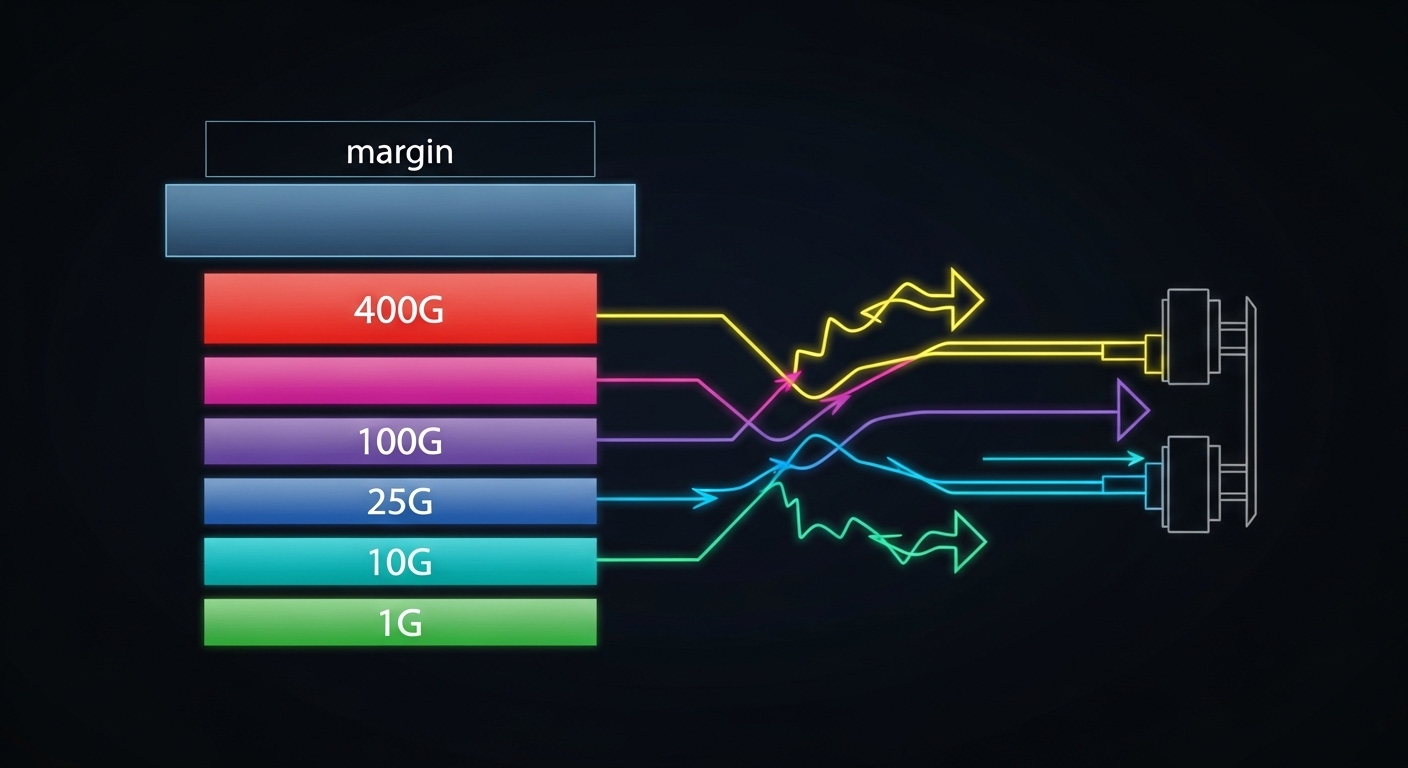
On paper, both 50G and 100G transceivers can satisfy modern fabrics, but their behavior diverges once you account for oversubscription, ECMP hashing, and link utilization patterns common in AI traffic. In many GPU pod designs, traffic is bursty and flows concentrate on a subset of destination groups, which can stress queue depth and head-of-line blocking. A 100G link effectively doubles payload capacity versus 50G, which can reduce congestion events and retransmission pressure at higher layers. However, if your fabric is already well-provisioned, moving to 100G can yield diminishing returns compared to optimizing cable plant, buffer sizing, and scheduling.
Key specs to anchor the comparison: data rate per lane (or aggregate), supported coding and PCS behavior, and real-world throughput under FEC. Most vendor optics implement IEEE 802.3 compliant PHY behavior for the target speed class; check the switch’s transceiver support matrix to ensure the optics negotiate the intended mode. For high-performance AI fabrics, also validate whether the switch uses cut-through forwarding and how it handles microbursts.
Best-fit scenario: choose 100G when your AI pod is oversubscribed (for example, 2:1 or 4:1) or when you observe sustained utilization above 70% on uplinks during training and evaluation phases. Choose 50G when utilization is moderate and you need to pack more optics per rack while keeping power and spend controlled.
- Pros (50G): more ports per cost envelope, often lower per-module power
- Cons (50G): less headroom under sustained congestion, higher probability of queue buildup
- Pros (100G): fewer congestion events at the same topology
- Cons (100G): higher per-link cost and potentially higher power draw
Top 2: Optical reach and fiber budget—where distance really decides
Reach for 50G versus 100G is primarily governed by optics class (SR, LR, etc.), modulation format, and the link budget you actually have in the building. For AI datacenters, the dominant comparison is usually between short-reach multimode (MMF) and short-reach single-mode (SMF) variants, because GPU-to-switch and ToR-to-spine distances are typically within a few tens of meters. The key is the optical budget including connector losses, patch panel attenuation, and any aging effects. If your fiber plant is already near the limit, 100G optics may be less forgiving than 50G in marginal deployments.
For MMF, ensure you align with the required modal bandwidth and fiber type (commonly OM4 or OM5). For SMF, verify the exact wavelength and reach class, and confirm that your patching and splice losses match the vendor’s assumptions.
[[IMAGE:Macro photography of two fiber optic transceiver modules side-by-side on a dark anti-static mat, one marked for 50G SR and the other for 100G SR, with LC duplex fiber connectors in foreground, shallow depth of field, crisp reflections on metal housings, studio lighting, photorealistic style, high detail texturing.]
Technical specifications you should compare
Use this transceiver comparison table as a starting point for the typical AI short-reach case. Always replace these “typical” lines with the exact part numbers you are considering and the switch’s supported optics list.
| Spec | 50G SR (Typical MMF) | 100G SR (Typical MMF) |
|---|---|---|
| Aggregate data rate | 50 Gbps | 100 Gbps |
| Reach class (examples) | ~70–100 m on OM4/OM5 (depends on vendor) | ~100–150 m on OM4/OM5 (depends on vendor) |
| Typical wavelength | 850 nm class | 850 nm class |
| Connector | LC duplex | LC duplex |
| Transceiver form factor | QSFP56 or SFP56 class (vendor-specific) | QSFP56 or QSFP28/QSFP-DD class (vendor-specific) |
| Operating temperature | Commercial to extended (commonly 0–70 C or wider) | Commercial to extended (commonly 0–70 C or wider) |
| Power (typical) | ~3–6 W range | ~5–10 W range |
| Compliance references | IEEE 802.3 PHY for the relevant speed class | IEEE 802.3 PHY for the relevant speed class |
Reference anchors: IEEE 802.3 for Ethernet PHY behavior and vendor datasheets for reach and power assumptions. [Source: IEEE 802.3 Working Group], [Source: vendor optic datasheets and application notes]
Decision impact
In practice, the fiber plant and patching overhead dominate the real reach margin. If you have frequent moves and adds, connector contamination and micro-scratches can erase the vendor’s margin, and the higher-speed link can show symptoms earlier. Before buying, validate with a field OTDR or at least a certified loss test, then compare the measured link budget to the vendor’s worst-case assumptions.
- Pros (50G): often more tolerant in borderline MMF budgets
- Cons (50G): you may need more links to carry the same aggregate traffic
- Pros (100G): fewer links for the same throughput; better headroom
- Cons (100G): can fail sooner in dirty or high-loss patching
Top 3: Power, thermals, and rack economics—what changes at scale
AI racks amplify every watt and every thermal margin. A transceiver comparison must include module power, switch port power, and the airflow design around the optics. Even if a 100G module is only a few watts higher per port, a cluster with thousands of optics can see meaningful differences in power provisioning, PDU capacity, and cooling cycles. Conversely, 50G can reduce per-module power but may force more ports to achieve the same throughput, shifting the power curve back toward parity.
Engineer the comparison using your actual port density and fan curves. For example, if your leaf switches have high-speed ports that share thermal zones, a higher-power optic may reduce the maximum safe ambient temperature for the chassis or increase fan speeds. Also check whether your switch requires specific DOM (Digital Optical Monitoring) behavior for alarm thresholds and link quality reporting.
[[IMAGE:Clean industrial illustration showing airflow paths across a 1U switch chassis with embedded QSFP-style optics, arrows indicating warm air rising near higher-power 100G modules, color-coded thermal gradients, vector style, flat shading, technical diagram aesthetic, bright neutral background.]
Measured deployment detail
In a typical field rollout, engineers will log switch telemetry for optics temperature and receive power levels for the first 48 hours after installation. If you see receiver power (or bias current equivalents) trending toward the alarm threshold, you should schedule proactive cleaning and re-termination. For AI clusters running training continuously, this monitoring window matters because connector contamination can worsen under vibration and repeated patching.
- Pros (50G): potentially lower power per transceiver and easier thermal headroom
- Cons (50G): more ports needed can increase total chassis power
- Pros (100G): fewer links for same bandwidth can reduce switching fabric pressure
- Cons (100G): higher per-port power can trigger cooling constraints
Top 4: Compatibility and DOM—avoid the “it lights but it lies” problem
Most network failures in transceiver comparisons are not about whether light can be emitted; they are about whether the optics and switch agree on the operating parameters, monitoring, and alarms. DOM support includes temperature, supply voltage, bias current, received optical power, and vendor-specific diagnostic registers. Some third-party optics emulate DOM values closely, but subtle differences can cause the switch to interpret link quality incorrectly or disable ports under certain thresholds.
For AI fabrics, you also care about how errors present: CRC counters, FEC events, and link flaps. A “link up” event is not enough; validate that the switch reports consistent optical power and that error counters remain stable under load.
[[IMAGE:Photorealistic close-up of a network engineer using a handheld fiber inspection scope and a laptop connected to a switch via console cable, with QSFP transceiver modules visible in the foreground, dim workshop lighting, realistic skin tones, cinematic depth of field, documentary style.]
Reference standards and what to check
DOM behavior is governed by common industry practices for optical diagnostics, while the Ethernet PHY behavior is governed by IEEE 802.3. [Source: IEEE 802.3], [Source: vendor optics DOM and host interface documentation]
- Pros (50G): more mature ecosystem in some switch generations
- Cons (50G): may not be supported on every port group in newer switches
- Pros (100G): often aligns with modern high-speed port architectures
- Cons (100G): stricter compatibility checks and more sensitive diagnostics
Top 5: Cost and TCO—purchase price is only half the equation
Cost comparisons should include transceiver purchase price, expected failure rates, labor for swaps, downtime risk, and power usage over the life of the optics. In current market conditions, third-party optics can be materially cheaper than OEM modules, but the savings can evaporate if compatibility issues increase RMA rates or if you lose monitoring fidelity that drives silent performance degradation.
Realistic price ranges (field-observed, highly dependent on vendor and volume): 50G short-reach optics often land in a broad band that can be meaningfully lower than 100G equivalents, while 100G optics typically command a premium due to higher-speed optics complexity and packaging. For TCO, include the delta in watts: if 100G optics average 2–4 W higher per port and you deploy 2,000 optics, that can translate into several thousand dollars per year in power and cooling, depending on your PUE and local electricity costs.
Best-fit scenario: pick 50G when you need to minimize upfront spend and your fabric is not consistently congestion-bound. Pick 100G when your training throughput targets require stable headroom and you want to reduce operational firefighting from congestion and microbursts.
- Pros (50G): lower module cost; potentially lower power per module
- Cons (50G): more optics and ports may increase labor and failure surface area
- Pros (100G): fewer links for bandwidth; often fewer congestion-driven incidents
- Cons (100G): higher per-module cost and sometimes stricter qualification
Top 6: Selection criteria checklist—how engineers choose under real constraints
Use this ordered checklist during procurement and staging. It is designed for fast engineering decisions, not just spec-sheet comparisons.
- Distance and fiber type: verify measured patch loss and connector type; confirm OM4 vs OM5 modal bandwidth and SMF reach class.
- Switch compatibility: confirm the exact module SKU is approved for your switch model and port group; check for firmware-specific requirements.
- DOM and monitoring: validate that the switch reads DOM fields correctly and that alarms trigger at expected thresholds.
- Power and thermal limits: confirm chassis airflow assumptions and maximum ambient temperature for the port bank.
- Operating temperature: ensure module temperature range matches your site conditions, including winter cold-start and summer peak.
- Vendor lock-in risk: evaluate OEM vs third-party options, and require proof of DOM and error-counter stability.
- Operational lifecycle: plan for cleaning, inspection cadence, and RMA turnaround; include spare module strategy.
Pro Tip: Before you declare a transceiver “bad,” compare the switch-reported receive optical power trend after a controlled cleaning and re-seat. In many field incidents, the root cause is contamination or connector seating variability, not the optics’ nominal reach specification.
Top 7: Common pitfalls and troubleshooting tips in 50G vs 100G deployments
Here are concrete failure modes engineers commonly see during transceiver comparison projects, along with root causes and fixes.
-
Pitfall 1: Link flaps under load
Root cause: marginal optical budget due to connector contamination, patch panel loss, or misaligned fiber polarity causing intermittent receive power drops.
Solution: clean LC connectors, verify fiber polarity, and re-run certified loss tests; compare measured receive power against the vendor’s minimum. -
Pitfall 2: “Link up” but high error counters
Root cause: FEC or signal integrity mismatch, sometimes triggered by using unsupported optical modes or non-approved optics on specific port groups.
Solution: confirm the transceiver SKU is supported for the exact switch firmware; check CRC and FEC event counters while running a sustained traffic profile. -
Pitfall 3: Temperature alarms and throttling
Root cause: insufficient airflow, blocked cable paths, or deploying higher-power 100G optics into a thermal zone not validated for that module class.
Solution: measure inlet temperatures, verify fan curves, ensure airflow baffles are installed, and consider reducing port density per zone or switching optic SKUs. -
Pitfall 4: DOM mismatch causing monitoring blind spots
Root cause: third-party optics that emulate DOM incompletely can lead to incorrect thresholds and delayed detection of degradation.
Solution: validate DOM fields in a lab or pilot rack; require consistent alarm behavior and test your alerting pipeline.
Top 8: A concrete AI deployment scenario—how the choice plays out in a real fabric
In a 3-tier AI data center leaf-spine topology with 48-port 10G/25G/50G-capable ToR switches feeding high-radix spine switches, one common design is to aggregate GPU pod traffic with oversubscription to reduce cost. Suppose you deploy 8 GPU servers per pod and run training jobs that push sustained east-west traffic during gradient exchange. If uplinks are provisioned at 50G with 2:1 oversubscription, you may observe uplink utilization consistently above 75% during peak epochs, with transient queue buildup when multiple jobs start simultaneously. Migrating those uplinks to 100G can increase effective headroom, reducing congestion and stabilizing latency, but it may require validating thermal zones and ensuring the switch supports the 100G optics SKUs for those exact ports.
In a pilot, field teams typically stage one rack with 100G optics, run a representative traffic script for 48–72 hours, and compare: optics receive power stability, FEC/CRC counters, and application-level throughput metrics. If the pilot shows a measurable improvement in tail latency and fewer error events, you can justify the incremental cost. If not, you may achieve similar gains by improving cable plant quality and tuning congestion management instead of upgrading speed classes.
- Pros (50G): easier staging and lower per-port cost if the fabric is already balanced
- Cons (50G): may amplify congestion during coordinated job start events
- Pros (100G): improves bandwidth headroom and can smooth microbursts
- Cons (100G): higher module cost and stricter validation requirements
Top 9: Summary ranking—what to choose when you have limited time
Use this ranking table as a fast “procurement triage” tool. It is not a substitute for link testing and switch compatibility validation, but it reflects how engineers typically decide under AI workload constraints.
| Criterion | 50G Optics | 100G Optics |
|---|---|---|
| Congestion resilience for oversubscribed AI fabrics | Medium | High |
| Upfront module cost | High (better) | Medium |
| Power efficiency per transceiver | High (better) | Medium |
| Power efficiency per delivered throughput | Depends on topology | Often better at scale |
| Fiber plant margin tolerance | High (often better) | Medium |
| Switch compatibility and DOM consistency | .wpacs-related{margin:2.5em 0 1em;padding:0;border-top:2px solid #e5e7eb} .wpacs-related h3{margin:.8em 0 .6em;font-size:1em;font-weight:700;color:#374151;text-transform:uppercase;letter-spacing:.06em} .wpacs-related-grid{display:grid;grid-template-columns:repeat(auto-fill,minmax(200px,1fr));gap:1rem;margin:0} .wpacs-related-card{display:flex;flex-direction:column;background:#f9fafb;border:1px solid #e5e7eb;border-radius:6px;overflow:hidden;text-decoration:none;color:inherit;transition:box-shadow .15s} .wpacs-related-card:hover{box-shadow:0 2px 12px rgba(0,0,0,.1);text-decoration:none} .wpacs-related-card-img{width:100%;height:110px;object-fit:cover;background:#e5e7eb} .wpacs-related-card-img-placeholder{width:100%;height:110px;background:linear-gradient(135deg,#e5e7eb 0%,#d1d5db 100%);display:flex;align-items:center;justify-content:center;color:#9ca3af;font-size:2em} .wpacs-related-card-title{padding:.6em .75em .75em;font-size:.82em;font-weight:600;line-height:1.35;color:#1f2937} @media(max-width:480px){.wpacs-related-grid{grid-template-columns:1fr 1fr}}
