
If you are upgrading a 5G transport network, the optical transceiver you pick can make or break link stability, latency, and maintenance time. This buying guide helps RF and network engineers choose the right modules for fronthaul and backhaul by focusing on IEEE-aligned optics, real vendor compatibility, and operational limits. It is written for teams deploying in telecom huts, data centers, and roadside cabinets where temperature swings and DOM visibility matter.
Pick the right interface and optics type for 5G transport
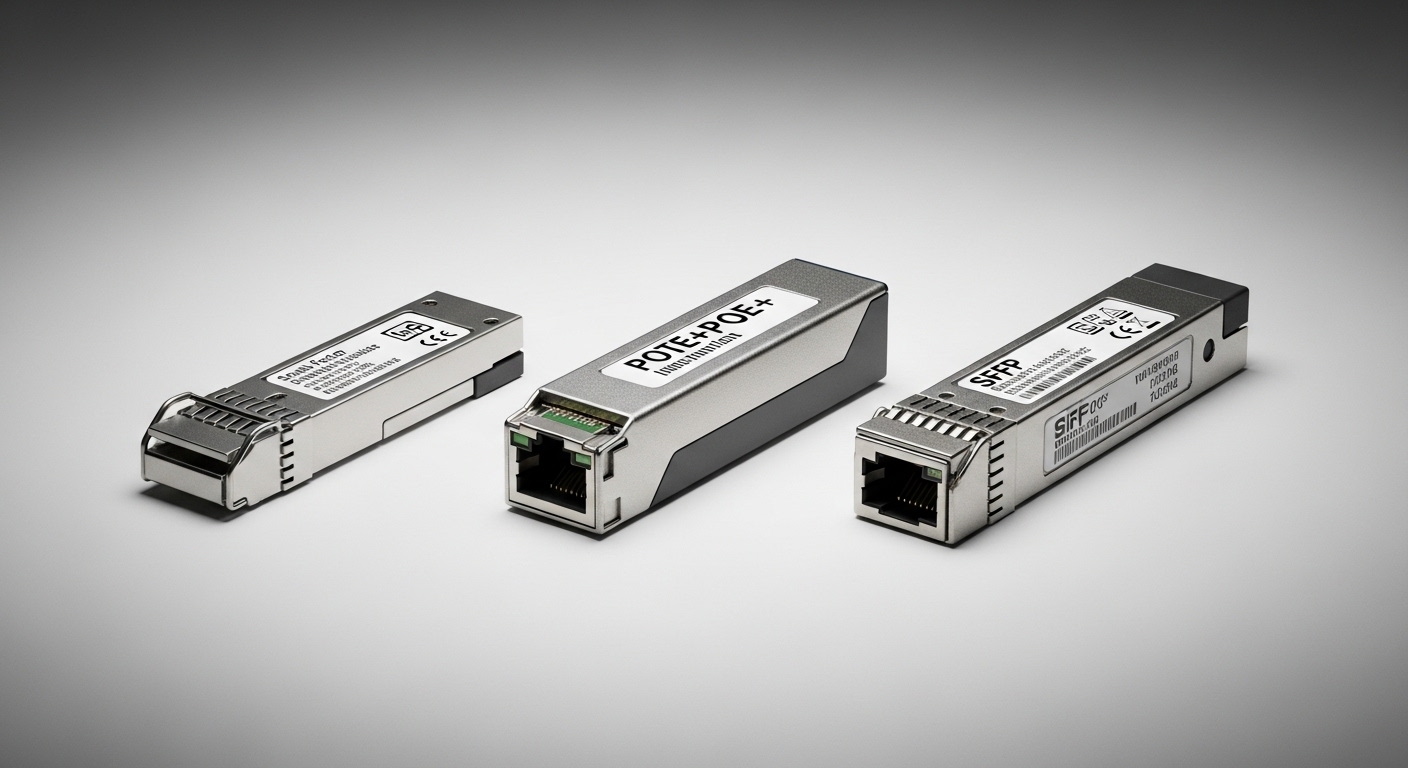
Start by matching the transceiver form factor and electrical interface to your switch or aggregation gear. For 5G transport, common paths include 25G/10G Ethernet for backhaul and higher-rate links for aggregation, often using SR optics for short reach and LR optics for longer spans. You will typically see QSFP28 at 25G, SFP+ at 10G, and QSFP56 at 100G in dense aggregation layers, depending on vendor platform.
Examples you may encounter include Cisco QSFP-25G-SR, Finisar FTLX8571D3BCL (10G SR class), and FS.com SFP-10GSR-85 (10G SR class). Always verify the exact port speed and lane mapping supported by your chassis.
- Best fit: Use SR for intra-site links (rack-to-rack, room-to-room) and LR for inter-site spans.
- Pros: Fewer surprises in optics budget and switch compatibility.
- Cons: Wrong form factor or electrical standard forces an expensive redesign.
Verify wavelength and reach using an optical budget, not a datasheet claim
For 5G, the reach you need depends on fiber type, splice loss, connectors, and patch panel routing. SR modules are typically around 850 nm (multimode), while LR modules are typically around 1310 nm (single-mode). Do not rely on a single “max distance” number; instead compute an optical budget with margin for aging and cleaning variability.
Field engineers often include measured worst-case losses for: fiber attenuation, connector insertion loss, splice loss, and patch cord variability. If you target a conservative margin of 3 to 6 dB, you reduce the chance of marginal receive power during seasonal temperature changes.
| Module class | Typical wavelength | Typical reach target | Fiber type | Connector | Operating temp (typ.) |
|---|---|---|---|---|---|
| 10G SR | 850 nm | Up to 300 m (OM3/OM4 varies) | MMF | LC | -5 to 70 C (varies by vendor) |
| 25G SR | 850 nm | Up to 100 m on OM3/OM4 (varies) | MMF | LC | -5 to 70 C (varies by vendor) |
| 10G LR | 1310 nm | Up to 10 km | SMF | LC | -5 to 70 C (varies by vendor) |
| 25G LR | 1310 nm | Up to 10 km (varies) | SMF | LC | -5 to 70 C (varies by vendor) |
Best fit: Use SR for campus and site-internal links; use LR for backhaul between cabinets or huts.
Pros: Budgeting improves uptime and reduces truck rolls.
Cons: Miscalculations cause intermittent link drops.
Confirm DOM and monitoring requirements for fast 5G operations
In 5G networks, you often need optical diagnostics quickly: receive power, transmit power, laser bias current, and temperature. Digital Optical Monitoring (DOM) typically follows industry norms over the module management interface so your NMS can alert on degradation before failure. Many operators standardize on DOM support for proactive maintenance and root-cause analysis.
When selecting a module, confirm that your switch supports DOM polling and that the DOM data is mapped to your telemetry system. If you use automation, ensure the module exposes the expected fields for alarms and thresholds.
Pro Tip: If your NMS flags “low RX power” but the link remains up, treat it as an early warning. In real deployments, teams that act on the first threshold breach before it becomes a hard LOS event cut mean time to repair because cleaning and patch cord replacement are scheduled instead of emergency.
- Best fit: Fronthaul and aggregation sites where downtime affects user experience.
- Pros: Faster troubleshooting and better preventive maintenance.
- Cons: Some third-party optics require specific switch firmware or DOM profile support.
Match power class and link error tolerance to your equipment
Transceivers must meet the receiver sensitivity and transmit power requirements of the connected PHY. Even if reach looks sufficient on paper, a mismatch in nominal power, launch conditions, or receiver tolerance can increase bit error rate and lead to CRC errors or link resets. For Ethernet optics, the key is ensuring the module meets the optical/electrical parameters expected by the port.
In practice, engineers validate by checking switch compatibility lists and by running a link verification test after installation. For high-availability 5G backhaul, schedule a controlled test window and log counters such as errors and link flaps, then compare against baseline behavior.
- Best fit: When deploying mixed vendor hardware across sites.
- Pros: Reduces intermittent failures that are hard to reproduce.
- Cons: Requires careful testing and documentation.
Choose temperature grade and ruggedization for telecom huts and roadside cabinets
5G deployments frequently run in cabinets with poor airflow and significant temperature swings. Many optics are specified for standard ranges, while hardened modules may support extended temperature operation. Confirm the module’s temperature range and ensure your local enclosure meets the expected airflow assumptions.
For example, a module rated for -5 to 70 C may not be enough if your cabinet regularly exceeds that range in summer. If you cannot control airflow, consider transceivers with extended temperature grades and pair them with a monitored fan or thermal management plan.
- Best fit: Outdoor cabinets, remote huts, and sites with long maintenance intervals.
- Pros: Better survival rate under harsh conditions.
- Cons: Extended-grade optics can cost more upfront.
Decide between OEM and third-party optics with compatibility safeguards
Cost matters, but so does operational risk. OEM optics often have longer documented compatibility support and may reduce the chance of port disablement due to vendor-specific checks. Third-party optics can be cost-effective, especially for large rollouts, but you must validate with your exact switch model and firmware release.
As a baseline, start by checking the vendor’s transceiver compatibility list and confirming that the third-party module has matching electrical and optical characteristics. Then run a pilot: install a small batch across a few representative sites and verify that DOM telemetry and link stability match expectations.
- Best fit: When scaling rapidly and you can invest in a pilot validation.
- Pros: Lower unit cost and faster procurement.
- Cons: Risk of incompatibility or limited warranty coverage.
Use a field-ready selection checklist before you buy
Engineers often lose time by selecting optics based only on speed and reach. Use this ordered checklist to reduce iteration cycles:
- Distance and fiber type: confirm MMF vs SMF, plus OM3/OM4 if using SR.
- Switch compatibility: verify module form factor and speed match the exact switch model and port type.
- Wavelength and connector: ensure LC vs other connector type and correct wavelength class.
- DOM support: confirm DOM polling works and alarms integrate with your NMS.
- Optical budget with margin: include splice/patch losses and keep at least 3 to 6 dB headroom.
- Operating temperature: match harsh-site requirements to module temperature grade.
- Vendor lock-in risk: plan for firmware changes and validate third-party optics ahead of time.
Best fit: Any rollout where you must standardize across multiple sites.
Pros: Fewer returns and faster acceptance testing.
Cons: Requires disciplined pre-sales data gathering.
Common mistakes and troubleshooting tips that actually save time
Below are common failure modes seen in the field, with root causes and practical solutions.
- Mistake 1: Wrong fiber type (MMF vs SMF) or wrong core grade (OM3 vs OM4)
Root cause: SR optics installed on incompatible fiber plant, causing weak receive power.
Solution: Verify fiber type labels and run an OTDR or at least end-to-end loss testing before blaming optics. - Mistake 2: Cleaning skipped on LC connectors
Root cause: Contamination adds insertion loss, leading to intermittent LOS or high error counters.
Solution: Use lint-free wipes and proper inspection scope; re-terminate or replace patch cords if scratches are visible. - Mistake 3: Ignoring optical budget margin
Root cause: Link works initially but degrades with temperature, connector aging, or additional patching.
Solution: Recalculate budget using measured loss; aim for 3 to 6 dB margin and document baseline RX power. - Mistake 4: Third-party optics not validated on your exact switch firmware
Root cause: DOM mapping differences or vendor-specific compatibility checks block or destabilize the link.
Solution: Run a pilot and record outcomes per firmware version; keep at least one OEM module as a known-good reference.
Best fit: Post-install acceptance testing and ongoing maintenance.
Pros: Faster recovery and fewer repeat visits.
Cons: Requires time for measurements and inspections.
Cost and ROI note: how to estimate total cost of ownership
Typical pricing varies by speed and reach, but in many markets a 10G SR module may cost roughly tens of dollars, while 25G SR and 10G/25G LR modules can be higher. OEM optics often cost more per unit, yet can reduce downtime risk and simplify warranty handling. For TCO, include labor for install, cleaning/inspection time, expected failure rates, and the cost of emergency dispatch when optics become intermittent.
A practical ROI approach is to run a pilot with both OEM and third-party options, measure link stability and DOM trends for several weeks, then scale using the best-performing option for your environment. If your sites have harsh thermal conditions, pay more for the correct temperature grade rather than repeatedly replacing marginal modules.
Sources: [Source: IEEE 802.3 Ethernet PHY specifications via IEEE Xplore], [Source: vendor transceiver datasheets for Cisco, Finisar, and FS.com], [Source: ANSI/TIA fiber cabling guidance via TIA documentation as referenced by cabling best practices] IEEE Xplore Cisco transceiver documentation Finisar optics documentation
FAQ
Q1: What is the safest buying guide approach for a new 5G site?
Start with the switch vendor compatibility list, then confirm wavelength class and
