
When telecom teams plan an upgrade, the transceivers line item can look simple until you factor in optics lead times, switch compatibility, power draw, and the real cost of downtime. This article helps network owners and engineers estimate ROI for transceiver refreshes in production environments, from leaf-spine data centers to metro aggregation. You will get a practical selection checklist, common failure modes, and a cost model you can defend in a procurement or change-control meeting.
Top 7 transceiver ROI levers telecom teams can measure
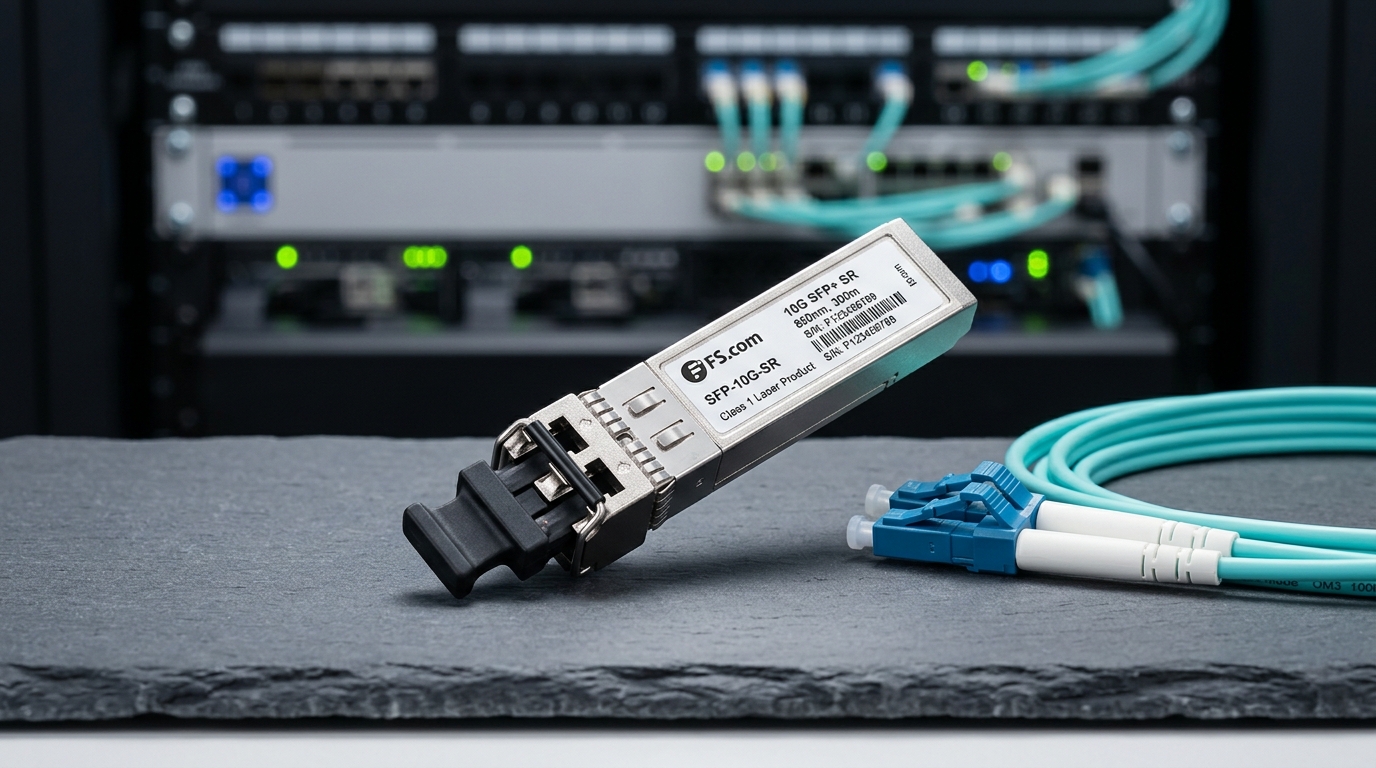
Most ROI models fail because they only compare module purchase prices. In practice, the biggest deltas come from power per port, planned vs unplanned downtime, spares strategy, and optical budget margin. The goal is to choose transceivers that reduce operational risk while extending upgrade cycles.
Power and cooling impact per port
For modern optics, the power difference between older and newer generations can be meaningful at scale. As a rule of thumb, 100G optics often land around 3.5 W to 5 W per module for common SR or LR variants, while some legacy designs can be higher depending on vendor and temperature grade. Multiply by port count and use your facility PUE to estimate cooling overhead.
- Best-fit scenario: 10,000+ ports across multiple aggregation sites where power audits are already tracked.
- Pros: Measurable savings; improves TCO beyond optics cost.
- Cons: Requires accurate module power data from datasheets and a credible facility model.
Pro Tip: Use switch-side telemetry (not just module datasheets) when possible. Many platforms expose per-port power or thermal trends, and those readings can reveal when a “same spec” transceiver behaves differently under your exact optics temperature and airflow.
Optical budget margin and BER targets
ROI isn’t only about buying the right wavelength; it is about ensuring the link stays within required performance margins. For Ethernet optics, you typically target a compliant BER behavior (vendors specify link performance and diagnostics; IEEE 802.3 defines electrical/optical interfaces). If you run close to the optical budget, you may see intermittent errors that look like congestion or oversubscription.
- Best-fit scenario: Metro links with variable fiber aging, patch-panel losses, or frequent re-cabling.
- Pros: Fewer “mystery” outages; longer maintenance intervals.
- Cons: Better margins can cost more or require different reach optics.
Switch compatibility and DOM behavior
Transceivers that do not fully match your platform’s expectations can create operational friction: missing DOM fields, conservative link settings, or “unsupported module” alarms. Prefer modules that explicitly support your switch family and provide Digital Optical Monitoring (DOM) with expected thresholds.
- Best-fit scenario: Upgrades involving mixed vendor optics or multi-generation switch refreshes.
- Pros: Cleaner operations; fewer support tickets.
- Cons: Compatibility testing takes time, and “works on my bench” is not enough for telecom change windows.
Lead times, spares, and change-control downtime
Procurement schedules often ignore the operational cost of waiting. If your upgrade requires a specific part number and you cannot get it quickly, you might carry extra spares at higher cost or delay deployment. Quantify downtime risk by using your change-control window length and your rollback plan.
- Best-fit scenario: Live network expansions where you cannot pause traffic.
- Pros: Predictable rollout; fewer emergency shipments.
- Cons: Requires planning discipline and a realistic spares policy.
Reach vs density trade-offs (SR vs LR vs ER)
Choosing reach optics affects both cost and density. For example, in short-reach environments, 10G SR often uses 850 nm multimode fiber and can be cheaper than longer reach options. In metro or long-haul, LR/ER optics use single-mode fiber and higher-cost optics, but they avoid expensive fiber moves.
- Best-fit scenario: Data centers moving from 10G to 25G/100G with constrained cabling.
- Pros: Fewer reworks; better utilization of existing fiber.
- Cons: Wrong reach selection can silently burn your margin.
Temperature grade and reliability under load
Telecom sites can be brutal: hot aisles, constrained ventilation, or seasonal spikes. Optics have temperature operating ranges (often commercial vs industrial vs extended). If you install modules outside spec, you may see early failures and rising error rates.
- Best-fit scenario: Outdoor cabinets, edge POPs, or poorly controlled rooms.
- Pros: Better mean time between failures (MTBF) in the field.
- Cons: Higher-grade optics can cost more up front.
Build-vs-buy: OEM vs third-party transceivers
OEM optics can reduce compatibility risk, but third-party modules can improve price performance when validated. The ROI question is whether you save enough on purchase cost to offset the risk of extra validation, different DOM behavior, or support escalations. Many teams adopt a hybrid strategy: OEM for mission-critical links, third-party for non-critical expansion runs.
- Best-fit scenario: Multi-site networks where you can standardize validation results.
- Pros: Strong cost leverage; flexible procurement.
- Cons: Requires a formal qualification process and strict part number control.
Transceiver spec comparison that actually affects ROI
For ROI, you care about operationally relevant specs: wavelength, reach, connector type, data rate, power, and temperature. Below is a compact comparison of commonly used optics types you might evaluate during telecom upgrades. Always confirm the exact part number and compatibility list for your switch vendor.
| Transceiver type (example) | Data rate | Wavelength | Reach (typical) | Connector / fiber | Power (typical) | Operating temp (typical) |
|---|---|---|---|---|---|---|
| SFP-10G-SR (Cisco) | 10G | 850 nm | ~300 m (MMF) | LC / OM3-OM4 | ~0.8 W to 1.5 W | ~0 C to 70 C (module dependent) |
| FS SFP-10GSR-85 style | 10G | 850 nm | ~300 m (MMF) | LC / OM3-OM4 | ~0.8 W to 1.5 W | Commercial or industrial grades available |
| Finisar FTLX8571D3BCL (example SR) | 10G | 850 nm | ~300 m (MMF) | LC / OM3-OM4 | Vendor dependent | Vendor specified |
| QSFP28 100G SR4 (example class) | 100G | 850 nm | ~100 m to 150 m (MMF) | LC / OM4 commonly | ~3.5 W to 5 W | Vendor specified |
These examples reflect typical categories rather than a single universal spec. The key is that reach and power are the ROI multipliers, while temperature grade and DOM support drive operational risk. For Ethernet optical interfaces, refer to IEEE 802.3 for interface expectations and vendor datasheets for detailed electrical and optical parameters. [Source: IEEE 802.3 series]
ROI model: turn transceiver choices into numbers
Here is a simple ROI approach field teams can use during telecom upgrades. Start with capex (module price, spares, shipping), add opex (power and cooling), then subtract avoided costs (downtime events, truck rolls, and fiber rework). Use a conservative assumption for failure rates unless you have your own historical reliability data.
Real-world deployment scenario (what this looks like in production)
In a 3-tier data center leaf-spine topology with 48-port 10G ToR switches and 25G uplinks, a team plans to upgrade 2,000 uplink ports over a maintenance weekend. They replace older 10G SR optics with newer 25G SR optics where cabling is OM4 and patch-panel loss is controlled, using a measured optical budget margin of about 3 dB above worst-case. Power modeling shows a delta of roughly 1.5 W per port under steady load; at 2,000 ports over a year, that becomes material. During qualification, they verify DOM fields and alarm thresholds so operations dashboards remain stable during rollout.
Selection checklist for transceivers during telecom upgrades
Use this ordered decision checklist to avoid surprises. It is designed to match how telecom teams actually approve purchases and plan change windows.
- Distance and installed loss: Confirm fiber type (OM3 vs OM4), connector type, patch-panel loss, and budget margin.
- Data rate and form factor: Ensure electrical compatibility (SFP, SFP+, QSFP+, QSFP28) and link negotiation expectations.
- Switch compatibility: Check vendor compatibility lists and test in a staging rack.
- DOM support and alarms: Verify that DOM readings and thresholds align with your monitoring stack.
- Operating temperature and airflow: Match commercial vs industrial/extended specs to the site environment.
- Regulatory and safety constraints: Confirm laser class and compliance requirements per your region and facility policies.
- Vendor lock-in risk: Evaluate whether you can standardize on a secondary qualified supplier without re-testing everything.
- Spare strategy: Decide how many spares per site and whether you will mix OEM and third-party optics.
Common mistakes and troubleshooting tips
Even experienced teams can get bitten. Here are failure modes that show up in real upgrade roll
