
Next-gen edge computing is expanding from centralized clouds to warehouses, factories, and retail sites where latency and uptime matter. In practice, the bottleneck is often not compute, but the fiber connectivity between edge routers, switches, and aggregation nodes. This article compares optical transceiver options engineers deploy for next-gen edge computing, helping network and field teams choose the right reach, interface, and power profile while avoiding common failures.
Latency and reach: comparing transceiver performance for edge links
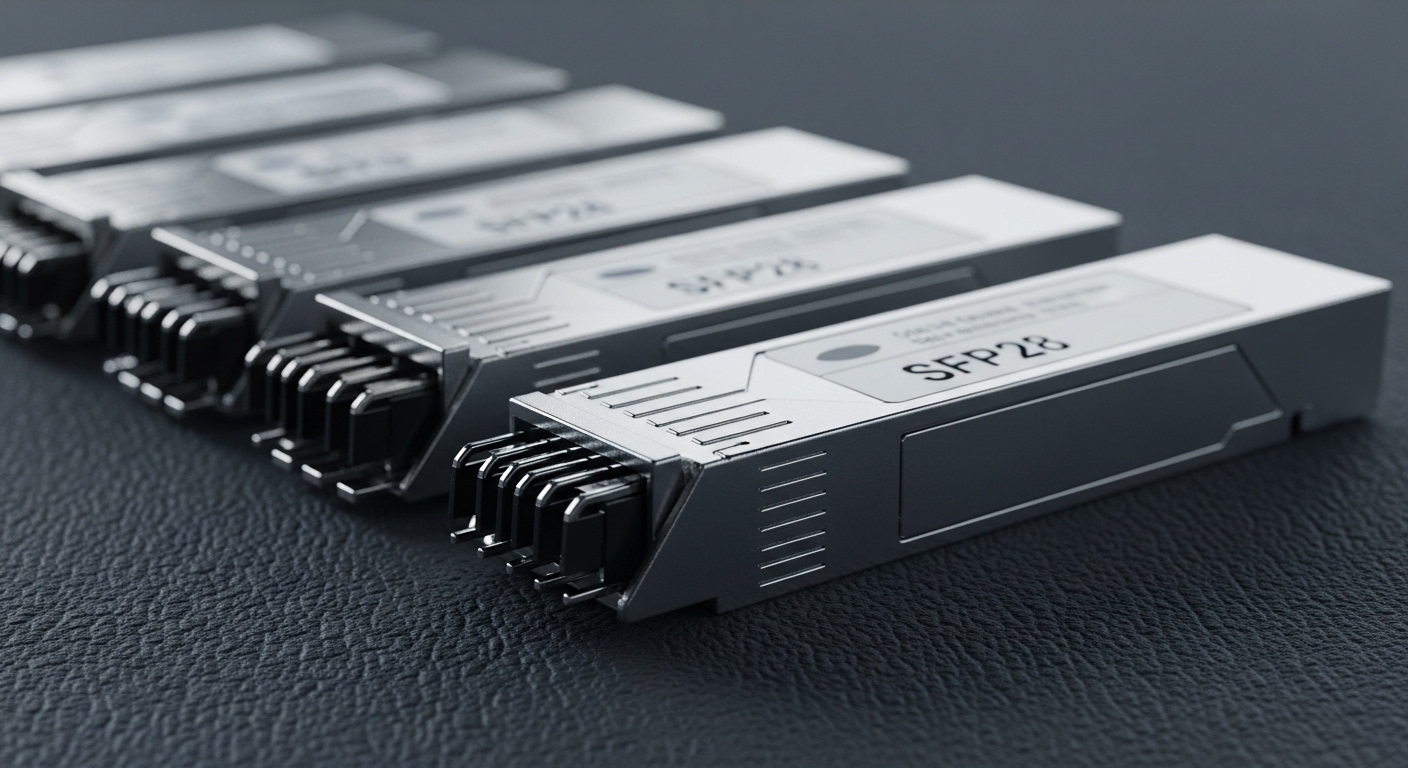
Edge networks typically run short to mid-range fiber segments where deterministic behavior depends on stable optics and correct link budgeting. The key trade-off is usually not raw latency of light travel, but link reliability under temperature swings, connector contamination, and transceiver optics biasing. For most edge designs, teams choose between 10G and 25G optics (and sometimes 40G/100G) based on uplink oversubscription and how many cameras, sensors, or edge inference nodes must share the same uplink.
Performance comparison by data rate and reach class
Common selection patterns include 10G SR for cost-effective short reach, 25G SR for higher density, and single-mode (LR/ER/ZR variants) when the edge site needs longer trunking without adding intermediate cabinets. For multi-tenant or security-sensitive edge deployments, engineers also prefer optics that support DOM (Digital Optical Monitoring) so they can alert on received optical power drift before a full outage.
| Transceiver class | Typical interface | Wavelength | Reach target | Connector | DOM | Operating temperature | Example part numbers |
|---|---|---|---|---|---|---|---|
| 10G SR | SFP+ / XFP | 850 nm | Up to 300 m (OM3) | LC | Often available | Commercial: 0 to 70 C; Industrial: typically -40 to 85 C | Cisco SFP-10G-SR; Finisar FTLX8571D3BCL; FS.com SFP-10GSR-85 |
| 25G SR | SFP28 | 850 nm | Up to 100 m (OM4 typical) depending on module spec | LC | Common | Commercial and extended options | FS.com 25G-SR variants; vendor-matched SFP28 SR optics |
| 25G LR | SFP28 / QSFP28 (varies) | 1310 nm | Up to 10 km | LC | Common | Commonly -5 to 70 C or extended industrial options | Typical vendor LR optics for SFP28 |
| 40G/100G SM | QSFP+ / QSFP28 / CFP2 (varies) | 1310/1550 nm | Up to 2 km or more (model dependent) | LC/MT-RJ (varies) | Often supported | Varies by module | Vendor QSFP28 LR4 / SR4 options |
Field teams should treat reach as a systems calculation: fiber type (OM3 vs OM4), link loss, patch cord quality, and the transceiver vendor’s specified budget all matter. If you are using IEEE-aligned Ethernet PHYs, the optical module must meet the relevant electrical interface requirements and the transceiver’s optical parameters must stay within tolerance across temperature. For Ethernet over fiber characteristics and link behavior, engineers commonly reference IEEE 802.3 families for physical layer expectations, along with vendor datasheets for optical budgets. [Source: IEEE 802.3 Ethernet standards; vendor transceiver datasheets]
Cost and TCO: OEM optics versus third-party modules in edge rollouts
Budget pressure is real at the edge because you often deploy dozens of sites with small quantities per location. Total cost of ownership (TCO) includes not only purchase price, but downtime cost, truck rolls for failed optics, and the engineering time spent on troubleshooting. OEM optics can reduce compatibility friction, while third-party optics can lower unit cost—if you validate compatibility and monitoring features.
What TCO looks like in a multi-site deployment
In a typical rollout, teams might budget a replacement cycle based on field failure history and warranty terms. As a practical example, an OEM 10G SR SFP+ module might carry a higher per-unit price than a third-party equivalent, but OEM support can shorten RMA loops when a switch rejects the module. If your edge sites are in temperature-variable environments (cold storage, outdoor cabinets, or near HVAC exhaust), optical monitoring and DOM readability can be more important than saving a few dollars per transceiver.
For reference pricing, many markets see 10G SR SFP+ optics in a broad range depending on vendor and warranty tier; third-party modules often land lower, while OEM modules can be meaningfully higher. Treat pricing as regional and time-sensitive. The more actionable approach is to compare installed cost per operational year: module price + support/warranty + expected failure rate + labor cost for swaps.
Pro Tip: In edge environments, the “cheapest” optic is often the one with reliable DOM telemetry on your specific switch platform. If you cannot read power levels or temperature alarms, you lose early warning and your mean time to repair can jump from hours to days.
Compatibility and switch support: head-to-head on DOM, vendor lock, and optics behavior
Compatibility is where edge deployments succeed or stall. Many modern switches and routers implement transceiver compatibility checks (electrical signaling, EEPROM presence, vendor ID expectations, and sometimes threshold enforcement). Engineers also care about DOM behavior: whether the switch reads alarms correctly, and whether the optics expose vendor-specific calibration values.
OEM versus third-party compatibility risks
OEM optics generally match the switch vendor’s validation matrix, so you get predictable behavior for DOM and alarm thresholds. Third-party modules can work well, but you must validate in a lab or with a pilot site, especially when you use industrial temperature optics or higher power budget configurations. Also check whether the module supports the exact interface type your platform expects (for example, SFP+ vs SFP28, QSFP+ vs QSFP28, and correct wavelength class).
When you plan for next-gen edge computing, assume you will scale. That means you should reduce vendor lock-in risk by testing at least two validated optics sources where possible, while ensuring your monitoring and alerting pipeline can interpret DOM thresholds consistently. For compliance and electrical/optical behavior, use vendor datasheets and the relevant IEEE PHY expectations as your ground truth. [Source: IEEE 802.3; optics vendor compatibility guides]
Use-case fit: choosing the right optics for edge site topologies
Different edge sites drive different link requirements. A retail store with a local access switch and a short uplink to a nearby aggregation point might rely on SR optics and OM4 cabling, while a manufacturing site might require LR optics to traverse longer trench runs to a hardened aggregation closet. The optics selection should match the topology and how often you expect to expand.
Concrete deployment scenario
Consider a 3-tier edge design in a distribution network: 48-port 10G ToR switches at each mini-hub, uplinked to an aggregation switch, then to a regional router. Each mini-hub uses two uplinks at 10G for redundancy and supports edge inference nodes and PoE cameras. The fiber plan is OM4 between the ToR and the aggregation cabinet over 120 m average patch lengths with additional loss from patch cords. Teams deploy 10G SR optics with DOM on all uplinks, then reserve LR optics for the backhaul trunk where the route extends to 6 km through a shared conduit. This approach keeps cost predictable while enabling proactive monitoring for received power drift.
Selection criteria checklist for next-gen edge computing optics
Use this ordered decision checklist to keep selection repeatable across sites:
- Distance and fiber type: confirm OM3/OM4/OS2, patch cord lengths, and connector quality; compute link budget with margin.
- Required data rate and interface: match switch port type (SFP+, SFP28, QSFP+, QSFP28) and Ethernet PHY support.
- Wavelength class: select SR for short reach, LR for metro trunking, and higher-reach variants when intermediate cabinets are constrained.
- DOM support and telemetry: verify your switch reads DOM fields and alarms; ensure your monitoring stack can ingest them.
- Operating temperature: choose industrial-grade optics for outdoor cabinets or freezer environments; validate against your enclosure thermal profile.
- Power and thermal budget: check module power draw and airflow assumptions for dense edge racks.
- Compatibility and lock-in risk: pilot a second validated vendor, document part numbers, and keep RMA workflows clear.
- Warranty and spares strategy: align warranty terms with your site refresh cycle and define minimum spares per region.
Common mistakes and troubleshooting in edge optics deployments
Even when optics are “supported,” edge conditions can cause failures. Below are common pitfalls with root causes and practical fixes.
Link comes up intermittently or never negotiates
Root cause: dirty connectors or marginal optical power due to excessive patch cord loss. In edge sites, dust and vibration are frequent. Solution: clean LC connectors with approved fiber cleaning tools, inspect with a microscope, then re-test with an optical power meter or a switch-reported RX power threshold. Add a loss margin in the design and replace suspect patch cords.
Switch rejects module or DOM fields show alarms
Root cause: module EEPROM parameters or threshold expectations not matching the switch’s compatibility logic; sometimes incorrect DOM interpretation. Solution: confirm the exact module type and vendor compatibility list for the switch model; validate in a staging environment. If third-party optics are used, standardize on a tested SKU and document DOM thresholds for alerting.
Performance degrades after temperature swings
Root cause: using a commercial-temperature optic in an industrial enclosure, causing optical bias drift under cold start or high ambient. Solution: deploy industrial temperature modules (where available), verify enclosure airflow, and confirm that the optic’s specified operating range covers your real ambient. Capture DOM temperature and RX power trends over a full daily cycle.
Wrong wavelength class for the cabling plan
Root cause: mixing SR and LR optics expectations, especially when OS2 trunks are connected to LC panels labeled inconsistently. Solution: label fiber pairs clearly, verify wavelength and fiber type before installation, and maintain an as-built fiber map. Use OTDR or a certified test process for OS2 and long runs.
Decision matrix: which optics option fits your edge constraints?
Use this matrix to pick between OEM-validated optics, third-party validated optics, and a “single vendor standardization” approach.
| Your priority | OEM optics | Third-party validated optics | Standardize on one vendor SKU |
|---|---|---|---|
| Fast deployment with minimal compatibility risk | Best | Good after pilot | Best if you can standardize early |
| Lower unit cost at scale | Lower value | Best | Good if negotiated |
| DOM telemetry reliability | Best | Variable; validate | Best if standardized and monitored |
| Industrial temperature coverage | Often available | Available but verify specs | Depends on selected SKU |
| Reduced vendor lock-in | Lower | Higher potential | Depends on procurement strategy |
Which option should you choose?
If you run a high-mix environment and must avoid surprises during staged rollouts, choose OEM optics or OEM-validated optics first, then consider third-party modules only after a pilot proves DOM telemetry and link stability on your exact switch models. If your budget is tight and you have strong engineering discipline, choose third-party validated optics with industrial temperature options and documented DOM thresholds, and maintain at least two approved SKUs for spares resilience. If your organization can standardize early across regions, single vendor SKU standardization often yields the best operational simplicity for monitoring, cleaning SOPs, and RMA processing.
FAQ
What optical transceiver types are most common for next-gen edge computing?
Most edge designs start with 10G SR or 25G SR for short reach over OM3 or OM4, then use LR for metro backhaul. The exact choice depends on uplink oversubscription and whether you need DOM telemetry for proactive monitoring. [Source: IEEE 802.3; vendor datasheets]
Do I really need DOM for edge monitoring?
DOM is not always required for link establishment, but it is highly valuable for uptime. With DOM, you can alert on RX power drift and temperature changes before links fail, which is critical when field access is limited.
Can I mix OEM and third-party optics in the same edge switch?
Yes, but you should validate compatibility and DOM interpretation on the specific switch platform. Mixing vendors can complicate alarm thresholds and troubleshooting, so standardize when possible and document approved SKUs.
How do I estimate fiber reach correctly?
Use the module’s specified optical budget and your actual link loss assumptions: fiber type, patch cord count, connector types, and any insertion loss from splices. Add design margin for aging and cleaning variability, especially in dusty industrial spaces.
What are the fastest troubleshooting steps when a link fails?
Start with connector inspection and cleaning, then verify fiber mapping and wavelength class. Next, check switch-reported RX power and DOM status, and confirm the module is the correct type for the port standard.
