
If you are building or refreshing an AI/ML cluster, the boring part is usually fiber and transceivers, until it is not. This article helps infrastructure and procurement teams compare optical modules for common data center distances, understand compatibility and power realities, and reduce supply chain risk before rollout day. You will get a practical spec comparison, a decision checklist, real failure modes, and cost/ROI guidance you can use in an RFQ.
We will anchor on Ethernet optics aligned to IEEE 802.3 link standards and what vendor datasheets actually specify for operating temperature, output power, and DOM behavior. We will also call out tradeoffs that show up specifically in AI fabrics like leaf-spine and pod-to-pod designs. If you are standardizing across multiple switch models, the compatibility caveats matter as much as the raw reach number.
AI/ML optics in plain terms: what changes vs “normal” 10G/25G
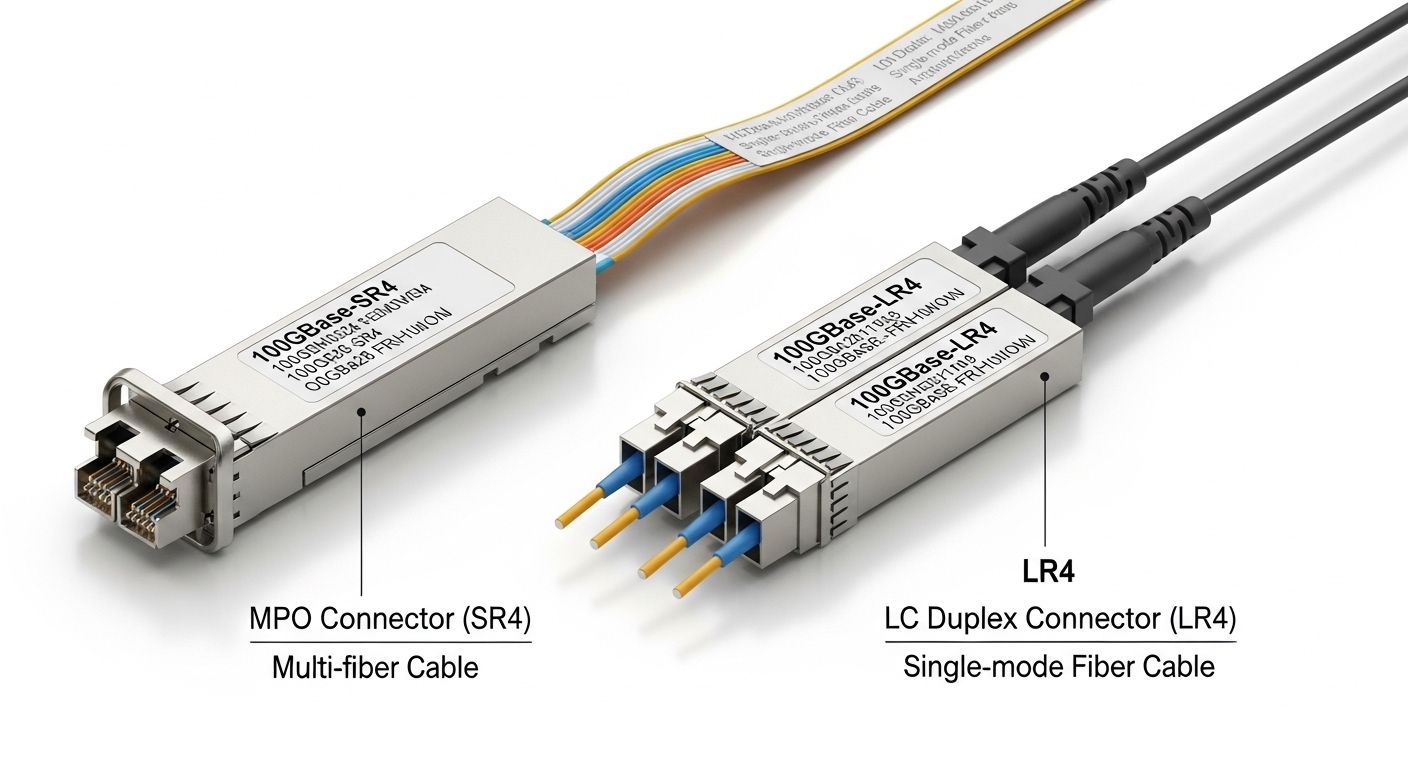
AI/ML training traffic tends to be east-west, bursty, and sensitive to congestion. That drives higher port density and more frequent optics swaps during growth cycles, so procurement needs repeatable part numbers, predictable lead times, and a clear path for vendor interoperability. In practice, you are often choosing between short-reach multimode (SR) and longer-reach single-mode (DR/FR) depending on how your fiber plant is engineered.
IEEE alignment and why it matters for procurement
Most AI Ethernet fabrics today run at 25G, 50G, 100G, or 200G per lane groupings, depending on switch generation. The optics must support the relevant encoding and link budget behavior defined by IEEE 802.3 for those PHYs, including specific link parameters like signal format and receiver sensitivity assumptions. If an optics vendor claims “compatible,” you still need to validate against the switch vendor’s optics matrix, because implementation details like FEC mode and power class behavior can vary.
Pro Tip: In AI clusters, the “reach” you buy is often constrained by patch-panel losses and MPO polarity handling, not the module’s headline specification. Before locking an SR or DR SKU, measure end-to-end insertion loss across the exact fiber paths (including jumpers) and confirm polarity and cleaning workflow so you do not discover a marginal link after the rack is already populated.
Spec comparison that actually affects AI fabrics: wavelength, reach, power, and temps
Below is a procurement-friendly comparison of common optical module categories you will see in AI/ML infrastructure. The key is that modules are not interchangeable just because they share “same speed” and “similar reach.” Power consumption, connector type, operating temperature range, and DOM support can change total cost of ownership and field reliability.
| Optical module type (common form factors) | Typical wavelength | Reach class (typical) | Connector / fiber | Power (typical guidance) | Temperature range (typical) | DOM support |
|---|---|---|---|---|---|---|
| 25G/100G SR (multimode, MPO) | 850 nm | Up to 100 m (varies by spec) | MPO-12 or MPO-16 (multimode OM4/OM5) | Often ~1.0 W to ~3.5 W per module | 0 to 70 C or extended -40 to 85 C | Usually yes (I2C/SFF-8472 / vendor DOM) |
| 25G/100G DR (single-mode, duplex) | 1310 nm | Up to 500 m (varies by spec) | LC duplex (single-mode OS2) | Often ~2.0 W to ~4.5 W | 0 to 70 C or extended -40 to 85 C | Usually yes |
| 100G FR (single-mode, duplex) | 1550 nm | Up to 2 km class (varies by spec) | LC duplex (single-mode OS2) | Often ~2.5 W to ~6.0 W | 0 to 70 C or extended -40 to 85 C | Usually yes |
When you evaluate options, do not stop at wavelength and reach. For AI racks, you also want to check module form factor (SFP28 vs QSFP28 vs QSFP56), whether the switch supports that exact optics interface, and whether the module is rated for the environment you actually have. Data centers with hot aisles or near-exhaust airflow can push transceivers into the upper part of their operating envelope, and extended temperature SKUs are often worth the marginal premium.
Power and density: the hidden bill in AI clusters
At scale, optics power matters. If you deploy thousands of ports, even a 1 W delta per module can translate into meaningful facility power draw and cooling load. Procurement should request power numbers from datasheets (TX power class and typical consumption if available) and then model it using your expected port utilization profile. This is especially relevant when you compare third-party modules that are “compatible” but use different laser biasing strategies.
SR vs DR vs FR for AI/ML: choosing by fiber plant reality
In most AI deployments, SR is attractive because multimode optics are usually cheaper and the fiber plant is already engineered for shorter intra-row distances. DR becomes the practical choice when your structured cabling design pushes beyond the multimode reach budget or when you are using single-mode backbone for consolidation. FR is less common than DR in leaf-spine, but it can show up in pod-to-pod or longer aggregation segments.
Decision mapping by distance and fiber type
- Use SR (850 nm) when: you have OM4/OM5 and the end-to-end loss including jumpers stays within the vendor’s link budget.
- Use DR (1310 nm) when: you need longer reach over OS2 or you want more margin against patch panel losses.
- Use FR (1550 nm) when: you have multi-kilometer OS2 runs, or you are interconnecting sites/pods with longer passive plant.
Also factor in operational workflow. Multimode SR links rely heavily on MPO handling, polarity, and cleaning discipline; single-mode duplex LC is often more forgiving for technicians who are used to LC patching. Either way, the optics are only as reliable as your cleaning and insertion practices. For AI rollout schedules, you want an optics SKU that your team can install and validate quickly with minimal truck rolls.
Selection criteria checklist for optical modules in AI/ML procurement
Here is the ordered list engineers and procurement teams should use when selecting optical modules for an AI fabric build. This is the checklist that prevents expensive rework and reduces the chance you end up with a “works in one switch, fails in another” situation.
- Distance and link budget: confirm end-to-end loss for each exact path, not just the planned route.
- Switch compatibility: verify the module is on the switch vendor optics compatibility list for your exact model and software version.
- Speed and PHY features: confirm the module supports the port speed and any required FEC behavior.
- DOM and management: ensure DOM readings (temperature, bias current, received power) are supported and visible in your monitoring stack.
- Operating temperature rating: prefer extended temperature (-40 to 85 C) if you expect hot-aisle or near-rack exhaust conditions.
- Connector and polarity handling: choose MPO vs LC based on your team’s installation workflow and patch panel design.
- Supplier lead time and second-source plan: require at least one approved alternate SKU or vendor to avoid single-point supply risk.
- Vendor lock-in risk: evaluate whether third-party optics behave identically in your switch DOM thresholds and alarms.
For reference, the underlying Ethernet PHY behavior is governed by IEEE 802.3 families, while the physical layer module interface is commonly aligned with SFF standards for pluggables. For practical deployment rules, also lean on vendor datasheets and optics compatibility matrices. anchor-text:IEEE 802.3 standard and anchor-text:SFF Committee pluggable interface references are good starting points for the baseline.
Common mistakes and troubleshooting tips during AI optics rollout
Even experienced teams get tripped up because optics failures can look like “mystery networking issues.” Here are concrete failure modes, their root causes, and what to do next.
Link flaps only on certain ports
Root cause: polarity mismatch or an MPO ribbon rotated incorrectly, causing marginal receiver conditions. In SR deployments, one swapped pair can cause intermittent link training.
Solution: verify MPO polarity with a polarity checker, re-terminate or re-patch to the documented polarity scheme, and clean both ends with approved lint-free wipes and isopropyl-free methods. Then re-test with a calibrated optical power meter if you have one.
“Works in lab, fails in the production rack”
Root cause: operating temperature margin exceeded, or airflow differs from the lab environment. Transceiver output power and receiver sensitivity can degrade near the high end of the operating envelope.
Solution: confirm the module’s full operating temperature rating and compare it to measured ambient near the optics during peak load. If needed, switch to extended temperature SKUs or adjust airflow with baffles and fan curves.
DOM alarms show high temperature or low received power
Root cause: dirty connectors or aged fibers leading to higher insertion loss. DOM thresholds can trigger before the link fully drops, so you see warnings first.
Solution: inspect and clean connectors, then measure receive power at the transceiver if your monitoring stack supports it. If received power is consistently low across many ports, validate the patch panel loss budget and consider replacing suspect jumpers.
Incompatible optics across switch models
Root cause: the module meets the PHY spec but the switch vendor’s implementation expects different DOM behavior or optical power class settings.
Solution: use the switch vendor optics compatibility list and test the exact module part number (including revision) on a small pilot group before a full rollout. Keep a rollback plan with the previously validated optics.
Cost and ROI note: budgeting optics without getting surprised
Pricing varies widely by speed, reach class, and whether you buy OEM vs third-party. In many enterprise and AI cluster procurements, third-party optics can be cheaper per module, but total cost depends on failure rates, lead time reliability, and how much engineering time you spend on compatibility testing.
Realistic price ranges to use in an RFQ
As rough procurement guidance (not a guarantee), you may see:
- 25G SR multimode: often priced lower than single-mode, sometimes in the tens to low hundreds of dollars per module depending on brand and temperature grade.
- 100G SR multimode: commonly higher than 25G, with aggressive competition among suppliers; extended temperature typically costs more.
- 100G DR/FR single-mode: often priced higher due to laser technology and tighter optical budgets.
For ROI, model two things: (1) power and cooling impact from module consumption, and (2) operational downtime and labor cost if a batch is partially incompatible. If you are buying at AI scale, a small per-module premium for extended temperature and verified compatibility can prevent a costly rework wave. Also consider supply chain risk: require lead time commitments and consider a second-source plan so you can maintain ramp schedules when one vendor’s inventory swings.
FAQ: optical modules for AI/ML infrastructure
Which optical modules are most common for AI training clusters?
Most clusters start with short-reach multimode SR for leaf-spine within rack rows and then use DR over OS2 for longer segments where multimode link budgets get tight. The exact choice depends on your fiber plant and patch panel design, not just the planned rack-to-rack distance.
Can I mix OEM and third-party optical modules on the same switch?
Often yes, but you must validate against the switch vendor’s optics compatibility list and test DOM alarms and thresholds. In some switch generations, optics that are “PHY compatible” can still behave differently in monitoring or compliance checks.
Do I need extended temperature optical modules for AI data centers?
If you have hot-aisle conditions, constrained airflow, or you expect seasonal ambient swings, extended temperature is usually the safer procurement choice. At minimum, measure the real ambient near the optics during peak load and compare it to the module’s rated operating range.
What is DOM, and why should procurement care?
DOM (Digital Optical Monitoring) provides real-time telemetry such as temperature, bias current, and received optical power. Procurement should care because DOM readings drive alerts and can surface dirty connectors or marginal optics before a hard link failure.
How do I avoid polarity problems with SR MPO links?
Standardize on a documented MPO polarity scheme, label patch panels clearly, and verify with a polarity tester before you close the ceiling or rack. Then enforce a cleaning SOP every time an MPO is handled, since contamination can cause intermittent flaps that are hard to diagnose.
What should I ask suppliers for during an RFQ?
Ask for datasheets with operating temperature range, typical and maximum power, DOM details, supported speeds, and connector/fiber specs. Also request proof of compatibility with your exact switch models and firmware versions, plus lead time and second-source options.
If you want fewer surprises, treat optical module selection like a mini link-budget and compatibility project: validate distance, confirm switch support, and plan for supply chain continuity. Next step: review 10G-40G-100G fiber reach planning for data centers so your SR/DR/FR choice matches how your fiber plant is actually built.
Author bio: I have worked with field teams deploying Ethernet optics in leaf-spine data centers, including SR MPO polarity troubleshooting and DOM-driven alarm triage during ramp. I focus on procurement specs that reduce lead time risk and keep AI fabrics stable under real thermal and cabling conditions.
