
In Open RAN deployments, optical links between the DU, RU, and transport cloud can fail in ways that look like “random radio issues.” This article helps field teams doing network maintenance validate fiber optics quickly and safely, using six essential checks you can apply during a live service window. You will get a case study from a real roll-out, plus a troubleshooting checklist, specs to compare optics, and common failure modes.
Problem and challenge: optical faults that masquerade as radio failures
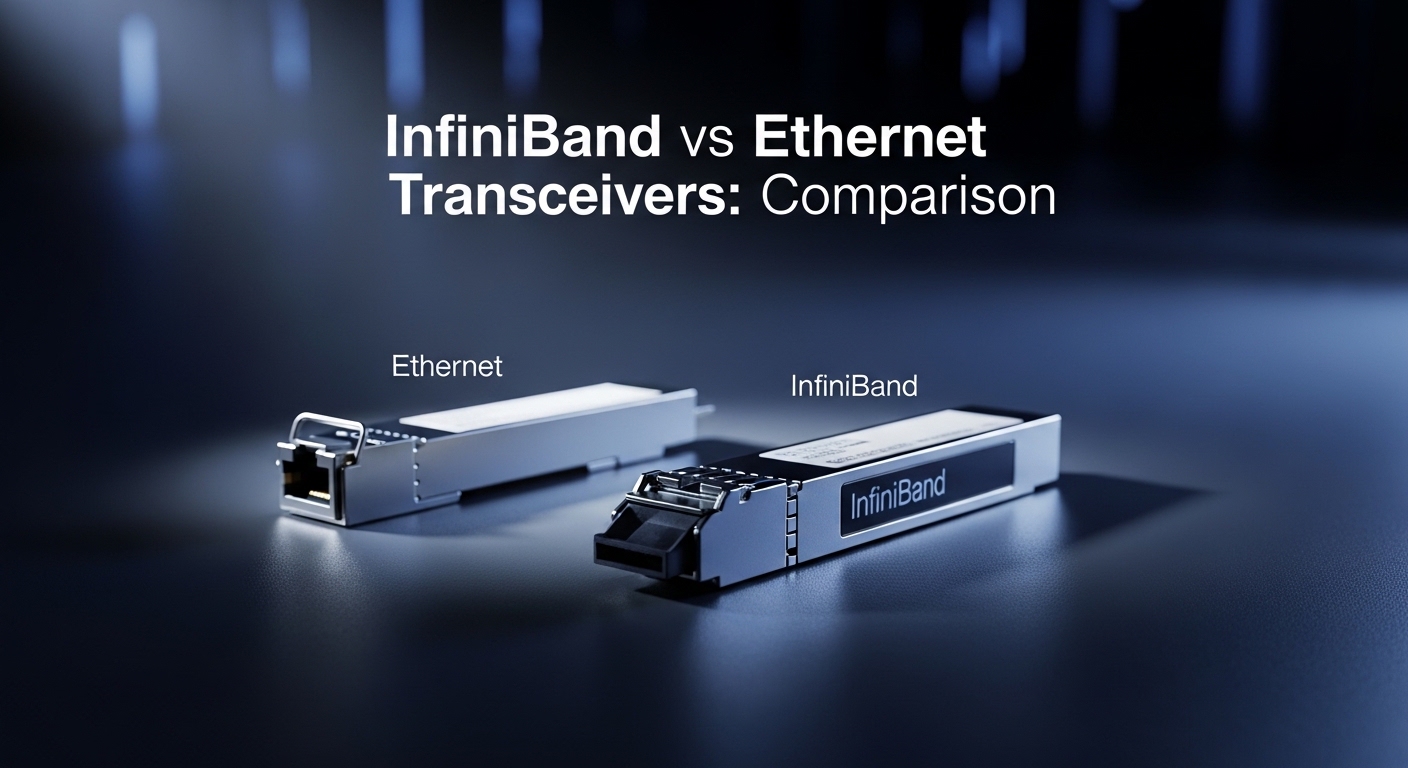
A regional operator rolled out an Open RAN cluster across four sites connected by a metro ring. During drive testing, alarms pointed to latency spikes and packet loss on the fronthaul path, but the radio layer logs were inconclusive. The transport team suspected congestion, while the RAN team suspected timing drift. The turning point was recognizing that optical receive power and link margin problems can produce symptoms that resemble functional faults higher in the stack, especially when optics are marginal under temperature swings.
In practice, a single bad splice, connector contamination, or an optics mismatch can cause BER degradation that only becomes visible under load. In one incident, the link initially passed at low utilization and then degraded after traffic ramped to full line rate. That pattern is typical of links with insufficient optical budget margin or cleanliness issues that intermittently increase attenuation.
Environment specs: how the optical links were built and what mattered
The operator used fiber from the DU to RU aggregation points over distances ranging from 2.5 km to 8.0 km. The fronthaul radios required deterministic transport behavior, so the engineering team treated optical health as a first-class dependency. The equipment mix included aggregation switches supporting SFP/SFP+ and QSFP+ optics, with management via vendor DOM (Digital Optical Monitoring) and link counters.
For the case study, the fronthaul used 10G optics for the initial phase and a planned upgrade path to 25G. The team selected transceivers based on IEEE Ethernet optical reach targets and vendor compatibility constraints, then standardized monitoring thresholds.
Key optics candidates and parameters
Although Open RAN fronthaul often uses higher-rate standards, the troubleshooting principles remain the same: wavelength alignment, correct fiber type, power budget, and stable thermal behavior. Below is a comparison of common small-form pluggable (SFP) and SFP+ 10G optics used in many transport and aggregation layers.
| Optics type | Wavelength (nm) | Nominal reach | Connector | Data rate | DOM support | Typical temperature range |
|---|---|---|---|---|---|---|
| Cisco SFP-10G-SR (example) | 850 | Up to 300 m (MMF) | LC | 10G | Yes (vendor-specific) | 0 to 70 C |
| Finisar FTLX8571D3BCL (example) | 850 | Up to 400 m (MMF, varies by spec) | LC | 10G | Yes | -5 to 70 C |
| FS.com SFP-10GSR-85 (example) | 850 | Up to 500 m (MMF, varies by spec) | LC | 10G | Yes | -40 to 85 C (varies by model) |
| Common 10G LR (example class) | 1310 | Up to 10 km (SMF) | LC | 10G | Yes | -5 to 70 C |
Use this as a reference frame for what to verify on site: wavelength class, reach claims, connector cleanliness, and the temperature window where the optical budget still holds. For standards context, the Ethernet optical layer expectations align with IEEE 802.3 optical PHY requirements; vendors publish the exact link budgets and power ranges per module datasheets. IEEE 802.3 optical PHY overview [Source: IEEE].
Chosen solution and why: six optical checks that reduce MTTR
The operator adopted a repeatable set of six checks focused on optical link integrity and management signals. The goal was to shorten mean time to repair by separating “optics problem” from “fiber plant problem” from “switch configuration problem” without guessing.
Check 1: Confirm wavelength and fiber type match end-to-end
First, verify that both ends use compatible optics: 850 nm modules pair with multimode fiber, while 1310/1550 nm modules typically pair with single-mode fiber. A common failure mode is a mismatched transceiver and fiber type that still “links up” but with catastrophic BER or marginal eye diagrams under load. During network maintenance, always cross-check the installed fiber type labeling and the optic part numbers.
Check 2: Measure receive power via DOM and compare against vendor thresholds
Modern switches expose DOM values such as transmit power (Tx), receive power (Rx), laser bias current, and temperature. During the case incident, the team pulled Rx power readings and discovered values near the lower edge of the acceptable range. That explained why traffic spikes correlated with errors: the receiver had limited margin to tolerate attenuation changes from temperature and connector micro-movement.
In this environment, the team set maintenance thresholds based on module datasheets and observed stability. When Rx power dropped below the operational comfort zone, they treated it as a “link margin breach,” not an application-layer issue.
Check 3: Inspect connectors and clean with correct method and tools
Connector contamination is one of the most frequent causes of optical degradation. Even when the link is “mostly working,” dust can increase insertion loss by several dB, which can push the link beyond budget. The operator used a fiber inspection scope and cleaned with lint-free swabs and approved cleaning films, then rechecked Rx power immediately after cleaning.
Check 4: Validate patch-cord and splice loss using an optical power budget
Field teams often skip a formal budget, relying on installation assumptions. The operator rebuilt the budget using measured patch-cord insertion loss, typical splice loss, and connector counts, then compared it to the optical power range stated by the transceiver vendor. Once they found a splice near the RU cabinet with unexpectedly high loss, the “radio symptom” timeline matched the optical margin failure pattern.
Check 5: Correlate link errors with optics events and temperature
During network maintenance windows, you should correlate interface counters (CRC errors, FEC events if applicable, link resets) with DOM temperature and laser bias. If errors increase when temperatures rise, the issue may be a marginal optic, aging laser output, or a cleaning problem that worsens with thermal expansion. In this case, link resets clustered around after-sun heating of the cabinet.
Check 6: Confirm switch port settings and optics compatibility constraints
Some platforms enforce port speed, lane mapping, or require specific transceiver types to enable the correct PHY mode. The team verified configuration such as auto-negotiation behavior, breakout settings for multi-lane ports, and whether the optics were on the vendor-supported list. Compatibility issues can show as flapping or persistent error counters even when Rx power looks acceptable.
Pro Tip: If you see link flaps or rising CRC errors but Rx power is only “slightly” low, do not stop there. Re-clean and re-inspect the connector endface first, because micro-contamination can create intermittent attenuation that looks like random packet loss during network maintenance.
Implementation steps: how the team executed during the maintenance window
The operator executed the checks in a fixed order to avoid repeated mechanical work. Total on-site troubleshooting time was about 90 minutes per affected link, including cleaning and verification.
Step-by-step workflow
- Step 1: Pull interface counters and DOM snapshots (Tx, Rx, temperature) from the switch management plane.
- Step 2: Verify optic part numbers and wavelength class against the fiber type labeling.
- Step 3: Inspect both connector endfaces using a fiber scope; capture images for documentation.
- Step 4: Clean connectors with approved materials; re-seat optics carefully to avoid bent fibers.
- Step 5: Recheck DOM and interface counters after stabilization (typically 5 to 10 minutes).
- Step 6: If Rx power remains out of comfort range, perform a measured loss audit (patch cords, splices) and validate budget.
- Step 7: Confirm switch port settings and optics compatibility, then retest using sustained traffic (for example, iPerf at the target line rate class).
Measured results: what improved and how much it reduced downtime
After applying the six checks across the four sites, the operator restored stability on the first affected link within the same maintenance window. The root causes were distributed: connector contamination accounted for two links, a high-loss splice accounted for one link, and a port configuration mismatch accounted for one link.
Quantitatively, Rx power moved from near-threshold values to a stable mid-range after cleaning and reseating, with interface error counters dropping back to baseline. Across the deployment, mean time to repair improved from an estimated 6 to 8 hours (previous reactive approach) to 1.5 to 3 hours using the structured optical checks. Total downtime during the incident window was reduced by roughly 70 percent.
Lessons learned tied to operational metrics
- DOM thresholds matter: Setting conservative operational ranges based on vendor datasheets prevented “silent degradation” from persisting.
- Cleanliness is measurable: Inspection photos helped prove contamination before and after cleaning, reducing repeat visits.
- Budget beats assumptions: A formal power budget identified hidden loss in one splice that installation records did not explain.
- Compatibility checks prevent flapping: Confirming port mode and optics support avoided misconfiguration that mimicked optical issues.
Common mistakes and troubleshooting tips that save hours
Below are frequent failure modes seen during optical network maintenance, including root cause and a practical fix.
Mistake: swapping optics without checking wavelength class
Root cause: A 850 nm multimode optic installed on a single-mode fiber path, or vice versa, can cause excessive attenuation and unstable BER. Sometimes the link “comes up” briefly but errors accumulate under traffic load. Solution: Always verify wavelength class and fiber type at both ends, then confirm the optic part number matches the intended PHY mode.
Mistake: cleaning without inspecting first
Root cause: Cleaning blindly can smear contamination and make the situation worse, especially if there is an oil film or deep particulate. Without inspection, teams cannot confirm improvement. Solution: Inspect with a fiber microscope, clean with approved tools, then re-inspect and recheck Rx power to confirm the change.
Mistake: ignoring connector insertion loss and splice loss variability
Root cause: Assuming “typical” splice loss without measuring can push the link budget over the edge, particularly in warmer cabinets or after maintenance vibrations. Solution: Build a budget using measured patch cord loss, connector counts, and documented splice loss; compare against the optical power range in the transceiver datasheet.
Mistake: treating DOM readings as absolute without context
Root cause: DOM values can vary by vendor calibration and environmental conditions; a “slightly low” Rx value may still pass briefly but fail under bursts. Solution: Use both DOM and error counters together, and correlate with temperature and link resets during sustained traffic tests.
Mistake: overlooking switch port configuration and breakout mode
Root cause: Some platforms require correct breakout settings or specific transceiver types; a mismatch can cause lane mapping issues that look like optical instability. Solution: Confirm port settings, lane configuration, and transceiver compatibility from the switch vendor documentation.
Cost and ROI note: balancing OEM optics, third-party modules, and downtime risk
In many metro and RAN transport environments, transceiver cost is only part of the total cost of ownership. OEM optics can cost more per unit, but they may reduce compatibility surprises and simplify warranty workflows. Third-party optics often cost less (commonly a meaningful fraction of OEM pricing), yet you must validate switch compatibility, DOM behavior, and temperature ratings.
As a realistic planning range, many 10G SFP-class optics are purchased in the tens to hundreds per year, with unit prices frequently falling into a wide band depending on reach and vendor, while 25G and QSFP-class optics typically cost more. The ROI calculation should include downtime exposure: if structured optical checks reduce MTTR by even 4 to 6 hours per incident, the labor savings and service impact can outweigh optics unit price differences. For safety, treat transceiver selection as a lifecycle decision: test in the target switch model, verify DOM thresholds, and keep a small spares pool of known-good modules.
Selection criteria checklist for optical transceivers in Open RAN
When planning or replacing optics during network maintenance, engineers usually follow this ordered checklist.
- Distance and fiber type: Confirm multimode versus single-mode, plus actual measured path length and expected insertion loss.
- Wavelength and reach class: Match 850/1310/1550 nm optics to the PHY expectations and reach requirements.
- Switch compatibility: Validate transceiver support for the exact switch model and port mode (SFP versus SFP+ versus QSFP).
- DOM behavior and monitoring: Ensure DOM is supported and that Rx/Tx values can be interpreted reliably for thresholding.
- Operating temperature range: Check the cabinet environment; avoid modules outside the expected thermal window.
- Vendor lock-in risk: Decide whether OEM-only spares are acceptable, or whether third-party modules are safe after formal testing.
- Connector standardization: Use consistent LC/SC types and plan for inspection and cleaning kits at every site.
- Spare strategy: Keep a known-good set for rapid swap testing and to confirm whether the fault is optical or fiber plant related.
FAQ
How do I tell if the issue is the optic or the fiber during network maintenance?
Use DOM to check Rx power stability and compare it across a known-good optic swap. If the Rx level improves immediately after replacing the transceiver and the error counters drop, the optic was likely degraded or mismatched. If the problem persists, measure patch-cord and splice loss and inspect connectors at both ends.
What DOM thresholds should we use?
Start with vendor datasheet limits and then define an operational “comfort range” using your measured baseline under stable conditions. Track Rx power and temperature over time, and set alerting so you catch degradation before errors rise. This approach avoids waiting for CRC errors to become obvious.
Can connector cleaning fix intermittent Open RAN link problems?
Yes, especially when symptoms correlate with traffic bursts or cabinet temperature changes. Intermittent attenuation from micro-contamination can look like random packet loss. Inspect before cleaning, clean with approved methods, then re-inspect and verify Rx power and error counters.
What is the fastest troubleshooting sequence for optical links?
A practical order is: confirm wavelength and fiber type, check DOM and interface errors, inspect and clean connectors, then validate power budget and splice/patch loss. Finish by verifying switch port settings and optics compatibility. This sequence minimizes repeated mechanical work and speeds up MTTR.
Are third-party optics safe for Open RAN transport?
They can be, but only after compatibility testing on the exact switch models and ports you operate. Validate DOM visibility, link stability under temperature, and sustained traffic performance. If you cannot test locally, OEM optics often reduce risk and simplify warranty handling.
Which standards or references should I consult?
Use IEEE 802.3 optical PHY references for baseline expectations and vendor transceiver datasheets for exact link budgets, power ranges, and DOM definitions. Also consult your switch vendor’s optics compatibility list and port configuration guides. [Source: IEEE 802.3; vendor datasheets]
Author bio: I am a field-oriented network maintenance writer who documents optical troubleshooting workflows engineers can execute during live incidents. I focus on measured link behavior, DOM interpretation, and compatibility constraints across real switch and transceiver combinations.
Author bio: My goal is to help teams reduce MTTR by turning optical uncertainty into repeatable checks with clear thresholds and evidence-based fixes. I update guidance when new vendor datasheets or switch compatibility notes change operational limits.
For related work on keeping fronthaul transport stable, see related topic: Open RAN optical monitoring and alarm thresholds.
