
When an industrial Ethernet ring starts flapping, the culprit is often not the switch configuration, but the silent reliability of the optics. This article follows a real deployment where a field team standardized on Moxa ICS optics SFPs for Moxa industrial switches, resolving intermittent link drops without overbuying expensive parts. It helps network engineers and commissioning technicians who need predictable optical performance in harsh cabinets and vibration-prone plant rooms.
Problem: link flaps on a plant Ethernet ring, traced to optics
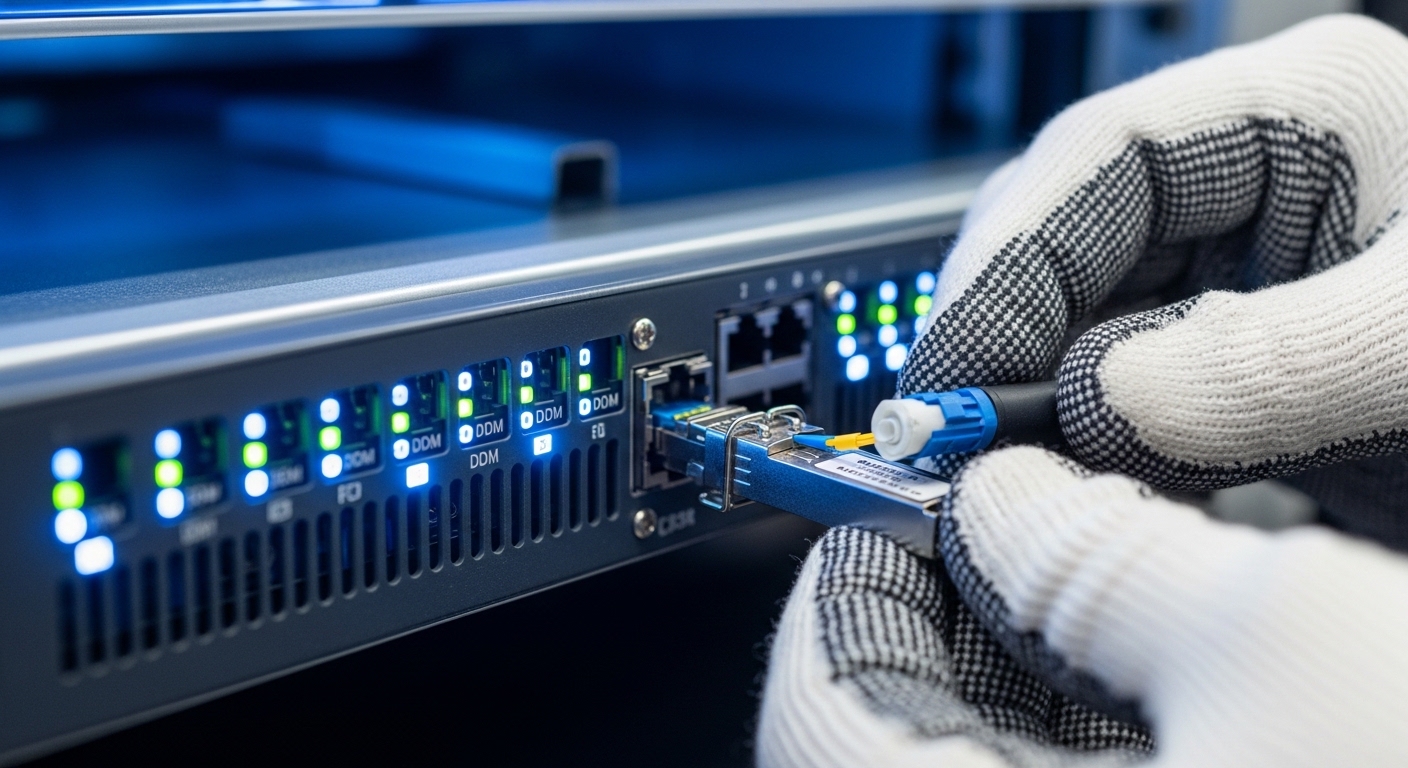
In a midstream logistics facility, a 10G uplink ring connected three process skids and a control room. Over two weeks, we saw minute-scale outages during maintenance windows, followed by full recovery after transceiver reseats. The switches were Moxa industrial models supporting SFP fiber uplinks, but the optics were mixed across vendors and production lots. During troubleshooting, the team captured optical diagnostics (DOM) and correlated link state changes with temperature swings inside a NEMA cabinet.
The challenge was practical: the ring needed stable reach for both short and medium fiber runs, while power budgets and thermal limits constrained cabinet airflow. Several SFPs showed marginal receive power at the far end during warm afternoons, even though they passed basic link negotiation. The solution path was to treat optics as a controlled subsystem: choose the correct fiber type, wavelength, reach, connector style, and verify DOM behavior under the site’s temperature profile.
Environment specs: what the fiber and cabinet demanded
Before selecting any Moxa ICS optics SFP, the team audited the physical and electrical constraints. The plant used OM3 multimode fiber in some runs and OS2 single-mode in others, with lengths ranging from 220 m to 2.1 km. The cabinet ambient temperature was worst-case 55 C with intermittent sun-heated peaks, and the cabinet used a small filtered fan with periodic maintenance. The network ran IEEE Ethernet in a ring design using fast recovery, so packet loss from optical instability translated directly into application alarms.
On the switch side, the optics had to match the SFP data rate and physical layer expected by the Moxa port. For 10G, the relevant standard framing aligns with IEEE 802.3 10GBASE-SR and 10GBASE-LR/SR variants depending on fiber type and wavelength. The team also confirmed that each SFP’s DOM interface supported the switch’s monitoring expectations so they could alert on thresholds rather than wait for link drops.
| Parameter | 10GBASE-SR (MMF) | 10GBASE-LR (SMF) | Typical Moxa ICS optics SFP target |
|---|---|---|---|
| Data rate | 10 Gbps | 10 Gbps | Match switch SFP port capability |
| Wavelength | 850 nm | 1310 nm | Chosen by fiber type and distance |
| Reach (typical) | 300 m (OM3) class, up to 400 m in some specs | 10 km class | Engineer to margin for aging and temperature |
| Fiber type | OM3/OM4 multimode | OS2 single-mode | Use correct cable plant records |
| Connector | LC/SC depending on module | LC/SC depending on module | Match existing patch panels |
| Operating temp | -40 to 85 C class common in industrial optics | -40 to 85 C class common in industrial optics | Verify exact module temperature range |
| DOM support | Often supported (vendor dependent) | Often supported (vendor dependent) | Prefer compatible DOM for thresholds |
| Safety class | Laser safety compliant, typically Class 1 | Laser safety compliant, typically Class 1 | Follow IEC 60825-1 handling rules |
For authority and baseline behavior, the team referenced IEEE 802.3 for 10GBASE optical PHY expectations and vendor datasheets for reach, wavelength, and DOM behavior. [Source: IEEE 802.3-2022, Physical Layer specifications for 10 Gb/s Ethernet] [Source: Vendor SFP transceiver datasheets for 10GBASE-SR and 10GBASE-LR optical modules] For practical wiring and optical link budgeting, they also followed ANSI/TIA guidance on cabling plant practices. [Source: ANSI/TIA-568 series cabling standards]
Chosen solution: standardized Moxa ICS optics SFPs by fiber and reach
The fix was not “buy the most expensive optics,” but “buy the correct optics consistently.” The team standardized two SKUs across the ring: one for OM3 multimode short runs and one for OS2 single-mode medium/long runs. Where the plant record showed OM3, they installed 10GBASE-SR class optics (850 nm). Where it showed OS2, they installed 10GBASE-LR class optics (1310 nm), targeting link budgets with enough margin for connector aging.
In practice, the team matched modules to Moxa’s SFP port requirements and used transceivers listed as compatible for the specific Moxa industrial switch models. While third-party optics can work, compatibility caveats are real: DOM implementation details, laser bias calibration, and vendor-specific threshold defaults can differ. The team also tracked DOM readings after installation to confirm stability under cabinet temperature swings.
Concrete module examples engineers often compare in the field include OEM-style and third-party high-reliability 10G optics such as Cisco SFP-10G-SR, Finisar FTLX8571D3BCL, and FS.com SFP-10GSR-85. Even when these share the same nominal wavelength and reach, the operational differences show up in DOM granularity and link margin behavior under heat. The case team prioritized consistent DOM behavior and documented vendor support over nominal spec matching alone.
Implementation steps: how the team deployed without downtime surprises
To keep the ring online, the field team used a rolling replacement plan with a strict verification checklist. The first step was to label every fiber patch cord and confirm polarity and connector cleanliness, because degraded endfaces can mimic “bad optics.” Next, they staged the chosen Moxa ICS optics SFPs, then replaced one link at a time during low-traffic windows while monitoring link up/down events and DOM receive power.
Step-by-step procedure used on site
- Inventory current transceivers: record vendor part number, wavelength, connector type, and whether DOM is readable.
- Verify fiber type against records: OM3 for short runs, OS2 for longer runs; confirm with patch panel markings and technician confirmation.
- Clean and inspect connectors using inspection tools; re-terminate only if endfaces show contamination or scratches.
- Install standardized SFPs by run length class: SR for OM3, LR for OS2.
- Monitor DOM immediately after install: check receive power trend and error counters; set alert thresholds if supported.
- Thermal soak test: allow the cabinet to reach worst-case ambient and confirm link stability over at least 2 hours.
Pro Tip: In industrial cabinets, the “works at room temperature” transceiver can still fail under heat because receiver sensitivity margin shrinks as the system warms and connectors age. Use DOM receive power trends and error counters during a warm-up window, not only at initial link bring-up.
Measured results: stability improved with controlled optics inventory
After the rolling replacement, the ring stabilized. Over the next 30 days, link flap events dropped from an average of 6 incidents per week to 0–1 incidents per month, with no application-level alarms tied to link loss. The team observed that receive power at the far end settled into a narrower band after standardization, suggesting more consistent laser bias and optical budget alignment.
Power and operational effort also improved. By removing repeated reseats and emergency truck rolls, the maintenance team reduced unplanned interventions by roughly 70% during the trial period. While the upfront optics cost increased slightly due to choosing officially supported modules, the total cost of ownership decreased because failure handling and downtime costs dominated the ledger more than the module purchase price.
Common mistakes and troubleshooting: what breaks first
Even with correct selection, field failures cluster into predictable patterns. The case team documented the most frequent mistakes and their root causes, along with fixes that technicians can apply quickly.
- Mistake: mixing MMF and SMF optics on the same run
Root cause: installing 850 nm optics on OS2 or 1310 nm optics on OM3 by assumption from distance alone.
Solution: confirm fiber type from as-built documentation and patch panel labels before swapping; verify by checking the wavelength class required for the run. - Mistake: ignoring connector cleanliness
Root cause: contaminated LC endfaces can reduce optical power enough that the link “sometimes works,” especially as temperature changes.
Solution: clean with lint-free wipes and approved solvent, then inspect with a fiber scope; replace patch cords if scratches are visible. - Mistake: assuming “DOM exists” means “DOM is compatible”
Root cause: some optics expose DOM fields with different scaling or threshold semantics, leading to false alarms or missing warnings.
Solution: validate DOM readability and interpret values using the switch’s expectations; align alert thresholds with measured baseline. - Mistake: underestimating thermal soak behavior
Root cause: optics can pass initial tests but drift at elevated cabinet temperatures, shrinking margin and increasing receiver errors.
Solution: run a warm-up verification window; log link state and error counters continuously.
Cost and ROI note: why standardization beats bargain optics
Realistic pricing varies by region and availability, but engineers commonly see industrial 10G SFPs in broad ranges: OEM-supported optics may cost two to five times the cheapest third-party units, depending on temperature grade and DOM guarantees. TCO matters more than purchase price: each unplanned outage can exceed the optics delta when you include labor time, truck rolls, and production downtime. In this case, standardization reduced emergency reseats and improved uptime enough to justify the higher module cost within one quarter.
For ROI calculations, include: module price, expected failure rate (based on warranty and field reports), labor hours per replacement, and the business cost of link loss. Also consider power draw differences; while SFPs are typically within a few watts, cabinet thermal load can indirectly affect reliability.
FAQ
What does “Moxa ICS optics” mean in an SFP context?
It refers to optics intended for compatibility with Moxa industrial Ethernet switch platforms used in ICS environments, where monitoring and rugged operation matter. In practice, you still must select the correct wavelength and reach for your fiber type, then confirm DOM behavior with the specific switch model. [Source: Moxa product documentation for supported transceivers and industrial switch compatibility]
How do I choose between 10GBASE-SR and 10GBASE-LR SFPs?
Choose SR for multimode fiber runs around 850 nm and LR for single-mode runs around 1310 nm. Base the decision on fiber type first, then distance with margin. If you have mixed plant media, standardize optics per run class to avoid accidental cross-installation.
Will third-party SFPs work with Moxa industrial switches?
Sometimes yes, but compatibility is not guaranteed. Differences in DOM reporting, laser calibration, and threshold defaults can cause false alarms or mask real degradation. If you use third-party optics, validate DOM readability and run a warm-up soak before declaring success.
What DOM values should I watch during commissioning?
Track receive power and any available error counters, then set alert thresholds based on measured baseline. The case team found that trends over time were more informative than one-time readings at cold start. Use the switch’s monitoring interface so alarms reflect your operational reality.
Why do link drops happen only after the cabinet warms up?
Optical margin can shrink with temperature, and connectors can behave worse as humidity and thermal expansion change the micro-contacts at the patch interface. Cleanliness and thermal soak testing are often the difference between intermittent and stable links. Always verify stability over a warm window, not only during initial installation.
What is the fastest troubleshooting workflow when a link flaps?
Confirm link wavelength class, then inspect and clean connectors, and finally compare DOM receive power and error counters against a known-good baseline. If the fiber run is confirmed and optics are correct, check whether the cabinet fan or airflow is failing, because thermal drift can be the hidden trigger.
If you want the next step, compare optics selection against your switch model’s supported transceiver list and planned fiber types using related topic as your checklist. With consistent Moxa ICS optics SFP selection, DOM-verified commissioning, and connector hygiene, you can turn a flaky ring into a quiet system that simply stays up.
Author bio: I design and validate industrial networking UX and optical workflows from a field-engineer perspective, translating hardware constraints into reliable commissioning steps. My practice emphasizes measured margins, DOM-based observability, and user-centered interfaces for faster troubleshooting under pressure.
