
In liquid-cooled racks, the air is no longer the heat sink; it becomes the circuit board’s silent witness. This article helps network engineers and field technicians predict how fiber module thermal conditions change SFP optical performance, from eye-diagram margin to DOM readings and link stability. You will leave with a practical checklist, a failure-mode map, and deployment numbers you can use during commissioning.
Why fiber module thermal changes SFP links in liquid-cooled systems
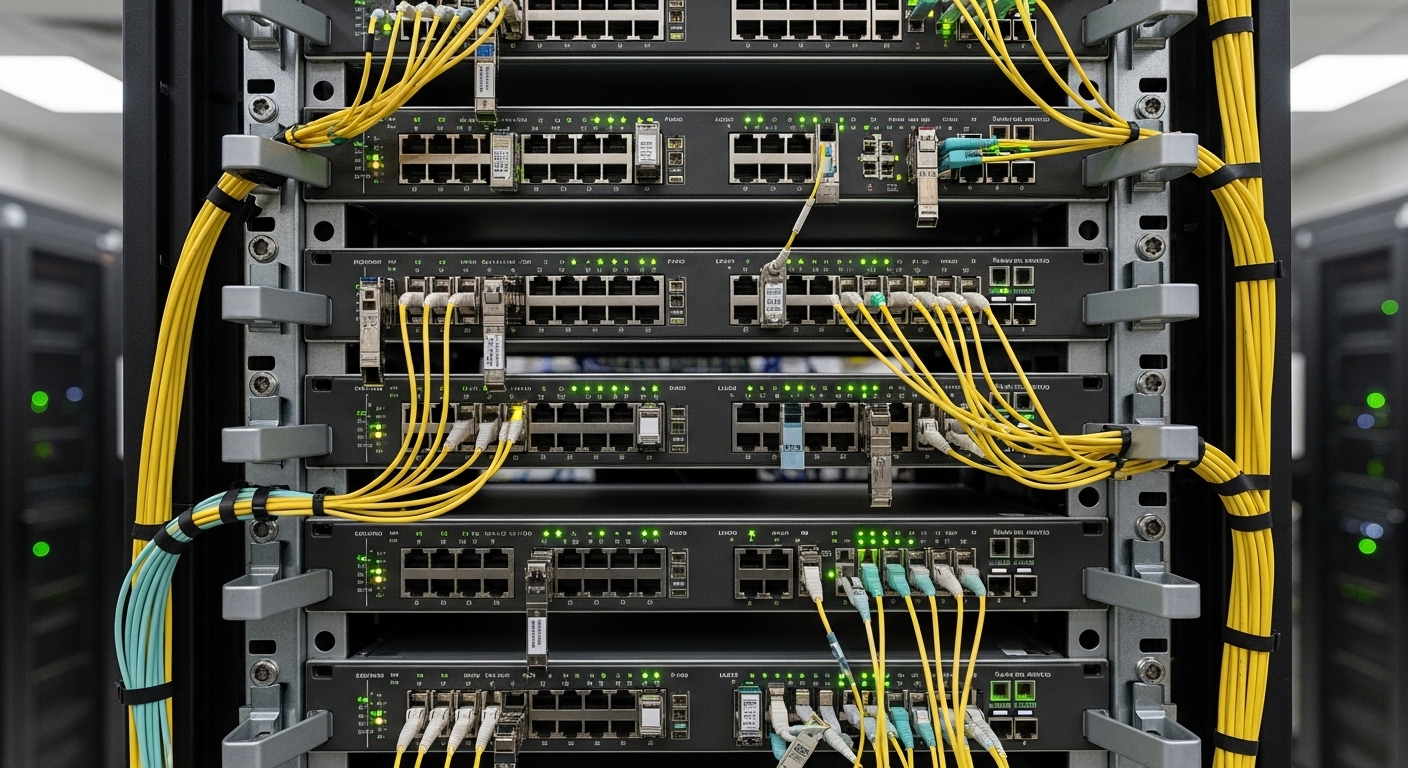
Liquid cooling often lowers ambient temperature near the switch face, but it can also create sharp local gradients around cages, airflow baffles, and cable bundles. SFPs are small thermal islands: the optical bench, laser bias circuitry, and receiver gain stage respond to temperature via internal control loops and device physics. Under liquid cooling, the module may run cooler on average yet experience uneven conduction paths, especially when the cage is thermally mismatched or when conformal contact pressure varies by vendor.
For SFPs that comply with IEEE 802.3 physical layer requirements, link integrity depends on maintaining a stable optical power and receiver sensitivity. Thermal drift influences laser output power, wavelength, and extinction ratio, which then reshapes the receiver’s signal-to-noise ratio budget. You can monitor this indirectly through DOM telemetry (temperature, laser bias current, received power) and directly via BER counters after traffic ramps.
What to measure first during commissioning
- Module temperature from DOM (typically reported in degrees Celsius).
- Laser bias current and transmit power trend over 15 to 30 minutes.
- Received optical power at the receiver and any link-down events.
- Switch-side sensor data: cold plate inlet/outlet, cage temperature (if available), and PCB hotspot maps.
When the system is stable, you want the DOM temperature to plateau and the transmit power to remain within vendor tolerance. If you see oscillation that correlates with pump cycling or cold plate flow throttling, the module may be experiencing intermittent thermal settling rather than steady-state cooling.
Pro Tip: In liquid-cooled deployments, trust DOM temperature trends more than chassis ambient. Many vendors calibrate the reported temperature to the internal die location, not the slot face; a “cool rack” can still leave a module thermally stressed if the cage contact resistance is high.
[[IMAGE:Macro photography of an SFP transceiver seated in a metal cage mounted on a switch PCB; liquid cooling cold plate visible behind the chassis wall; LED status indicators faintly glowing; cool blue lighting with realistic reflections on the cage; shallow depth of field; ultra-detailed, documentary style.]
Thermal specifications that actually matter for SFP selection
Engineers often select SFPs by reach and wavelength, then discover too late that thermal limits and power dissipation interact with liquid cooling. Two SFP families can share the same nominal data rate but differ in thermal design, such as whether they use a directly modulated laser versus a different optical engine, or whether they rely on passive conduction only.
Start by reading the vendor datasheet for the module’s operating temperature range, maximum case temperature (if specified), and rated power dissipation. Then validate the optical link budget under your received power expectations, because thermal drift can shrink margin at the receiver even when the link “mostly works.”
Key thermal and optical parameters to compare
Use the table below as a practical comparison template. Values vary by vendor and part number, so always confirm against the exact datasheet for the transceiver model you plan to deploy.
| Parameter | Typical SFP for 1G/2G | Typical SFP for 10G | What to check in your datasheet |
|---|---|---|---|
| Wavelength | 850 nm or 1310 nm | 850 nm, 1310 nm, 1550 nm | Center wavelength and tolerance over temperature |
| Reach (example) | Up to 550 m OM3/OM4 (varies) | Up to 300 m OM3, 400 m OM4 | Reach assumptions for your fiber type and link budget |
| DOM telemetry | Temperature, Tx bias, Tx power, Rx power | Temperature, Tx bias, Tx power, Rx power | DOM update rate and calibration notes |
| Operating temperature | Commonly -5 to 70 C or 0 to 70 C | Commonly 0 to 70 C | Operating vs storage range; any derating guidance |
| Max power dissipation | Often ~1 to 2 W | Often ~1 to 2.5 W | Thermal design power and heat sink assumptions |
| Connector | LC duplex (most common) | LC duplex (most common) | Keying, latch type, and vendor compatibility |
| Mechanical fit | Standard SFP cage contact | Standard SFP cage contact | Contact pressure and cage thermal coupling |
In IEEE terms, the physical layer behavior is constrained by the transceiver’s link performance requirements, but the thermal stress determines whether the device stays within those constraints over time. For reference on physical layer framing and optical interface expectations, consult IEEE 802.3 and the relevant optical module specifications. anchor-text: IEEE 802.3 standard portal
Liquid cooling interaction: conduction versus convection
Traditional air-cooled designs rely on convective heat transfer from the module and surrounding cage. Liquid-cooled chassis designs still depend on conduction paths, but the hot spots migrate: the cold plate may cool the PCB, while the cage can remain comparatively resistive to heat flow. If the cage-to-PCB thermal interface is inconsistent across slots, you can see slot-dependent DOM temperature spreads even with the same module model.
[[IMAGE:Stylized vector illustration of a side cross-section through a switch chassis showing an SFP module, metal cage, PCB, and a liquid cold plate behind the wall; arrows indicate heat flow routes with color gradients from red hot to blue cool; clean technical infographic style; high contrast; flat design.]
Real-world deployment: commissioning SFPs in a 48-port leaf-spine rack
Consider a leaf-spine fabric in a data center where each leaf uses 48-port 10G SFP+ uplinks and 25G downlinks, and the chassis is cooled by a liquid cold plate. During acceptance testing, you load traffic at 70 percent line rate for 30 minutes, then run a BER verification while monitoring DOM. In one field deployment, the cold plate inlet was set to 18 C with a measured outlet of 26 C; however, two SFP slots near the far edge of the chassis reported DOM temperatures consistently 7 C higher than the central slots.
The root cause was not the average coolant temperature; it was the cage contact resistance and a slight mechanical tolerance stack-up that reduced conduction to the PCB. After replacing only the affected SFP cages with the vendor’s specified cage revision and re-seating the modules, the DOM temperature spread collapsed to 1 C, and the link error counters stabilized under sustained traffic. This outcome underscores that fiber module thermal risk is often slot-specific in liquid-cooled hardware.
Selection criteria checklist for thermal-safe SFP modules
Use this ordered checklist during procurement and field verification. If you can answer each item with evidence (datasheet, measurement, or documented compatibility), you reduce the odds of late-stage link failures.
- Distance and fiber type: match wavelength and reach to your OM3/OM4/OS2 assumptions; confirm link budget under worst-case thermal drift.
- Operating temperature range: ensure the module operating spec covers your measured DOM temperature plus a margin (commonly 5 C to 10 C for commissioning uncertainty).
- DOM support and telemetry meaning: verify which DOM fields are available and how temperature is reported; confirm compatibility with your switch firmware.
- Switch compatibility and cage revision: confirm vendor part numbers that are validated for your exact switch model and cage hardware revision to avoid thermal contact differences.
- Power dissipation and thermal design power: compare module power dissipation; confirm your cooling system can remove that heat under peak utilization.
- Operating stability under pump cycling: observe DOM temperature behavior during flow throttling; ensure no oscillations correlate with link errors.
- Vendor lock-in risk: evaluate third-party modules only after validating DOM behavior and optical performance across temperature; keep spares from multiple lots if feasible.
- Warranty and failure data: compare return rates and documented MTBF claims carefully; treat marketing MTBF numbers as uncertain until you have your own field data.
Pro Tip: When you cannot change cooling hardware, change the thermal coupling. A small mechanical revision that improves cage-to-PCB contact often yields a larger reduction in module temperature spread than swapping transceiver vendors.
Common mistakes and troubleshooting for fiber module thermal issues
Thermal failures can masquerade as optical budget problems, firmware quirks, or fiber cleanliness. Below are frequent field mistakes with likely root causes and corrective actions.
Mistaking rack ambient for module die temperature
Symptom: Ambient sensors show safe temperatures, but DOM temperature rises and link errors increase over time.
Root cause: High thermal resistance between cage and PCB; DOM measures internal location, not chassis air.
Solution: Log DOM temperature and compare across slots; verify cage revision and module seating; measure PCB hotspot map during traffic.
Ignoring DOM calibration and interpreting telemetry incorrectly
Symptom: Engineers set thresholds using one vendor’s DOM behavior, then third-party modules trigger false alarms or miss real drift.
Root cause: Different DOM calibration points and update cadence; switch firmware may apply vendor-specific thresholds.
Solution: Align thresholds using the exact transceiver model and firmware; validate under a controlled temperature ramp if possible.
Overlooking pump cycling and transient thermal settling
Symptom: Links flap during changes in cold plate flow rate, but remain stable at steady coolant settings.
Root cause: Thermal inertia mismatch: the module and cage do not reach equilibrium before flow changes affect conduction paths.
Solution: Correlate link events with cold plate flow telemetry; adjust control loops or add a stabilization interval during commissioning and change management.
Cleaning fiber connectors too late in the process
Symptom: BER worsens after a few weeks, especially in “hotter” slots.
Root cause: Micro-contamination increases insertion loss; thermal drift reduces optical margin until errors appear.
Solution: Use a fiber inspection scope, clean with validated procedures, and re-check received power after thermal stabilization.
Cost and ROI: what thermal-safe SFPs change in total cost of ownership
Pricing varies by wavelength, reach, and whether the module is OEM, third-party, or refurbished. In many 10G SFP+ deployments, engineers commonly see OEM modules priced roughly in the range of USD 40 to 120 per module, while third-party modules may land around USD 20 to 80. The thermal risk does not only affect purchase price; it affects field labor, downtime, and the probability of premature failure.
From an ROI viewpoint, spending on thermally compatible modules and validated cages can reduce truck rolls. If a module causes even a single maintenance incident per quarter across a fleet of racks, labor and downtime can exceed the cost delta between OEM and third-party optics. Track your actual failure rates by lot number and firmware environment; then decide whether you can safely broaden sourcing without increasing thermal-related incidents.
[[IMAGE:Realistic lifestyle scene inside a server room at night; a field engineer in high-visibility gear holds a DOM monitoring tablet while checking an SFP cage on a liquid-cooled switch; visible cold plate piping and blue status LEDs; cinematic lighting, documentary style, shallow depth of field.]
FAQ
What does fiber module thermal mean in practice for an SFP?
It is the module’s internal thermal state, typically reported by DOM temperature and reflected in drift of transmit power, bias current, and receiver margin. Under liquid cooling, the module can still run hot if cage-to-PCB conduction is poor or if slot geometry creates uneven heat paths.
Are liquid-cooled racks always safer for optical modules?
Not automatically. Liquid cooling reduces air temperature, but SFP heat removal depends on conduction through the cage and PCB. If mechanical tolerances or thermal interfaces vary by slot, some modules can experience higher temperatures even in a “cool” chassis.
How can I set thresholds for DOM temperature alerts?
Start with the vendor’s stated operating range and then measure your baseline during stable traffic. Set alerts with a margin that accounts for sensor location and commissioning uncertainty, and validate that the alert does not trigger during normal pump cycling.
Do thermal problems look like optical budget issues?
Often yes. Thermal drift reduces optical power and can erode receiver margin, so symptoms like rising BER and intermittent link drops can resemble fiber attenuation, connector contamination, or polarity errors. The fastest path is to correlate DOM temperature trend with received power and error counters.
Should I use OEM modules to avoid thermal failures?
OEM modules can be easier to validate for DOM behavior and mechanical compatibility, which indirectly protects thermal performance. However, third-party modules can work reliably if you validate the exact model with your switch firmware, cage revision, and measured temperature distribution across slots.
What is the best first action when a link degrades over time?
Log DOM temperature, Tx bias, Tx power, and Rx power for the affected module and compare with a known-good slot. Then inspect and clean connectors, and verify module seating and cage revision before assuming a fiber budget failure.
If you want to make your cooling strategy resilient to optics, treat fiber module thermal as a measurable, slot-dependent risk rather than a background condition. Next step: review your thermal management for transceivers plan, then run a short commissioning test that correlates DOM telemetry with link health.
Author bio: I have deployed SFP and SFP+ optics in liquid-cooled data centers, building commissioning scripts that correlate DOM telemetry with BER and pump-cycle events. I write field-focused reliability guidance grounded in vendor datasheets, IEEE physical layer expectations, and measured thermal behavior.
