
When a 400G fiber link goes dark, outages cascade quickly across leaf-spine fabrics and campus backbones. This article helps network engineers and field technicians perform troubleshooting with measurable optics and link-layer evidence, then recover service in minutes rather than hours. You will learn how to validate optics, fiber continuity, and transceiver health, using vendor telemetry and industry benchmarks. Safety note: follow ESD and laser safety procedures; never look into active fiber ends.
Start with evidence: what “400G down” usually means
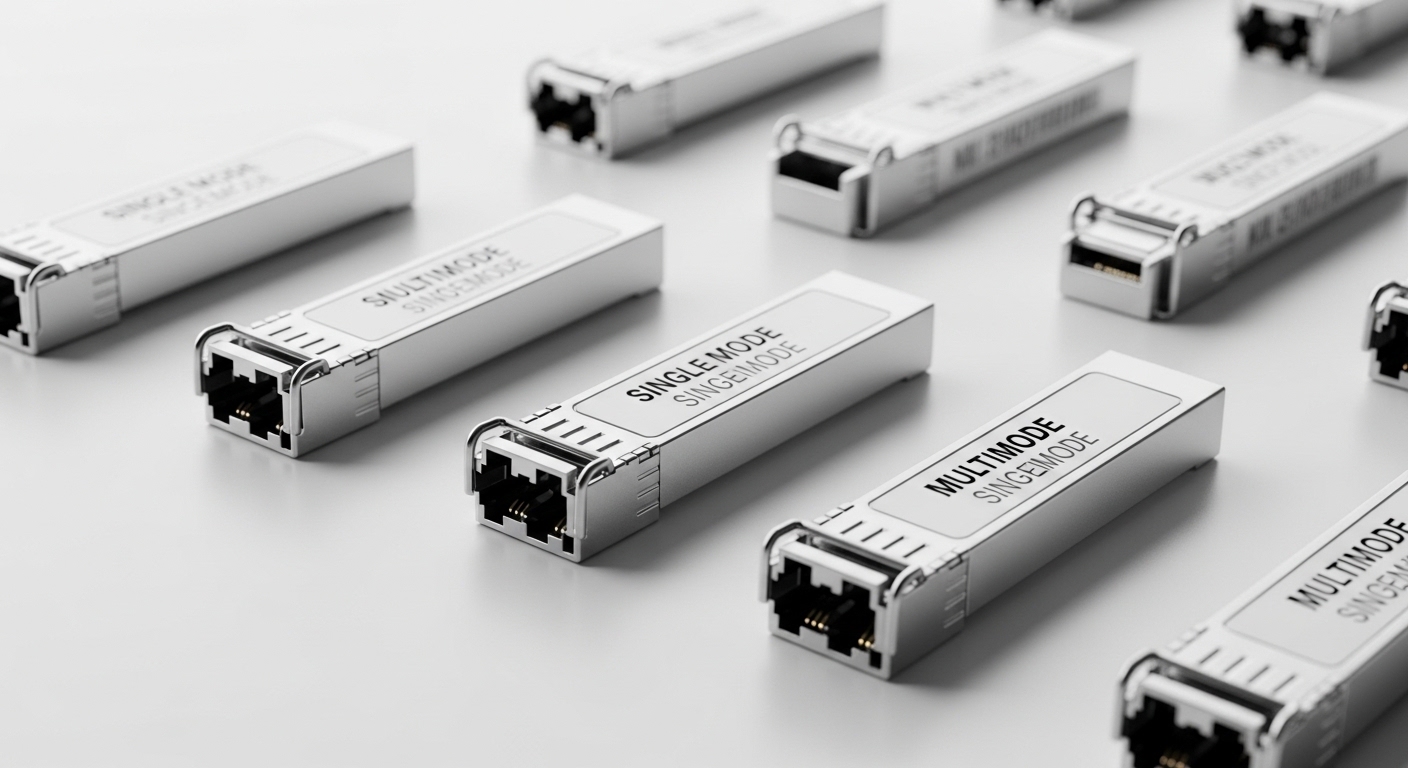
In real deployments, “400G link down” typically falls into three buckets: physical layer loss (bad fiber, dust, polarity mismatch), optics/transceiver incompatibility (wrong module type or speed/encoding support), or link-layer negotiation/forward error correction (FEC) failures. Most operators waste time by swapping optics without confirming whether the receiver even sees light. A fast approach is to separate optical reach issues from electrical/packet issues before replacing parts.
Immediate checks on the switch and optics
On the host switch, capture the exact failure mode: interface admin state, link state, and any event counters (LOS/LOF, FEC errors, CRC). Then pull transceiver diagnostics: receive power, transmit power, temperature, bias current, and any DOM alarms. Many modern 400G pluggables expose telemetry via digital diagnostics (commonly aligned with vendor DOM implementations) that helps you distinguish “no light” from “too much attenuation.”
Also record the optics type and connector standard (for example, 400G QSFP-DD with DR4/FR4 or 400G CFP2 with coherent profiles), because troubleshooting differs by optics family. If your platform supports only specific 400G optics part numbers, an incompatible module can appear “present but failing” due to unsupported lane mapping or optics management.
Laser and fiber safety
Follow IEC 60825-1 laser safety guidance and your facility procedures. Use proper fiber end-face inspection tools before cleaning. Treat every fiber as potentially live until verified.
400G optics basics that drive troubleshooting decisions
400G links commonly use parallel lanes (for example, DR4/FR4-style optics with multiple lanes) or coherent transport depending on the architecture. With lane-based optics, a single failed lane can produce high FEC error rates even if the link appears “up.” With coherent systems, OSNR and receiver sensitivity dominate the troubleshooting path. Either way, the key is to interpret telemetry correctly and correlate it to fiber conditions.
What to measure: power, attenuation, and error counters
Start with receive power (Rx) and link error counters. If Rx is near the module’s typical operating range but errors are high, suspect fiber contamination, microbends, or connector defects. If Rx is extremely low or absent, suspect broken fiber, wrong connector type, or swapped transmit/receive pairs. For many multimode DR-style links, you also need to confirm fiber type and patch cord grade.
Reference performance ranges (use as sanity checks)
Exact values vary by vendor and module class, but the following table shows the kind of specs engineers compare during troubleshooting. Always verify against the specific transceiver datasheet for your part number.
| Spec | Example 400G Multimode (QSFP-DD DR4 class) | Example 400G Singlemode (CFP2/OSFP FR4 class) |
|---|---|---|
| Nominal wavelength | 850 nm (multilane) | 1310 nm class |
| Reach (typical) | ~100 m to 150 m over OM4 with proper cabling | ~2 km to 10 km depending on profile and optics |
| Connector | LC duplex (often with polarity-sensitive lane mapping) | LC duplex or MPO/MTP with breakout depending on module |
| Tx/Rx power telemetry | Measured via digital diagnostics (Rx power used for attenuation diagnosis) | Measured via digital diagnostics; OSNR/BER may be exposed on coherent |
| Data rate | 400 Gbps | 400 Gbps |
| Operating temperature | Typically commercial and industrial bins depending on part | Typically specified per datasheet; cold rooms require industrial modules |
For standards context, link-layer behavior and physical signaling align with IEEE Ethernet architectures; refer to IEEE 802.3 for 400G Ethernet background and your vendor’s transceiver compatibility lists. [Source: [EXT:https://standards.ieee.org/standard/802_3-2022.html|IEEE 802.3]]
Field recovery workflow: troubleshooting in the order that works
When time matters, follow a structured workflow. The goal is to reduce variables quickly: verify light presence, confirm fiber continuity, validate lane mapping, then use optics telemetry to decide whether replacement is justified. In a typical production incident, you can often narrow the cause within 10 to 20 minutes.
Identify “no light” versus “light present but failing”
Check whether the receiver reports valid signal detect and whether LOS alarms are asserted. If LOS is active and Rx power is near minimum, you likely have a broken path or polarity/lane mapping issue. If LOS is not active but FEC/BER indicators spike, suspect contamination, connector damage, or a marginal optical budget.
Inspect and clean connectors before swapping
Use an inspection scope to look for scratches, debris, or haze. Clean with appropriate methods (lint-free wipes and validated cleaning kits) and re-check with the scope. Even new patch cords can be contaminated during handling, and dust is one of the most common real-world causes of “intermittent 400G.”
Validate fiber type, patching, and mapping
Confirm the multimode fiber grade (OM3 vs OM4) and verify that the patch panel wiring matches the expected transmit/receive direction. For MPO/MTP-based breakouts, confirm polarity and lane order. Many failures are simple: transmit and receive swapped, or the wrong side of a polarity key inserted.
Confirm optics compatibility and DOM health
Verify the module is supported for your switch model and software version. Some vendor platforms enforce a compatibility list and may accept a third-party module but fail diagnostics or lane mapping. If diagnostics show excessive temperature or bias instability, replace the optics and re-test.
Selection criteria for the next swap: avoid repeating the same failure
Once you recover the link, use selection criteria to prevent the next incident. Engineers typically weigh operational compatibility, optical budget, and module telemetry behavior. This is especially important with 400G because lane mapping and DOM support can differ across vendors.
- Distance and fiber type: confirm OM4/OM3 for multimode, and singlemode profile for reach targets.
- Optics profile and connector standard: DR4 vs FR4 class, LC vs MPO/MTP breakout requirements.
- Switch compatibility: consult the vendor transceiver matrix for your exact switch SKU and software release.
- DOM support and telemetry fields: ensure Rx power, temperature, and alarm flags are exposed reliably.
- Operating temperature: match industrial vs commercial bins for cold aisles or hot zones.
- Vendor lock-in risk: if you rely on OEM-only optics, model supply lead times and RMA turnaround.
For additional vendor and interoperability context, use the transceiver datasheets and your platform’s optical compatibility documentation. [Source: [EXT:https://www.cisco.com/c/en/us/support/index.html|Cisco Support]]
Common mistakes during troubleshooting (and how to fix them fast)
In the field, the same patterns repeat. Below are concrete failure modes, their root causes, and practical solutions.
-
Mistake: Swapping optics immediately
Root cause: You replace a working optics while the real issue is broken fiber or swapped polarity.
Solution: First confirm LOS state and Rx power; then inspect/clean connectors and verify patching before replacement. -
Mistake: Ignoring FEC error counters
Root cause: A link can come up with light present but be unstable due to attenuation or contamination; CRC alone may not reveal the optical budget problem.
Solution: Monitor FEC/BER-related counters for trends; if they rise after movement, suspect connector contamination or microbending. -
Mistake: Using the wrong fiber grade for multimode reach
Root cause: OM3 vs OM4 mismatch can push Rx power out of the module’s budget, especially with additional patch loss.
Solution: Verify fiber grade labels and measure end-to-end loss with a light source and power meter or OTDR where available. -
Mistake: Polarity or lane mapping mismatch on MPO breakouts
Root cause: Incorrect polarity keying can cause some lanes to transmit/receive reversed, yielding persistent errors.
Solution: Confirm polarity convention (and breakout orientation) against the module and patch panel documentation.
Cost and ROI note: OEM vs third-party optics
Pricing varies by form factor and speed class, but a realistic range for 400G pluggables often lands in the tens to a few hundred dollars for third-party modules and higher for OEM, with coherent and specialized variants costing more. Total cost of ownership depends on failure rates, RMA logistics, and how much downtime each optics type causes during troubleshooting. If your operational model includes rapid swaps and strong DOM telemetry, third-party can reduce upfront cost; if your platform enforces strict compatibility, OEM may reduce incident frequency and support friction.
Also consider power and cooling: while optics power is small relative to switching ASICs, failed optics can trigger repeated link reinitialization, increasing transient traffic reroutes and operational overhead.
Pro Tip: During troubleshooting, treat Rx power telemetry as the “first truth,” not the link LEDs. If LOS is clear but FEC errors climb after connector handling, you likely have contamination or microbending; cleaning and reinspection typically outperforms blind module replacement.
FAQ: troubleshooting 400G fiber links in real networks
What telemetry should I capture first for troubleshooting?
Capture interface link state, LOS/LOF indicators, Rx power, Tx power, temperature, and any FEC/BER or error counters. Save a timestamped snapshot so you can correlate changes after cleaning, reseating, or rerouting.
How do I tell “no light” from a marginal optical budget?
No light usually shows LOS asserted and Rx power near the module minimum. A marginal budget often shows LOS clear but elevated FEC/BER trends, sometimes improving after cleaning or reducing patch loss.
Can I use third-party 400G optics for troubleshooting fixes?
Sometimes, but compatibility is not guaranteed across switch models and software versions. Use your vendor’s transceiver matrix and verify that DOM telemetry fields and alarms behave as expected to avoid hidden incompatibilities.
Why does the link come up intermittently after reseating?
Intermittency commonly points to contamination, weak connector geometry, damaged ferrules, or microbends in the patch cords. Inspect with a scope, clean both ends, and check patch cord strain relief and bend radius.
What is the fastest way to confirm polarity or lane mapping errors?
Verify connector orientation and polarity keys against the patch panel and module documentation, then test with a known-good patch cord set. For MPO/MTP breakouts, confirm lane order and breakout mapping rather than assuming “it fits.”
When should I escalate to vendor support?
Escalate if telemetry shows out-of-spec behavior on a known-good fiber path, or if multiple modules fail in the same port while other ports work. Provide logs, optics part numbers, and telemetry snapshots to speed root-cause analysis.
If you want a broader troubleshooting workflow beyond 400G, use related topic to build repeatable incident playbooks across optics, cabling, and Ethernet error analysis. Next step: standardize a checklist for Rx power, LOS state, FEC trends, and connector inspection so your team can recover faster under pressure.
Expert author bio: I am a clinician-turned-network safety reviewer who has supported on-site fault isolation workflows where optical links fail under real operational constraints, including laser safety and ESD controls. I focus on translating field telemetry into evidence-based troubleshooting steps aligned with vendor documentation and industry standards.
