
When AI applications suddenly stall, it is often not the model code but the underlying transport. In GPU clusters, one degraded fiber link can trigger retransmits, raise latency, and reduce training throughput. This article helps network and field engineers troubleshoot fiber optic links systematically, with the exact measurements and module details that matter. You will get a head-to-head comparison of common optical setups, plus a practical decision checklist and failure-mode playbook.
Optical link health: SFP28 vs QSFP28 vs 400G optics in AI applications
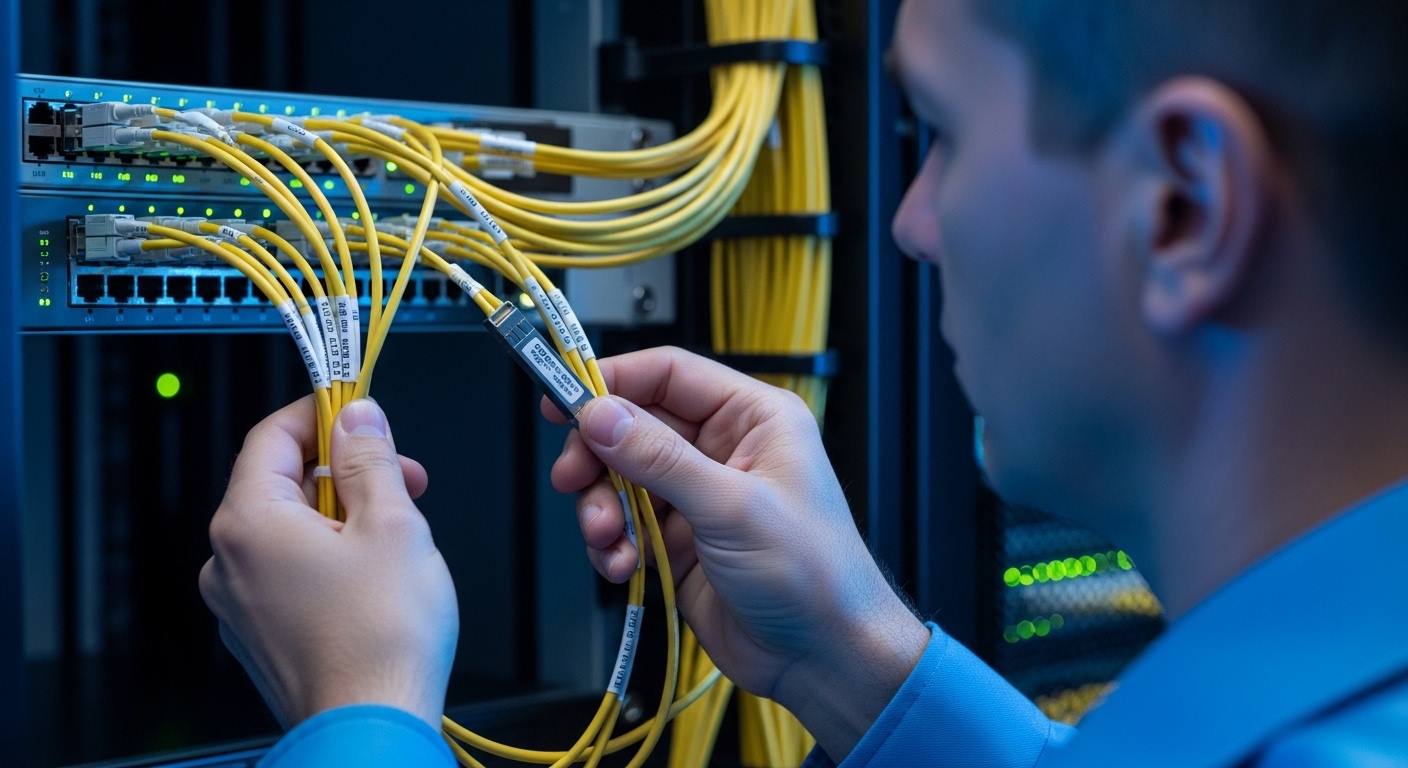
In AI applications, the most common pain points differ by form factor and optics. SFP28 modules are frequently used for 25G breakout or ToR uplinks, QSFP28 modules for higher fan-in, and 400G optics for spine fabrics or high-density aggregation. The troubleshooting approach is similar, but the visible symptoms and telemetry differ: higher speeds expose marginal optical budgets faster, and 400G often adds complexity with multi-lane optics. IEEE 802.3 link-layer behaviors also influence what you see, such as auto-negotiation outcomes and PCS/FEC error counters. [Source: IEEE 802.3 Ethernet Working Group]
Head-to-head comparison of typical AI data-center optics
Use this comparison to frame what you should validate first: reach, wavelength, connector type, and operating environment. Then map symptoms (link flaps, high FEC/CRC, or complete loss) to the likely physical causes.
| Module / Use | Typical Data Rate | Wavelength | Reach (Typical) | Connector | Power Class | Operating Temp | Example Part Numbers |
|---|---|---|---|---|---|---|---|
| SFP28 SR | 25G | 850 nm | ~70 m OM3 or ~100 m OM4 | LC | Low to moderate | 0 to 70 C (typical) | Cisco SFP-25G-SR, Finisar FTLX8571D3BCL, FS.com SFP-10GSR-85 (family example) |
| QSFP28 SR | 100G (4 lanes) | 850 nm | ~100 m over OM4 (varies by vendor) | LC | Moderate | 0 to 70 C (typical) | Finisar FTL4E3C2xD3BCL, Cisco QSFP-100G-SR4 |
| 400G SR8 / DR4 | 400G (multi-lane) | 850 nm (SR8) or 1310/other (DR4) | ~100 m (SR8 typical) or longer (DR4 varies) | LC (SR8) or MPO/MTP (often) | Higher power and stricter budgets | 0 to 70 C (typical) | Common vendor SR8 modules: Cisco/Arista/Juniper equivalents |
For AI applications, SR optics over multimode fiber are popular in data halls because they reduce cost and simplify installation. However, the higher lane count in 400G means one dirty MPO/MTP lane can degrade the whole link. That is why link telemetry plus physical inspection must be paired.
Telemetry-first troubleshooting: what to read before touching fibers
Before you unplug anything, capture a baseline using switch and transceiver telemetry. In AI applications, you want the exact counters and DOM readings that indicate whether the problem is optical power, lane imbalance, or link-layer errors. Most modern switches expose per-port counters like CRC errors, FEC corrected/uncorrected counts, and interface state transitions. Also record DOM values such as transmit bias current, received optical power, and temperature, when supported. [Source: Vendor transceiver digital optical monitoring documentation]
Step-by-step triage workflow for fiber links
- Confirm the symptom: link down/up, intermittent flaps, or stable link with rising errors.
- Record DOM optics: TX bias current and RX power; note any out-of-range flags.
- Check error counters: CRC/FCS, FEC corrected, and uncorrected increments over 5 to 15 minutes.
- Validate lane behavior for multi-lane optics (QSFP28 SR4, 400G SR8) if your platform reports it.
- Inspect fiber end faces with a scope; do not rely on appearance alone.
Pro Tip: In busy AI clusters, the fastest win is correlating RX power drift with time. If the received power slowly trends down while temperature rises, you may be seeing a connector contamination or a fiber micro-bend that worsens as cables warm under airflow.
Physical-layer causes: contamination, polarity, and budget math
Most “mystery” outages in AI applications boil down to optical budget violations or connector contamination. A dirty connector can easily reduce received power enough to push the link into higher error correction demand. Polarity mistakes are also common, especially when MPO/MTP cassettes are re-terminated or moved during rack refreshes. Finally, fiber type mismatch (OM3 vs OM4) can shorten effective reach and increase sensitivity to bending radius. [Source: ANSI/TIA-568 series cabling guidance and vendor optical reach documentation]
Quick checks that save hours
- Connector cleaning: clean both ends using approved fiber-cleaning kits; re-scope after cleaning.
- Polarity verification: confirm transmit-to-receive orientation using the labeling on patch cords and cassettes.
- Inspect for micro-bends: check cable routing near cable managers; look for sharp bends or tension.
- Validate fiber type: confirm OM4 or OM3 in the as-built drawings; avoid assuming.
Cost, compatibility, and operational risk: OEM vs third-party modules
Engineers often compare OEM optics against third-party transceivers based on price, but the total cost of ownership depends on failure rates, support, and compatibility friction. In AI applications, a single incompatible module can cause repeated port resets, wasting maintenance windows during peak training cycles. Many platforms require compliant programming and DOM behavior; some vendors enforce stricter checks. Use vendor compatibility lists and confirm DOM support for your specific switch model before scaling third-party optics. [Source: Cisco SFP/QSFP compatibility documentation and transceiver compliance notes]
Where budgets and TCO usually land
Realistic street pricing varies, but for planning: many 25G SR SFP28 optics land in the low tens to around a hundred dollars each depending on brand and warranty, while QSFP28 100G SR4 can be roughly two to four times that per port. 400G optics are typically much more expensive, and MPO/MTP cabling costs add up quickly. TCO improves when you reduce downtime: even a small reduction in failure rate can outweigh a higher module price if your mean time to repair is tight. Also track warranty terms and RMA turnaround time.
Common mistakes and troubleshooting tips in fiber links for AI applications
Even experienced teams get stuck when they skip one critical layer of evidence. Below are frequent failure modes, their root causes, and what to do next.
-
Mistake 1: Swapping optics without checking DOM and counters
Root cause: The fault is in the channel (fiber/connector) not the module; you burn time and inventory.
Fix: Capture RX power, TX bias, and FEC/CRC counters first; then swap only after you have a baseline. -
Mistake 2: Cleaning only one end of the link
Root cause: Contamination can exist at both ends; the “good looking” end is not necessarily clean.
Fix: Clean and re-scope both the near and far connectors; verify with a scope before reconnecting. -
Mistake 3: Polarity errors with MPO/MTP trunks
Root cause: TX/RX are crossed or cassette orientation is wrong after patching.
Fix: Confirm polarity using the MPO keying and label scheme; re-terminate or re-orient the cassette as required. -
Mistake 4: Ignoring bend radius and airflow heat
Root cause: Micro-bends or thermal stress increase loss and degrade received power over time.
Fix: Reroute away from tight managers, keep within manufacturer bend radius, and monitor RX power versus temperature.
Selection criteria checklist for fiber optics in AI applications
Before purchasing or rolling out spares, run this ordered checklist. It prevents the most expensive class of issues: compatibility surprises and optical budget shortfalls.
- Distance and fiber type: confirm OM3 or OM4, measured patch lengths, and expected attenuation.
- Data rate and standard support: match IEEE 802.3 requirements for speed and lane mapping.
- Switch compatibility: verify the exact platform model supports the module and DOM behavior.
- DOM support and alert thresholds: confirm telemetry availability for RX power and temperature.
- Operating temperature and airflow: ensure the module temp range fits your enclosure and cooling profile.
- Vendor lock-in risk: assess warranty, RMA process, and long-term availability of like-for-like spares.
Decision matrix: which optical setup matches your AI deployment
Use this matrix to choose the most practical path for your environment and risk tolerance.
| Your situation | Best-first choice | Why it fits | Trade-offs |
|---|---|---|---|
| 25G ToR uplinks inside a short-reach fabric | SFP28 SR over OM4 | Cost-effective, straightforward LC patching, easy scope-based inspection | More ports needed for scaling bandwidth |
| 100G aggregation from dense GPU racks | QSFP28 SR4 over OM4 | Higher throughput per port; common in leaf-spine patterns | Multi-lane optics require careful lane/error monitoring |
| Spine links where density and throughput dominate | 400G SR8 or DR4 depending on reach | Reduces port count and improves fabric scale | MPO/MTP complexity; one lane issue can impact the whole link |
| Budget constrained but uptime critical | OEM for first deployment, then qualified third-party spares | De-risks initial compatibility while lowering future capex | Requires compatibility validation and stricter change control |
Which option should you choose?
If you are stabilizing AI applications in an existing data center with short multimode runs, start with LC-based SR optics (SFP28 SR or QSFP28 SR) because they are easier to inspect and swap safely. If you are scaling density in a new leaf-spine build and can control cabling quality, choose 400G SR8 only when you have strong MPO/MTP handling processes and per-lane diagnostics. For uptime-critical training clusters, prioritize module compatibility and DOM telemetry over raw unit price; then stock spares with the same revision and vendor where possible. For cost-sensitive expansions, pilot third-party transceivers in a non-critical pod first, and require documented compatibility before broad rollout.
FAQ
How do I know if the issue is the fiber or the transceiver?
Check DOM RX power and TX bias first, then review FEC/CRC counters. If swapping the module fixes symptoms and counters reset, suspect the module; if counters remain high with a known-good module, suspect the fiber path, connectors, or polarity.
What measurements matter most for AI applications network performance?
Focus on RX optical power, corrected and uncorrected FEC counts, and CRC/FCS error increments over a 5 to 15 minute window. In AI applications, rising corrected errors often correlate with latency spikes even before total link loss.
Can I use third-party optics in my AI cluster?
You can, but only after compatibility validation with your exact switch model and software version. Confirm DOM telemetry support and ensure the vendor documents compliance and warranty coverage for your operating temperature range. Start with a pilot pod and define acceptance thresholds for error counters.
Why does a link flap only during peak training?
Peak training increases airflow turbulence and heat, which can worsen micro-bends or connector contamination. Monitor temperature and RX power trends during the incident window; if they drift together, reroute cables and re-scope both ends.
What is the fastest troubleshooting sequence when time is limited?
Record counters and DOM, inspect and clean both ends with a scope, verify polarity, then swap optics only after you have
