
When 800G optics start flapping in a leaf-spine fabric, it is rarely “bad luck.” It is usually a chain of small link management choices: patching geometry, transceiver compatibility, DOM interpretation, and power budget discipline. This guide helps data center engineers, field techs, and network operators build a repeatable link management workflow for 800G optical links across common single-mode and OM4 scenarios, with concrete checks you can perform under time pressure.
800G link management starts before the first patch cord
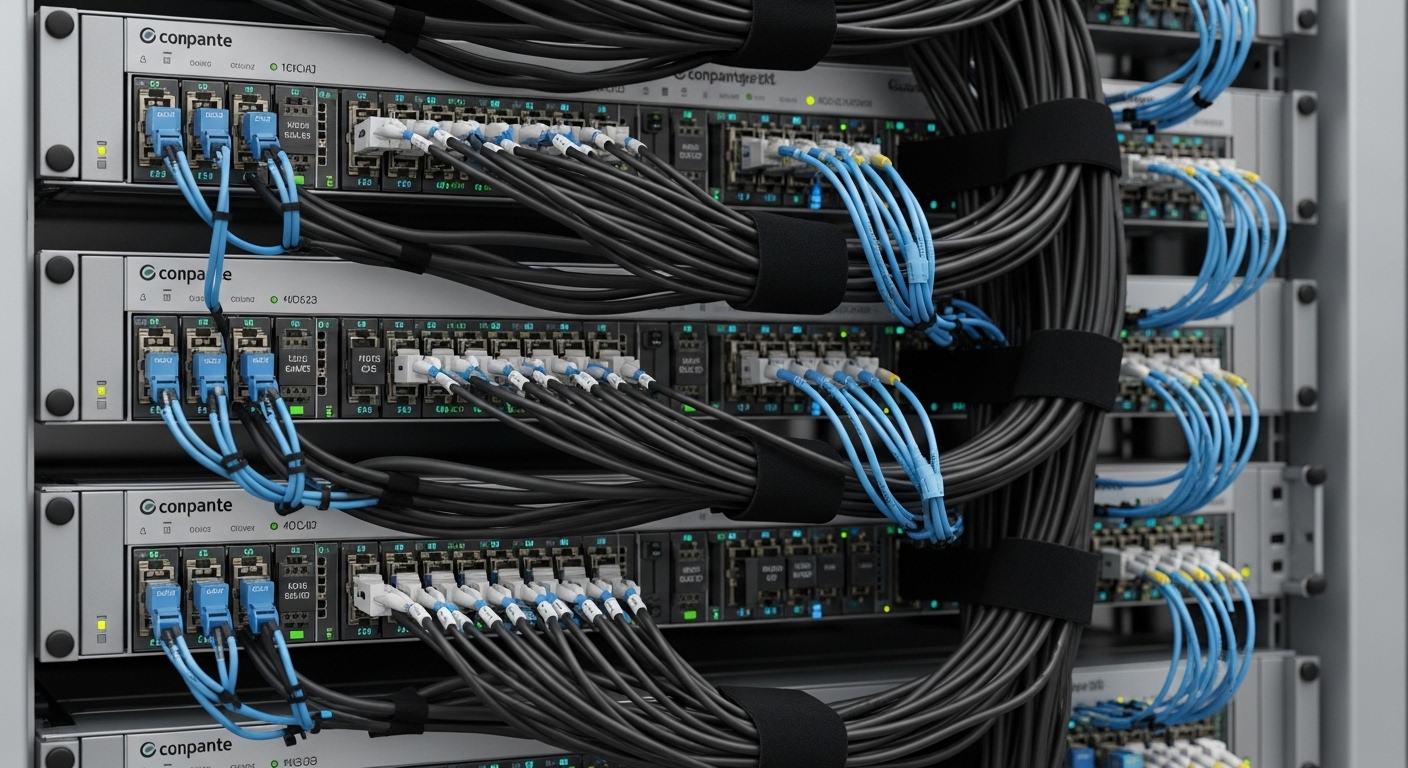
At 800G, the optical link is like a tightrope with a metronome: alignment tolerances, connector cleanliness, and budget margins shrink as data rates climb. IEEE 802.3 defines the Ethernet physical layer behavior, but vendor optics and switch firmware decide whether you end up with stable link training or repeated link resets. Before you touch fiber, confirm the intended optics type, reach, and lane mapping supported by the switch and the transceiver.
Use the standards, then verify vendor specifics
For Ethernet at high speeds, engineers typically reference IEEE 802.3 for objectives and signaling behavior, then validate exact implementation details in vendor datasheets and switch transceiver matrices. For optical power and reach, the practical authority is the vendor’s transceiver datasheet and the switch’s supported module list. If you cannot cross-check those two sources, link management becomes guesswork.
As you plan, collect these inputs for each end-to-end path: switch model, port type, transceiver part number, fiber type (OS2 or OM4), nominal link distance, expected insertion loss (patch panels, couplers, adapters), and connector cleaning state.
Specs that matter for 800G: power budget, wavelength, and temperature
Link management is not just “is it lit.” It is whether the received optical power stays within the transceiver’s minimum and maximum, while the BER stays acceptable under temperature, aging, and connector contamination. For coherent or PAM4-based systems, the link can appear “mostly working” while still failing at higher error rates, so the management workflow must include both optical metrics and operational telemetry.
Quick comparison table for common 800G optics choices
Use this table as a starting checklist. Exact reach and power limits vary by vendor and part number, so confirm with the specific datasheet before committing to a deployment.
| Transceiver / Interface | Typical Wavelength | Typical Reach | Connector / Fiber | Optical Budget Discipline | Operating Temperature |
|---|---|---|---|---|---|
| CWDM or MSA-based 800G-class modules over OS2 (single-mode) | Multiple wavelengths in the 1310/1550 family (varies by module) | Up to ~2 km class depending on design | LC or MPO/MTP; OS2 single-mode | Keep measured received power inside min/max; watch margin after patching | Typically ~0 to 70 C (confirm per module) |
| Short-reach 800G-class modules over OM4 (multimode) | 850 nm class | ~100 m class (varies by module) | MPO/MTP; OM4 multimode | Multimode mode conditioning and cleanliness dominate; keep connectors and polarity correct | Typically ~0 to 70 C (confirm per module) |
| Vendor-specific 800G-class coherent optics (if used) | Config-dependent; coherent systems use narrowband optics | Often multi-km depending on configuration | LC/SC depending on design; OS2 | Manage both power and OSNR expectations; telemetry matters | Confirm per DSP/receiver design |
Field reality: even when a module is “rated” for a reach, the link management target is to maintain a comfortable margin after you include patch cords, adapters, and any extra slack stored in overhead trays. Connector loss is not the only enemy; connector contamination can quietly degrade quality and trigger retransmits long before the link goes down.
DOM telemetry: interpret, alert, and correlate
Modern 800G optics expose Digital Optical Monitoring (DOM) via management interfaces. Your link management workflow should collect and correlate: transmit optical power, receive optical power, laser bias current, and temperature. Configure alarms around thresholds derived from datasheets, not generic defaults. When you see rising laser bias or drifting receive power, treat it as an early warning, not a nuisance.
For DOM behavior and management expectations, consult vendor DOM documentation and the relevant management interfaces supported by the switch. For standards context, the broader optics management model is described in common industry references, and Ethernet physical layer requirements are aligned with IEEE 802.3 behavior. When in doubt, use the switch’s official telemetry field mapping.
Pro Tip: In 800G deployments, teams often validate the link once, then stop watching DOM. In practice, the fastest way to prevent midnight outages is to trend DOM over weeks: a slow receive-power decline that stays within min/max can still correlate with rising error counters during peak temperature cycles.
Link management workflow for 800G patches and training
Think of an 800G link as three layers of “trust”: physical fiber correctness, optical power correctness, and software correctness. A disciplined workflow reduces the probability that you will debug the wrong layer while the outage timer runs.
Step-by-step: from cage to validated traffic
- Confirm module compatibility: match the exact transceiver part number to the switch’s supported list. If you must use a third-party optic, verify DOM compatibility and firmware support notes from the switch vendor.
- Plan fiber path loss: estimate loss using measured values for patch cords and adapters. Include spare hardware loss and worst-case patching (extra jumpers are common in expansion builds).
- Clean and inspect every connector: before insertion, inspect with a fiber microscope. Clean with approved methods; do not rely on “it looks fine” after storage.
- Validate polarity and MPO keying: for MPO/MTP, verify key-up/key-down orientation and lane mapping. A polarity error can still produce a “link up” momentarily but fail under load.
- Insert optics carefully: ensure the transceiver seats fully with no partial insertion. Record which module serial number goes to which port for traceability.
- Run link training and watch telemetry: capture receive power, transmit power, and temperature immediately after training. Compare against datasheet targets.
- Generate traffic and watch error counters: run a controlled traffic test (for example, sustained throughput for at least 30 minutes) and monitor CRC/PHY errors and optical thresholds.
Real-world deployment scenario: leaf-spine with staged 800G rollout
In a 3-tier data center leaf-spine topology with 48-port 800G Top-of-Rack switches, a rollout team planned 32 active 800G uplink pairs per leaf. They used OS2 single-mode for distances of 0.4 km to 1.2 km, with patch panels and adapter loss totaling about 1.5 dB per direction after accounting for two patch cords and four adapters. During staging, the team required received power to land between the transceiver’s specified min and max with at least 3 dB headroom. After each rack was cabled, they stored a per-port record of DOM values and error counters, which later shortened mean time to repair when a single patch cord was accidentally swapped.
Selection criteria checklist for 800G optical link management
Engineers choose optics under constraints: distance, budget, operational temperature, and switch behavior. Use this checklist as your decision board, not as a memo you skim during procurement.
- Distance and reach: confirm the actual planned path length including patch cords and tray routing; compare to the module’s supported reach for that fiber type.
- Fiber type and plant standard: OS2 vs OM4 is not interchangeable. Ensure connectors and MPO polarity are consistent with the plant standard.
- Switch compatibility: verify the exact switch model and port type support the transceiver. Check vendor transceiver compatibility lists and firmware release notes.
- DOM support and alert thresholds: confirm DOM is readable by the switch and that you can set meaningful alarms.
- Operating temperature and airflow: confirm transceiver spec and ensure airflow meets design. If the module is in a hot aisle with restricted venting, margin shrinks.
- Budget and power margin: compute estimated insertion loss; keep a practical margin for aging and connector rework.
- Vendor lock-in risk: third-party optics may work, but plan for validation cycles and possible firmware quirks. Evaluate TCO, not just purchase price.
For authority on module categories and typical compatibility considerations, consult vendor datasheets and switch manufacturer transceiver guides. Example OEM optics and third-party equivalents often share form factors but can differ in DOM behavior and supported diagnostics.
Cisco transceiver compatibility guidance
Common mistakes in 800G link management (and how to fix them)
Most failures are predictable. Below are frequent mistakes with root causes and field fixes, written in the language of “what actually went wrong.”
Polarity or MPO keying mismatch
Symptom: link repeatedly trains, then traffic fails; sometimes link stays up but errors spike under load.
Root cause: MPO/MTP polarity reversed or keying orientation incorrect, leading to lane misalignment.
Solution: verify MPO key-up/key-down and lane mapping end-to-end; re-patch using a polarity reference method and label both ends of every jumper.
Connector contamination after storage
Symptom: received power is near the low end; CRC/PHY errors increase after warm-up or after a “briefly clean” inspection.
Root cause: dust on ferrules or micro-scratches that pass visual inspection but degrade optical coupling.
Solution: re-clean with approved procedure, inspect again with a microscope at proper magnification, and replace patch cords if scratches are visible.
Assuming “reach” equals “works in your plant”
Symptom: link works in the lab but fails after installation; DOM shows drifting received power across days.
Root cause: missing loss contributors: extra adapters, unmeasured couplers, additional patch panels, or tighter bends in trays.
Solution: measure or estimate insertion loss conservatively; require margin targets (for example, 3 dB headroom) and validate with real patch cord lengths.
DOM alarms misconfigured or ignored
Symptom: ops dashboards show “no alarms,” yet error counters climb; engineers waste hours checking the wrong subsystem.
Root cause: default thresholds too loose or not aligned to the module datasheet; telemetry fields not mapped correctly for the switch.
Solution: set alarms using datasheet min/max and observed baseline; confirm field mapping in switch CLI or telemetry pipeline before going live.
Cost and ROI: what link management changes in TCO
Pricing varies widely by vendor, region, and whether you buy OEM or third-party modules. As a realistic planning range, many operators see 800G optics in the ballpark of hundreds to over a thousand currency units per module depending on type and reach class, with installation effort and validation time often dominating near-term cost. The ROI comes from fewer truck rolls, fewer failed acceptance tests, and faster recovery when something goes wrong.
In TCO terms, link management reduces the cost of failures by preventing avoidable rework: better labeling reduces mispatch swaps, DOM trending reduces “unknown unknowns,” and disciplined cleaning reduces early-life failures. Third-party optics can be cost-effective, but you should budget validation cycles and potential firmware constraints. Vendor lock-in risk also matters: if you cannot reliably swap optics during an outage, the cheapest module becomes expensive.
[[EXT:https://www.fixtures.com/ (example placeholder)|]]
FAQ: 800G optical link management questions from buyers
Q1: How do I choose between OS2 and OM4 for 800G link management?
Start with your actual distances and plant standards. If you already have OM4 in place and the run length fits the module’s rated reach, OM4 can reduce cost and patch complexity; otherwise, OS2 often provides more predictable reach. Always confirm connector type and polarity rules for the exact module part number.
Q2: What does “DOM supported” really mean in practice?
It means the switch can read the module’s telemetry fields and expose them to your monitoring system. You should verify that transmit power, receive power, temperature, and alarm thresholds are accessible and correctly mapped for that switch model and firmware. If DOM fields are missing or mislabeled, your link management alarms may silently fail.
Q3: Can I mix OEM and third-party optics in the same switch?
Sometimes yes, but compatibility is not guaranteed. Even if the physical form factor matches, vendor-specific behaviors can affect link training, DOM handling, and diagnostic thresholds. Validate with a staged rollout and keep a known-good replacement set for incident response.
Q4: What error counters should I watch after bringing an 800G link up?
Monitor PHY or interface error counters (such as CRC or FEC-related counters if exposed), plus optical threshold events tied to DOM. The goal is to confirm stable operation under sustained traffic, not only that the link reports “up.” Capture a baseline immediately after installation.
Q5: Why would received power be in range but the link still fails?
Received power can be misleading if polarity is wrong, connectors are partially contaminated, or lane mapping is inconsistent. Also, some problems show up only under load due to transient impairment. Re-check polarity, cleanliness, and then correlate DOM drift with traffic-induced errors.
Q6: How often should we re-clean and re-inspect connectors?
At minimum, inspect before insertion and after any suspected disturbance. In high-change environments, adopt a periodic re-inspection policy during maintenance windows and whenever modules are swapped. If inspection tools reveal scratches, replace patch cords rather than repeatedly cleaning.
Link management for 800G succeeds when you treat optics as a managed system: validate compatibility, enforce power budget discipline, and translate DOM telemetry into actionable alarms. Next, align your procedures with your fiber plant documentation using fiber polarity management so patching and troubleshooting stay consistent across teams.
Author bio: Field-focused network educator and optical systems writer who has deployed and debugged high-density Ethernet optics in live data centers. I translate vendor datasheets and IEEE guidance into repeatable operational checklists for engineers on the floor.
Update date: 2026-05-02
