
When your SMPTE 2110 link drops during a show, time is lost
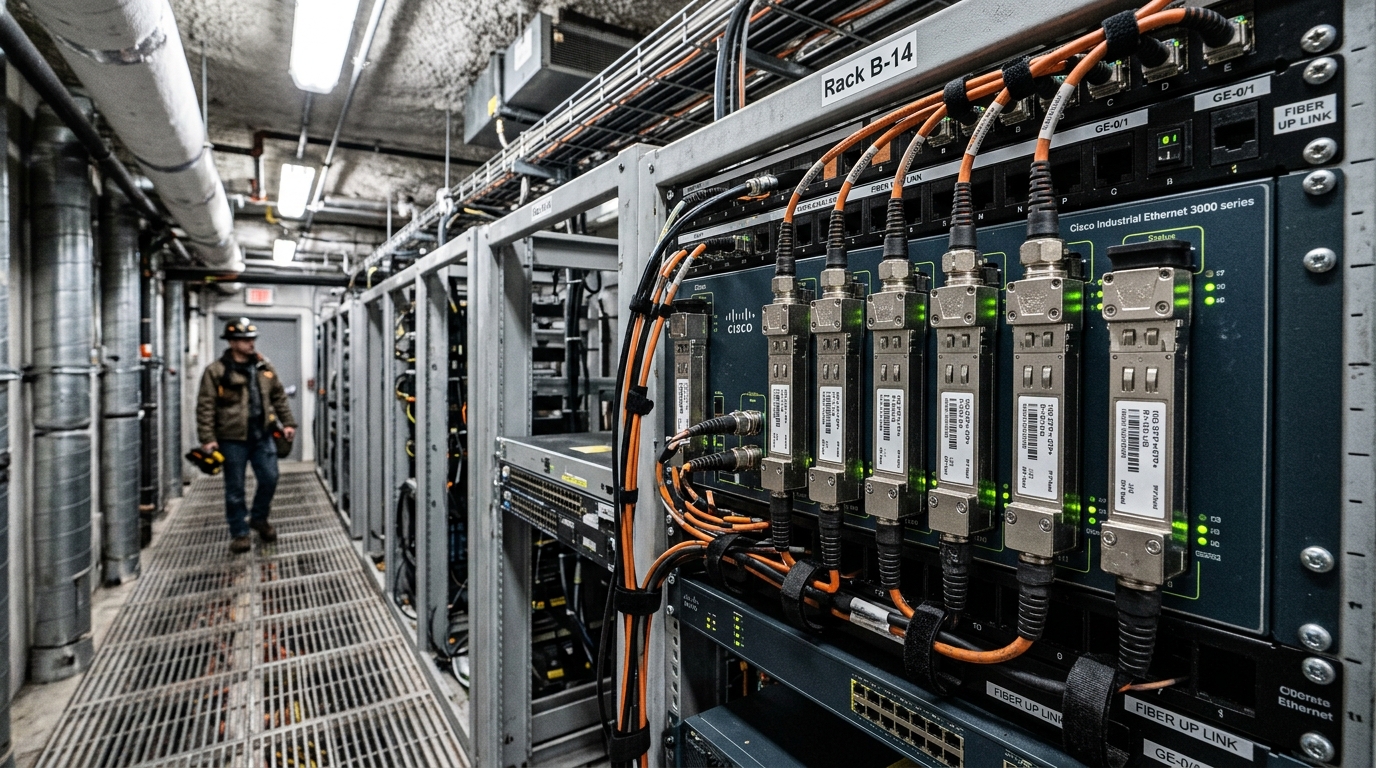
This article helps live event engineers and field techs choose a broadcast IP transceiver for SMPTE 2110 fiber networks—especially SFP style optics that carry uncompressed video and audio over IP. You will see practical selection criteria (distance, switch compatibility, DOM, temperature), realistic troubleshooting patterns, and a specs comparison table you can use at the rack. If you are planning a leaf-spine or point-to-point media network, this will map the optical choices to operational behavior.
SMPTE 2110 over fiber: what the transceiver must actually support
SMPTE 2110 transports essence as IP streams, so the optical layer must reliably move Ethernet frames with low error rates and stable link parameters. In production networks, the SFP you pick is typically an Ethernet optics component: wavelength and reach must match the fiber plant, and the switch must support the transceiver electrically and in link management. For SMPTE 2110, engineers often target 10G (and in some designs 25G), using SR short-reach multimode or LR single-mode depending on distance and cabling type.
In practice, the media network is not forgiving. A bad optical budget, a mismatched fiber type (OM3 vs OM4), or a temperature-related drift can create CRC errors that look like “random” audio dropouts or video pixelation. A field replacement should also be quick: DOM reporting, known vendor behavior, and predictable power draw matter during a live show.
How SFP optics map to SMPTE 2110 link behavior
Think of fiber optics like a “sealed light tunnel” with strict rules. If the tunnel geometry (fiber core size) or the light color (wavelength) is wrong, the tunnel becomes noisy and the receiver starts discarding frames. In SMPTE 2110, discarded frames translate into visible artifacts or buffer underruns at the application layer.
At the Ethernet layer, the PHY must negotiate link speed and duplex correctly. Most SMPTE 2110 deployments use IEEE Ethernet settings consistent with IEEE 802.3; you can reference IEEE 802.3 for physical layer fundamentals and optical interface behavior. [Source: IEEE 802.3 standard]
Pro Tip: In live event racks, prefer transceivers with tested DOM behavior and known optical power thresholds on your specific switch model. Engineers often assume “it links, so it is fine,” but DOM values (Tx bias current, received power) can reveal a marginal fiber plant before SMPTE 2110 streams stress the link.
Key specs that decide compatibility and show reliability
When selecting a broadcast IP transceiver for SMPTE 2110, you are choosing multiple constraints at once: optics (wavelength and reach), electrical interface (10G vs 25G), connector type (LC), and operational limits (temperature and power). The table below compares common SFP options used for production networks.
| Option (typical) | Data rate | Wavelength | Reach (typical) | Fiber type | Connector | DOM | Operating temperature |
|---|---|---|---|---|---|---|---|
| SFP-10G-SR class | 10G | 850 nm | 300 m (OM3), 400 m+ (OM4) | Multimode | LC | Often supported | 0 to 70 C (standard) or wider variants |
| SFP-10G-LR class | 10G | 1310 nm | 10 km | Single-mode | LC | Often supported | 0 to 70 C (standard) or wider variants |
| SFP-25G-SR class | 25G | 850 nm | 70 to 100 m (varies by OM) | Multimode | LC | Varies | 0 to 70 C (standard) or wider variants |
For concrete examples you may see in the field: Cisco SFP-10G-SR and Finisar FTLX8571D3BCL are common reference points for 10G SR behavior, while FS.com SFP-10GSR-85 is often used as a third-party SR option. Always confirm exact reach and compliance details from the vendor datasheet for the specific part number you stock. [Source: Cisco transceiver datasheets; Finisar/Viavi optical module datasheets; FS.com product pages]
Selection checklist for SMPTE 2110 live event fiber links
Use this ordered checklist like a field card. It reduces guesswork and prevents “it should work” assumptions during showtime.
- Distance vs fiber type: Measure end-to-end length including patch cords. Confirm whether your links are OM3/OM4 multimode or single-mode OS2, and match the optic reach to your optical budget.
- Data rate and interface: SMPTE 2110 systems often run at 10G; verify whether your switches and NICs expect 10G-SR, 10G-LR, or 25G-SR. Do not mix speed classes.
- Switch compatibility: Check the switch vendor compatibility list and any transceiver vendor restrictions. Some platforms enforce digital optical monitoring or vendor ID checks.
- DOM support and monitoring: Ensure the module provides DOM and that your network management stack reads it correctly. Look for stable thresholds for Tx/Rx power and temperature.
- Operating temperature and airflow: Live event racks can exceed typical office conditions. Choose modules with appropriate temperature ratings and ensure front-to-back airflow.
- Vendor lock-in risk: OEM modules can reduce support friction, but third-party can cut cost. Plan a stock strategy that minimizes downtime and ensures consistent behavior.
In deployments, the “right” optic is the one that meets the optical budget and behaves predictably with your specific switch and monitoring tools. That is why compatibility checks are not optional.
Common mistakes and how to troubleshoot them fast
Below are frequent failure modes in SMPTE 2110 fiber installs where a broadcast IP transceiver is implicated. Each includes a root cause and a practical fix.
- Mistake: Using a multimode SR optic in a single-mode link (or vice versa).
Root cause: Fiber type mismatch causes severe attenuation and receiver errors.
Solution: Verify fiber taxonomy on-site (OM3/OM4 vs OS2) and label patch panels. Then replace with the correct SR or LR module. - Mistake: Assuming “reach” equals your installed distance without accounting for patch cord loss.
Root cause: Optical budget must include connector insertion loss, patch cords, splitters, and worst-case transceiver power.
Solution: Use a fiber loss worksheet and test with an optical power meter or at least a link checker before the show. Replace with higher-budget optics if margins are thin. - Mistake: Ignoring DOM warnings and only checking link-up status.
Root cause: A marginal fiber plant can still negotiate link but produce CRC errors under load.
Solution: Monitor Tx bias, received power, and error counters. If Rx power is near threshold, re-seat connectors, clean LC ends, and retest. - Mistake: Swapping in a third-party SFP that is electrically compatible but not fully supported by the switch platform.
Root cause: Some platforms enforce vendor ID or DOM behavior; link may flap or management may misread values.
Solution: Validate against the switch’s transceiver compatibility guidance and test modules in a bench setup before stocking.
Real-world SMPTE 2110 deployment scenario (numbers included)
Consider a 3-tier live event network in a temporary venue: 48-port 10G ToR switches feed a core aggregation pair. Each ToR carries SMPTE 2110 streams from stage encoders to a media processing cluster, with uplinks at 10G over OM4 multimode. The stage-to-core fiber runs are typically 220 m of trunk plus 2 x 5 m patch cords per direction, and the engineering team targets a transceiver reach margin of at least 20 percent beyond expected loss. During a recent rehearsal, DOM showed Rx power trending downward on one uplink; after cleaning LC connectors and reseating the module, CRC counters dropped to near zero and video stability returned.
Cost, ROI, and how to plan spares without overspending
Price varies by vendor and temperature grade, but in many markets a 10G SR SFP often lands in the range of USD 30 to 120 for third-party and USD 80 to 250 for OEM, depending on brand and compliance. For a live event operator, the ROI comes from reduced downtime risk: a single failed uplink can halt a show segment. Over a season, the total cost of ownership includes not just the optic cost, but failure rates, cleaning supplies, and time spent troubleshooting.
OEM modules typically offer smoother vendor support and predictable behavior, while third-party can be cost-effective when validated on your exact switch model. A practical strategy is to stock spares of the same part number and maintain a bench test log that includes DOM readings and link stability results.
FAQ: broadcast IP transceiver buying questions for SMPTE 2110
What SFP type is most common for SMPTE 2110 10G networks?
For short to moderate distances on multimode fiber, engineers commonly use 10G SR at 850 nm with LC connectors. If you need longer runs or you are on single-mode fiber, 10G LR at 1310 nm is typical. Always confirm reach against your measured fiber loss, not only datasheet marketing.
Can I use third-party SFPs for live event production?
Yes, but only after validation with your specific switch model and software version. Some platforms enforce transceiver compatibility rules and can behave poorly if DOM reporting differs. Bench-test key modules and keep a consistent spare inventory by part number.
How do I know if DOM readings indicate a problem before SMPTE streams fail?
Watch for received optical power near the vendor threshold and for abnormal trends in Tx bias current or temperature. Also correlate DOM with Ethernet error counters such as CRC or input errors. If the link stays up but errors rise under load, treat it as a marginal optical link.
What temperature issues matter for broadcast setups?
Live event racks can have higher ambient temperatures due to lighting, media servers, and constrained airflow. Choose modules rated for your expected environment and ensure airflow direction matches the module’s thermal design. If you see frequent thermal warnings, improve ventilation before swapping optics again.
Do I need to match connector cleanliness as part of transceiver selection?
Cleanliness is as important as the optic itself. Even a perfect module can fail if LC ends are contaminated, leading to extra insertion loss and higher error rates. Use proper cleaning tools and inspect connectors under magnification when troubleshooting.
Which standard should I reference when validating Ethernet optics behavior?
For physical layer fundamentals and Ethernet operation, reference IEEE 802.3 and the vendor transceiver datasheet for the exact optical interface. For SMPTE 2110 behavior, follow SMPTE guidance on network transport requirements and ensure your switch and NIC settings support the required traffic patterns. [Source: IEEE 802.3 standard; SMPTE 2110 documentation]
If you want a fast next step, pick your target speed and fiber type first, then validate the broadcast IP transceiver against your switch compatibility, DOM behavior, and measured optical budget. For related planning, see fiber optic link budget for a practical worksheet approach to reach and margin.
Author bio: I have deployed SMPTE 2110 fiber networks
