
AI workloads are hungry, loud, and oddly picky about fiber links. If you have a rack of leaf-spine switches and a few dozen NICs, the wrong SFP can turn “training day” into “packet-loss day.” This guide helps network and field engineers select SFP modules that match distance, switch compatibility, and operational temperature—without buying twice.
Prerequisites: what to measure before you buy SFP modules
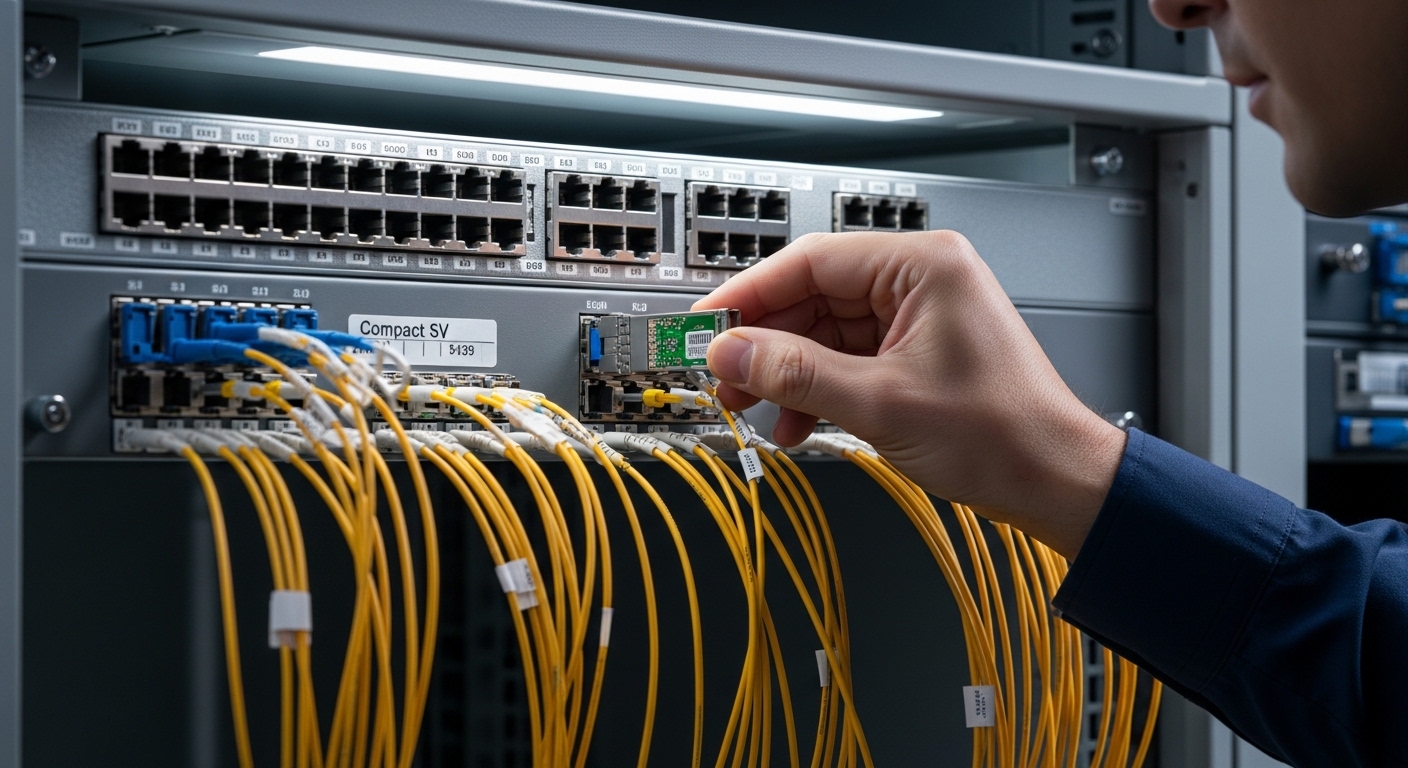
Before ordering anything, capture the link budget and the exact transceiver expectations of your switches. You are not shopping for “a fiber plug,” you are matching an optics and electrical interface to IEEE-defined behavior and vendor-specific module support. For AI workloads, the practical success criteria are stable optics under temperature swings, predictable DOM behavior, and correct fiber type.
Prerequisites checklist
- Switch models and port types (e.g., Cisco Nexus, Arista, Juniper, or vendor-specific SFP speed support)
- Distance per link (meters from patch panel to rack, including patch cords)
- Fiber plant details: OM3 vs OM4 vs OS2, and whether you have duplex LC already
- Expected data rate: 1G/10G/25G depending on your AI NIC and fabric
- Transceiver requirement: Digital Optical Monitoring (DOM) support and optics form factor (SFP vs SFP+ vs SFP28)
Step-by-step SFP selection for AI workloads: optics, reach, and compatibility
Think of SFP selection as a five-part handshake: speed, wavelength, reach, connector, and thermal/power behavior. Then add the “gotcha” layer: switch firmware compatibility and DOM expectations. The goal is to keep links within the optical power and receiver sensitivity ranges defined by the module vendor and aligned with IEEE 802.3.
Match the port speed and SFP generation
Confirm the switch port supports the target transceiver generation. For example, a 10G SFP+ port generally will not accept an SFP28 module, and vice versa. Verify with the switch documentation and transceiver compatibility matrix, because some platforms reject third-party optics even when the electrical form factor fits.
Expected outcome: You avoid “physically compatible but logically rejected” optics.
Choose the right fiber type and wavelength
For short-reach AI workloads inside data centers, multimode optics are common. Typical choices include 850 nm for 10G SR (multimode) and 1310 nm for 10G LR (single-mode). Match to your fiber plant: OM3/OM4 for SR, OS2 for LR.
Expected outcome: Your link budget works on day one, not after a week of troubleshooting.
Confirm reach against your measured distance
Reach is not just “spec sheet meters.” You must include patch cord lengths, coupler losses, and fiber attenuation. If the vendor lists 300 m for a 10G SR on OM3, and your path is 240 m plus extra patching, you are already budgeting like a daredevil.
Expected outcome: Optical margin remains healthy across temperature and aging.
Validate DOM and optics control expectations
Many modern switches read DOM values (laser bias current, received power, temperature, supply voltage). If your platform expects DOM to be present and within thresholds, a non-DOM or incompatible DOM implementation can cause link flaps. For AI workloads, those flaps are not “annoying”; they can stall training jobs.
Expected outcome: Stable link state and predictable monitoring visibility.
Check temperature range and power draw
Data centers are not laboratories. Choose modules rated for the switch’s ambient operating range. Common industrial ratings vary, but you should look for modules with a temperature range that comfortably exceeds your worst-case rack inlet conditions. Power draw matters too: a marginal module can increase thermal load and trigger port derating.
Expected outcome: No surprise thermal throttling or intermittent errors.
Spec comparison: common SFP options for AI workloads
Below are representative module families used in data center fabrics. Exact performance depends on the vendor, firmware, and fiber plant. Still, the table helps you avoid the classic mistake of buying a “similar-looking” module with the wrong reach or wavelength.
| Module example | Data rate | Wavelength | Typical reach | Connector | Fiber type | DOM | Operating temp (typical) |
|---|---|---|---|---|---|---|---|
| Cisco SFP-10G-SR | 10G | 850 nm | Up to ~300 m (OM3) / ~400 m (OM4) | LC | MMF | Yes (DOM) | Commercial/extended varies by revision |
| Finisar FTLX8571D3BCL | 10G | 850 nm | Up to ~300 m class (depends on OM) | LC | MMF | Yes | Vendor datasheet range |
| FS.com SFP-10GSR-85 | 10G | 850 nm | Up to ~300 m class | LC | MMF | Often Yes (check listing) | Vendor datasheet range |
| Typical 10G LR class (example varies) | 10G | 1310 nm | Up to ~10 km (OS2) | LC | SMF | Yes (commonly) | Vendor datasheet range |
Sources: Vendor datasheets and compatibility guidance from switch manufacturers; IEEE 802.3 for Ethernet optical interface behavior. IEEE 802.3 Standards [Source: IEEE] Cisco Support and SFP documentation [Source: Cisco] Arista Support and transceiver guidance [Source: Arista]
Pro Tip: When AI workloads run long training sessions, watch DOM “received power” trends, not just link up/down. A slowly drifting RX power toward the low threshold can be a sign of dirty LC connectors or marginal patch cords—fixing it early beats discovering it during a midnight validation run.
Selection criteria: the ordered checklist engineers actually use
- Distance and fiber type: OM3 vs OM4 vs OS2, plus patch cord lengths and couplers
- Required data rate: ensure SFP generation matches port speed (SFP vs SFP+ vs SFP28)
- Switch compatibility: consult the transceiver matrix to reduce “unsupported optics” events
- DOM support and threshold behavior: verify the switch reads DOM and accepts the module
- Operating temperature: match module spec to rack inlet and switch ambient conditions
- Power and thermal budget: avoid modules that increase thermal load in high-density cages
- Vendor lock-in risk: compare OEM vs third-party reliability and warranty terms
Common mistakes and troubleshooting tips (top failure modes)
Even careful teams occasionally misstep. Here are the usual suspects, with root causes and fixes that field engineers recognize instantly.
Failure mode 1: Link won’t come up after insertion
Root cause: Wrong SFP generation or unsupported transceiver for that switch/firmware. Some platforms reject modules that are electrically compatible but not validated.
Solution: Check the switch transceiver compatibility list, then confirm the port speed and optics type. If you are using third-party modules, test one known-good unit before ordering pallets.
Failure mode 2: Flapping links during load (especially with AI workloads)
Root cause: Dirty connectors or excessive optical loss from damaged patch cords. Laser drive can exacerbate marginal links under higher BER conditions.
Solution: Inspect and clean LC connectors using proper lint-free swabs and approved cleaning tools. Replace any patch cords with suspected damage, then re-check DOM RX power.
Failure mode 3: High error counters even though link is “up”
Root cause: Fiber type mismatch (OM3 vs OM4 assumptions), wrong reach budgeting, or bend radius violations. In multimode, bandwidth and effective modal bandwidth can matter.
Solution: Measure actual path length and verify fiber grading. Enforce bend radius best practices and validate attenuation with OTDR where available.
Cost and ROI note: what you actually pay over time
OEM SFPs often cost more upfront, but they can reduce deployment friction. Third-party modules (commonly from reputable vendors) frequently land at a lower unit price, yet the TCO depends on warranty coverage, return logistics, and failure rates. For AI workloads, the ROI is less about saving $20 per module and more about preventing downtime that can idle expensive GPU compute.
Realistic price ranges: Many 10G SR SFPs land roughly in the tens of dollars to low hundreds depending on brand, speed class, and warranty; LR and higher-rate optics usually cost more. Factor power and cooling impact too: unstable optics can cause retransmissions, raising effective utilization and heat.
FAQ
What SFP type is most common for AI workloads in data centers?
Most teams start with 10G SR at 850 nm over multimode fiber for short intra-rack or leaf-spine links, assuming the measured distance fits the OM3/OM4 reach. If you need longer runs or different cabling, you may switch to 1310 nm LR over single-mode.
Do I need DOM for my AI fabric?
DOM is strongly recommended because it provides visibility into temperature, supply voltage, and optical power. For troubleshooting intermittent errors, DOM trends often reveal issues before counters explode. Check whether your switch requires DOM to be present and how it reacts to out-of-threshold values.
Can I use third-party SFP modules?
Yes, but only if the module is compatible with your specific switch model and firmware. Use the vendor compatibility matrix and test a small batch first. Inconsistent DOM behavior is a common reason for link instability complaints.
How do I avoid buying the wrong reach rating?
Measure the entire optical path: patch panel to NIC, patch cords, couplers, and any splices. Then compare to the module’s reach guidance for your exact fiber grade (OM3 vs OM4). If you are near the edge, add margin by shortening runs or upgrading fiber grade.
What should I check first when interface errors rise?
First: confirm DOM received power and temperature are within expected bounds. Second: inspect and clean connectors, then verify patch cords for damage. Third: validate fiber type and bend radius, because physical issues can masquerade as “bad optics.”
Where can I go next after choosing modules?
After optics selection, focus on monitoring and operational baselines: error counters, DOM thresholds, and link stability during training windows. Use AI network monitoring to design a practical telemetry plan that catches problems early.
AI workloads succeed when optics choices match distance, fiber type, and switch compatibility, not when they merely “fit the cage.” Next,
