
When AI applications move from pilot to production, the network becomes a first-class performance component: latency, congestion control, and link stability directly affect training and inference throughput. This article helps network engineers and field technicians choose between SFP and QSFP28 optics for 25G-class fabrics, using concrete compatibility checks and failure-mode troubleshooting.
Prerequisites: what you must measure before swapping optics
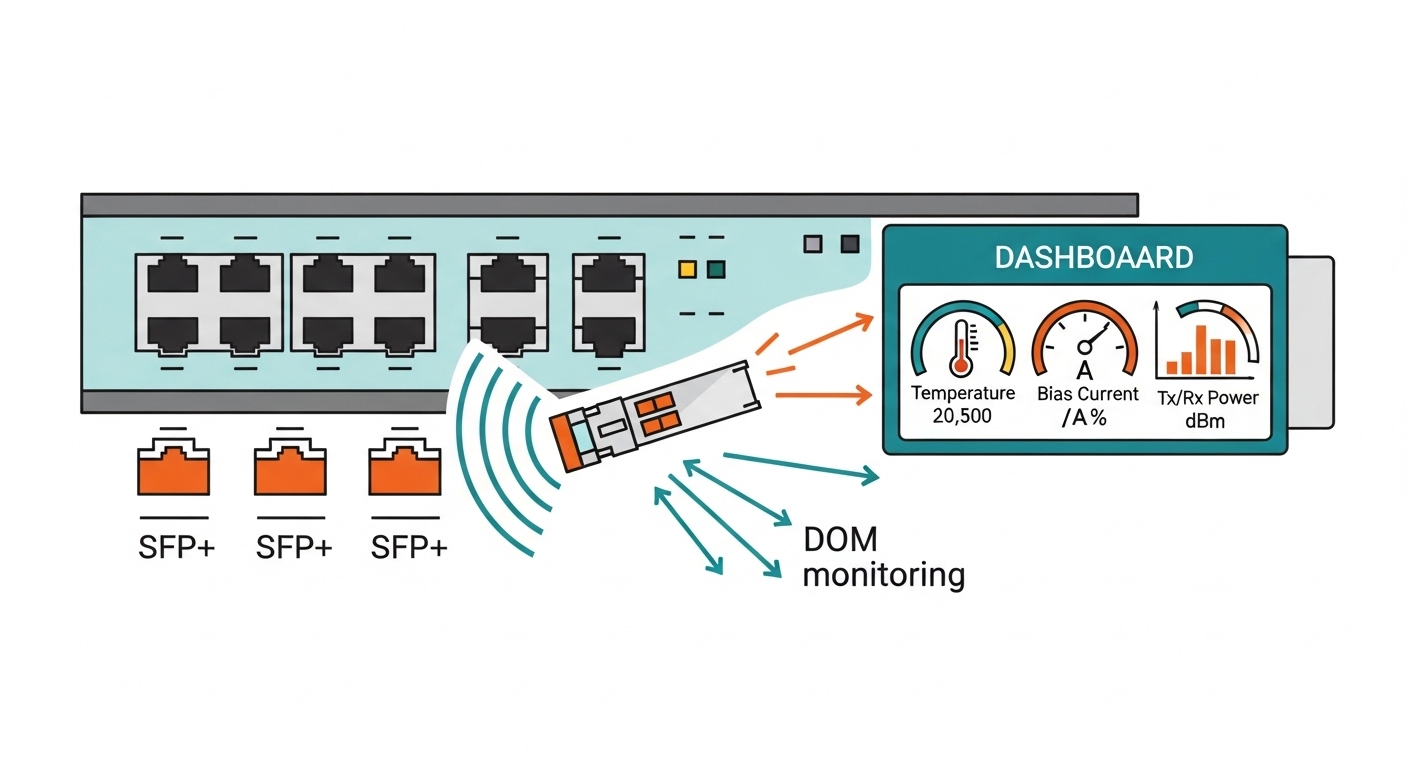
Before deciding between SFP and QSFP28, verify the physical layer, switch port behavior, and fiber plant constraints. In practice, the “wrong” module type often fails not because of optics physics, but because of port wiring, DOM interpretation, or transceiver/QSFP lane mapping mismatches.
Expected outcome: you can identify the exact port speed mode, optics form factor support, and optical budget constraints before purchase or installation.
- Inventory your ports and optics. Record switch model, port numbers, and current transceiver part numbers (for example, Cisco SFP-10G-SR is not interchangeable with 25G QSFP28 even if the fiber is the same type).
- Confirm IEEE alignment. For 25G Ethernet, ensure your configuration targets 25GBASE-SR (IEEE 802.3 family) on the switch. Use vendor documentation for lane mapping and breakout behavior.
- Measure the fiber plant. Get fiber type (OM3/OM4/OS2), run length, and connector losses. If you have OTDR data, record worst-case attenuation and patch-panel splice counts.
- Check DOM and monitoring expectations. Verify whether your NMS expects vendor-agnostic DOM via standard diagnostics and whether your switch supports QSFP28 DOM polling.
- Define the operating temperature envelope. Confirm the chassis environment and whether you need extended temperature modules (for example, -5 to 85 C typical; some industrial SKUs differ).
Step-by-step implementation: choosing SFP vs QSFP28 for AI applications
Think of the choice like selecting a “pipe diameter” and “number of lanes.” SFP typically provides a single high-speed lane per module, while QSFP28 aggregates multiple lanes in a higher-density form factor that suits modern AI server fabrics.
Expected outcome: you can implement a working optics plan that matches your AI applications’ bandwidth and latency requirements while staying within optical budget and switch compatibility limits.
Map your AI fabric bandwidth to module lane structure
For AI applications, many deployments target 25 GbE leaf-spine fabrics, then scale further with 50G or 100G. QSFP28 modules commonly carry 4 lanes of 25G or effectively support 100G-class configurations depending on the switch mode; however, the practical decision for most engineers is whether the switch port expects a QSFP28 transceiver for 25G or whether it can accept breakout to SFP.
Use this rule of thumb: if your switch offers native QSFP28 25G ports, QSFP28 usually reduces port-count cost and improves cable density in dense AI racks.
Validate switch compatibility and breakout behavior
Switch vendors often implement QSFP28 ports with specific breakout mappings. For example, one QSFP28 port may be able to break into four 25G SFP28-like lanes depending on platform firmware, but not all platforms support the same breakout optics types.
Verify in the switch CLI or hardware guide which transceiver types are supported per port. If you see “QSFP28 only” constraints, do not attempt to use SFP modules even if the connector physically fits.
Match optical parameters to fiber length and transceiver class
For short-reach AI clusters, SR multimode optics are common. For longer runs or higher reach, you may need LR/ER or coherent approaches, but that is outside the SFP vs QSFP28 decision itself; the form factor still matters because it determines the electrical interface and lane aggregation.
Use a budget mindset: calculate worst-case link loss including fiber attenuation, connector loss, and patch-cord penalties. Then compare against the module’s supported link budget and typical receiver sensitivity.
Use a concrete spec comparison to avoid “it plugs in” mistakes
Below is a field-oriented comparison of typical short-reach options. Actual availability varies by vendor, but the physics and form-factor constraints are consistent.
| Parameter | SFP (common for 10G/1 lane) | QSFP28 (common for 25G-class density) |
|---|---|---|
| Typical data rate | 10G to 25G (depends on model; many SFP are 10G) | 25G per lane; often used for 100G-class aggregation |
| Typical wavelength (SR) | 850 nm (multimode) | 850 nm (multimode) |
| Connector type | LC (most SR SFP) | MPO/MTP (many SR QSFP28) |
| Nominal reach (OM4, typical) | ~300 m for many 10G SR; varies by exact SFP SKU | ~100 m typical for 25G SR over OM4 (SKU-dependent) |
| Power class (typical) | ~0.5 W to 1.5 W | ~1.5 W to 3.5 W (higher density) |
| DOM support | Often available; verify switch support | Common; verify DOM compatibility with platform |
| Operating temperature | Commercial or extended; verify SKU | Commercial or extended; verify SKU |
Install with deterministic verification steps
Perform installations in a controlled sequence: insert optics, confirm DOM status, then verify link establishment and error counters. For AI applications, also confirm that interface counters remain stable under load tests (iperf3 or vendor traffic generator).
Use deterministic checks such as:
- Interface status: link up at expected speed (for example, 25G).
- DOM fields: temperature within module spec; Rx power not saturating; TX bias stable.
- Error counters: CRC, FCS, and symbol errors near zero during idle.
- Load validation: run a short throughput test and watch for drops or retransmits.
Pro Tip: In many real deployments, engineers blame “bad fiber” when the root cause is lane mapping or connector polarity on MPO/MTP cassettes. Always confirm MPO polarity handling at the patch panel before concluding the QSFP28 optics are defective.
Real-world deployment scenario: 25G leaf-spine for AI applications
In a 3-tier data center leaf-spine topology with 48-port ToR switches, a team deploying AI applications for model training uses 25 GbE from each server to the leaf and from leaf to spine. Each rack has 16 servers; that is 16 uplinks per leaf plus redundancy, so port density and cable management dominate the optics choice.
They standardize on QSFP28 SR toward the spine for dense cabling, using MPO/MTP fanouts to reduce the number of patch points. For server edge, they use switch ports that accept the matching form factor at 25G; where the platform supports breakout, they may use SFP-capable designs, but only after validating port-to-lane mapping in the vendor compatibility matrix.
Expected outcome: stable link negotiation at 25G, predictable optical budgets within OM4, and fewer operational incidents due to consistent connector handling.
Selection criteria checklist: how engineers actually decide
Use this ordered list during procurement and pre-staging. It prevents expensive rework when optics arrive and the switch rejects them or the link budget is exceeded.
- Distance and fiber type: OM3/OM4 vs OS2, plus worst-case attenuation and splice/connector loss.
- Switch port compatibility: confirm exact transceiver form factor and supported speeds in the vendor optics policy.
- Budget and lane mapping: ensure QSFP28 lane behavior matches the switch mode and any breakout configuration.
- DOM and telemetry requirements: validate whether your NMS uses DOM thresholds and whether the switch reads QSFP28 diagnostics reliably.
- Operating temperature: confirm module class vs room airflow and chassis thermal design.
- Vendor lock-in risk: check whether third-party optics are accepted without port flaps; consider using OEM in the most failure-sensitive paths.
Common mistakes and troubleshooting for SFP vs QSFP28
These failure modes are common in AI applications rollouts because speed, density, and fiber polarity constraints interact.
Failure point 1: Link does not come up after optics insertion
Root cause: Switch rejects unsupported module type or speed mode; or MPO polarity/fiber seating mismatch prevents receiver lock. Solution: verify the port’s supported transceiver list, confirm the exact speed mode configured, and reseat MPO/MTP with correct polarity labeling.
Failure point 2: High CRC/FCS errors under traffic load
Root cause: Optical budget exceeded due to patch panel loss, dirty connectors, or overly long fiber for the module’s specified reach. Solution: clean connectors with proper lint-free swabs, re-run link power checks via DOM, and compare measured Rx optical power against the module’s receiver sensitivity.
Failure point 3: “Works sometimes” during temperature changes
Root cause: Marginal thermal conditions or modules operating outside their temperature class; also possible airflow obstruction near QSFP28 cages. Solution: confirm module temperature rating, improve airflow clearance, and monitor DOM temperature/bias stability over time.
Expected outcome: you isolate whether the issue is compatibility, optical loss, or thermal margin before swapping hardware unnecessarily.
Cost and ROI note: what to budget beyond purchase price
Typical pricing in the field varies by vendor, but OEM transceivers for 25G-class optics can cost roughly $150 to $400 per module, while reputable third-party alternatives may be $60 to $200 depending on warranty and DOM behavior. QSFP28 often costs more than a basic SFP because of higher-density electronics and lane aggregation, but it can reduce total cost of ownership by lowering switch port usage and cabling complexity in dense AI racks.
TCO should include labor for rework, downtime risk during maintenance windows, and failure rates. In practice, teams often standardize OEM for critical spine uplinks and use third-party for less failure-sensitive leaf edge links, provided DOM telemetry and vendor compatibility have been validated.
FAQ
Which is better for AI applications: SFP or QSFP28?
It depends on your switch port type and required bandwidth density. For many 25G leaf-spine AI fabrics, QSFP28 offers higher density and cleaner cabling, while SFP may be suitable where the platform supports 25G on SFP-class ports or where breakout is validated.
Can I use an SFP module in a QSFP28 port?
No, not directly. Even if a physical adapter exists, electrical lane expectations and switch optics policies typically prevent reliable operation; always use the module form factor explicitly supported by the port.
How do I choose between OM3 and OM4 for SR optics?
OM4 generally supports higher modal bandwidth and safer reach margins for 850 nm SR links. Use your module’s specified reach and calculate worst-case loss including patch cords and connectors; if you are near the limit, OM4 reduces the risk of intermittent errors.
Do I need DOM compatibility for AI applications monitoring?
Strongly yes. DOM telemetry helps you detect aging, temperature drift, and marginal optical power before outages impact training jobs. Validate that your switch and monitoring stack correctly reads QSFP28 DOM fields.
