
I have deployed 400G optical networking links in telecom environments where the fiber was already there, the racks were screaming for space, and the timeline was shorter than a coffee break. This article helps network engineers and field techs plan, select, and validate 400G optical transceivers without relying on wishful thinking. You will get a step-by-step implementation guide, a spec comparison table, and the most common failure modes I have personally seen.
Prerequisites before you touch the fiber (telecom edition)
Before ordering 400G optical transceivers, confirm your optical networking design assumptions and operational constraints. Telecom networks often mix legacy 10G/25G/100G gear with newer 400G line cards, so compatibility and optics budgets matter more than anyone’s optimism.
What you should have on hand
- Fiber plant data: link length, fiber type (SMF vs MMF), split/patch loss, connector history, and any known OTDR events.
- Switch/router model numbers: vendor line card and transceiver compatibility lists.
- Transceiver form factor: QSFP-DD (common for 400G) or OSFP depending on platform.
- Optical budget and safety margins: include splice loss, patch cords, aging, and connector contamination reserve.
- Test gear: optical power meter with the right wavelengths, light source or integrated tester, and a fiber inspection scope.
Reference standards worth keeping nearby because vendors love to “interpret” them: IEEE 802.3 for Ethernet PHY behavior and vendor datasheets for module electrical/optical parameters. For background on Ethernet optical interfaces, see IEEE 802.3.
Pro Tip: In telecom rollouts, the highest real-world “mystery failure” is not the transceiver—it is connector contamination. Even a “clean-looking” patch can add enough loss to push a 400G link into the gray zone where BER is ugly but not immediately obvious. Always inspect end faces and clean with a proper procedure before blaming optics.

Step-by-step implementation guide for 400G optical transceiver rollout
Think of this as a controlled experiment: verify the platform, match optics to fiber reach, install with correct handling, then validate with measurable thresholds. Telecom environments typically operate with strict change windows, so each step below is designed to minimize rollback pain.
Map distance to the correct 400G optic type
Use your link length and fiber type to choose the optics class. For short-reach (SR) over MMF or short SMF, you will typically select a multi-lane 400G module. For longer spans, you select LR/ER/ZR-style optics depending on the platform’s supported wavelength plan.
Expected outcome: You have a confirmed “candidate list” of transceivers that match reach and fiber type, not just a random part number that fits the cage.
Verify platform compatibility and electrical signaling constraints
QSFP-DD and OSFP modules are not interchangeable across platforms. Confirm the line card supports the module type, lane mapping, and FEC mode expected. On many telecom platforms, 400G Ethernet uses specific coding and PAM/QAM variants; the exact behavior is vendor-specific, but the module must match the platform’s supported configuration.
Expected outcome: You can cite the vendor compatibility matrix for the exact switch/router model and transceiver SKU.
Select candidate optics using a spec-driven comparison
Below is a practical comparison of commonly deployed 400G optical networking modules. Always treat this as a starting point and validate with the vendor datasheet for your exact wavelength and reach claim.
| Module example (model) | Typical data rate | Wavelength | Reach (typical) | Connector | Form factor | Operating temp | Power (typical) |
|---|---|---|---|---|---|---|---|
| FS.com SFP-10GSR-85 (reference style only) | 10G | 850 nm | ~300 m (MMF, varies) | LC | SFP+ | 0 to 70 C (varies) | ~1-2 W |
| Cisco 400G QSFP-DD SR4 (example category) | 400G | 850 nm (SR4) | ~100 m (MMF, varies) | LC (array) | QSFP-DD | 0 to 70 C (varies) | ~6-10 W (varies) |
| Finisar/FS 400G LR4 (example category) | 400G | 1310 nm (LR4) | ~10 km (SMF, varies) | LC | QSFP-DD | -5 to 70 C (varies) | ~6-12 W (varies) |
Note: the table includes a 10G SR reference line to remind you how easy it is to confuse “connector + wavelength” with “reach and coding.” For 400G, rely on exact 400G datasheets for your selected vendor. For optics datasheets and product families, start with vendor pages like Cisco and Finisar and cross-check against the module label and DOM parameters.
Expected outcome: You narrow to the correct 400G optics class and confirm that the connector and wavelength plan align with your fiber topology.
Prepare fiber and clean connectors like your job depends on it (because it does)
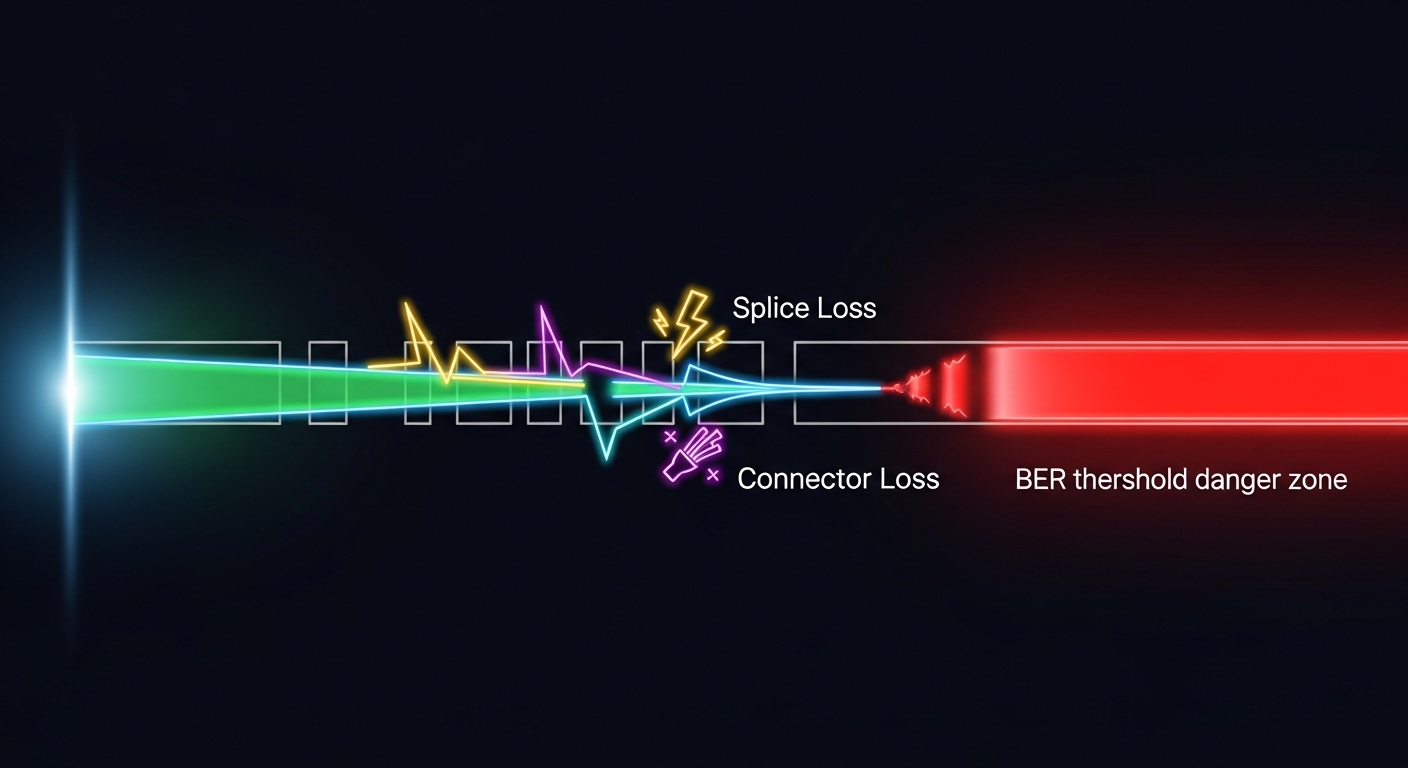
Clean LC or MPO end faces before insertion. Then inspect with a fiber scope and record pass/fail. In one rollout, I saw a 400G link flap until we replaced two patch cords with verified-clean ends; the transceiver never “failed,” it just couldn’t tolerate the extra loss.
Expected outcome: Link loss is within your optical budget before the first light is turned on.
Install modules with DOM checks and interface bring-up
Insert the QSFP-DD/OSFP module firmly until it seats. Then read DOM (Digital Optical Monitoring) values through the platform CLI or management interface. Typical DOM sanity checks include transmit power, receive power, bias current, and temperature. If your platform supports it, verify lane alignment or breakout state to ensure the 400G mode is enabled.
Expected outcome: DOM values are within datasheet thresholds and the interface transitions to “up” without excessive errors.
Validate performance with measurable thresholds
After bring-up, check interface counters: CRC/FCS errors, FEC stats (if applicable), and any optical alarms. If your system exposes optical diagnostics, confirm that received power is in range and that no warnings are present. For telecom-grade change control, capture baseline counters before and after the test window.
Expected outcome: You can prove optical networking health using counters and optical telemetry, not vibes.
Real-world telecom use case: 400G optics in a leaf-spine with mixed generations
In a 3-tier data center fabric supporting a telecom backhaul aggregation, we ran a leaf-spine design with 48-port 400G-capable ToR switches feeding spine routers. The customer had existing SMF trunks between rooms averaging 6.5 km with measured end-to-end loss around 5.2 dB including patching. We deployed 400G LR-style optics for the inter-room links and kept SR for intra-row spines where patch lengths were under 120 m. The migration was staged: first bring up a subset of links, then flip routing policies after verifying FEC and optical alarms remained stable for 24 hours.
Expected outcome: The fabric converged without packet loss events, and the optical alarms stayed clear during a full day of traffic load testing.

Selection criteria checklist engineers actually use
When you are choosing optical networking optics for 400G telecom, the correct module is the one that survives real fiber loss, real connector history, and real platform quirks.
- Distance and reach class: confirm SMF vs MMF and ensure budget includes splices, connectors, and patch cords.
- Switch or router compatibility: use the platform’s verified optics list; do not assume “QSFP-DD means universal.”
- DOM support and telemetry mapping: confirm the platform reads the same DOM fields your operations team expects.
- Operating temperature: telecom rooms can swing; ensure module range matches enclosure airflow and ambient conditions.
- FEC and coding mode: ensure the module and platform agree on the expected forward error correction behavior.
- Budget and TCO: compare OEM vs third-party pricing and include expected failure rates and spares strategy.
- Vendor lock-in risk: check whether the platform restricts optics by vendor ID or revision.
Common pitfalls and troubleshooting tips (top failure modes)
Here are the issues that cost the most time during 400G optical networking deployments, along with practical root causes and fixes.
Pitfall 1: Link won’t come up, but “it detects the module”
Root cause: wrong optics type for the interface mode, lane mapping mismatch, or incompatible FEC expectation. Sometimes the module is physically compatible but logically unsupported.
Fix: verify the platform’s optics matrix and force the correct interface mode (if the CLI offers it). Swap to a known-compatible module and retest DOM readings.
Pitfall 2: Interface flaps or shows high error counters after cleaning “looks fine”
Root cause: connector contamination, damaged ferrules, or excess loss from worn patch cords. 400G margins are tighter than many engineers assume.
Fix: inspect with a scope, replace suspect patch cords, and re-measure receive power. Confirm that both ends are clean and seated correctly.
Pitfall 3: DOM shows “within range,” yet alarms persist
Root cause: temperature/aging effects, or platform interpretation of DOM fields. Some alarms are triggered by thresholds on power stability or bias current variance, not just absolute power.
Fix: compare DOM trends over time, not only a single snapshot. Validate against the module datasheet thresholds and check enclosure airflow and temperature sensors.
Cost and ROI note: what 400G optics really cost over time
In practice, OEM 400G optics often carry a premium, frequently landing in the broad range of $800 to $2,500 per module depending on reach class and vendor. Third-party modules may be cheaper, but total cost of ownership depends on compatibility friction, warranty terms, and how often you need rapid replacements. TCO improves when you standardize optics types across sites and keep verified spares, because downtime costs dwarf unit price.
ROI angle: if a link outage costs a service window or escalations, reducing flaps and truck-rolls can justify paying for verified compatibility and better DOM telemetry. For telecom deployments, a predictable failure strategy beats the cheapest sticker price.
FAQ
What optical networking interface mode should I confirm for 400G?
Confirm the platform’s supported 400G mode (including lane mapping and FEC behavior) for the exact line card. Even when the module is physically QSFP-DD, the platform may require a specific configuration to match coding expectations. Use the vendor compatibility list as the source of truth. [[Source: IEEE 802.3]]
How do I estimate optical budget for telecom patching?
Start with measured loss from your fiber records and add splice loss, connector loss, and patch cord loss. Then include a margin for aging and maintenance activities. If you cannot measure, assume conservative values and validate with receive power after bring-up.
Are third-party 400G optical transceivers safe to deploy in telecom?
They can be, but only if the platform supports them and the module meets the exact electrical/optical requirements. The biggest risks are incompatibility, unexpected DOM behavior, and warranty disputes. Always test in a controlled pilot before wide deployment.
What DOM values matter most during troubleshooting?
Transmit power, receive power, bias current, and temperature trends are the usual suspects. Also watch for optical alarms that indicate stability thresholds, not just absolute power. Capture a before/after baseline during maintenance windows.
Why does a link fail only at certain traffic loads?
That pattern often points to signal integrity issues, thermal effects, or marginal power levels that only manifest under sustained throughput. Check FEC and error counters over time, and confirm the enclosure airflow. Re-clean and re-seat connectors before swapping optics again.
How many spares should I keep for 400G optical networking?
A common telecom practice is to keep a small pool of verified spares per site or per equipment cluster, scaled by criticality and vendor warranty. If the link is revenue-critical, plan spares to cover at least one failure event within the change window. Validate your mean time to repair targets against your operational model.
If you want the next step after selecting optics, map your rollout plan to optical networking migration planning and build a test matrix that your future self will thank you for. I update these field notes based on deployments, vendor datasheets, and the occasional “why is the connector upside down” moment.
Author bio: I am a travel-wired network blogger who has installed and validated optical networking links across data centers, metro rings, and carrier huts. I write like a field engineer: with part numbers, measurements, and just enough sarcasm to keep you awake during outages.
