If your optical links are up but users complain about high latency, the cause is usually not “mystery congestion.” It is typically a measurable timing, buffering, optics, or link-quality issue that shows up in counters, transceiver diagnostics, and physical-layer behavior. This guide helps network engineers and field technicians troubleshoot optical transport and Ethernet links quickly, using repeatable steps and real compatibility constraints.
Prerequisites before you chase high latency
Before you touch anything, confirm you are diagnosing the right layer. High latency can originate from L2/L3 queuing, but in optical networks it also comes from link flaps, FEC mismatch behavior, oversubscription, and marginal optical power that triggers retransmits. You need access to the switch/router CLI, optics DOM readings, and fiber test results.
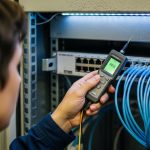
Have these items on hand: a laptop with terminal access, at least one known-good patch lead, and a way to read transceiver DOM (vendor CLI or a transceiver tool). If you can, also collect baseline metrics: RTT, jitter, interface counters, and error history over a 30-minute window.
What to measure first (so you do not waste time)
Start with quick indicators that correlate with optical-layer problems. On the switch, capture interface statistics (errors, discards, CRC, symbol errors) and check whether the link is stable (no flaps). Then read transceiver diagnostics: RX power, laser bias, temperature, and DOM alarms. If you see frequent FEC-related events or rising error counters, latency spikes are often a symptom of retransmission or link adaptation.
Pro Tip: In many real deployments, “latency” complaints spike only after optics warm up or after a patch panel is reworked. Record DOM temperature and RX power at 5-minute intervals; a slow RX power drift can push the link into higher error rates long before the interface goes fully down.

Step-by-step: isolate whether high latency is optical, switching, or application
Optical troubleshooting becomes faster when you treat latency like a deterministic signal: compare time windows, interfaces, and hop paths. The goal is to prove whether the bottleneck is on the optical link itself or somewhere else in the forwarding path.
Confirm the failure mode is not pure congestion
Run a controlled test from a client host to the destination and record RTT and jitter over time. Then correlate with interface counters on the suspected uplink/downlink. If RTT rises while throughput is low and error counters increase, the optical layer is a prime suspect.
Expected outcome: You can classify the issue as “optics/link quality” vs “queueing/congestion,” based on whether errors and discards rise in the same time window as latency.
Validate the physical layer with DOM and error counters
Read transceiver DOM values for the affected ports. For 10G SR optics (850 nm class), you typically want RX power comfortably above the vendor minimum sensitivity and stable temperature behavior. Also check platform-specific counters for FEC, symbol errors, and CRC.
Expected outcome: You identify whether RX power is marginal, temperatures are elevated, or DOM alarms are present—each can lead to retransmission and effectively higher latency.
Check link partner compatibility (FEC and speed/encoding)
On modern Ethernet links, FEC mode and speed negotiation can change behavior under stress. Confirm both ends use compatible settings (for example, force speed/duplex only if your vendor guidance supports it). A mismatch can lead to link instability or higher retransmit rates, which users experience as high latency.
Expected outcome: Both ends agree on negotiated speed, FEC mode (if applicable), and no recurring link renegotiations occur.
Re-seat and re-terminate fiber with a controlled patch strategy
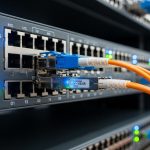
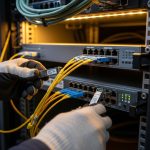
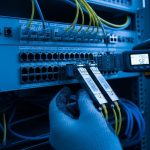
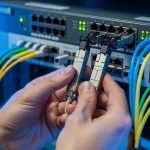
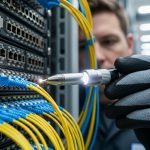
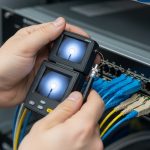
Swap patch cords end-to-end with known-good leads and re-seat optics carefully. Inspect connector cleanliness; even small contamination at LC/SC ferrules can degrade optical budget and raise error rates. If you have access to a fiber microscope, confirm there is no film or scratches.
Expected outcome: Latency and error counters improve after a clean connection change, and DOM RX power returns to a stable target range.
Use an optical budget model and verify against measured loss
Do not guess distance limits. Use vendor specs and your measured link attenuation to validate budget. If you are near the edge of the reach, any patch panel loss, dirty connector, or bend radius issue can push the system into a higher error regime.
Expected outcome: Your measured total loss is inside the optical budget with margin, and RX power is consistent across reconnects.
Optics and reach: specs that directly impact high latency symptoms
Optical transceivers are not interchangeable unless their wavelength, modulation format, and connector type match. Even when the link comes up, marginal optical power can cause retransmissions that manifest as high latency. Below is a practical comparison for common enterprise and data-center optics.
| Transceiver class | Wavelength | Typical reach | Connector | Target RX power behavior | Operating temp (example) | Notes for latency troubleshooting |
|---|---|---|---|---|---|---|
| 10G SFP+ SR (850 nm) | 850 nm | Up to 300 m (OM3) / 400 m (OM4) | LC duplex | Stable RX power above vendor sensitivity | 0 to 70 C (typical) | Dirty connectors often cause CRC/symbol errors before link drops |
| 10G SFP+ LR (1310 nm) | 1310 nm | Up to 10 km (single-mode) | LC duplex | RX power stable; budget sensitive to splice loss | -5 to 70 C (typical) | Fiber bends and marginal budget can create retransmission-driven latency |
| 25G SFP28 SR | 850 nm | Up to 100 m (OM3) / 150 m (OM4) | LC duplex | Small power margin; watch DOM alarms | 0 to 70 C (typical) | High error rates can appear as jitter/latency even if link stays up |
| 100G QSFP28 SR4 | 850 nm | Up to 100 m (OM4) | QSFP28 | Lane imbalance can show as errors | 0 to 70 C (typical) | One bad lane can trigger retransmits and queue growth |
Use concrete part numbers when you validate compatibility and DOM behavior. Examples include Cisco SFP-10G-SR, Finisar FTLX8571D3BCL, and FS.com SFP-10GSR-85. IEEE Ethernet behavior depends on the PHY and FEC implementation; consult IEEE 802.3 for baseline Ethernet physical-layer concepts and vendor datasheets for exact DOM alarm thresholds. anchor-text: IEEE 802.3 standard
Selection criteria checklist to stop high latency before it happens
When you are swapping optics or planning a remediation, engineers typically evaluate distance and risk first. Then they validate switch compatibility, DOM support, and environmental limits so the optics behave predictably under load.
- Distance vs optical budget: model measured fiber loss plus connector/splice margin; avoid operating at the edge.
- Wavelength and fiber type: SR optics require multimode OM grades; LR requires single-mode OS2; do not mix.
- Switch compatibility: confirm transceiver type is supported by the specific platform and line card.
- DOM support and alarm visibility: ensure the platform reads RX power, temperature, and vendor alarms reliably.
- Operating temperature: verify the transceiver meets the enclosure thermal profile; elevated temperature can reduce optical margin.
- Vendor lock-in risk: assess whether third-party optics are accepted and whether they trigger compatibility or limited DOM behavior.
- FEC and link negotiation: confirm any platform-specific defaults match at both ends.
Expected outcome: You select optics that maintain stable RX power and low error rates, reducing retransmission events that drive high latency.

Common mistakes and troubleshooting tips for high latency
Even experienced teams can miss the real root cause. Below are frequent failure modes observed in the field, with practical fixes.
Failure mode 1: Link stays up but latency spikes due to marginal RX power
Root cause: RX power is near sensitivity because of dirty connectors, exceeded budget, or poor patch panel routing. The interface may not drop, but errors and retransmits rise. Solution: clean and re-seat connectors, replace patch cords, and verify RX power stability with DOM. Recalculate optical budget using measured loss and vendor sensitivity.
Failure mode 2: FEC or speed negotiation mismatch creates hidden retransmissions
Root cause: One side uses a different FEC mode or forced speed behavior than the other, leading to unstable PHY behavior under load. Solution: check both ends for negotiated speed and any FEC settings; align them using vendor guidance. After changes, monitor error counters and RTT for 15 to 30 minutes.
Failure mode 3: Oversubscription and queuing misdiagnosed as optical latency
Root cause: High latency is driven by congestion at an upstream hop, not by the optical link. Error counters remain clean, and only queue depth grows. Solution: compare RTT across multiple paths, check queue statistics, and verify whether latency correlates with utilization. Only after that should you focus on optics.
Expected outcome: You avoid false attribution and converge quickly on the actual latency driver.
Cost and ROI note: what remediation usually costs
Third-party optics can be cost-effective, but total cost depends on compatibility risk and failure rates. In many data centers, OEM optics are often priced higher (commonly a premium of roughly 20% to 100% depending on port speed and vendor), while third-party modules can reduce acquisition cost but may introduce DOM visibility differences or stricter compatibility constraints.
For ROI, factor in: labor time, downtime exposure, and replacement churn. If marginal optics cause intermittent retransmissions, the hidden cost shows up as user impact and additional support tickets. In practice, a remediation that includes cleaning, budget validation, and swapping optics can pay back quickly by eliminating repeat incidents.
FAQ
What metrics best confirm optical-related high latency?
Look for correlations between rising latency and physical-layer counters: CRC errors, symbol errors, FEC events, discards, and DOM RX power drift. If RTT and error rates move together in the same time window, optical link quality is a strong suspect.
Can high latency occur even when the interface never goes down?
Yes. Marginal optical power can keep the link “up” while increasing retransmissions or buffering, which users perceive as high latency. DOM and error counters are the fastest way to detect this condition.
How do I tell multimode SR from single-mode LR during troubleshooting?
Verify wavelength and fiber type at the patch panel: SR is typically 850 nm with multimode (OM3/OM4), while LR is typically 1310 nm with single-mode (OS2). Also confirm connector type (commonly LC duplex) and the transceiver part number.
Are third-party optics safe to use if we are seeing high latency?
They can be safe when the platform supports them and DOM behavior is consistent, but compatibility varies by switch model and firmware. If you suspect timing or DOM alarm visibility issues, test with a known-good OEM module to establish a baseline first.
When should I escalate to a fiber test (OTDR or loss test)?
If RX power is marginal or you cannot improve stability through cleaning and swapping, run an end-to-end loss test and inspect splices and connectors. OTDR is particularly helpful when you have repeated intermittent errors after patch panel changes.
What is the fastest way to reduce high latency during an incident?
Start with cleaning and reseating, then swap to a known-good transceiver and patch cord pair. In parallel, capture DOM and error counters so you can confirm whether the optical link quality is the root cause.
High latency in optical networks is rarely random; it is usually traceable to measurable link-quality issues, negotiation mismatches, or real congestion. Use the steps above to isolate the layer, validate optics with DOM and budget math, and then lock in the fix with a compatibility-aware selection process via optical transceiver.
Author bio: I am a field-deployed network photographer and optical troubleshooting specialist who documents real link failures and fixes from live racks.