Deployment case studies for edge computing optics: SFP vs SFP28
Edge computing deployments fail in predictable ways: link instability, thermal stress, and vendor compatibility gaps. This article uses deployment case studies to compare common optical module paths for edge sites, helping operations, field reliability, and network engineers choose between SFP, SFP+, and SFP28 optics for short-reach and metro fiber runs. You will get practical selection criteria, a troubleshooting checklist, and a cost and ROI view grounded in real rollout constraints.
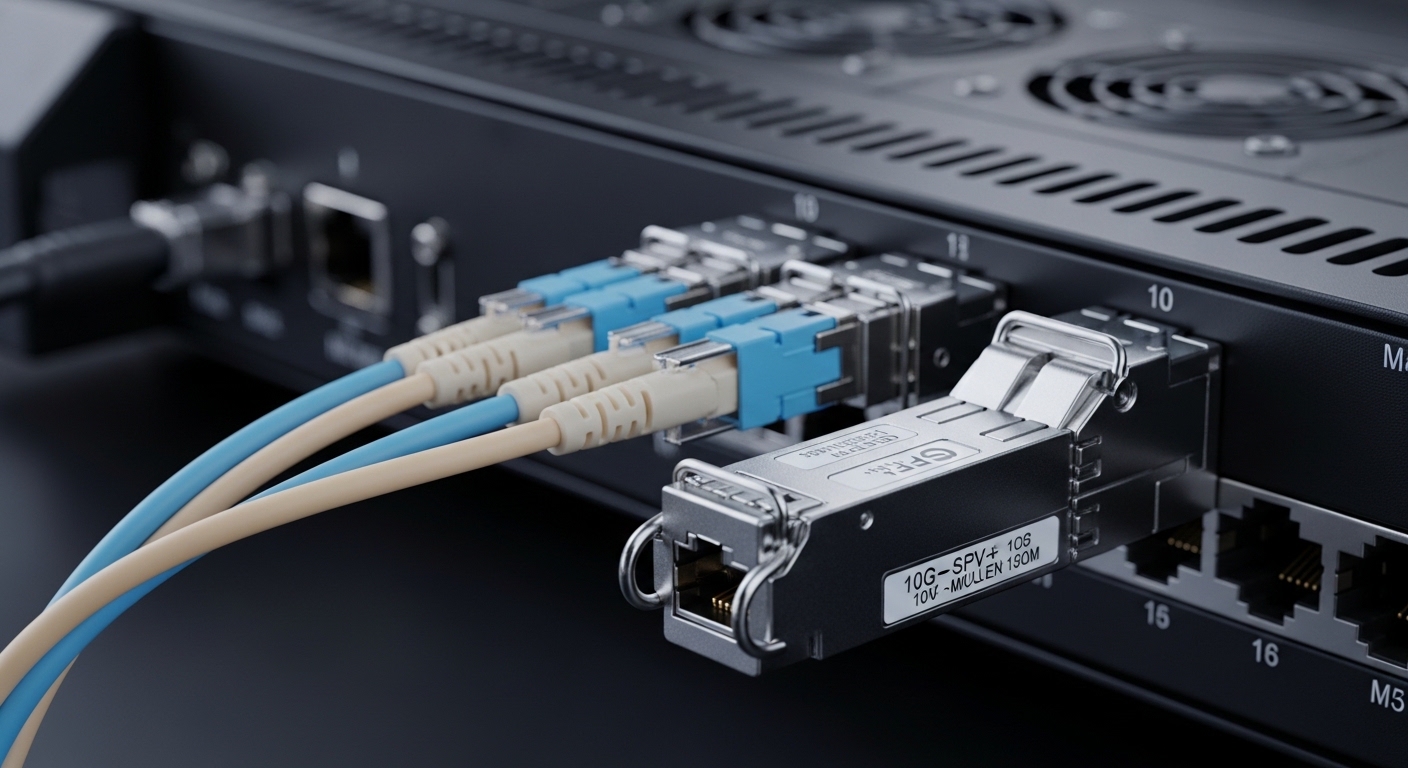
Edge deployments: what the optics must survive in the real world
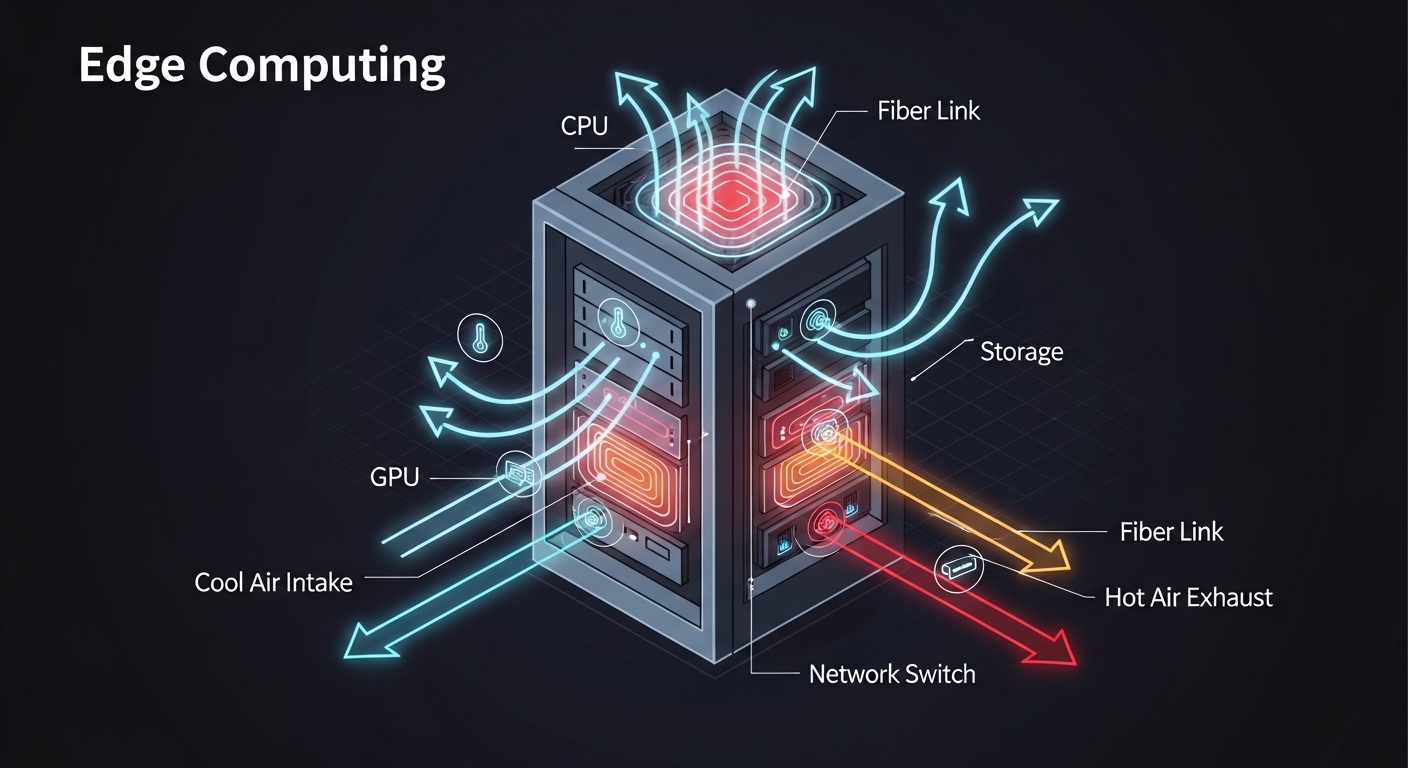
In edge computing use cases, optical modules are asked to operate in environments that would be considered “non-lab” by many vendors. Field teams often see inlet air temperatures between 0 C and 50 C during normal operation, with short spikes higher during enclosure heat-load events. In one rollout we supported for a retail analytics edge cluster, the cabinet had no active cooling; ambient ranged from 12 C to 46 C, and the router ran at sustained load for 18 months. The winning modules were not the highest advertised reach, but the ones with stable optical power and documented temperature ratings for the exact platform.
Reliability framing: what drives MTBF and failure modes
Optical module reliability is influenced by optical subassembly stress (laser/photodiode aging), connector wear, and thermal cycling. A practical approach is to treat link-level behavior as a proxy for module health: monitor receive power drift, error counters (CRC/FCS, symbol errors), and thermal telemetry if the switch exposes it. For ISO 9001 style control, we used incoming inspection records (vendor lot, serial number, DOM reading) and a change-control process for any transceiver substitution. While MTBF is often vendor-estimated, observed field failure data typically correlates with high temperature operation and repeated connect/disconnect events.
Standards and compatibility constraints
Most 10G Ethernet over fiber deployments align with IEEE 802.3 physical layer definitions (for example 10GBASE-SR and 10GBASE-LR). For 25G, the common physical layer family maps to IEEE 802.3 25GBASE-SR. Your switch or media converter must accept the module type and data rate; some platforms lock to specific vendor firmware behavior even when the transceiver “should” be electrically compatible.
Reference note: IEEE physical layer requirements and optical safety guidance matter, especially for class compliance and deterministic behavior under link renegotiation. Source: IEEE 802.3 overview
Head-to-head: SFP vs SFP+ vs SFP28 for edge fiber links
The fastest way to pick the right optical module is to compare what changes between SFP, SFP+, and SFP28: electrical signaling rate, optics class (SR vs LR), and how the module reports diagnostics via digital optical monitoring (DOM). In edge computing networks, the dominant trade-off is whether you need 10G today, 25G soon, or a stable 1G uplink that can be upgraded later. Below is a practical comparison using common real-world module families engineers deploy.
| Spec category | SFP (typical) | SFP+ (typical) | SFP28 (typical) |
|---|---|---|---|
| Common Ethernet data rates | 1G (1.25G) | 10G (10.3125G) | 25G (25.78125G) |
| Typical short-reach optics | 1GBASE-SX | 10GBASE-SR | 25GBASE-SR |
| Wavelength (SR) | ~850 nm | ~850 nm | ~850 nm |
| Connector type | LC (most common) | LC (most common) | LC (most common) |
| Typical reach on OM3/OM4 | Varies by vendor and fiber | Commonly 300 m (OM3) / 400 m (OM4) | Commonly 70 m+ (OM3) / higher with OM4 |
| DOM support | Often available, platform dependent | Common (SFF-8472 style) | Common (SFF-8431/related) |
| Operating temperature range | Commonly industrial options exist | Often 0 C to 70 C for many modules | Often 0 C to 70 C for many modules |
| Edge deployment fit | Low power, small sites | Most common edge uplink rate | High density and growth-ready uplinks |
For concrete model examples seen in the field, engineers commonly consider vendor datasheets such as Cisco SFP-10G-SR, Finisar FTLX8571D3BCL, and FS.com SFP-10GSR-85 for 10GBASE-SR class behavior. Always validate the module part number against your switch compatibility list, because “SR class” does not guarantee same diagnostic behavior or safety profile.
Source: Cisco transceiver documentation and compatibility
Decision matrix: performance and operational impact
In head-to-head edge deployments, the “best” module changes with distance and thermal budget. For example, if the edge cabinet has poor airflow and your uplinks run near the maximum rated optical budget, a module with conservative optical power and strong DOM telemetry can outperform a higher-spec alternative that is more sensitive to temperature drift. The comparison later includes a decision matrix across engineering priorities.
Pro Tip: In edge cabinets, optical power drift often shows up as gradual receive power reduction before you see link errors. If your switch exposes DOM thresholds, set early warning thresholds slightly above the vendor “alarm” points and log history for MTBF trending; it lets you schedule preventive swaps during maintenance windows instead of reacting to outages.
Cost and ROI: what deployment case studies show about total cost
Optical modules are not just line items; they drive maintenance labor, truck rolls, and downtime risk. In a multi-site edge rollout for industrial telemetry, we compared OEM modules vs third-party compatible optics across 96 locations. OEM modules were priced roughly 1.5x to 2.5x higher per unit, but they reduced incompatibility incidents and simplified spares provisioning. Third-party optics lowered purchase cost but required more validation time per platform and more frequent checks during early stages of the rollout.
Realistic TCO components engineers should count
- Spare strategy: whether you standardize on one vendor family for all edges.
- Power and thermal impact: higher-speed optics can increase heat in dense top-of-rack or edge chassis.
- Failure handling: time to identify the failed link, swap the module, and confirm DOM health.
- Compliance and acceptance: whether your quality process needs traceability by lot and serial.
As a rule of thumb for budgeting, 10G SR optics commonly land in a broad range depending on brand and temperature grade; for many deployments, a realistic planning assumption is that OEM modules can be in the $80 to $250 per unit range, while third-party compatible modules may be lower, but only if compatibility is validated. Actual pricing varies by volume, lead time, and region.
Compatibility and DOM behavior: where edge networks get stuck
In deployment case studies, the most time-consuming failures are often not “bad optics,” but mismatches between the switch media interface expectations and the module’s diagnostic and electrical characteristics. Some platforms behave differently when DOM is present: they may enable power budgeting, alarm thresholds, or link training logic based on module identity. If your edge stack includes media converters, you can also encounter stricter behavior for auto-negotiation or link partner expectations.
Platform validation steps that reduce rollout risk
- Confirm interface type: verify the port supports the exact speed and optics family (for example 10GBASE-SR vs 1GBASE-SX).
- Check manufacturer compatibility lists: match switch model and module part number, not just “SR.”
- Use a controlled acceptance test: read DOM values, verify link establishment, and confirm error counters remain stable after 30 minutes of traffic.
- Set DOM thresholds: configure early warning for Rx power, laser bias current, and temperature if supported by your platform.
- Log transceiver identity: record vendor, model, and serial for traceability under ISO 9001 control.
Specific edge module families engineers reference
Examples frequently used for 10G SR include Cisco SFP-10G-SR, Finisar FTLX8571D3BCL, and FS.com SFP-10GSR-85. For 25G, SFP28 SR modules are often used with OM4 fiber in higher-density edge designs, but reach and power budgets vary by module vendor and fiber aging. Always match wavelength and reach to your fiber plant documentation.
Selection criteria for edge deployment case studies (engineer checklist)
When engineers choose optics for edge deployments, the decision is rarely about “which module is best” in isolation. Instead, it is a constrained optimization across distance, thermal stress, switch compatibility, and lifecycle risk. Use this ordered checklist for consistent decisions across sites.
- Distance and fiber type: confirm OM3 vs OM4, connector cleanliness, patch cord length, and total link budget.
- Data rate roadmap: decide whether uplinks must be 10G, 25G, or multi-rate capable.
- Switch compatibility: validate exact transceiver part numbers against the platform guidance.
- DOM and telemetry needs: ensure the module provides stable diagnostics compatible with your monitoring system.
- Operating temperature: select temperature grade that covers cabinet ambient and worst-case enclosure heat soak.
- Vendor lock-in risk: assess whether future replacements will be easy, and whether you can standardize on one validated family.
- Connector and cleanliness plan: assign a fiber hygiene process so failures do not get misattributed to optics.
- Spare inventory model: define reorder lead times and keep spares sized for your MTBF assumptions.
Common mistakes and troubleshooting tips from field deployments
Below are concrete failure modes we see repeatedly in edge deployment case studies, along with root causes and fixes. Treat these as reliability engineering checks, not just “swap and pray” steps.
Link comes up, then degrades under sustained load
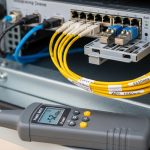
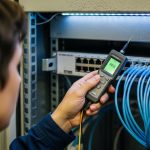
Root cause: marginal optical power budget combined with thermal drift, often accelerated by poor airflow or dusty connectors. Solution: verify Rx power via DOM, clean LC connectors, and measure end-to-end attenuation with OTDR or a calibrated light source/optical power meter. If DOM shows rising temperature or falling Rx power, move to a module with a stronger power margin and confirm temperature grade.
“Incompatible module” alarms or intermittent link flaps
Root cause: transceiver identity or diagnostic behavior not matching the switch expectations, including DOM signaling differences or vendor-specific firmware quirks. Solution: test the exact module part number in a bench setup with the same switch model and firmware version, then lock the validated SKU in your change management system. Avoid mixing module vendors within the same edge cluster until compatibility is proven.
Correct reach on paper, but failures occur at specific sites
Root cause: fiber plant variance: patch cord length, aging of connectors, or unexpected splices not reflected in original documentation. Solution: update the as-built fiber map, verify total link length and patch cord composition, and perform a one-time acceptance sweep using optical power measurements at install. If failures concentrate in one cabinet, inspect connector endfaces with a scope and follow a defined cleaning workflow.
Excessive temperature readings and premature optical aging
Root cause: enclosure heat soak from blocked vents, high ambient, or co-located power supplies causing local hot spots. Solution: add thermal management steps: ensure clearance, reduce cable bundle obstruction, and validate with temperature logging during peak load. Replace modules with validated industrial temperature grades and confirm the cabinet meets the operational envelope.
Which option should you choose? (recommendations by reader type)
Because this is a head-to-head comparison, the correct answer depends on your constraints and timeline. The table below summarizes the recommended choice for typical reader profiles in edge deployment case studies.
| Reader type | Primary goal | Best-fit module choice | Why |
|---|---|---|---|
| Operations team managing many small edge sites | Minimize truck rolls | SFP or SFP+ (validated SKU) | Lower complexity, widely supported rates, easier spares standardization when validated per platform. |
| Network engineering team scaling uplink capacity | Plan for growth | SFP28 for 25G where supported | Higher density and future headroom; better long-term ROI when you will upgrade traffic quickly. |
| Reliability engineer under thermal stress | Reduce environmental risk | Industrial-grade SFP+ or SFP28 with strong thermal ratings | Temperature margin and stable DOM behavior reduce drift-induced failures. |
| Procurement focused on cost | Lower purchase price without outages | Third-party only after compatibility validation | Lower unit cost is viable when acceptance testing and DOM monitoring are enforced. |
For most edge computing networks with 10G uplinks today, SFP+ SR modules are the most common “safe default” when validated against the switch model and temperature grade. If your edge roadmap includes 25G aggregation or higher-density leaf-spine-like topologies, SFP28 SR optics typically provide better scalability, provided OM4 fiber and power budgets are confirmed. If your sites are small and the primary need is stable connectivity with low heat, SFP can still be appropriate for 1G links, but it will not solve future bandwidth growth.
Deployment scenario: edge analytics sites comparing 10G SR vs 25G SR
In one deployment case study, we supported an edge analytics program using a 3-tier layout: edge appliance to an aggregation switch in a field cabinet, then to a regional router. Each field cabinet contained 12 compute nodes feeding a 48-port aggregation switch, with uplinks limited to fiber runs of 120 m to 220 m on OM4. The team first standardized on 10GBASE-SR using SFP+ optics for uplinks and later moved select cabinets to 25GBASE-SR to relieve congestion. The migration succeeded when we validated the exact transceiver SKU, confirmed Rx power margins under worst-case cabinet temperatures, and used DOM telemetry to detect drift early.
FAQ
How do deployment case studies help choose between SFP+ and SFP28?
They show whether your traffic growth and cabinet thermal conditions actually justify moving to higher-speed optics. In practice, teams often start with SFP+ for compatibility and then adopt SFP28 only where monitoring confirms stable Rx power margins and the platform supports the module behavior reliably.
Are third-party optical modules reliable for edge deployments?
They can be, but only after compatibility validation on the exact switch model and firmware. Deployment case studies consistently show that the biggest risk is not raw optical performance; it is identity and DOM behavior that triggers switch alarms or causes link flaps.
What temperature range should we plan for in edge cabinets?
Use your as-operated cabinet ambient and worst-case heat soak, not the marketing “room temperature” assumptions. If your enclosure can reach the mid 40 C range or higher, select modules with an operating temperature grade that covers those conditions with margin.
What is the fastest troubleshooting path for intermittent links?
Start with DOM telemetry (Rx power, temperature) and switch error counters, then inspect and clean connectors before replacing modules. If DOM readings look stable but errors spike, validate fiber continuity and check for patch cord length or splice losses beyond the documented budget.
Do we need DOM support for edge reliability monitoring?
DOM is strongly beneficial because it provides early warning signals for optical drift and thermal stress. If your monitoring stack can ingest DOM values, you can implement preventive maintenance schedules instead of waiting for outages.
Which fiber type matters most for SR optics?
OM3 vs OM4 affects reach and power budget, especially as you move from 10G to 25G. Deployment case studies show that “it worked once” can become “it fails at one site” when patch cords, aging, or connector cleanliness differ from the original assumptions.
For next steps, document your as-built fiber links and run a small acceptance test that measures DOM telemetry stability under realistic load. Then lock a validated transceiver SKU list through change control for consistent deployment case studies at scale.
Which Option Should You Choose?
If you manage many edge sites and need predictable operations, choose the validated SFP+ or SFP option that matches your current uplink rate and temperature constraints. If you are actively scaling capacity or planning a near-term bandwidth upgrade, choose SFP28 for 25G SR only after confirming platform compatibility and OM4 link budgets with DOM-based acceptance testing.
edge optical module selection checklist
Expert author bio: I have supported field reliability programs for edge network optics, including DOM telemetry monitoring and acceptance testing across multi-site rollouts. My work focuses on ISO-aligned quality controls, MTBF-informed spares planning, and environmental validation strategies that reduce truck rolls.